Ever wondered how to truly elevate your home’s security and convenience without breaking the bank? A smart video doorbell is often the first step many homeowners take, and the Feit Electric Smart Video Doorbell offers a compelling, feature-rich entry point into this exciting world. Forget simply hearing a chime; imagine seeing, speaking to, and even recording whoever is at your doorstep, all from the palm of your hand, no matter where you are. This isn’t just about security; it’s about peace of mind and seamless connectivity, turning your front door into a watchful guardian.
Understanding Your Smart Doorbell: The Feit Electric Difference
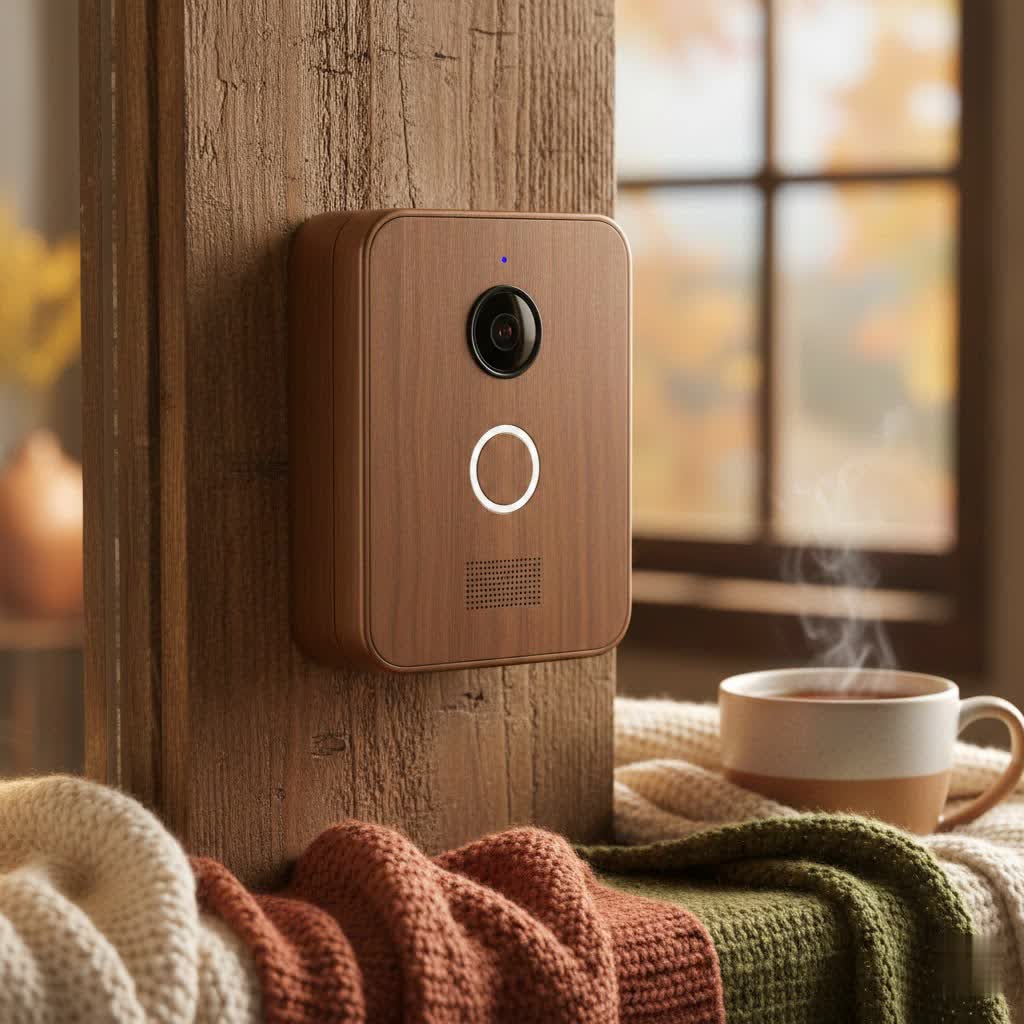
At its core, a smart video doorbell brings your front door into the digital age, linking it directly to your smartphone. The Feit Electric Smart Video Doorbell takes this concept and delivers a robust, accessible solution that empowers you to monitor your home with confidence. It’s designed for homeowners who want reliable performance and essential smart features without unnecessary complexity.
Feit Electric Smart Video Doorbell: Core Features
What truly makes the Feit Electric Smart Video Doorbell a standout choice? It’s a combination of practical features that work together to create a comprehensive security layer for your entrance.
-
High-Definition Video and Night Vision: Picture this: crystal-clear 1080p HD video that captures every detail, ensuring you get a sharp view of visitors or packages. But what about after dark? The integrated infrared (IR) night vision pierces through the gloom, allowing the camera to see clearly up to 30 feet, so you’re covered 24/7. No more squinting at fuzzy, indistinguishable figures in the shadows.
-
Two-Way Audio Communication: This isn’t just a one-way street. With a built-in microphone and speaker, the Feit Electric Smart Video Doorbell enables seamless two-way audio. You can have a real-time conversation with anyone at your door, whether it’s a delivery person, a neighbor, or even to deter an unwanted visitor. It’s like being home, even when you’re not.
-
Motion Detection and Instant Alerts: The moment any activity is detected near your entrance, the doorbell’s motion sensors spring into action. You’ll receive instant alerts directly to your smartphone, keeping you informed of every movement. This proactive approach means you can react quickly, review the footage, and always stay a step ahead.
-
Power Requirements and Connectivity: The Feit Electric Smart Video Doorbell is a hardwired device, meaning it connects to your existing low-voltage doorbell wiring. This ensures a consistent, reliable power supply without the need for battery changes. It requires a power source between 12 and 24 volts AC (VAC) and a transformer rated 10 to 30 volt-amperes (VA). For connectivity, it operates exclusively on a 2.4 GHz Wi-Fi network, which offers excellent range and penetration for stable performance, making sure your connection is solid through walls and over distances.
-
Local Storage Options: For those who prefer to keep recordings local, the Feit Electric doorbell includes a slot for an optional microSD card (not included). This allows for continuous recording or event-triggered video storage directly on the device, providing an alternative to cloud subscription services and giving you full control over your footage.
|
Our Picks for the Best Smart Doorbell in 2026
As an Amazon Associate I earn from qualifying purchases.
|
||
| Num | Product | Action |
|---|---|---|
| 1 | Tapo by TP-Link Smart Video Doorbell Camera with Chime, Battery or Wired, 2K QHD Color Night Vison, No Monthly Fee, 180° Ultra-Wide Head-to-Toe View, Ring Call, Free AI Detection, Local Storage (D225) |

|
| 2 | 1080P Smart Wireless Video Doorbell Camera with AI Motion Detection, Night Vision, Two-Way Talk, Cloud Storage, Indoor/Outdoor Surveillance, Battery Powered, 2.4GHz Wi-Fi |
|
| 3 | Google Nest Doorbell (Wired, 3rd Gen) - 2K Video and Gemini, Live View, Night Vision, 2-Way Audio - Works with Google Home - 2025 Model - Hazel |
|
| 4 | Tapo TP-Link Smart Video Doorbell Camera, Chime Included, 2K 5MP, Color Night Vision, 2-Way Audio, Free AI Detection, Cloud/SD Card Storage, Works w/Alexa & Google Home, D230S1 |
|
| 5 | ecobee Smart Video Doorbell Camera (Wired) - with Industry Leading HD Camera, Smart Security, Night Vision, Person and Package Sensors, 2-Way Talk, and Video & Snapshot Recording |
|
| 6 | Anti-Theft Video Doorbell Mount Compatible with Arlo Video Doorbell/Blink Doorbell Camera, Anti-Blocks Motion Sensor, Adjustable Mounting Bracket Accessories for Houses/Apartments/Rentals-Silver |
|
| 7 | Arlo Video Doorbell 2K (2nd Gen, Latest Release), Wireless or Wired Option, 2-Way Audio, Night Vision, Head to Toe Video View, Package Detection, Person & Vehicle Recognition, 1-Month Secure Plan |
|
| 8 | Tapo by TP-Link Smart Video Doorbell Camera Wireless with Chime, 2K with Full Color Night Vision & Spotlights, No Monthly Fee, Ring Call, 160° Ultra-Wide View, Free AI Detection, Local Storage,D210 |
|
| 9 | 1080p Smart Video Doorbell Camera with AI Motion Detection, Night Vision, Cloud Storage, 2 Way Audio, Battery Powered, 2.4GHz Wi-Fi Only |
|
| 10 | Google Nest Doorbell (Wired, 3rd Gen) - 2K Video and Gemini, Live View, Night Vision, 2-Way Audio - Works with Google Home - 2025 Model - Snow |
|
Seamless Setup: Installing Your Feit Electric Smart Video Doorbell
Installing a smart video doorbell might sound daunting, but with the Feit Electric model, it’s a straightforward process that most DIY enthusiasts can tackle. Think of it as upgrading your front door’s brain – a few simple connections make all the difference.
Pre-Installation Checklist
Before you grab your tools, let’s make sure you have everything in order. A little preparation goes a long way:
- Confirm Power: Ensure your existing doorbell wiring provides 12-24 VAC and your transformer is rated 10-30 VA.
- Check Wi-Fi: Your home needs a stable 2.4 GHz Wi-Fi network that reaches your doorbell’s installation location with at least two signal bars.
- Tools: Gather a screwdriver, drill (if mounting new holes), electrical tape, and the included mounting hardware and power kit.
- Feit Electric App: Download the Feit Electric app from your smartphone’s app store and create an account.
The Installation Process
Let’s walk through the steps to get your new guardian up and running.
Step 1: Power Down
Safety first! Locate your home’s main circuit breaker panel and switch off the power to your existing doorbell circuit. A quick test by pressing your old doorbell button will confirm the power is safely disconnected. This is crucial to prevent electrical shocks.
Step 2: Install the Power Kit
Head to your existing mechanical chime unit (usually found in a hallway or living room). Open its cover and install the included Power Kit by connecting its wires to the “Front” and “Trans” terminals. This kit ensures your smart doorbell receives consistent power and prevents your traditional chime from buzzing unnecessarily. Make sure the wires don’t interfere with any moving parts of the chime, then replace the cover.
Step 3: Mount the Doorbell
Remove your old doorbell button. Position the Feit Electric Smart Video Doorbell’s mounting bracket where your old doorbell was, ensuring it’s level. Mark the screw holes, drill pilot holes if necessary, and then secure the bracket to your wall using the provided screws.
Step 4: Connect to Power
Carefully connect your existing doorbell wires to the terminals on the back of your Feit Electric Smart Video Doorbell. It’s a simple polarity-free connection. Tuck the wires neatly into the wall cavity, then attach the doorbell unit to its mounting bracket. Restore power to your doorbell circuit at the main breaker.
Step 5: App Setup and Pairing
Now for the smart part! Open the Feit Electric app, tap “Add Device” or the “+” sign, and select “Camera.” Follow the in-app prompts. The doorbell should now be in pairing mode, typically indicated by a rapidly blinking red LED. If not, press and hold the reset button (usually at the bottom of the doorbell) for about five seconds until you hear an audible tone and see the blinking red light. The app will guide you to connect to your 2.4 GHz Wi-Fi network and enter your password. You’ll then scan a QR code displayed on your phone with the doorbell camera to finalize the connection. Once connected, you’re ready to customize settings, view live footage, and receive alerts.
Beyond the Basics: Maximizing Your Feit Electric Doorbell Experience
Getting your Feit Electric Smart Video Doorbell installed is just the beginning. The real magic happens when you start customizing its functions and integrating it into your daily life.
App Features and Customization
The Feit Electric app is your command center. From here, you can adjust motion detection sensitivity to avoid false alerts from passing cars or pets, set recording schedules, and review recorded events. You can also engage in live two-way conversations and even digitally “chime” your indoor chime from the app. Explore the settings; you’ll find options to manage your microSD card storage, ensuring you’re capturing exactly what you need.
Integrating with Your Smart Home
While Feit Electric offers a cohesive ecosystem within its own app, the convenience often extends to broader smart home integration. The Feit Electric Smart Video Doorbell plays well with popular voice assistants like Amazon Alexa and Google Assistant, allowing you to view your doorbell feed on compatible smart displays with simple voice commands. This means you can say, “Alexa, show me the front door,” and instantly see who’s there, adding another layer of hands-free convenience to your connected home.
Troubleshooting Common Issues with Your Feit Electric Smart Video Doorbell
Even the most reliable smart devices can hit a snag. The Feit Electric Smart Video Doorbell is generally robust, but knowing how to troubleshoot common issues can save you a lot of headache. As smart home expert, Clara Jensen, often says, “Most smart device problems boil down to three things: power, Wi-Fi, or user error. Check the basics first!”
Wi-Fi Connectivity Problems
One of the most frequent challenges is maintaining a stable Wi-Fi connection.
- Blinking Lights: A rapidly blinking red light means it’s in pairing mode, ready to connect. A flashing blue light, however, often indicates it’s trying to connect to Wi-Fi. If it remains blue for too long, it’s struggling to establish a connection.
- 2.4 GHz Network: Remember, the Feit Electric doorbell only works on a 2.4 GHz Wi-Fi network. If your router uses both 2.4 GHz and 5 GHz bands, ensure your phone is connected to the 2.4 GHz band during setup, and that your doorbell is connecting to it.
- Signal Strength: Poor Wi-Fi signal is a common culprit. If your doorbell is too far from your router or if there are significant obstructions (like concrete walls), the signal might be too weak. Try moving your router closer, or consider a Wi-Fi extender to boost the signal. Aim for at least two signal bars for reliable operation.
- Wi-Fi Password: Double-check your Wi-Fi password in the app. A simple typo can prevent connection.
No Power or Intermittent Function
If your doorbell isn’t lighting up or seems to lose power sporadically:
- Circuit Breaker: Confirm the circuit breaker for your doorbell is in the “On” position.
- Transformer: Verify your existing transformer is supplying the correct voltage (12-24 VAC) and sufficient VA (10-30 VA). An underpowered transformer can cause intermittent issues or prevent the doorbell from functioning.
- Wiring: Ensure all wiring connections are secure and free from corrosion, both at the doorbell and at the chime’s power kit.
Recording and Playback Issues
Having trouble viewing recorded footage?
- MicroSD Card: If you’re using a microSD card, make sure it’s properly inserted and formatted. Also, check the app’s settings to ensure “Record Switch” is turned on under “SD Card Settings.”
- App Review: Sometimes, playback in the Feit Electric app relies on a timeline. Dragging the timeline to areas with detected motion should show recorded events. If you’re expecting a list of specific dates/times, be aware the app might use a different playback interface.
Resetting Your Device
When all else fails, a factory reset can often resolve persistent issues.
- Steps: With power restored, press and hold the reset button (usually a small button at the bottom of the doorbell, requiring a paperclip or a specialized tool) for five seconds until you hear an audible tone and see the red LED blinking. This will clear all settings, and you’ll need to re-pair the device with your app.
Feit Electric vs. The Competition: What Sets It Apart?
In a market flooded with smart doorbells from giants like Ring and Nest, the Feit Electric Smart Video Doorbell holds its own by offering excellent value. While it might not have every single premium feature found in more expensive models, it delivers on the core functionalities – clear video, two-way audio, and reliable motion detection – at a significantly more accessible price point. It’s a solid, budget-friendly option that doesn’t compromise on essential home security.
Frequently Asked Questions (FAQ)
Q: Does the Feit Electric Smart Video Doorbell require a subscription?
A: No, a subscription is not strictly required. You can view live feeds, receive motion alerts, and use two-way audio without a subscription. For local video storage, you can use an optional microSD card.
Q: Is the Feit Electric Smart Video Doorbell battery-powered or hardwired?
A: The most common Feit Electric Smart Video Doorbell model is hardwired, connecting to your existing doorbell’s low-voltage wiring for continuous power.
Q: What Wi-Fi frequency does the Feit Electric Smart Video Doorbell use?
A: It operates exclusively on the 2.4 GHz Wi-Fi band. It will not connect to a 5 GHz network.
Q: Can I integrate my Feit Electric Smart Video Doorbell with other smart home systems?
A: Yes, the Feit Electric Smart Video Doorbell often integrates with popular voice assistants like Amazon Alexa and Google Assistant, allowing for voice control and viewing on compatible smart displays.
Q: What should I do if my Feit Electric doorbell loses its Wi-Fi connection?
A: First, check your Wi-Fi signal strength and ensure your router is broadcasting a 2.4 GHz network. If the issue persists, try power cycling the doorbell (turn off power at the breaker for 10 seconds, then back on) or performing a factory reset and re-pairing it with the app.
Q: How do I access recorded video footage from my Feit Electric doorbell?
A: If you have an optional microSD card installed, you can access recorded footage through the timeline playback feature within the Feit Electric app. Ensure recording is enabled in the app’s settings.
Your Smarter Home Starts at the Door
The Feit Electric Smart Video Doorbell isn’t just a gadget; it’s an investment in your home’s security and your peace of mind. With its clear 1080p video, crucial two-way audio, and intelligent motion detection, it puts you in control of your front door like never before. From straightforward installation to intuitive app control, it’s designed to be a reliable sentinel for your property. Take the leap, enhance your home security, and experience the convenience that a Feit Electric Smart Video Doorbell brings to your everyday life. You’ll wonder how you ever managed without it.
