360 smart doorbells offer robust home security with features like 1080P HD to 5MP video, advanced motion detection, two-way audio, and crucial local storage options, often without mandatory subscription fees. These devices provide peace of mind by allowing homeowners to monitor their entryway effectively and affordably, making them a compelling choice for modern home security setups.
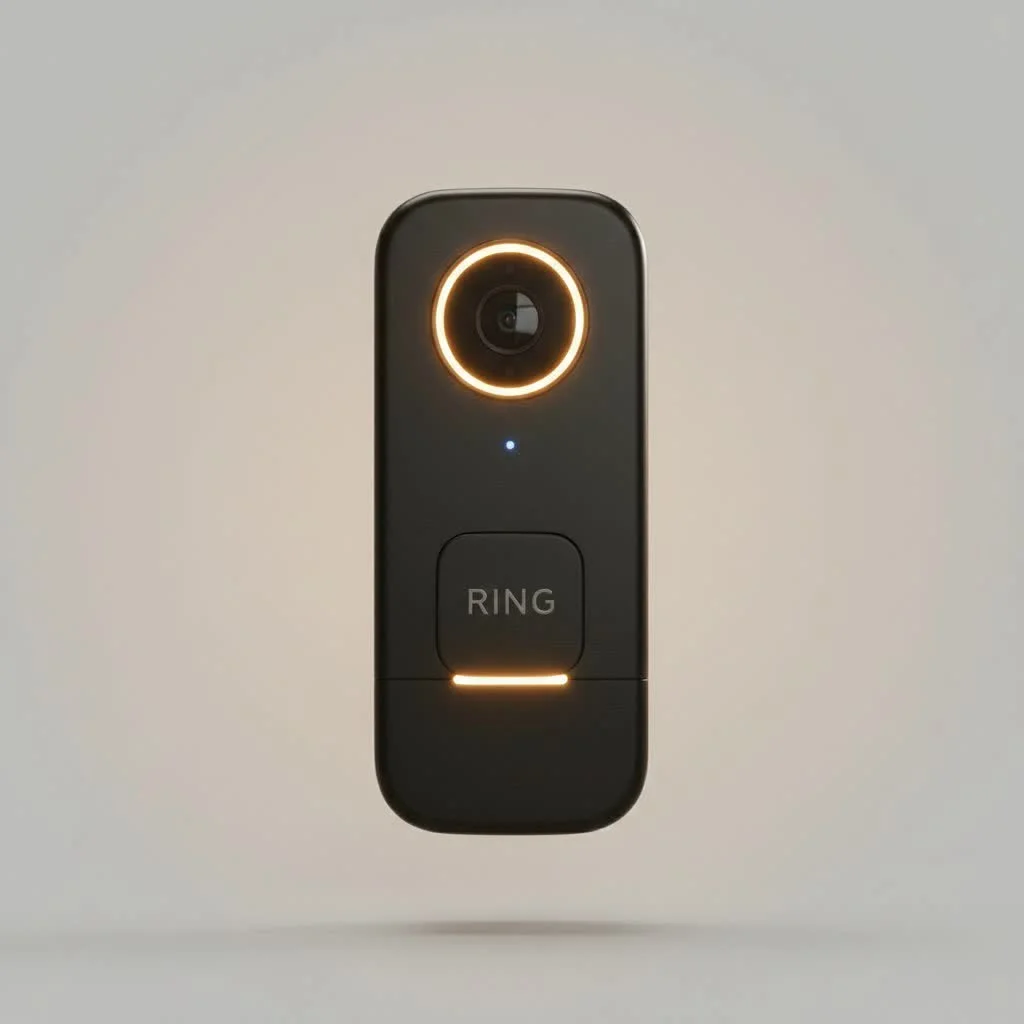 smart doorbell with a clear camera lens” style=”margin: 20px auto;width: 800px;max-width: 100%;height: auto” />
What is a 360 Smart Doorbell? Unpacking the Name
When you hear “360 smart doorbell,” it’s natural to envision a camera with a full, panoramic 360-degree view, capturing every single angle around your entryway. And while some advanced models, like the Botslab Video Doorbell 2 Pro R811S, do boast an impressive 360° panoramic view, the “360” in the brand name (360 Smart Life) actually refers to the company itself. Many of their popular models, such as the 360 Video Doorbell X3 and D819, offer expansive wide-angle views (typically around 162-166 degrees) that cover a significant area, ensuring you don’t miss crucial details. This wide field of view is critical for monitoring packages, detecting visitors, and deterring potential intruders.
Key Features of 360 Smart Doorbells
These devices are packed with functionalities designed to give you comprehensive control and awareness of your home’s entrance. From crystal-clear video to smart alerts, a 360 smart doorbell ensures you’re always connected.
Crystal-Clear Video Quality and Expansive Field of View
One of the most vital aspects of any video doorbell is its camera. 360 smart doorbells typically offer resolutions from 1080P HD up to 5MP, delivering sharp and clear images. Models like the X3 feature 5MP sensors, capturing intricate details. Coupled with High Dynamic Range (HDR), these cameras perform well in various lighting conditions, from bright daylight to deep shadows. Night vision, often powered by built-in infrared LEDs, ensures that monitoring continues around the clock, providing clear black-and-white footage even in complete darkness. As mentioned, the field of view is generous, with many models offering 162-degree or 166-degree angles, and select newer models providing true 360° panoramic coverage.
Advanced Motion Detection for Smarter Alerts
Gone are the days of constant, annoying false alarms triggered by a passing car or a rustling leaf. 360 smart doorbells leverage sophisticated motion detection technology. Many use Passive Infrared (PIR) sensors, while the 360 Video Doorbell X3 even incorporates a radar sensor that tracks objects’ distance and trajectory. This allows for more precise detection, reducing irrelevant notifications. You can often customize motion zones and sensitivity settings through the accompanying app, ensuring you only get alerts for what truly matters to you.
Seamless Two-Way Audio and Indoor Chime Functionality
Communication is key, and 360 smart doorbells excel with their two-way audio capabilities. This feature allows you to speak directly with visitors from your smartphone, no matter where you are. Whether it’s instructing a delivery person to leave a package in a specific spot or simply greeting a friend, the convenience is undeniable. Most 360 doorbells come with an indoor chime base station, ensuring that those inside your home hear the doorbell even if their phone isn’t handy. This base station often doubles as a Wi-Fi range extender and typically houses local storage.
Flexible Storage Options: Local and Cloud
A significant advantage of many 360 smart doorbells over some competitors is their commitment to local storage. Many models include a base station with built-in storage (e.g., 8GB or 32GB) or support a microSD card. This means your video recordings are stored securely within your home, offering immediate access without relying solely on cloud services. While some models offer limited free cloud storage (e.g., 48 hours) or subscription plans for extended cloud backup, the availability of local storage means you can often avoid recurring monthly fees, which is a big win for budget-conscious homeowners.
Powering Your Protection: Battery or Wired Options
Flexibility in power sources is another hallmark. Many 360 smart doorbells are battery-powered, boasting internal rechargeable batteries (like 5000mAh or 6500mAh) that can last for several months on a single charge, depending on usage. This makes installation incredibly easy, as you can mount the doorbell virtually anywhere without needing existing wiring. For those who prefer a continuous power supply and never want to worry about recharging, some models also support hardwired installation, connecting to your existing doorbell wiring (typically 8-24VAC).
AI-Powered Features for Enhanced Security
Modern smart doorbells go beyond basic motion detection, and 360 products are no exception.
- Face Recognition: Some models offer AI face recognition, allowing the doorbell to identify familiar faces and alert you by name in the event log. While not always instantaneous for real-time alerts, it’s a valuable feature for reviewing past events.
- Package Detection: Especially useful for online shoppers, this feature can alert you when a package is delivered to your doorstep and even when it’s picked up, helping to prevent package theft.
- Tamper Alarms: If someone attempts to remove or tamper with your doorbell, a built-in alarm will sound, and you’ll receive an immediate notification, adding another layer of security.
Smart Home Integration
For seamless integration into your connected lifestyle, many 360 smart doorbells are compatible with popular smart home ecosystems like Amazon Alexa and Google Assistant. This allows for voice control, viewing live feeds on smart displays, and incorporating the doorbell into broader home automation routines.
Popular 360 Smart Doorbell Models
|
Our Picks for the Best Smart Doorbell in 2026
As an Amazon Associate I earn from qualifying purchases.
|
||
| Num | Product | Action |
|---|---|---|
| 1 | 1080P Smart Wireless Video Doorbell Camera with AI Motion Detection, Night Vision, Two-Way Talk, Cloud Storage, Indoor/Outdoor Surveillance, Battery Powered, 2.4GHz Wi-Fi |

|
| 2 | ecobee Smart Video Doorbell Camera (Wired) - with Industry Leading HD Camera, Smart Security, Night Vision, Person and Package Sensors, 2-Way Talk, and Video & Snapshot Recording |
|
| 3 | Tapo by TP-Link Smart Video Doorbell Camera with Chime, Battery or Wired, 2K QHD Color Night Vison, No Monthly Fee, 180° Ultra-Wide Head-to-Toe View, Ring Call, Free AI Detection, Local Storage (D225) |
|
| 4 | Arlo Video Doorbell 2K (2nd Gen, Latest Release), Wireless or Wired Option, 2-Way Audio, Night Vision, Head to Toe Video View, Package Detection, Person & Vehicle Recognition, 1-Month Secure Plan |
|
| 5 | Tapo TP-Link Smart Video Doorbell Camera, Chime Included, 2K 5MP, Color Night Vision, 2-Way Audio, Free AI Detection, Cloud/SD Card Storage, Works w/Alexa & Google Home, D230S1 |
|
| 6 | Google Nest Doorbell (Wired, 3rd Gen) - 2K Video and Gemini, Live View, Night Vision, 2-Way Audio - Works with Google Home - 2025 Model - Snow |
|
| 7 | Anti-Theft Video Doorbell Mount Compatible with Arlo Video Doorbell/Blink Doorbell Camera, Anti-Blocks Motion Sensor, Adjustable Mounting Bracket Accessories for Houses/Apartments/Rentals-Silver |
|
| 8 | Google Nest Doorbell (Wired, 3rd Gen) - 2K Video and Gemini, Live View, Night Vision, 2-Way Audio - Works with Google Home - 2025 Model - Hazel |
|
| 9 | 1080p Smart Video Doorbell Camera with AI Motion Detection, Night Vision, Cloud Storage, 2 Way Audio, Battery Powered, 2.4GHz Wi-Fi Only |
|
| 10 | Tapo by TP-Link Smart Video Doorbell Camera Wireless with Chime, 2K with Full Color Night Vision & Spotlights, No Monthly Fee, Ring Call, 160° Ultra-Wide View, Free AI Detection, Local Storage,D210 |
|
The “360 Smart Life” brand offers a range of models, each with slightly different strengths:
- 360 Video Doorbell X3: This model is known for its advanced radar sensor for superior motion detection, a 5MP camera for high-resolution video, and versatile power options (battery, wired, or extended battery pack). It’s a strong competitor to premium brands, offering many features without the subscription fees.
- 360 D819 Smart Video Doorbell: An earlier, highly popular model, the D819 offers 1080P HD video, a 162-degree wide-angle view, and the critical advantage of subscription-free local storage via a microSD slot and free short-term cloud storage. It’s praised for its affordability and ease of setup.
- Botslab Video Doorbell 2 Pro R811S: This model stands out with its explicit claim of a 360° panoramic view, a 5MP HDR camera, and substantial 32GB of local storage, reinforcing the no-monthly-fee advantage. It also boasts extended battery life (up to 210 days) and smart home compatibility. Botslab appears to be a related brand under the 360 umbrella.
Installation and Setup: Getting Started with Your 360 Smart Doorbell
Setting up a 360 smart doorbell is typically a straightforward process, designed for DIY enthusiasts.
- Pre-Installation Check: Ensure your home Wi-Fi operates on the 2.4 GHz band, as most smart doorbells prefer or require this frequency for stable connection.
- Mounting Options: Depending on the model, you’ll have options for mounting. Many come with strong 3M adhesive tape for quick, drill-free installation on smooth surfaces. For a more permanent fixture or on harder materials, screw mounting kits are usually included.
- App Download and Pairing: Download the appropriate app (e.g., “360 Smart Camera” or “Botslab” app) from your smartphone’s app store. Follow the in-app instructions to power on your doorbell and its base station, then pair them with your Wi-Fi network. This often involves scanning a QR code or listening for a sound wave prompt.
- Configuration Tips: Once connected, dive into the app settings. You can define specific motion detection zones, adjust sensitivity, customize notification preferences, set chime sounds, and configure AI features like face recognition.
As a seasoned expert in smart home installations, I always recommend charging the battery fully before installation if you’re going wireless. And “a stable 2.4 GHz Wi-Fi connection near your front door is the bedrock of a reliable smart doorbell experience,” according to Sarah Chen, a senior smart home technician.
360 Smart Doorbell vs. The Competition: Why Choose 360?
When stacked against industry giants like Ring, Nest, Arlo, and Eufy, 360 smart doorbells often highlight a few compelling differentiators:
- No Mandatory Subscription Fees: This is arguably the biggest advantage. While competitors often require a paid subscription for video history, advanced features, and cloud storage, 360 doorbells typically offer ample local storage, allowing you to view and save recordings without any ongoing costs.
- Affordable Price Point: Generally, 360 smart doorbells are more budget-friendly upfront compared to premium models from established brands, making smart security more accessible.
- Feature-Rich for the Price: Despite the lower cost, 360 doorbells don’t skimp on features, offering high-resolution video, advanced motion detection, two-way audio, and AI capabilities that rival more expensive options.
- Local Storage Reliability: The inclusion of a base station with local storage provides an extra layer of peace of mind, ensuring your recordings are safe even if your internet connection goes down or cloud services are interrupted.
While brands like Ring offer robust ecosystems and seamless integration with Alexa, and Nest deeply integrates with Google Home, 360 provides a strong, independent solution for users prioritizing privacy, local control, and cost savings without sacrificing core security features.
Troubleshooting Common 360 Smart Doorbell Issues
Even the best technology can have its quirks. Here are some common issues and how to tackle them:
- Connectivity Problems: If your doorbell frequently disconnects or struggles to connect, ensure it’s within range of your 2.4 GHz Wi-Fi router. Walls and other electronic devices can interfere with the signal. Consider repositioning your router or adding a Wi-Fi extender.
- Battery Life Concerns: While manufacturers claim long battery life, actual usage (frequent live views, high motion activity, cold weather) can affect it. If your battery drains quickly, try reducing motion sensitivity, setting specific detection zones, or decreasing recording clip lengths. For wired options, ensure the wiring provides adequate power.
- App Performance: If the app feels sluggish or buggy, ensure you’re running the latest version. Clearing the app’s cache or reinstalling it can sometimes resolve minor glitches. Also, check your phone’s internet connection.
- Motion Detection Sensitivity: Too many false alarms or missed events can be frustrating. Fine-tune the motion sensitivity in the app. For radar-equipped models, adjust the detection distance. If you’re missing events, try increasing sensitivity or expanding your motion zones.
Choosing the Right 360 Smart Doorbell for Your Home
Selecting the ideal 360 smart doorbell boils down to understanding your specific needs and priorities:
- Budget: Determine how much you’re willing to spend upfront and if avoiding monthly subscription fees is a priority.
- Key Features: What matters most to you? Is it the widest field of view, superior night vision, specific AI features like package detection, or robust local storage?
- Power Preference: Do you prefer the ease of battery power, or do you have existing wiring and prefer a continuous power supply?
- Smart Home Ecosystem: Consider how well the doorbell integrates with any existing smart home devices you own (Alexa, Google Assistant).
If you’re seeking a feature-rich smart doorbell that offers excellent video quality, intelligent motion detection, and the invaluable benefit of local storage with no monthly fees, a 360 smart doorbell is a fantastic contender.
Frequently Asked Questions (FAQs)
Do 360 smart doorbells require a subscription?
No, most 360 smart doorbells offer local storage options (via a base station or microSD card) allowing you to store and access recordings without a mandatory subscription fee. Some may offer optional cloud subscriptions for extended storage or advanced features, but core functionality remains free.
Are 360 smart doorbells truly 360-degree cameras?
While the brand name includes “360,” not all models offer a full 360-degree panoramic view. Many provide a very wide-angle view (e.g., 162-166 degrees). However, newer models, such as the Botslab Video Doorbell 2 Pro R811S, explicitly advertise a 360° panoramic viewing capability.
How long does the battery last on a 360 smart doorbell?
Battery life varies significantly based on usage, motion detection frequency, live view access, and environmental factors like temperature. Many models claim battery life of up to 3 to 6 months on a single charge under typical usage conditions (e.g., 10 events/day, 20-second recordings).
Can I view recordings without a subscription?
Yes, thanks to local storage solutions (like internal memory in the base station or microSD card support), you can typically view and download your recorded videos without needing an active subscription.
Are 360 smart doorbells waterproof?
Water resistance varies by model. While many are designed for outdoor use and can withstand splashes, some older models might not be “fully waterproof” and are better suited for locations with some overhead cover, like under a canopy or within an apartment building. Always check the IP rating for specific models.
What app do 360 smart doorbells use?
Depending on the specific model, 360 smart doorbells generally use either the “360 Smart Camera” app or the “Botslab” app, available on both Android and iOS devices. Some generic models that appear under the “360 smart doorbell” umbrella might also work with the Tuya Smart Life app.
Conclusion
Embracing a 360 smart doorbell is a smart move toward fortifying your home security. These devices offer an impressive array of features, from high-definition video and intelligent motion detection to two-way audio and local storage, all wrapped up in an often subscription-free package. They represent a compelling choice for anyone looking to upgrade their home’s front-door monitoring without breaking the bank or committing to recurring fees. By choosing a 360 smart doorbell, you’re not just getting a gadget; you’re investing in peace of mind, knowing your entryway is under a watchful, smart eye, empowering you to secure your home, your way.
Frequently Asked Questions
Do 360 smart doorbells require a monthly subscription for video storage?
No, most 360 smart doorbells offer local storage options, such as a base station or microSD card support, allowing you to store and access recordings without a mandatory subscription fee. While optional cloud subscriptions may exist for extended storage, core functionality remains free.
Do all 360 smart doorbell models provide a full 360-degree camera view?
Not all 360 smart doorbell models offer a full 360-degree panoramic view, despite the brand name. Many provide a wide-angle view, typically between 162 and 166 degrees. However, newer models like the Botslab Video Doorbell 2 Pro R811S do explicitly advertise a 360u00b0 panoramic viewing capability.
What is the typical battery life for a 360 smart doorbell?
Battery life for a 360 smart doorbell varies significantly based on usage, motion detection frequency, and environmental factors. Many models claim a battery life of 3 to 6 months on a single charge under typical usage conditions, such as 10 events per day with 20-second recordings.
Can I view recorded videos from my 360 doorbell without a cloud subscription?
Yes, you can typically view and download your recorded videos without an active subscription. This is possible due to the inclusion of local storage solutions, such as internal memory within the base station or support for a microSD card.
Are 360 smart doorbells compatible with popular smart home systems?
Yes, many 360 smart doorbells are designed for seamless integration with popular smart home ecosystems. They are often compatible with platforms like Amazon Alexa and Google Assistant, allowing for voice control and live feed viewing on smart displays.
What are the primary advantages of choosing a 360 smart doorbell over competitors?
The primary advantages of 360 smart doorbells include no mandatory subscription fees for video history, a generally more affordable price point, and a rich feature set that rivals more expensive options. They also prioritize local storage reliability, ensuring recordings are safe even without an internet connection.
Smart home that does not lock you in
Free PDF — protocol compatibility matrix for 30 hubs and devices.

I got the D819 model, and while it generally works fine, I’ve had a few instances where the app was a bit slow to load the live feed. It’s not a dealbreaker, but it can be annoying when you need to see who’s there quickly. The video quality is good though, and I do like not having to pay for a subscription.
I finally upgraded to the 360 Video Doorbell X3 after reading about its features, and I’m so impressed. The 1080P HD video is incredibly clear, even at night. I love having the two-way audio to talk to delivery drivers when I’m not home, and the local storage option was a huge selling point for me. No monthly fees is a game changer!
The peace of mind from having a 360 smart doorbell is priceless. I specifically looked for one with local storage because I didn’t want another subscription bill. This device delivers on all fronts, from the clear video to the reliable alerts. It was easy to install too, which was a pleasant surprise.
This doorbell has been a solid addition to our smart home setup. The advanced motion detection works really well, and I appreciate getting alerts on my phone when someone is at the door. I was a little confused by the ‘360’ name at first, thinking it meant a full panoramic view, but even without that, the coverage is more than enough for our entryway.