Ever wondered who’s at your door when you’re not home, or wished you could tell the delivery person to leave your package in a safer spot? A Smart Video Doorbell Camera isn’t just a fancy gadget; it’s your personal home security guardian and a massive upgrade to your peace of mind. Forget the days of peering through the peephole or missing important visitors. With a smart video doorbell camera, you’re always home, even when you’re miles away. These ingenious devices have revolutionized how we interact with our front doors, blending convenience, security, and smart technology into one indispensable package.
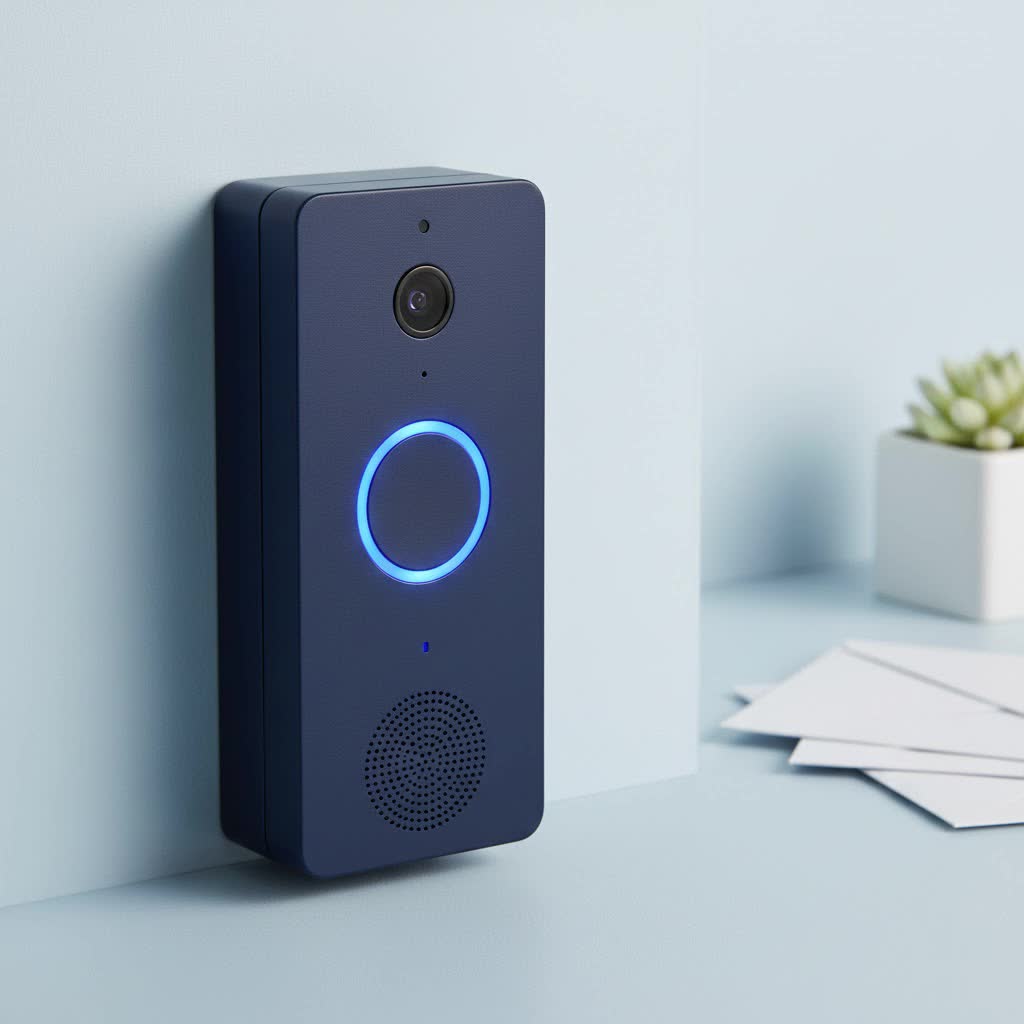
What Makes a Smart Video Doorbell Camera So Smart?
At its core, a smart video doorbell camera replaces your traditional doorbell button with a full-fledged surveillance system. When someone rings the bell or even just approaches your door, it sends an instant alert to your smartphone, allowing you to see, hear, and even speak to the visitor in real-time. It’s like having an extra set of eyes and ears right at your entrance, always on guard.
Key Features to Look For
When diving into the world of smart video doorbell cameras, you’ll quickly notice a dazzling array of features. Knowing what truly matters will help you cut through the noise and find the best fit for your home.
- Crystal-Clear Video Quality: Look for resolutions of at least 1080p, but many top models now offer 2K or even 4K resolution with High Dynamic Range (HDR) for incredibly sharp, detailed images, even in tricky lighting. Don’t forget robust night vision capabilities, whether it’s infrared for clear black-and-white footage or color night vision for a more natural view after dark.
- Two-Way Audio: This feature is non-negotiable. It allows you to speak directly with whoever is at your door through your phone, whether it’s a friendly neighbor, a delivery driver, or someone you don’t recognize. Clear audio with noise cancellation is a huge plus.
- Advanced Motion Detection & Alerts: Most smart doorbells detect movement, but the best ones offer sophisticated AI-powered detection that can differentiate between people, packages, animals, and vehicles. Customizable motion zones are also crucial, letting you define specific areas to monitor and reduce false alerts from busy streets or passing cars.
- Flexible Storage Options: How your video footage is stored is a big deal. Some smart video doorbell cameras offer local storage via a microSD card, which means no monthly fees. Others rely on cloud storage, often requiring a subscription for recording history, advanced features like person detection, and secure backup. Weigh the costs and benefits carefully.
- Seamless Smart Home Integration: If you already have a smart home ecosystem, ensure your smart video doorbell camera plays well with it. Compatibility with Amazon Alexa, Google Assistant, or Apple HomeKit means you can view your doorbell feed on smart displays, integrate it into routines, and control it with voice commands.
- Wide Field of View: A wider field of view (often 160-180 degrees) means you can see more of your porch and surroundings, including packages placed on the ground or people approaching from the side. Some advanced models, like the Eufy Video Doorbell Dual, even include a second camera specifically for package monitoring.
- Power Options: Do you want wired reliability or wireless flexibility? This often dictates installation and maintenance.
|
Our Picks for the Best Smart Doorbell in 2026
As an Amazon Associate I earn from qualifying purchases.
|
||
| Num | Product | Action |
|---|---|---|
| 1 | Google Nest Doorbell (Wired, 3rd Gen) - 2K Video and Gemini, Live View, Night Vision, 2-Way Audio - Works with Google Home - 2025 Model - Hazel |

|
| 2 | Tapo TP-Link Smart Video Doorbell Camera, Chime Included, 2K 5MP, Color Night Vision, 2-Way Audio, Free AI Detection, Cloud/SD Card Storage, Works w/Alexa & Google Home, D230S1 |
|
| 3 | Tapo by TP-Link Smart Video Doorbell Camera Wireless with Chime, 2K with Full Color Night Vision & Spotlights, No Monthly Fee, Ring Call, 160° Ultra-Wide View, Free AI Detection, Local Storage,D210 |
|
| 4 | Arlo Video Doorbell 2K (2nd Gen, Latest Release), Wireless or Wired Option, 2-Way Audio, Night Vision, Head to Toe Video View, Package Detection, Person & Vehicle Recognition, 1-Month Secure Plan |
|
| 5 | 1080P Smart Wireless Video Doorbell Camera with AI Motion Detection, Night Vision, Two-Way Talk, Cloud Storage, Indoor/Outdoor Surveillance, Battery Powered, 2.4GHz Wi-Fi |
|
| 6 | Tapo by TP-Link Smart Video Doorbell Camera with Chime, Battery or Wired, 2K QHD Color Night Vison, No Monthly Fee, 180° Ultra-Wide Head-to-Toe View, Ring Call, Free AI Detection, Local Storage (D225) |
|
| 7 | 1080p Smart Video Doorbell Camera with AI Motion Detection, Night Vision, Cloud Storage, 2 Way Audio, Battery Powered, 2.4GHz Wi-Fi Only |
|
| 8 | Anti-Theft Video Doorbell Mount Compatible with Arlo Video Doorbell/Blink Doorbell Camera, Anti-Blocks Motion Sensor, Adjustable Mounting Bracket Accessories for Houses/Apartments/Rentals-Silver |
|
| 9 | Google Nest Doorbell (Wired, 3rd Gen) - 2K Video and Gemini, Live View, Night Vision, 2-Way Audio - Works with Google Home - 2025 Model - Snow |
|
| 10 | ecobee Smart Video Doorbell Camera (Wired) - with Industry Leading HD Camera, Smart Security, Night Vision, Person and Package Sensors, 2-Way Talk, and Video & Snapshot Recording |
|
Types of Smart Video Doorbell Cameras: Finding Your Perfect Match
Smart video doorbell cameras primarily come in two flavors: wired and wireless. Each has its own set of advantages and considerations.
Wired Smart Doorbells
These doorbells connect to your home’s existing doorbell wiring. They offer continuous power, meaning you never have to worry about battery life, and often provide more advanced features like 24/7 continuous recording (with a subscription) and instant responsiveness. Installation usually involves a bit more DIY effort, including turning off your power and connecting wires, but many modern wired models are designed for straightforward setup. “For maximum reliability and features, a wired smart video doorbell camera is often the way to go,” advises Dr. Anya Sharma, a leading smart home technology expert at Boctj.com. “The consistent power supply ensures you won’t miss a beat.”
Wireless (Battery-Powered) Smart Doorbells
Perfect for homes without existing doorbell wiring or for renters, wireless models are powered by rechargeable batteries. They are typically easier to install, often just requiring mounting with screws or even strong adhesive tape. The trade-off is that you’ll need to periodically recharge the battery, which can range from every few weeks to several months depending on usage and settings. While convenient, ensure you pick a model with decent battery life to avoid frequent recharging.
Installation and Setup: Easier Than You Think
Installing a smart video doorbell camera might sound daunting, but most manufacturers have made the process surprisingly user-friendly.
Pre-Installation Checklist
Before you grab your tools, a few quick checks will make the process smoother:
- Check Existing Wiring (for wired models): Confirm your transformer provides the necessary voltage (typically 16-24 volts AC).
- Wi-Fi Strength: Ensure you have strong Wi-Fi signal at your front door. A weak signal can lead to dropped connections or poor video quality. A Wi-Fi extender might be necessary for some homes.
- Download the App: Most smart doorbells require their specific app for setup and ongoing management. Download it beforehand.
- Charge Battery (for wireless models): Fully charge the battery before installation.
Step-by-Step Installation Guide
While specific steps vary by model, here’s a general roadmap:
- Turn Off Power: For wired installations, always cut the power to your doorbell at the breaker box for safety.
- Remove Old Doorbell: Carefully detach your old doorbell button.
- Mount the Bracket: Use the provided template to mark and drill holes for the mounting bracket. Insert wall anchors if needed, then secure the bracket. A mounting height of at least 5 feet above the ground is often recommended for optimal viewing and motion detection.
- Connect Wiring (for wired models): Attach your existing doorbell wires to the terminals on the back of your new smart doorbell camera. For wireless models, simply snap in the charged battery.
- Attach Doorbell to Bracket: Secure the smart video doorbell camera to its mounting bracket, often with a small security screw at the bottom.
- Restore Power (for wired models): Turn the power back on at the breaker.
- App Configuration: Open the manufacturer’s app, follow the on-screen instructions to connect your smart doorbell to your Wi-Fi network, and complete the setup. This usually involves scanning a QR code on the doorbell or pairing via Bluetooth.
Top Smart Video Doorbell Camera Brands Compared
The market is brimming with excellent smart video doorbell camera options. Here’s a look at some of the leaders:
- Ring Video Doorbells: A household name, Ring offers a wide range of wired and battery-powered options. Known for their strong Amazon Alexa integration and a robust security ecosystem. Models like the Ring Battery Doorbell Plus offer excellent features like package detection and a head-to-toe view. Keep in mind that a Ring Protect subscription is usually required for full features and video recording.
- Google Nest Doorbells: These doorbells shine with Google Assistant integration and intelligent features like “Familiar Faces” recognition (with a Nest Aware subscription). Both wired and battery options are available, with the Nest Doorbell (battery) offering local storage capabilities for up to three hours of footage if your internet goes out.
- Arlo Video Doorbells: Arlo is praised for its excellent video quality, comprehensive person/package/vehicle detection, and often the flexibility of both battery and wired power options. Their ecosystem integrates well with various smart home platforms.
- Eufy Video Doorbells: A strong contender for those seeking subscription-free options, Eufy often provides local storage via microSD cards. Their Eufy Video Doorbell Dual even includes two cameras for superior package monitoring, offering advanced features without recurring costs.
- Lorex & Wyze: Lorex offers impressive 4K resolution and local storage options, making it a great choice for image quality. Wyze provides extremely affordable options, often with 2K resolution and color night vision, though some advanced features might require a low-cost subscription.
Common Smart Doorbell Camera Issues and How to Fix Them
Even the best technology can have a hiccup now and then. Here are some common issues and quick troubleshooting tips:
- Connectivity Problems: If your doorbell constantly disconnects or has poor video quality, check your Wi-Fi signal strength. Consider moving your router closer, using a Wi-Fi extender, or upgrading your internet plan. Ensure no physical obstructions are blocking the signal.
- Battery Life Concerns (Wireless Models): Frequent motion alerts or high-resolution streaming can drain the battery faster. Try adjusting motion sensitivity, reducing video quality settings, or shortening recording clips in the app.
- False Motion Alerts: This is often due to overly sensitive motion detection or wide, undefined motion zones. Customize your activity zones in the app to focus only on areas of interest and reduce sensitivity if necessary. Some advanced models offer “person-only” detection to minimize unwanted notifications.
- Video Quality Issues: If your video appears blurry or pixelated, first check your internet connection. Ensure the camera lens is clean and free of smudges. In low-light conditions, ensure night vision is enabled and working correctly.
FAQs About Smart Video Doorbell Cameras
Q1: Do smart video doorbell cameras require a subscription?
A1: It depends on the brand and model. Many smart video doorbell cameras, especially from brands like Ring and Nest, offer enhanced features like cloud video storage, advanced person/package detection, and video history via a paid monthly or annual subscription. However, brands like Eufy and Lorex often provide robust local storage options (microSD card or a hub) that allow you to record and access footage without a recurring fee.
Q2: Can I install a smart doorbell camera myself?
A2: Absolutely! Most wireless (battery-powered) smart video doorbell cameras are designed for easy DIY installation, often requiring just a few screws. Wired models can be a bit more involved, requiring you to connect to your existing doorbell’s low-voltage wiring, but many users with basic DIY skills can complete the installation with the help of manufacturer instructions and app guidance.
Q3: What’s the difference between a wired and wireless smart doorbell camera?
A3: A wired smart video doorbell camera connects to your home’s existing doorbell electrical wiring, providing continuous power and typically more advanced features like 24/7 recording. A wireless smart doorbell camera is battery-powered, offering easier installation without needing existing wiring, but requires periodic recharging of its battery.
Q4: How secure are smart video doorbell cameras?
A4: Smart video doorbell cameras significantly enhance home security by providing real-time monitoring and recording of your doorstep. They deter potential intruders, alert you to deliveries, and allow you to communicate with visitors remotely. For optimal security, always use strong, unique passwords, enable two-factor authentication (2FA), and keep your device’s firmware updated.
Q5: Can I connect my smart doorbell camera to my existing smart home system?
A5: Yes, most popular smart video doorbell cameras are designed to integrate seamlessly with major smart home ecosystems like Amazon Alexa, Google Assistant, and sometimes Apple HomeKit. This allows you to view live feeds on smart displays, receive announcements through smart speakers, and even incorporate your doorbell into automated routines.
Q6: How long do smart doorbell camera batteries last?
A6: The battery life of a wireless smart video doorbell camera varies widely depending on the model, usage frequency, video quality settings, and environmental factors. Generally, you can expect batteries to last anywhere from two to eight months on a single charge. High traffic, frequent motion alerts, and cold weather can deplete the battery faster.
Elevate Your Home Security with a Smart Video Doorbell Camera
Investing in a smart video doorbell camera isn’t just about convenience; it’s about empowering yourself with unparalleled control and awareness over your home’s entrance. From catching porch pirates in the act to simply knowing when your kids get home from school, these devices offer invaluable peace of mind. With countless options available, from budget-friendly choices to feature-rich premium models, there’s a smart video doorbell camera perfectly suited for every home and every need. So, take the leap, upgrade your front door, and experience the next level of home security and connectivity. Share your experiences with us – we’d love to hear how your smart video doorbell camera has changed your daily life!
