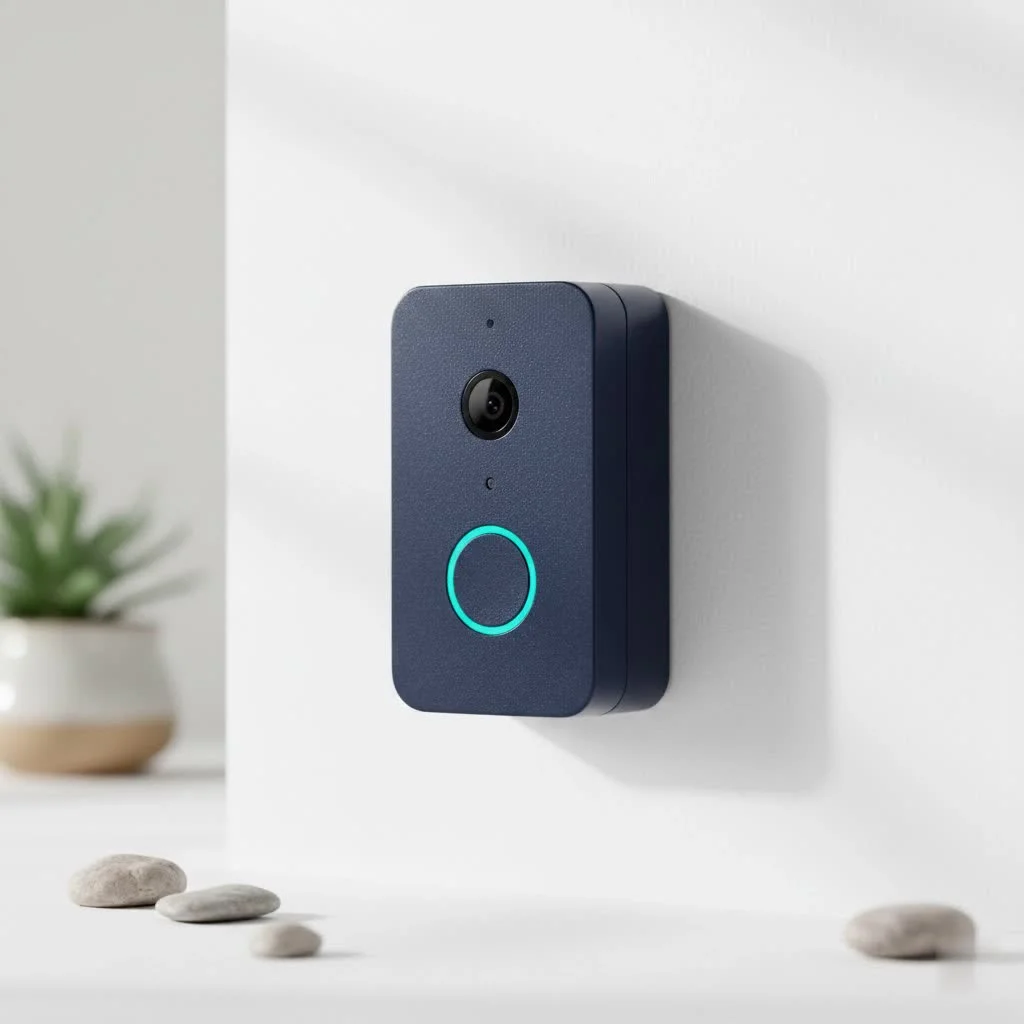
A smart doorbell is an internet-connected device featuring a built-in camera and microphone, allowing users to see, hear, and speak to visitors remotely via a smartphone or other connected device. These devices activate when a visitor presses the button or when integrated motion sensors detect activity, offering real-time access and remote control for enhanced home monitoring. While many options exist, including budget-friendly models like the Smart Doorbell X9, understanding their features is crucial for informed decisions.
What Exactly is a Smart Doorbell?
At its core, a smart doorbell brings your front door into the digital age. Unlike traditional doorbells, these clever gadgets typically feature a built-in camera and microphone, allowing you to see, hear, and even speak to visitors directly from your smartphone or other connected device, whether you’re relaxing on the couch or halfway across the globe. They activate when a visitor presses the button or, more commonly, when their integrated motion sensors detect activity around your doorstep. This real-time access and remote control redefine home monitoring, offering unparalleled peace of mind.
Types of Smart Doorbells: Wired, Wireless, and Hybrid
When it comes to powering your smart doorbell, you generally have a few options, each with its own perks and considerations.
Wired Smart Doorbells
These devices typically connect to your home’s existing doorbell wiring. The main advantage here is a constant power supply, meaning you don’t have to worry about charging batteries. They often come packed with more advanced features and seamless integration into your home’s electrical system, though they might require a bit more effort for installation, sometimes even professional help.
Wireless (Battery-Powered) Smart Doorbells
For those seeking a simpler, more flexible installation, battery-powered smart doorbells are a fantastic choice. They operate on rechargeable batteries, offering the freedom to mount them virtually anywhere without needing to fuss with electrical wiring. Models like the Smart Doorbell X9 fall into this category, boasting quick setup times and the convenience of being wire-free. While impressive for their ease of use, you’ll need to to recharge the battery periodically, though many offer extended battery life.
Hybrid Models
Some manufacturers offer doorbells that can be either hardwired or battery-powered, giving you the best of both worlds and maximum flexibility during installation.
Unpacking the Features: What to Look for in a Smart Doorbell
The market is flooded with smart doorbells, each vying for your attention with a list of features. But what truly matters? Here’s a breakdown:
Video & Audio Quality
This is paramount. You want a clear picture of who’s at your door. Look for:
- Resolution: High-definition (HD) is standard, with many offering 1080p, 2K, or even 4K for crystal-clear images, ensuring you can identify faces or even read license plates.
- Field of View (FOV): A wider angle means you see more of your porch, often from head-to-toe, which is crucial for monitoring package deliveries.
- Night Vision: Infrared LEDs enable clear visibility even in complete darkness, keeping your home protected around the clock.
- Two-Way Audio: This allows for seamless conversation with visitors. Crisp, clear sound is non-negotiable for effective communication.
- Expert Insight: “When evaluating a smart doorbell, never underestimate the power of clear video and audio. It’s not just about seeing; it’s about discerning critical details and communicating effectively. A blurry image or garbled audio can be the difference between identifying a familiar face and missing a vital piece of information,” advises Dr. Anya Sharma, a renowned cybersecurity and smart home integration specialist.
- The Smart Doorbell X9 Perspective: While the X9 offers basic video and two-way audio, reviews sometimes point to “poor video color quality” and “low volume,” which can hinder clear communication.
Motion Detection & Alerts
A smart doorbell isn’t just about someone pressing a button.
- Types: Most use Passive Infrared (PIR) sensors that detect heat, or camera-based detection that analyzes pixel changes.
- Customizable Zones: Advanced models allow you to define specific areas for motion detection, reducing false alarms from passing cars or pets.
- Package Detection: Some can specifically alert you when a package is left or picked up.
- Instant Alerts: You should receive immediate notifications on your smartphone when motion is detected.
- The Smart Doorbell X9 Perspective: A significant limitation often cited for the Smart Doorbell X9 is its lack of reliable motion detection, meaning it might not always alert you to activity unless the button is pressed.
Storage Options
What happens to all that captured footage?
- Cloud Storage: Most brands offer subscription plans to store video recordings securely in the cloud, accessible from anywhere.
- Local Storage: Some doorbells include an SD card slot for storing footage locally, often without a subscription fee, like certain Eufy models.
- The Smart Doorbell X9 Perspective: Unfortunately, the X9 typically does not feature an SD card slot, meaning any recorded footage relies solely on its integrated, often limited, storage or specific app functionalities.
Smart Home Integration
For a truly connected home, your doorbell should play nicely with other smart devices. Look for compatibility with platforms like Amazon Alexa, Google Home, and Apple HomeKit. This allows for voice control, viewing feeds on smart displays, and creating automation routines.
Connectivity & Durability
Reliable Wi-Fi (often 2.4GHz for better range) is essential for consistent performance. And since your doorbell lives outside, weatherproofing is crucial. It needs to withstand rain, snow, and extreme temperatures.
- The Smart Doorbell X9 Perspective: Crucially, the Smart Doorbell X9 is often noted for not being waterproof, requiring protection from the elements to ensure its longevity and proper function.
Unique Features
Some doorbells offer specialized functionalities, like the Smart Doorbell X9’s “voice change function” to speak to visitors in a different tone, adding an extra layer of privacy or fun.
Installing Your Smart Doorbell: A Step-by-Step Guide
|
Our Picks for the Best Smart Doorbell in 2026
As an Amazon Associate I earn from qualifying purchases.
|
||
| Num | Product | Action |
|---|---|---|
| 1 | Tapo TP-Link Smart Video Doorbell Camera, Chime Included, 2K 5MP, Color Night Vision, 2-Way Audio, Free AI Detection, Cloud/SD Card Storage, Works w/Alexa & Google Home, D230S1 |

|
| 2 | 1080p Smart Video Doorbell Camera with AI Motion Detection, Night Vision, Cloud Storage, 2 Way Audio, Battery Powered, 2.4GHz Wi-Fi Only |
|
| 3 | Anti-Theft Video Doorbell Mount Compatible with Arlo Video Doorbell/Blink Doorbell Camera, Anti-Blocks Motion Sensor, Adjustable Mounting Bracket Accessories for Houses/Apartments/Rentals-Silver |
|
| 4 | Google Nest Doorbell (Wired, 3rd Gen) - 2K Video and Gemini, Live View, Night Vision, 2-Way Audio - Works with Google Home - 2025 Model - Snow |
|
| 5 | Arlo Video Doorbell 2K (2nd Gen, Latest Release), Wireless or Wired Option, 2-Way Audio, Night Vision, Head to Toe Video View, Package Detection, Person & Vehicle Recognition, 1-Month Secure Plan |
|
| 6 | ecobee Smart Video Doorbell Camera (Wired) - with Industry Leading HD Camera, Smart Security, Night Vision, Person and Package Sensors, 2-Way Talk, and Video & Snapshot Recording |
|
| 7 | Tapo by TP-Link Smart Video Doorbell Camera Wireless with Chime, 2K with Full Color Night Vision & Spotlights, No Monthly Fee, Ring Call, 160° Ultra-Wide View, Free AI Detection, Local Storage,D210 |
|
| 8 | Google Nest Doorbell (Wired, 3rd Gen) - 2K Video and Gemini, Live View, Night Vision, 2-Way Audio - Works with Google Home - 2025 Model - Hazel |
|
| 9 | 1080P Smart Wireless Video Doorbell Camera with AI Motion Detection, Night Vision, Two-Way Talk, Cloud Storage, Indoor/Outdoor Surveillance, Battery Powered, 2.4GHz Wi-Fi |
|
| 10 | Tapo by TP-Link Smart Video Doorbell Camera with Chime, Battery or Wired, 2K QHD Color Night Vison, No Monthly Fee, 180° Ultra-Wide Head-to-Toe View, Ring Call, Free AI Detection, Local Storage (D225) |
|
Installing a smart doorbell might seem daunting, but it’s often a straightforward process, especially for wireless models. Here’s a general guide:
1. Gather Your Tools & Prep the Area
Before you begin, ensure you have a Phillips screwdriver, a drill with appropriate bits (for masonry or wood), a level, and the doorbell’s included hardware. For wired installations, locate your home’s circuit breaker and turn off the power to your existing doorbell to ensure safety.
2. Remove the Old Doorbell (If Applicable)
Carefully unscrew your old doorbell button. If it’s wired, gently disconnect the wires, noting their connections if you’re replacing a wired system.
3. Mount the Bracket
Most smart doorbells come with a mounting bracket or template. Position it at the ideal height – typically around 48 to 60 inches (4 to 5 feet) from the ground for the best viewing angle and motion detection. Mark the drill holes, drill pilot holes, insert anchors (if needed for masonry), and securely screw the mounting bracket to your doorframe or wall. Some models, like the Smart Doorbell X9, may also offer adhesive options for even easier installation.
4. Connect the Wiring (for Wired Models)
If you’re installing a wired doorbell, connect the existing low-voltage wires to the terminals on the back of your new smart doorbell. Many wired doorbells also require a “chime kit” or “power kit” to be installed in your indoor chime box to regulate power. Follow your doorbell’s specific instructions for this step.
5. Power On & App Setup
Once the doorbell is physically installed, restore power at the circuit breaker (if you turned it off). Download the manufacturer’s companion app on your smartphone. The app will guide you through connecting the doorbell to your home’s Wi-Fi network and completing the setup process, including syncing it with any indoor chimes.
6. Test Thoroughly
After setup, test all functionalities: press the doorbell button, check the live video feed, speak through the two-way audio, and walk past the motion detection zones to ensure alerts are working. Ensure the video quality is up to par and there are no significant lags.
Top Smart Doorbell Brands: A Quick Comparison
While the Smart Doorbell X9 offers an accessible entry point, the landscape of smart doorbells is dominated by several key players known for their robust ecosystems and advanced features:
- Ring: Perhaps the most widely recognized brand, Ring offers a comprehensive range of wired and battery-powered doorbells. They boast extensive smart home integration with Alexa, advanced motion detection features like package detection, and a wide array of accessories. However, many advanced features and video recording require a Ring Protect subscription.
- Google Nest: Known for sleek design and seamless integration with the Google Home ecosystem, Nest doorbells deliver excellent video quality, intelligent alerts, and often feature continuous recording (with a Nest Aware subscription). They are ideal for those already invested in Google’s smart home platform.
- Eufy: A strong contender, Eufy stands out for offering many of its advanced features, including local video storage via an SD card or HomeBase, without a mandatory monthly subscription. Their dual-camera models are particularly effective for monitoring both visitors and packages.
- Arlo: Arlo’s video doorbells are praised for their high-quality video, flexible power options (wired or battery), and compatibility with major smart home platforms. They offer a comprehensive security experience, especially when paired with other Arlo cameras.
The Smart Doorbell X9, while budget-friendly, often lacks the sophisticated features, robust build quality, and comprehensive ecosystem support of these leading brands. It serves as an excellent basic communication tool but may fall short for users seeking advanced security functionalities like reliable motion detection or waterproof durability.
Troubleshooting Common Smart Doorbell Issues
Even the most modern tech can have its quirks. Here’s how to tackle common smart doorbell problems:
- Connectivity Glitches: If your doorbell isn’t connecting or has a laggy feed (a common complaint with the Smart Doorbell X9, reporting 7-12 second delays), check your Wi-Fi signal strength at the doorbell’s location. A Wi-Fi extender or mesh network might be necessary.
- Missed Notifications: Ensure your app notifications are enabled and check the doorbell’s motion sensitivity settings. If it’s too low, it might not detect activity. (The Smart Doorbell X9 is particularly prone to easily missed notifications).
- Battery Drain: If your battery-powered doorbell is dying too quickly, review your motion detection sensitivity and recording settings. More frequent recordings or higher sensitivity will consume more power.
- Failed Resets: Sometimes, a device might need a hard reset. If the reset button or key doesn’t seem to work (a reported issue with the Smart Doorbell X9), try holding the doorbell button down for an extended period, typically around 5 seconds, until you hear a “reset succeeded” confirmation.
Frequently Asked Questions (FAQ)
What is the ideal mounting height for a smart doorbell?
It is generally recommended to mount a smart doorbell between 48 to 60 inches (4 to 5 feet) from the ground. This height typically provides the best field of view, allowing the camera to capture both a visitor’s face and any packages on your doorstep.
Do all smart doorbells require a subscription?
No, not all smart doorbells require a subscription. Many models, especially from brands like Eufy, offer local storage options (e.g., via an SD card or a home base) that allow you to store video footage without a recurring fee. However, most brands offer cloud storage plans that unlock advanced features, extended video history, and AI-powered alerts.
Can a smart doorbell work without Wi-Fi?
A smart doorbell fundamentally relies on Wi-Fi to connect to your home network and send alerts/video to your smartphone. Without a Wi-Fi connection, most smart doorbells will revert to being a basic doorbell chime and will not offer their smart functionalities like remote viewing, two-way audio, or motion alerts.
How does motion detection work in smart doorbells?
Smart doorbells use either Passive Infrared (PIR) sensors or camera-based motion detection. PIR sensors detect changes in heat signatures, while camera-based systems analyze pixel changes in the video feed. More advanced systems combine these or use AI to differentiate between people, animals, and objects, sending more accurate alerts.
Is the Smart Doorbell X9 a good choice for advanced users?
The Smart Doorbell X9 is generally considered a budget-friendly option best suited for users seeking basic video call and two-way audio functionality at a low price point. Advanced users looking for features like reliable motion detection, waterproof design, superior video quality, cloud/local storage, or seamless smart home integration with established ecosystems may find its limitations significant.
Upgrading to a smart doorbell, including accessible models like the Smart Doorbell X9, is a fantastic way to modernize your home’s security and simplify your life. While the Smart Doorbell X9 can be a straightforward entry point, to weigh its specific features against its limitations, particularly concerning motion detection and durability. The best smart doorbell for you will seamlessly integrate into your lifestyle, offering the perfect blend of security, convenience, and peace of mind. So, take the leap, explore your options, and confidently choose the smart doorbell that transforms your front door into a truly connected gateway!
Frequently Asked Questions
What is the ideal mounting height for a smart doorbell?
It is generally recommended to mount a smart doorbell between 48 to 60 inches (4 to 5 feet) from the ground. This height typically provides the best field of view, allowing the camera to capture both a visitor's face and any packages on your doorstep.
Do all smart doorbells require a subscription service?
No, not all smart doorbells require a subscription. Many models, especially from brands like Eufy, offer local storage options via an SD card or a home base, allowing you to store video footage without a recurring fee. However, most brands offer cloud storage plans that unlock advanced features and extended video history.
Can a smart doorbell function without a Wi-Fi connection?
A smart doorbell fundamentally relies on Wi-Fi to connect to your home network and send alerts/video to your smartphone. Without a Wi-Fi connection, most smart doorbells will revert to being a basic doorbell chime and will not offer smart functionalities like remote viewing, two-way audio, or motion alerts.
How does motion detection technology work in smart doorbells?
Smart doorbells use either Passive Infrared (PIR) sensors or camera-based motion detection. PIR sensors detect changes in heat signatures, while camera-based systems analyze pixel changes in the video feed. More advanced systems combine these or use AI to differentiate between people, animals, and objects, sending more accurate alerts.
Is the Smart Doorbell X9 suitable for users seeking advanced security features?
The Smart Doorbell X9 is generally considered a budget-friendly option best suited for users seeking basic video call and two-way audio functionality at a low price point. Advanced users looking for features like reliable motion detection, waterproof design, superior video quality, cloud/local storage, or seamless smart home integration with established ecosystems may find its limitations significant.
Install Your Smart Doorbell
Follow these steps to install your smart doorbell, ensuring proper setup and functionality for enhanced home security.
Before starting, collect a Phillips screwdriver, a drill with appropriate bits, a level, and the doorbell's hardware. For wired installations, turn off power to your existing doorbell at the circuit breaker for safety.
Carefully unscrew and remove your old doorbell button. If it's wired, gently disconnect the wires, noting their connections for replacement.
Position the mounting bracket at the ideal height, typically 48 to 60 inches from the ground, for optimal viewing. Mark and drill pilot holes, insert anchors if needed, and securely screw the bracket to your doorframe or wall. Some models, like the Smart Doorbell X9, may offer adhesive options.
For wired doorbells, connect the existing low-voltage wires to the terminals on the new device. Many wired doorbells also require a chime or power kit to be installed in your indoor chime box to regulate power; follow specific instructions for this step.
Restore power at the circuit breaker after physical installation. Download the manufacturer's app, which will guide you through connecting the doorbell to your home's Wi-Fi network and completing the setup, including syncing with indoor chimes.
Smart home that does not lock you in
Free PDF — protocol compatibility matrix for 30 hubs and devices.
I got the Smart Doorbell X9 because it was a budget-friendly option, and for the most part, it works well. The camera quality is decent, but sometimes the audio can be a little choppy when I’m trying to speak to someone through my phone. It’s not a deal-breaker, but it could be better.
The remote access feature of the Smart Doorbell X9 is fantastic. I travel a lot for work, and it’s great to be able to check in on my front porch from anywhere. Setup was pretty straightforward, though I did have a minor hiccup connecting it to my existing smart home hub initially.
I was hesitant about upgrading, but the Smart Doorbell X9 has been a game-changer for my peace of mind. Being able to see and talk to delivery drivers when I’m not home is incredibly convenient. The motion sensor alerts are also super accurate, which I appreciate.
This smart doorbell has truly enhanced my home monitoring. I love that I can get real-time access to what’s happening at my front door, even when I’m just in another room. It’s so much more secure than my old doorbell, and the app is very user-friendly.