Hey there, fellow home security enthusiasts! As someone who’s spent over a decade knee-deep in the world of smart doorbells and now creates content for “boctj.com”, I’ve seen firsthand how these clever devices transform our homes. If you’re looking to boost your front door’s intelligence, the Arlo Smart Doorbell often stands out from the crowd. It’s not just a doorbell; it’s your personal sentry, blending top-tier security with incredible convenience that genuinely simplifies your daily life. Let’s dive deep into what makes the Arlo Smart Doorbell a real game-changer.
Types of Arlo Smart Doorbells: Finding Your Perfect Fit
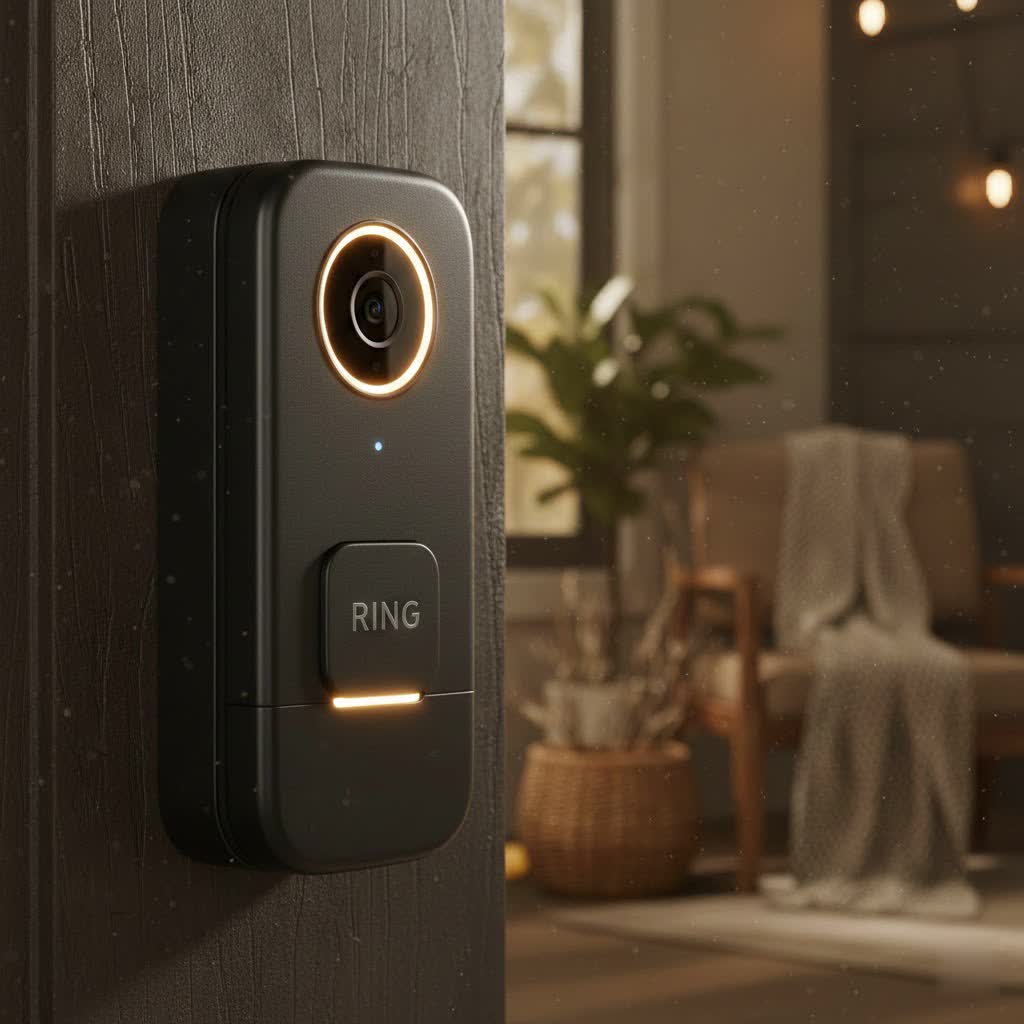
When you step into the world of Arlo Smart Doorbells, you’ll quickly notice they offer a few different options, each designed to fit various home setups and needs. Understanding these distinctions is key to choosing the right Arlo Smart Doorbell for you.
First up, we have the Arlo Video Doorbell, often referred to as the original wired model. This one typically requires existing doorbell wiring, which means it gets continuous power. This is fantastic because you never have to worry about charging a battery. Plus, with the right Arlo SmartHub, this wired version can often integrate seamlessly with Apple HomeKit, a huge perk for those invested in the Apple ecosystem.
Then there’s the popular Arlo Essential Wireless Video Doorbell. This model is all about flexibility. Powered by a rechargeable battery, you can install it virtually anywhere without being tethered to existing wiring. This makes it ideal for apartments, homes without traditional doorbell wiring, or even as a secondary doorbell.
Most recently, Arlo introduced the Arlo Video Doorbell (2nd Generation), which cleverly offers both wired and wireless installation options. This newer model often boasts enhanced features, including even clearer 2K or HD video resolution, giving you more flexibility and advanced performance.
So, how do you choose between wired and wireless? If you have existing wiring and want uninterrupted power and potentially more advanced smart home integrations, a wired Arlo Smart Doorbell like the original or 2nd Gen wired option is excellent. If installation flexibility and ease are your top priorities, a battery-powered Arlo Essential Wireless or the 2nd Gen wireless model could be your perfect match.
Unpacking the Powerhouse: Key Features of Arlo Smart Doorbells
What truly sets the Arlo Smart Doorbell apart are the powerful features packed into its sleek design. It’s built to keep you connected and secure, offering peace of mind whether you’re home or away.
Crystal-Clear Vision, Day and Night
|
Our Picks for the Best Smart Doorbell in 2026
As an Amazon Associate I earn from qualifying purchases.
|
||
| Num | Product | Action |
|---|---|---|
| 1 | ecobee Smart Video Doorbell Camera (Wired) - with Industry Leading HD Camera, Smart Security, Night Vision, Person and Package Sensors, 2-Way Talk, and Video & Snapshot Recording |

|
| 2 | Tapo TP-Link Smart Video Doorbell Camera, Chime Included, 2K 5MP, Color Night Vision, 2-Way Audio, Free AI Detection, Cloud/SD Card Storage, Works w/Alexa & Google Home, D230S1 |
|
| 3 | Google Nest Doorbell (Wired, 3rd Gen) - 2K Video and Gemini, Live View, Night Vision, 2-Way Audio - Works with Google Home - 2025 Model - Hazel |
|
| 4 | Anti-Theft Video Doorbell Mount Compatible with Arlo Video Doorbell/Blink Doorbell Camera, Anti-Blocks Motion Sensor, Adjustable Mounting Bracket Accessories for Houses/Apartments/Rentals-Silver |
|
| 5 | 1080p Smart Video Doorbell Camera with AI Motion Detection, Night Vision, Cloud Storage, 2 Way Audio, Battery Powered, 2.4GHz Wi-Fi Only |
|
| 6 | Tapo by TP-Link Smart Video Doorbell Camera with Chime, Battery or Wired, 2K QHD Color Night Vison, No Monthly Fee, 180° Ultra-Wide Head-to-Toe View, Ring Call, Free AI Detection, Local Storage (D225) |
|
| 7 | 1080P Smart Wireless Video Doorbell Camera with AI Motion Detection, Night Vision, Two-Way Talk, Cloud Storage, Indoor/Outdoor Surveillance, Battery Powered, 2.4GHz Wi-Fi |
|
| 8 | Arlo Video Doorbell 2K (2nd Gen, Latest Release), Wireless or Wired Option, 2-Way Audio, Night Vision, Head to Toe Video View, Package Detection, Person & Vehicle Recognition, 1-Month Secure Plan |
|
| 9 | Tapo by TP-Link Smart Video Doorbell Camera Wireless with Chime, 2K with Full Color Night Vision & Spotlights, No Monthly Fee, Ring Call, 160° Ultra-Wide View, Free AI Detection, Local Storage,D210 |
|
| 10 | Google Nest Doorbell (Wired, 3rd Gen) - 2K Video and Gemini, Live View, Night Vision, 2-Way Audio - Works with Google Home - 2025 Model - Snow |
|
Imagine seeing every detail, no matter the lighting conditions. Arlo excels here. Most Arlo Smart Doorbells deliver stunning HD or even 2K HDR video, ensuring crisp, clear images. But it’s not just about resolution; Arlo’s unique 1:1 aspect ratio is a real standout. This “head-to-toe” view allows you to see visitors in their entirety and, crucially, spot packages left directly on your doorstep – a feature often missed by doorbells with traditional widescreen views. Couple that with a wide 180-degree field of view, and you get an expansive look at your entryway. When night falls, Arlo’s enhanced night vision, powered by infrared (IR) beams, ensures that faces and details remain visible, even in pitch-black conditions.
Seamless Communication & Deterrence
Communication is a two-way street, and your Arlo Smart Doorbell makes it a smooth one. With crystal-clear two-way audio and noise cancellation, you can converse naturally with visitors from your smartphone, no matter where you are. Ever get a delivery when you’re out? You can even use pre-recorded quick reply messages to give instructions, making package delivery a breeze. For those unwelcome guests, Arlo includes an integrated siren that can be triggered manually via the app or automatically by detected motion, acting as a powerful deterrent.
Intelligent Alerts & Smart Detection
One of the smartest aspects of the Arlo Smart Doorbell is its ability to differentiate between activity. Gone are the days of constant, unnecessary alerts. Arlo’s advanced motion detection, especially when paired with an Arlo Secure subscription, utilizes AI-powered object detection. This means your doorbell can intelligently identify whether it sees a person, a vehicle, an animal, or even a package, sending you only the alerts that truly matter. You can also set up customizable activity zones to focus on specific areas, further reducing false alarms.
Robust Design & Connectivity
Durability is key for any outdoor device, and the Arlo Smart Doorbell is built to last. Its weather-resistant design means it can stand up to rain, snow, and extreme temperatures, providing reliable performance year-round. Connectivity-wise, Arlo typically relies on a stable 2.4GHz Wi-Fi connection, offering excellent range, which is crucial if your router isn’t right next to your front door. Some newer models, like the 2nd Generation, can connect directly to Wi-Fi for simpler setup. And as we discussed, you have flexible power options: wired for continuous power or battery-powered for wire-free convenience.
Smart Home Ecosystem Integration
For those who love a connected home, the Arlo Smart Doorbell plays well with others. It seamlessly integrates with popular platforms like Google Assistant and Amazon Alexa, allowing for voice control and live video streaming to compatible smart displays. For Apple users, the wired Arlo Video Doorbell models can be compatible with Apple HomeKit, though this usually requires an Arlo SmartHub to facilitate the connection, which is a fantastic benefit for those seeking a unified Apple smart home experience.
Storage Solutions
What happens to all that captured video? Arlo offers robust storage solutions. With an Arlo Secure subscription, you gain access to cloud storage, typically providing a 30-day video history. This subscription also unlocks those advanced AI detection features and interactive notifications. For those who prefer local storage, some Arlo systems with a SmartHub can offer the option to save video alerts directly to an SD card or USB drive, giving you more control over your footage.
Installing Your Arlo Smart Doorbell: A Step-by-Step Walkthrough
Installing an Arlo Smart Doorbell might seem daunting, but it’s surprisingly straightforward. Whether you’re going wired or wireless, Arlo has designed the process to be DIY-friendly. As a seasoned pro, I can tell you that a little preparation goes a long way.
Preparation is Key
Before you begin, gather your tools: a drill, drill bits, a screwdriver, a pencil, and possibly a level. Crucially, download the Arlo Secure App to your smartphone or tablet and create an account if you haven’t already. Ensure your phone is connected to your home’s 2.4GHz Wi-Fi network – this is essential for the initial setup.
For Wireless Models (Battery-Powered)
- Charge the Battery: Fully charge your Arlo Smart Doorbell’s battery before installation. This can take a few hours.
- In-App Setup: Open the Arlo Secure App, tap the “+” icon to add a new device, and follow the on-screen prompts for “Doorbells & Chimes.” The app will guide you through connecting to your Wi-Fi (often by scanning a QR code with the doorbell’s camera).
- Mounting Location: Find a suitable spot, ideally about 48 inches (1.2 meters) from the ground. This height optimizes the 1:1 aspect ratio for seeing visitors head-to-toe and packages. If your view isn’t perfect, Arlo often includes an angled mounting plate to adjust the camera’s perspective.
- Secure Mounting Plate: Use the provided mounting plate as a template to mark and drill pilot holes. Secure the plate firmly to your wall with the included screws and anchors.
- Snap-on Doorbell: Once the mounting plate is secure, simply snap your Arlo Smart Doorbell onto it, ensuring it clicks firmly into place.
For Wired Models (Replacing an Existing Doorbell)
- Safety First: Turn Off Power: This is paramount. Go to your home’s circuit breaker and turn off the power to your doorbell. Test your existing doorbell to confirm the power is off.
- Remove Old Doorbell: Carefully unscrew and remove your old doorbell button, disconnecting the two wires. Tape these wires to the wall so they don’t slip back inside.
- Install Power Kit (at Chime Box): Locate your indoor chime box (often in a hallway or near the front door). Open its cover and install the provided power kit according to the Arlo app’s instructions. This kit ensures proper power delivery and compatibility with your chime. Wiring configurations vary, so consult the app for precise guidance for your chime type.
- Mount Doorbell Bracket: Position the Arlo mounting bracket where your old doorbell was, ensuring the wires come through the opening. Mark and drill new holes if necessary, then secure the bracket to the wall.
- Connect Wires: Connect the two wires from your wall to the two terminals on the back of your Arlo Smart Doorbell. It doesn’t matter which wire connects to which screw. Tighten the screws securely.
- Restore Power: Once wired, snap the Arlo Smart Doorbell onto its mounting bracket. Then, return to your circuit breaker and turn the power back on.
- In-App Setup & Wi-Fi Connection: The doorbell’s LED light should turn solid white. Open the Arlo Secure App and follow the on-screen instructions to connect your new Arlo Smart Doorbell to your home’s Wi-Fi network.
Post-Installation
After installation, the app will guide you through any necessary firmware updates and help you test your chime. You’ll also likely be offered a free trial of Arlo Secure, which is highly recommended to unlock the doorbell’s full potential.
Arlo Smart Doorbell vs. The Competition: Why Choose Arlo?
In the crowded smart doorbell market, the Arlo Smart Doorbell often goes head-to-head with some formidable rivals. Let’s stack it up against its main competitor, Ring, to help you understand where Arlo truly shines.
Arlo vs. Ring
Both Arlo and Ring are titans in the home security space, offering reliable video doorbells. However, they approach features and ecosystem integration a little differently.
- Video Quality & Field of View: This is where Arlo often pulls ahead. While Ring offers excellent HD video (typically 1080p), Arlo’s higher resolution (1536×1536 or 2K) and, crucially, its unique 1:1 aspect ratio provide that coveted head-to-toe view. This means you’re more likely to see a package left at the bottom of your door, an area that Ring’s more traditional 16:9 aspect ratio might crop out.
- Smart Home Integration: Arlo offers strong compatibility with Google Assistant and Amazon Alexa. For Apple HomeKit enthusiasts, the wired Arlo Smart Doorbell holds a significant advantage, as it can be integrated into HomeKit with an Arlo SmartHub, a feature less common among other major smart doorbells. Ring, being an Amazon company, naturally integrates exceptionally well with Alexa but lacks native HomeKit support.
- Subscription Models & Storage: Both brands rely on subscriptions for advanced features and cloud storage. Arlo Secure typically offers 30 days of cloud video history and unlocks AI-powered smart alerts (person, vehicle, package detection). Ring Protect plans also offer cloud storage (often for longer durations, like 60 days or more) and similar detection features. A key difference for Arlo is the potential for local storage via an Arlo SmartHub with an SD card or USB, offering an alternative for those who prefer not to rely solely on the cloud.
- Product Range & Ecosystem Focus: Ring boasts a broader range of doorbell models, often with more entry-level price points, and a more extensive ecosystem of whole-home security devices like alarms and sensors. Arlo, while offering excellent cameras and doorbells, tends to focus on a slightly more premium security camera-centric ecosystem.
While other brands like Nest (now Google Nest) and Eufy offer compelling alternatives with their own strengths, Arlo’s commitment to superior video quality, its unique aspect ratio, and its HomeKit compatibility for wired models often make it a compelling choice for users prioritizing comprehensive visual coverage and diverse smart home integration.
Troubleshooting Common Arlo Smart Doorbell Issues
Even the most reliable tech can have a hiccup now and then. Don’t worry, with my experience, I can walk you through some common issues you might encounter with your Arlo Smart Doorbell and how to get things running smoothly again.
“My Arlo Doorbell Isn’t Saving Video!”
This is a common concern. If your Arlo Smart Doorbell isn’t recording or saving footage, here’s what to check:
- Wi-Fi Signal Strength: A weak or intermittent Wi-Fi connection is a frequent culprit. Ensure your doorbell has a strong 2.4GHz Wi-Fi signal. You can usually check signal strength within the Arlo app.
- Arlo Secure Subscription Active: Cloud recording and advanced detection features are part of the Arlo Secure subscription. Double-check that your plan is active and hasn’t expired. If you’re relying on local storage via a SmartHub, ensure the storage device (SD card/USB) is properly inserted and functional.
- Firmware/App Updates: Outdated firmware on your doorbell or an old version of the Arlo app can cause glitches. Always keep both updated to the latest versions.
- Motion Detection Settings: Incorrect sensitivity or activity zones might prevent recordings from being triggered. Review these settings in the Arlo app to ensure they’re configured correctly for your environment.
- Restart/Reset: Sometimes, a simple restart can fix things. For wireless models, remove and reinsert the battery. For wired models, briefly turn off the power at your circuit breaker, wait a minute, then turn it back on. If issues persist, a factory reset (usually by holding a reset button for 10-15 seconds) might be needed, but this will require re-setup.
“Why is My Arlo Doorbell Blinking Red?”
A blinking red light on your Arlo Smart Doorbell usually signals a power or connectivity issue.
- Power Supply:
- Battery-powered: Ensure the battery is fully charged. Low battery is a common reason for a red light.
- Wired: Verify that your doorbell is securely connected to power and that the circuit breaker hasn’t tripped.
- Resetting the Doorbell: A quick reset can often clear minor glitches. Locate the reset button (often a small pinhole on the back or side) and press and hold it for about 10 seconds until the LED light changes, then release.
- Wi-Fi Connectivity: Just like with video saving, poor Wi-Fi can cause connectivity problems. Try restarting your home router and ensure your doorbell is within range.
“No Chime Sound from My Arlo Chime 2”
If your Arlo Chime 2 isn’t ringing when someone presses the doorbell, consider these steps:
- Connectivity: Ensure both your Arlo Chime 2 and your Arlo Smart Doorbell are connected to the same 2.4GHz Wi-Fi network. They need to communicate effectively.
- Volume Settings in App: Check the volume settings for the Chime 2 within the Arlo app. It might simply be muted or set to a very low level.
- Firmware: Make sure your Arlo Chime 2 has the latest firmware installed. Updates often address bug fixes for chime functionality.
- Reset Chime 2: As a last resort, try resetting the Arlo Chime 2 to factory settings by pressing and holding its reset button for about 10 seconds.
“Arlo Doorbell Offline/No Signal”
When your Arlo Smart Doorbell loses its connection and goes offline, it can be frustrating.
- App/Phone Restart: Start simple. Close the Arlo app completely, restart your smartphone, and then reopen the app. This can resolve temporary communication issues.
- Hard Reset (Doorbell/Router): If your doorbell is wired, try cycling the power at the circuit breaker. For any Arlo device, a physical restart or reset can re-establish connection. Additionally, restart your home router and modem. Sometimes, the network itself needs a refresh.
- Check Wi-Fi Connection: Confirm your Wi-Fi is operational and that the doorbell is within range and connected to the correct network.
- Firmware and App Updates: Again, ensure everything is up to date.
If you’ve exhausted these troubleshooting steps and the issue persists, reaching out to Arlo customer support is always a good idea. They can provide more specific diagnostics and assistance.
Frequently Asked Questions about Arlo Smart Doorbells
Q1: Do Arlo Smart Doorbells require a subscription?
While an Arlo Smart Doorbell can function with basic live streaming and motion alerts without a subscription, an Arlo Secure plan is necessary to unlock its full potential. This includes features like cloud video recording, advanced AI-powered object detection (people, vehicles, packages), customizable activity zones, and rich notifications. Arlo typically offers a free trial of Arlo Secure with new device activations.
Q2: Can Arlo Smart Doorbells work without an Arlo SmartHub?
Yes, many newer Arlo Smart Doorbell models, especially the wireless ones and the 2nd Generation, are designed to connect directly to your home’s 2.4GHz Wi-Fi network without needing a separate Arlo SmartHub. However, an Arlo SmartHub can provide benefits such as local storage options and, for some wired models, Apple HomeKit compatibility.
Q3: What is the ideal mounting height for an Arlo Smart Doorbell?
For optimal viewing, particularly to capture a head-to-toe perspective of visitors and packages on your doorstep, the ideal mounting height for an Arlo Smart Doorbell is approximately 48 inches (1.2 meters) from the ground. Arlo often includes angled mounting plates to help you adjust the field of view if your installation spot isn’t perfectly flush.
Q4: How long does the battery last on an Arlo Essential Wireless Video Doorbell?
The battery life for an Arlo Essential Wireless Video Doorbell can vary significantly depending on usage, Wi-Fi signal strength, temperature, and settings. Generally, Arlo aims for several months of battery life on a single charge under typical conditions. High traffic, frequent live views, and extreme temperatures will deplete the battery more quickly.
Q5: Is the Arlo Video Doorbell compatible with Apple HomeKit?
The wired versions of the Arlo Video Doorbell can be compatible with Apple HomeKit, allowing you to integrate it into your Apple Home app ecosystem. However, this often requires an Arlo SmartHub to act as a bridge for the HomeKit connection. Wireless Arlo Smart Doorbells typically do not support HomeKit directly.
Elevate Your Home Security with Arlo
Choosing an Arlo Smart Doorbell isn’t just an upgrade; it’s an investment in unparalleled home security and modern convenience. From its crystal-clear video with that essential head-to-toe view to its intelligent detection and seamless smart home integration, Arlo delivers a comprehensive solution that truly stands out. It’s about knowing who’s at your door, protecting your deliveries, and having peace of mind, all from the palm of your hand.
In my years navigating the smart home landscape, I’ve seen countless devices, but the Arlo Smart Doorbell consistently impresses with its blend of cutting-edge technology and user-friendly design. It empowers you to manage your front door security effectively, ensuring you’re always connected to what matters most. So, if you’re ready to experience the next level of home protection, consider making the smart choice with Arlo. Your front door, and your peace of mind, will thank you.
