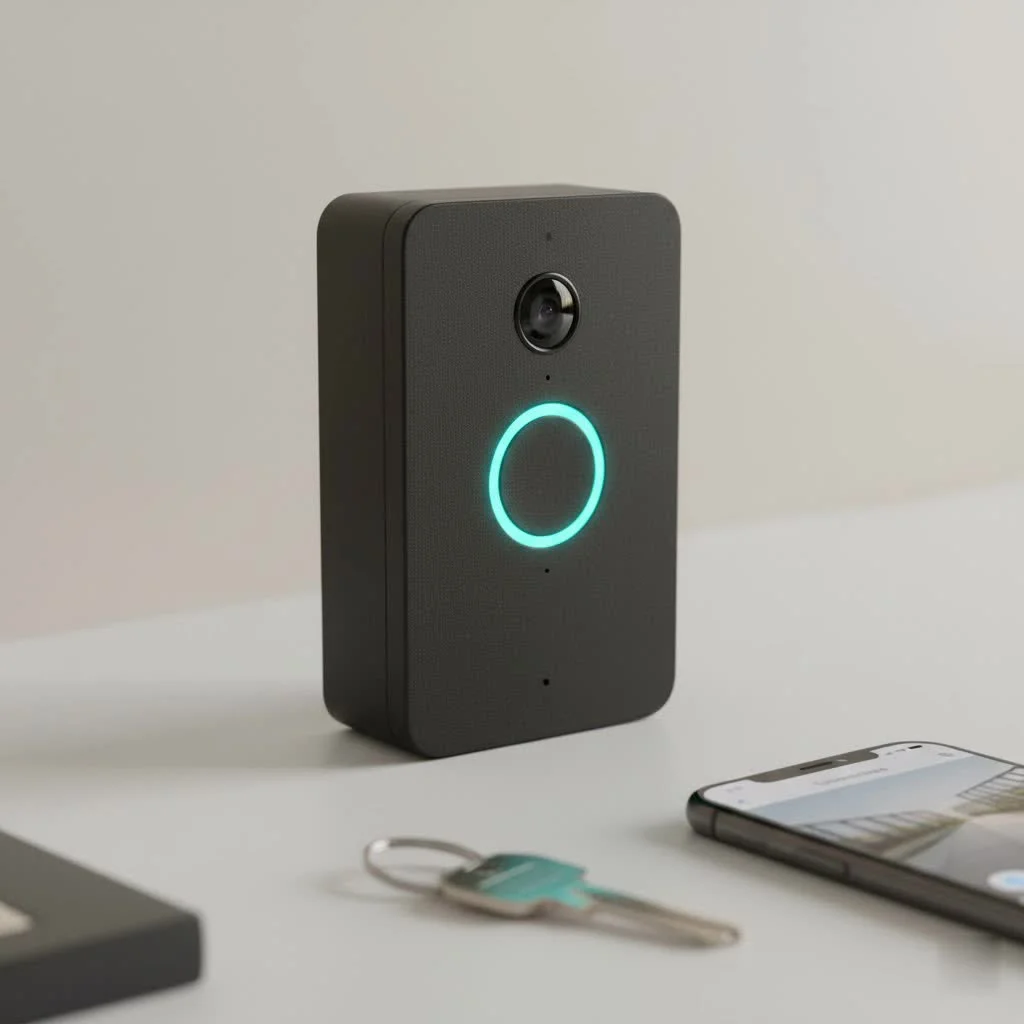
Choosing the best smart doorbell for Apple HomeKit involves prioritizing seamless integration, robust security features like HomeKit Secure Video (HKSV), and reliable performance. Top contenders include the Logitech Circle View Doorbell for its HKSV exclusivity and crisp video, the Wemo Smart Video Doorbell for its compact design, and the Aqara Video Doorbell G4 for its affordability and flexible power options.
Why Choose a Smart Doorbell for Apple HomeKit?
- Seamless Ecosystem Integration: Apple HomeKit doorbells offer unified control, instant notifications, and voice commands via Siri, integrating smoothly with your existing Apple devices.
- HomeKit Secure Video (HKSV) Explained: HKSV provides end-to-end encryption for your video footage, local processing on an Apple Home Hub, and secure storage via your existing iCloud+ plan. It includes intelligent detection for people, animals, vehicles, packages, and even facial recognition, ensuring enhanced privacy.
- Automation Possibilities: HomeKit doorbells can trigger automations with other HomeKit devices, such as turning on lights when motion is detected or activating an alarm if an unrecognized person is identified.
Top Contenders: Best Smart Doorbells for Apple HomeKit
- Logitech Circle View Doorbell: This doorbell is an HKSV exclusive powerhouse, offering a 3:4 aspect ratio, HDR, and crisp video with robust detection. It is wired-only and exclusively works with HomeKit.
- Wemo Smart Video Doorbell: Known for its compact design, the Wemo doorbell also supports HKSV, package detection, and a wide-angle view. It is a wired-only device and HomeKit exclusive.
- Aqara Video Doorbell G4: An affordable option, the Aqara G4 offers flexible power (wired or battery), local storage via microSD, 1080p video, and includes a hub. Its main drawbacks are a larger size and potentially tricky setup.
- Netatmo Smart Video Doorbell: Featuring an elegant design, this doorbell provides 1080p video, local storage via microSD, and two-way audio. It is wired-only and comes at a higher price point.
- Arlo Essential Wired Video Doorbell: This model boasts high resolution (1536×1536), a 1:1 aspect ratio, and HDR. It is wired-only and requires an Arlo hub for HomeKit integration, with some users reporting app concerns.
While alternatives like the Google Nest Doorbell exist, native HomeKit doorbells generally offer a more streamlined and secure experience for Apple users. For best smart home roundups on this site.
What to Look For: Choosing Your Ideal HomeKit Doorbell
|
Our Picks for the Best Smart Doorbell in 2026
As an Amazon Associate I earn from qualifying purchases.
|
||
| Num | Product | Action |
|---|---|---|
| 1 | Arlo Video Doorbell 2K (2nd Gen, Latest Release), Wireless or Wired Option, 2-Way Audio, Night Vision, Head to Toe Video View, Package Detection, Person & Vehicle Recognition, 1-Month Secure Plan |

|
| 2 | ecobee Smart Video Doorbell Camera (Wired) - with Industry Leading HD Camera, Smart Security, Night Vision, Person and Package Sensors, 2-Way Talk, and Video & Snapshot Recording |
|
| 3 | Google Nest Doorbell (Wired, 3rd Gen) - 2K Video and Gemini, Live View, Night Vision, 2-Way Audio - Works with Google Home - 2025 Model - Snow |
|
| 4 | Anti-Theft Video Doorbell Mount Compatible with Arlo Video Doorbell/Blink Doorbell Camera, Anti-Blocks Motion Sensor, Adjustable Mounting Bracket Accessories for Houses/Apartments/Rentals-Silver |
|
| 5 | Tapo by TP-Link Smart Video Doorbell Camera Wireless with Chime, 2K with Full Color Night Vision & Spotlights, No Monthly Fee, Ring Call, 160° Ultra-Wide View, Free AI Detection, Local Storage,D210 |
|
| 6 | 1080P Smart Wireless Video Doorbell Camera with AI Motion Detection, Night Vision, Two-Way Talk, Cloud Storage, Indoor/Outdoor Surveillance, Battery Powered, 2.4GHz Wi-Fi |
|
| 7 | Tapo TP-Link Smart Video Doorbell Camera, Chime Included, 2K 5MP, Color Night Vision, 2-Way Audio, Free AI Detection, Cloud/SD Card Storage, Works w/Alexa & Google Home, D230S1 |
|
| 8 | 1080p Smart Video Doorbell Camera with AI Motion Detection, Night Vision, Cloud Storage, 2 Way Audio, Battery Powered, 2.4GHz Wi-Fi Only |
|
| 9 | Google Nest Doorbell (Wired, 3rd Gen) - 2K Video and Gemini, Live View, Night Vision, 2-Way Audio - Works with Google Home - 2025 Model - Hazel |
|
| 10 | Tapo by TP-Link Smart Video Doorbell Camera with Chime, Battery or Wired, 2K QHD Color Night Vison, No Monthly Fee, 180° Ultra-Wide Head-to-Toe View, Ring Call, Free AI Detection, Local Storage (D225) |
|
- Power Source: Consider wired for consistent power or battery for installation flexibility.
- Video Quality & Field of View: Evaluate resolution (e.g., 1080p, 1536p), HDR, night vision capabilities, and aspect ratio for optimal viewing (e.g., head-to-toe coverage).
- Storage Options: Decide between HomeKit Secure Video (requiring iCloud+) or local storage via a microSD card.
- Advanced Detection: Look for features like person, package, and facial recognition for enhanced security alerts.
- Durability & Design: Ensure the doorbell is weather-resistant and aesthetically complements your home.
- Integration with Your Existing HomeKit Setup: Verify compatibility with other smart devices in your HomeKit ecosystem.
Installation and Configuration for HomeKit Doorbells
- Pre-installation Checks: Before installing, confirm wiring compatibility and a strong Wi-Fi signal at the doorbell’s location.
- Step-by-Step Installation (General): This typically involves physically mounting the doorbell and connecting it to power, either via existing wiring or by inserting batteries.
- Home App Setup: Add the doorbell as an accessory in the Apple Home app, configure HKSV settings, define activity zones, and customize notification preferences.
- Troubleshooting Common Issues: Address problems such as Wi-Fi connectivity drops or HKSV not recording by checking network settings and device status.
Maximizing Your HomeKit Doorbell Experience
- Creating Automations: Link your doorbell to other HomeKit devices to create useful automations, such as turning on porch lights when motion is detected or activating a scene when a specific person is recognized.
- Privacy Settings: Leverage HKSV’s local processing and end-to-end encryption to maintain high levels of privacy for your video recordings.
- Regular Maintenance: Keep your doorbell updated with the latest firmware and clean its lens periodically to ensure optimal performance and security.
Frequently Asked Questions
Do all smart doorbells offer compatibility with Apple HomeKit?
No, not all smart doorbells are compatible with Apple HomeKit. Only specific models are designed to integrate with the HomeKit ecosystem, offering features like HomeKit Secure Video (HKSV) and control through the Apple Home app. Always check for explicit HomeKit support before purchasing.
Is a subscription required to use HomeKit Secure Video with a doorbell?
Yes, HomeKit Secure Video (HKSV) requires an iCloud+ subscription plan. This plan provides secure cloud storage for your video recordings without counting against your iCloud storage limits, with support for one camera on the 50GB plan and unlimited cameras on the 200GB or 2TB plans.
What essential components are needed to use a doorbell with HomeKit?
To use a doorbell with HomeKit, you need an Apple Home Hub (such as an Apple TV, HomePod, or iPad) to enable remote access and HomeKit Secure Video features. You also need a compatible HomeKit-enabled smart doorbell and a stable Wi-Fi connection.
Can battery-powered smart doorbells be integrated with Apple HomeKit?
Yes, some battery-powered smart doorbells, like the Aqara Video Doorbell G4, are compatible with Apple HomeKit. These offer greater installation flexibility compared to wired-only models, though they may require periodic battery recharging or replacement.
What are the primary benefits of HomeKit Secure Video (HKSV)?
HomeKit Secure Video (HKSV) offers several key benefits, including end-to-end encryption for privacy, local processing of video footage on your Apple Home Hub, and intelligent detection of people, animals, vehicles, and packages. It also uses your existing iCloud+ plan for secure cloud storage.
Install and Configure an Apple HomeKit Doorbell
This guide outlines the general steps to install and set up a smart doorbell for seamless integration with your Apple HomeKit system.
Before beginning, verify that your home's existing doorbell wiring is compatible with the new smart doorbell, if it's a wired model. Also, ensure you have a strong and stable Wi-Fi signal at the exact location where the doorbell will be installed to guarantee reliable connectivity.
Mount the smart doorbell securely to your doorframe or wall according to the manufacturer's instructions. For wired doorbells, connect the necessary electrical wires. If it's a battery-powered model, insert the batteries as directed.
Open the Apple Home app on your iOS device and tap the '+' icon to add a new accessory. Follow the on-screen prompts to scan the HomeKit code and integrate your doorbell. Configure HomeKit Secure Video (HKSV) settings, define activity zones, and customize notification preferences to your liking.
If you encounter issues such as Wi-Fi connectivity problems or HomeKit Secure Video not recording, first check your home's Wi-Fi network and the doorbell's connection status. Refer to the doorbell's manual or online support for specific troubleshooting steps related to your model.
Smart home that does not lock you in
Free PDF — protocol compatibility matrix for 30 hubs and devices.
Having end-to-end encryption for my video footage with HKSV was non-negotiable for me, and this doorbell delivers. The peace of mind knowing my recordings are secure and processed locally on my home hub is worth every penny. It’s truly a seamless addition to my smart home setup.
I finally upgraded to the Logitech Circle View Doorbell and it’s been fantastic. The HomeKit Secure Video integration was a huge selling point for me, and the video quality is super clear, even at night. It was a breeze to set up with my existing Apple HomeKit system, and I love getting instant notifications on my Apple Watch.
I went with the Aqara Video Doorbell G4 because of the affordability and flexible power options, which was great. It generally works fine with HomeKit, but I’ve had a couple of instances where the connection dropped for a few minutes. It always comes back, but it’s a bit annoying when you’re expecting a package.
The Wemo Smart Video Doorbell is a solid choice if you’re looking for something compact. It fits perfectly on my narrow doorframe, which was a concern with some other bulkier options. The notifications are reliable, and it works well with Siri, though I wish the motion detection was a tiny bit more customizable to avoid some false alerts from passing cars.