In today’s fast-paced world, knowing who’s at your door and ensuring your home’s security is more crucial than ever. That’s where a reliable smart doorbell comes into play, offering a window into your entryway no matter where you are. Among the myriad options, the Blink Smart Doorbell stands out as an incredibly user-friendly and affordable solution that brings peace of mind without breaking the bank. Whether you’re a seasoned smart home enthusiast or just dipping your toes into home automation, understanding the ins and outs of this device is key to maximizing its potential.
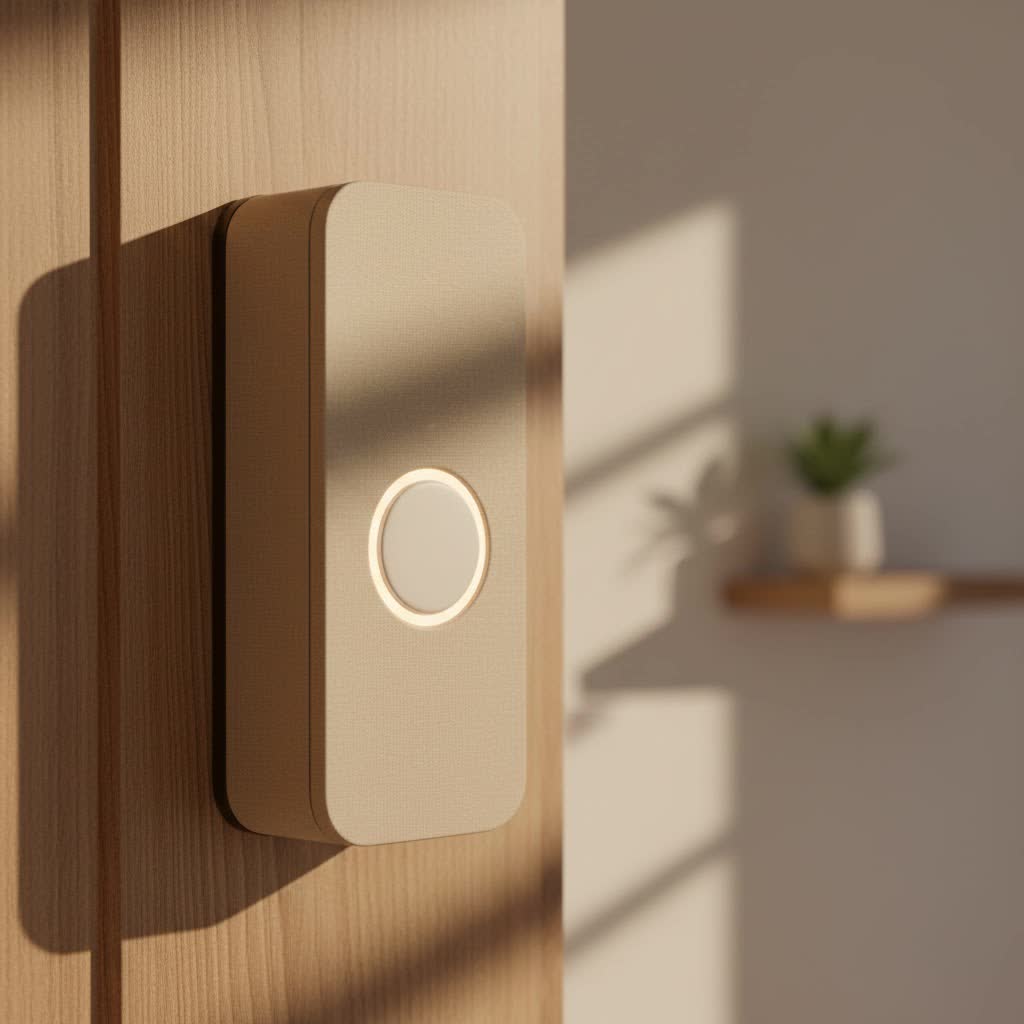
As a seasoned smart home professional and the lead content creator for Boctj.com, I’ve seen countless smart doorbell systems, and the Blink Smart Doorbell consistently impresses with its simplicity and effectiveness. This comprehensive guide will walk you through everything you need to know—from selecting the right model and effortless installation to unlocking its advanced features and troubleshooting common hiccups. Get ready to transform your front door into a fortress of smart security!
What Makes the Blink Smart Doorbell a Smart Choice?
At its core, the Blink Smart Doorbell embodies a philosophy of accessible security. It’s designed to be straightforward, offering essential features that homeowners truly need without unnecessary complexity. Blink, an Amazon company, has focused on delivering a solid performance at an attractive price point, making smart home security attainable for more people.
There are primarily two generations of the Blink Video Doorbell. While the original (1st Gen) delivered solid 1080p HD video and reliable motion detection, the newer 2nd Gen offers some notable advancements. The 2nd Gen model steps up the game with sharper 1440p HD video and an expanded, head-to-toe field of view, meaning you can see more of your porch, including packages left on the ground. It also introduces person detection, making your alerts even smarter. This evolution shows Blink’s commitment to refining its offerings while maintaining its core values of simplicity and affordability.
Key Features That Define Your Blink Smart Doorbell Experience
The Blink Smart Doorbell isn’t just a fancy button; it’s a comprehensive security tool packed with features designed to keep you connected and secure.
Crystal Clear Vision, Day and Night (HD Video & Night Vision)
|
Our Picks for the Best Smart Doorbell in 2026
As an Amazon Associate I earn from qualifying purchases.
|
||
| Num | Product | Action |
|---|---|---|
| 1 | Anti-Theft Video Doorbell Mount Compatible with Arlo Video Doorbell/Blink Doorbell Camera, Anti-Blocks Motion Sensor, Adjustable Mounting Bracket Accessories for Houses/Apartments/Rentals-Silver |

|
| 2 | Google Nest Doorbell (Wired, 3rd Gen) - 2K Video and Gemini, Live View, Night Vision, 2-Way Audio - Works with Google Home - 2025 Model - Snow |
|
| 3 | ecobee Smart Video Doorbell Camera (Wired) - with Industry Leading HD Camera, Smart Security, Night Vision, Person and Package Sensors, 2-Way Talk, and Video & Snapshot Recording |
|
| 4 | Tapo TP-Link Smart Video Doorbell Camera, Chime Included, 2K 5MP, Color Night Vision, 2-Way Audio, Free AI Detection, Cloud/SD Card Storage, Works w/Alexa & Google Home, D230S1 |
|
| 5 | Tapo by TP-Link Smart Video Doorbell Camera Wireless with Chime, 2K with Full Color Night Vision & Spotlights, No Monthly Fee, Ring Call, 160° Ultra-Wide View, Free AI Detection, Local Storage,D210 |
|
| 6 | 1080P Smart Wireless Video Doorbell Camera with AI Motion Detection, Night Vision, Two-Way Talk, Cloud Storage, Indoor/Outdoor Surveillance, Battery Powered, 2.4GHz Wi-Fi |
|
| 7 | 1080p Smart Video Doorbell Camera with AI Motion Detection, Night Vision, Cloud Storage, 2 Way Audio, Battery Powered, 2.4GHz Wi-Fi Only |
|
| 8 | Google Nest Doorbell (Wired, 3rd Gen) - 2K Video and Gemini, Live View, Night Vision, 2-Way Audio - Works with Google Home - 2025 Model - Hazel |
|
| 9 | Tapo by TP-Link Smart Video Doorbell Camera with Chime, Battery or Wired, 2K QHD Color Night Vison, No Monthly Fee, 180° Ultra-Wide Head-to-Toe View, Ring Call, Free AI Detection, Local Storage (D225) |
|
| 10 | Arlo Video Doorbell 2K (2nd Gen, Latest Release), Wireless or Wired Option, 2-Way Audio, Night Vision, Head to Toe Video View, Package Detection, Person & Vehicle Recognition, 1-Month Secure Plan |
|
Imagine seeing who’s at your door in vivid detail, whether it’s broad daylight or the dead of night. The Blink Smart Doorbell delivers precisely that. The 1st Gen offers 1080p HD video, while the 2nd Gen elevates this to 1440p HD, ensuring sharp and clear visuals. Both generations come equipped with infrared night vision, allowing you to monitor your entryway 24/7. While the 1st Gen provides a 135-degree horizontal and 80-degree vertical field of view, the 2nd Gen expands on this, offering a wider, “head-to-toe” perspective. This wider view is particularly useful for spotting packages or smaller visitors that might otherwise be missed.
Seamless Communication (Two-Way Audio)
Ever wish you could talk to someone at your door when you’re not home? With the Blink Smart Doorbell’s two-way audio feature, you can. When a visitor rings your doorbell or triggers the motion sensor, you can engage in a real-time conversation directly through the Blink Home Monitor app on your smartphone. This is incredibly handy for giving instructions to delivery drivers, greeting guests, or even deterring unwanted visitors, making it feel like you’re always home.
Stay Alerted, Not Annoyed (Motion Detection & Smart Alerts)
One of the cornerstones of any smart doorbell is its ability to detect motion and alert you to activity. The Blink Smart Doorbell excels here, sending instant notifications to your device when movement is detected. But it goes a step further with customizable sensitivity levels and “activity zones.” This means you can pinpoint specific areas for the camera to monitor and ignore others, significantly reducing false alarms from, say, passing cars or swaying tree branches. The 2nd Gen even includes person detection, allowing it to differentiate between a human and other sources of motion, leading to more relevant alerts.
Power That Lasts (Exceptional Battery Life)
One of the most impressive features of the Blink Smart Doorbell is its extraordinary battery life. Powered by just two or three AA 1.5-volt lithium non-rechargeable batteries (depending on the generation), it boasts up to two years of continuous security coverage with default settings. While real-world usage can slightly vary this, many users report experiencing around 18 months of battery life even with moderate activity. This long lifespan minimizes the hassle of frequent battery changes, a common pain point with many other wireless doorbells. Even if you opt for a wired installation, the doorbell still utilizes these batteries, extending their life even further while providing the convenience of your in-home chime.
Your Home, Connected (Alexa Integration)
As part of the Amazon family, the Blink Smart Doorbell seamlessly integrates with Amazon Alexa. This means you can use voice commands to see who’s at your door on an Echo Show or Fire TV, or receive chime notifications directly on your Alexa-enabled devices. This hands-free convenience enhances your smart home ecosystem, making your home security effortless.
Flexible Footage Storage: Cloud or Local?
When it comes to reviewing recorded video clips, Blink offers flexible options. You can opt for a Blink Subscription Plan, which provides unlimited cloud storage for 30 or 60 days (depending on region) for a monthly fee. New Blink Smart Doorbell purchases often come with a 30-day trial of the Blink Subscription Plus Plan, letting you experience the benefits of cloud storage risk-free. For those who prefer to keep their footage local and avoid recurring fees, the Blink Smart Doorbell can also work with a Blink Sync Module 2 (sold separately). By inserting a USB flash drive into the Sync Module 2, you can store video clips locally without a subscription, giving you control over your data.
Installing Your Blink Smart Doorbell: A Breeze for Any Home
Installing the Blink Smart Doorbell is surprisingly straightforward, designed for DIY enthusiasts and even those less technologically inclined. Let’s break down the process.
Before You Begin: What You’ll Need
To ensure a smooth installation, gather these items:
- Your Blink Smart Doorbell unit.
- The included mounting plate, screws, and wall anchors.
- Optional: Wedge or corner mounts (included or sold separately) if you need to angle your camera.
- Two (1st Gen) or three (2nd Gen) AA 1.5-volt lithium non-rechargeable batteries.
- A smartphone with the Blink Home Monitor app installed.
- A screwdriver and possibly a drill (with 3/32-inch and 7/32-inch bits) for mounting.
- If you plan to use local storage or have multiple Blink cameras, a Blink Sync Module 2.
Wired vs. Wire-Free: Choosing Your Path
The Blink Smart Doorbell offers the flexibility of both wired and wire-free installation.
- Wire-Free: This is the easiest method. Simply insert the batteries, set up the doorbell in the app, and mount it. Your phone acts as the chime.
- Wired: If you have existing doorbell wiring (providing 16-24 volts AC), you can connect the Blink doorbell to it. This allows your existing in-home chime to sound when pressed and further extends the already impressive battery life. Even when wired, the doorbell still requires batteries to operate.
Step-by-Step Installation Guide
Here’s how to get your Blink Smart Doorbell up and running in no time:
- Download the Blink App & Create Account: Search for “Blink Home Monitor” in your smartphone’s app store, download it, and follow the prompts to create your Blink account. You’ll need to verify your email and set up multi-factor authentication.
- Insert Batteries: Open the back of your Blink Smart Doorbell and insert the required AA lithium batteries.
- Add Device: In the Blink app, tap the “Add device” (+) icon. Select “Video Doorbell.” If you’re also adding a Sync Module 2 for local storage or multi-camera setups, add it first. The app will guide you through scanning the QR code on the back of the doorbell and selecting or creating a system.
- Connect to Wi-Fi: The app will instruct you to connect to the doorbell’s temporary “BLINK” Wi-Fi network, and then to your home’s 2.4 GHz Wi-Fi network. Ensure you have a strong, stable signal near your door.
- Choose Mounting Spot & Attach Bracket: Select an optimal location near your front door, ideally 40-48 inches high, where it has a clear view and is sheltered from direct heavy rain or excessive sun glare. Use the included template and mounting screws to securely attach the mounting bracket to your doorframe or wall. If using wedge/corner mounts, assemble them first.
- Secure the Doorbell: Once the bracket is in place, snap your Blink Smart Doorbell onto it. You should hear a satisfying click, indicating it’s firmly secured.
- (Wired Installation Only) Connect to Existing Chime: If you’re wiring your doorbell, connect the two existing doorbell wires to the screws on the back plate. Either wire can connect to either post. Ensure the power to your existing doorbell system is off before working with wires. Then, turn the power back on.
- Test: Press the doorbell button and check your Blink app and any connected in-home chimes or Alexa devices to ensure everything is working correctly. Adjust the camera angle if necessary.
“The key to a hassle-free Blink doorbell installation is patience and following the app’s guidance. Don’t rush, and always test before fully securing everything,” advises Jordan Lee, Senior Smart Home Technologist at Boctj.com.
Navigating the Blink Ecosystem: Sync Module & App Control
To truly master your Blink Smart Doorbell, understanding its ecosystem – particularly the Sync Module and the Blink Home Monitor app – is crucial.
The Heart of Your System: The Blink Sync Module
While the Blink Smart Doorbell can function without a Sync Module (in “Event Response” mode, where it only records when the button is pressed), the Sync Module 2 is highly recommended for unlocking its full potential. The Sync Module acts as a central hub, bridging communication between your Blink devices and your Wi-Fi router. It enables features like Live View on demand, motion-activated recording, and most importantly, local storage when a USB drive is inserted. Without a Sync Module, your doorbell’s capabilities are somewhat limited, especially concerning continuous monitoring.
Mastering the Blink Home Monitor App
The Blink Home Monitor app is your control center for the entire Blink system. From here, you can customize a wide array of settings:
- Motion Settings: Adjust motion detection sensitivity to capture more or less activity. Set up precise activity zones to ignore busy streets or swaying trees, focusing only on relevant areas.
- Video Quality: Optimize video quality based on your internet speed and preferences.
- Clip Length: Determine how long motion-activated video clips should record.
- Night Vision: Fine-tune night vision settings for optimal clarity in low light.
- Doorbell Ringer Volume: Adjust the volume of your in-app chime notifications.
- Arm/Disarm System: Easily arm your entire Blink system when you leave home and disarm it when you return, controlling when motion detection is active.
Blink Smart Doorbell vs. The Competition: Is It Right for You?
The smart doorbell market is crowded, with big players like Ring, Nest, and Arlo offering advanced features. So, why choose Blink? The Blink Smart Doorbell carves out its niche by offering an unbeatable combination of affordability, exceptional battery life, and straightforward functionality.
While higher-priced competitors might offer more advanced AI features like package detection (though the 2nd Gen Blink has person detection), a wider vertical field of view (especially compared to the 1st Gen), or more robust build quality, Blink focuses on delivering the essentials reliably and at a fraction of the cost. Its seamless integration with the Amazon Alexa ecosystem is also a significant advantage for those already invested in Amazon’s smart home devices. If you’re looking for a dependable, easy-to-install, and budget-friendly video doorbell that handles the core tasks exceptionally well, the Blink Smart Doorbell is an excellent choice.
Troubleshooting Common Blink Smart Doorbell Issues
Even the most reliable tech can have its moments. Here are solutions to common issues you might encounter with your Blink Smart Doorbell:
“My Doorbell Won’t Connect to Wi-Fi!”
Connectivity issues are often the culprit when your doorbell isn’t behaving.
- Reboot Your Router: Unplug your Wi-Fi router for 30 seconds, then plug it back in. This often resolves temporary network glitches.
- Check Your Password: Double-check that you’ve entered your Wi-Fi password correctly in the Blink app.
- Verify Signal Strength: In the Blink app (Device Settings > General Settings > Network), confirm that your “Connection to Wi-Fi” shows at least three bars. Blink doorbells require a 2.4 GHz Wi-Fi network, and a weak signal can cause problems. If the Sync Module is too far, try moving it closer (within 100 feet of the doorbell).
“It’s Not Turning On or Responding!”
A completely unresponsive doorbell usually points to power issues.
- Battery Check & Replacement: Ensure you’re using the correct AA 1.5-volt lithium non-rechargeable batteries (two for 1st Gen, three for 2nd Gen). If the LED light isn’t flashing after inserting them, try new batteries. Alkaline batteries will not work reliably, especially in cold weather.
- Battery Soft Reset: Remove all batteries for five seconds, then reinsert them. For 1st Gen models, if a red LED flashes, press the recessed reset button on the back for five seconds. For 2nd Gen, a red flash simply indicates it’s ready for setup.
“I’m Not Getting Motion Alerts (or Getting Too Many)!”
Motion detection needs proper configuration to be effective.
- Arm Your System: Ensure your Blink system is “armed” in the app; motion detection won’t work if it’s disarmed.
- Adjust Sensitivity: If you’re getting too many alerts (e.g., from trees or shadows), lower the motion sensitivity in the app. If you’re missing events, try increasing it.
- Set Activity Zones: Use the app’s activity zones feature to define specific areas for motion detection, ignoring irrelevant background activity.
“My Videos Aren’t Recording!”
If your doorbell isn’t capturing events, consider these points:
- System Armed: Again, confirm your Blink system is armed in the app.
- Sync Module Connection: If you’re using a Sync Module 2 for local storage, ensure it’s properly connected and has a USB flash drive inserted.
- Subscription Plan: If you rely on cloud storage, verify your Blink Subscription Plan is active and not expired.
Expert Tips for Maximizing Your Blink Smart Doorbell
As an expert in smart home security, I always advise users to go beyond basic setup to truly optimize their devices.
- Optimal Placement is Key: Experiment with your doorbell’s mounting height and angle, using the included wedge or corner mounts if necessary. A “head-to-toe” view (especially with 2nd Gen) is ideal for spotting both visitors and packages.
- Regular Battery Checks: While the battery life is excellent, make it a habit to check the battery status in the Blink app, especially before extended trips. Always keep spare AA lithium batteries on hand.
- Utilize Activity Zones Effectively: Don’t just set and forget. Periodically review your recorded clips to fine-tune your activity zones, ensuring you capture relevant events and minimize false alarms.
- Keep Firmware Updated: Always allow the Blink app to perform firmware updates. These updates often bring performance improvements, new features, and crucial security patches.
- Leverage Alexa: Integrate your Blink doorbell fully with Alexa for announcements, live view on smart displays, and hands-free control.
Conclusion
The Blink Smart Doorbell is more than just a convenience; it’s a vital component of a modern home security system, offering reliable monitoring, clear communication, and impressive battery life at an accessible price. From its straightforward installation to its customizable features and seamless Alexa integration, it empowers you to keep an eye on your home, no matter where life takes you. By understanding its capabilities, following installation best practices, and applying these expert troubleshooting tips, you can confidently select, install, and utilize your Blink Smart Doorbell effectively, enjoying unparalleled peace of mind.
Ready to enhance your home’s security? Explore the Blink Smart Doorbell today and experience the future of intelligent home protection. We at Boctj.com are always here to help you navigate the exciting world of smart home technology. Share your Blink Smart Doorbell experiences and tips in the comments below!
