Smart doorbells have become an indispensable part of modern home security, offering peace of mind and convenience right at your fingertips. If you’ve been looking to upgrade your entryway, the Reolink Smart Doorbell lineup is a name that consistently comes up, and for good reason. With a reputation for robust features, excellent video quality, and a refreshing commitment to local storage without forced subscriptions, Reolink has carved out a significant niche in the competitive smart home market. But what truly sets a Reolink smart doorbell apart, and how can you leverage its capabilities to their fullest? Let’s dive deep into everything you need to know.
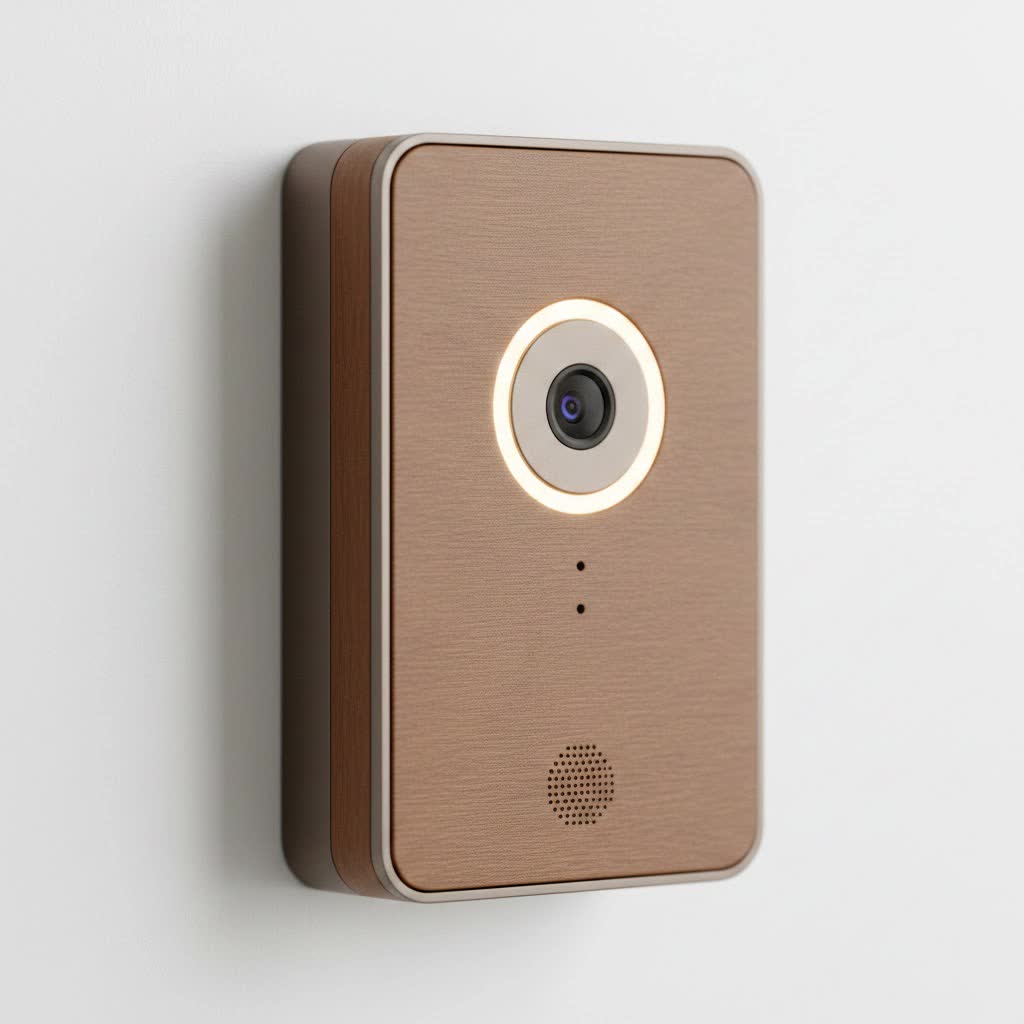
Why Choose a Reolink Smart Doorbell? Unpacking the Core Advantages
Choosing the right smart doorbell isn’t just about getting alerts on your phone; it’s about reliable security, clear communication, and seamless integration into your life. Reolink smart doorbells stand out with a compelling combination of features that address the most common needs of homeowners today.
Key Features and Specifications That Matter
When we talk about a Reolink smart doorbell, we’re talking about a device engineered to deliver high-performance security.
- Crystal-Clear 2K+ (5MP) Video: Imagine seeing every detail, day or night. Reolink doorbells often boast 2K+ (5-megapixel) resolution, providing incredibly sharp video footage. This isn’t just a number; it means you can clearly identify faces, read package labels, and get a precise view of your property. Many models also offer a unique 180-degree diagonal field of view, with aspect ratios like 3:4 (white version) or 4:3 (black version) that provide a “head-to-toe” perspective, ensuring you don’t miss that package left right below the camera.
- Intelligent Motion, Person, and Package Detection: Gone are the days of endless false alarms triggered by a passing car or a tree swaying in the wind. Reolink smart doorbells utilize advanced AI to accurately distinguish between people, vehicles, and even packages. This intelligent detection significantly reduces unnecessary notifications, letting you focus on what truly matters. Plus, you can customize motion zones, effectively telling your doorbell exactly where to keep a keen eye and where to ignore activity.
- Two-Way Audio with Quick Replies: Ever wish you could tell the delivery person to leave the package by the garage, even when you’re not home? With built-in microphones and speakers, Reolink doorbells enable real-time, two-way conversations. And for those moments when you’re busy or simply prefer not to talk, pre-set quick replies (like “Hi, please leave the package at the door”) offer a convenient and efficient way to communicate.
- Local Storage and No Monthly Fees: This is often a game-changer for many users. Unlike many competitors that lock essential features behind costly subscription plans, Reolink champions local storage. You can save recordings directly onto a microSD card (up to 256GB, not always included), a Reolink NVR (Network Video Recorder), a Reolink Home Hub Pro, or even an FTP/NAS server. This means you own your data, and there are no ongoing monthly fees for accessing your video history.
- Pre-Motion Recording: Have you ever seen a notification but missed the crucial few seconds before an event started? Reolink’s pre-recording feature captures several seconds of footage before motion is even detected. This provides invaluable context, ensuring you catch the full story, from approach to departure.
- Reliable Connectivity: Wi-Fi and PoE Options: Reolink understands that different homes have different needs. Their smart doorbells come in both Wi-Fi and Power over Ethernet (PoE) versions. Wi-Fi models support dual-band (2.4GHz and 5GHz) for flexible and stable connections, while PoE models offer ultimate reliability by receiving both power and data through a single Ethernet cable. This is particularly appealing for those seeking a rock-solid, hardwired connection.
- Weatherproof Design (IP65): Your front door is exposed to the elements, and your smart doorbell needs to be too. Reolink doorbells often come with an IP65 weatherproof rating, meaning they’re built to withstand rain, dust, and varying temperatures, ensuring consistent performance year-round.
|
Our Picks for the Best Smart Doorbell in 2026
As an Amazon Associate I earn from qualifying purchases.
|
||
| Num | Product | Action |
|---|---|---|
| 1 | Anti-Theft Video Doorbell Mount Compatible with Arlo Video Doorbell/Blink Doorbell Camera, Anti-Blocks Motion Sensor, Adjustable Mounting Bracket Accessories for Houses/Apartments/Rentals-Silver |

|
| 2 | Tapo by TP-Link Smart Video Doorbell Camera with Chime, Battery or Wired, 2K QHD Color Night Vison, No Monthly Fee, 180° Ultra-Wide Head-to-Toe View, Ring Call, Free AI Detection, Local Storage (D225) |
|
| 3 | 1080P Smart Wireless Video Doorbell Camera with AI Motion Detection, Night Vision, Two-Way Talk, Cloud Storage, Indoor/Outdoor Surveillance, Battery Powered, 2.4GHz Wi-Fi |
|
| 4 | ecobee Smart Video Doorbell Camera (Wired) - with Industry Leading HD Camera, Smart Security, Night Vision, Person and Package Sensors, 2-Way Talk, and Video & Snapshot Recording |
|
| 5 | Tapo by TP-Link Smart Video Doorbell Camera Wireless with Chime, 2K with Full Color Night Vision & Spotlights, No Monthly Fee, Ring Call, 160° Ultra-Wide View, Free AI Detection, Local Storage,D210 |
|
| 6 | Tapo TP-Link Smart Video Doorbell Camera, Chime Included, 2K 5MP, Color Night Vision, 2-Way Audio, Free AI Detection, Cloud/SD Card Storage, Works w/Alexa & Google Home, D230S1 |
|
| 7 | 1080p Smart Video Doorbell Camera with AI Motion Detection, Night Vision, Cloud Storage, 2 Way Audio, Battery Powered, 2.4GHz Wi-Fi Only |
|
| 8 | Arlo Video Doorbell 2K (2nd Gen, Latest Release), Wireless or Wired Option, 2-Way Audio, Night Vision, Head to Toe Video View, Package Detection, Person & Vehicle Recognition, 1-Month Secure Plan |
|
| 9 | Google Nest Doorbell (Wired, 3rd Gen) - 2K Video and Gemini, Live View, Night Vision, 2-Way Audio - Works with Google Home - 2025 Model - Snow |
|
| 10 | Google Nest Doorbell (Wired, 3rd Gen) - 2K Video and Gemini, Live View, Night Vision, 2-Way Audio - Works with Google Home - 2025 Model - Hazel |
|
As smart home enthusiast and expert Dr. Alistair Finch often says, “The true value of a smart doorbell isn’t just in its features, but in how seamlessly it integrates into your daily life and provides actionable intelligence without demanding constant attention or draining your wallet with hidden fees.”
Wired, Wireless, and Battery: Choosing Your Power Source
Reolink offers flexibility in how their smart doorbells are powered and connected, catering to diverse home setups:
- Wired (PoE/WiFi) Doorbells: These are typically powered by existing doorbell wiring (12-24V AC or 24V DC) or, in the case of PoE, a single Ethernet cable. They offer continuous power and a consistently stable connection, which is ideal for 24/7 recording.
- Battery Doorbells: For homes without existing doorbell wiring or those seeking easier installation, Reolink also offers battery-powered smart doorbells. These connect wirelessly via Wi-Fi and are great for flexibility, though you’ll need to consider battery life and recharging.
Installation: Setting Up Your Reolink Smart Doorbell for Success
Installing a Reolink smart doorbell might seem daunting, but with clear instructions, it’s a straightforward process. Whether you’re replacing an old doorbell or starting fresh, Reolink has options for you.
Pre-Installation Checklist
Before you begin, gather these essentials:
- Your Reolink smart doorbell package (including the chime, mounting plate, screws, and perhaps an angled wedge).
- A drill and appropriate drill bits.
- Screwdriver.
- Pencil for marking.
- A multimeter (if you’re checking existing wiring voltage).
- Your smartphone with the Reolink App installed.
- A microSD card (up to 256GB) if you plan on local storage and one isn’t included.
Wired Installation (PoE or to Existing Chime)
- Power Off: This is critical! Turn off the power to your existing doorbell system at your circuit breaker. Safety first, always.
- Verify Power (for existing wiring): Ensure your transformer provides 12-24V AC or 24V DC. For PoE, ensure your Ethernet cable is connected to a PoE switch that meets IEEE 802.3af standards.
- Remove Old Doorbell: Carefully detach your existing doorbell button.
- Bypass Chime (if applicable): If you’re connecting to existing wiring and have a mechanical chime, Reolink often recommends using a jumper wire (usually included) to bypass the chime. This ensures sufficient power delivery to your new smart doorbell. Connect the jumper to the “Trans” and “Front” terminals on your mechanical chime.
- Mount the Backplate: Use the provided template to mark and drill holes. Secure the mounting plate (and angled wedge, if needed) to your wall or doorframe.
- Wire It Up: Connect the doorbell wires to the terminals on the back of your Reolink doorbell. For PoE, simply connect the Ethernet cable.
- Secure the Doorbell: Fasten your Reolink smart doorbell to the mounting plate.
- Power On and Configure: Restore power at the circuit breaker. Follow the in-app instructions to scan the QR code on your doorbell, connect it to your Wi-Fi (if applicable), set up a password, and customize settings.
Wireless (Battery) Installation
- Charge the Doorbell: Fully charge the battery-powered Reolink smart doorbell before installation.
- Mount the Backplate: Similar to wired installation, use the template to mount the backplate (and angled wedge if desired) to your chosen location.
- Secure the Doorbell: Attach the battery doorbell to the mounting plate.
- App Setup: Open the Reolink App, scan the QR code, and follow the on-screen prompts to connect the doorbell to your home Wi-Fi network. You’ll typically configure Wi-Fi bands (2.4GHz or 5GHz) during this step.
- Chime Setup: Plug in the included Reolink chime to an electrical outlet and pair it with your doorbell via the app.
A pro tip from my decade in smart home installations: “Always position your Reolink smart doorbell at approximately 1.2 meters (about 4 feet) from the ground for the optimal head-to-toe view and motion detection accuracy. Also, consider any direct sunlight or reflective surfaces that might cause glare.”
Reolink Smart Doorbell vs. The Competition: A Head-to-Head Look
The smart doorbell market is crowded, with major players like Ring, Nest, Arlo, and Eufy vying for your attention. So, how does a Reolink smart doorbell stack up?
Performance Comparison
- Video Quality: Reolink often matches or exceeds competitors like Ring and some Nest models with its 2K+ (5MP) resolution and broad field of view, including the popular “head-to-toe” aspect ratio.
- Motion Detection: Reolink’s AI-powered person, vehicle, and package detection is competitive with the best, often offering similar accuracy to Eufy and Nest, which also excel in this area.
- Local Storage & Subscriptions: This is where Reolink truly shines. Its robust local storage options (microSD, NVR, Home Hub) with no mandatory subscription fees for core functionality are a stark contrast to Ring and Nest, which heavily rely on cloud subscriptions for video history and advanced features. Eufy also offers local storage, making them a closer competitor in this aspect.
- Smart Home Integration: Reolink integrates well with Google Assistant and Amazon Alexa, allowing for voice control and live view on smart displays. While not as deeply embedded into a vast ecosystem as Ring (Amazon) or Nest (Google), it provides solid foundational support.
- Build Quality: Reolink doorbells are generally well-regarded for their solid, weatherproof construction, on par with other premium brands.
Value Proposition and Ecosystem
- Cost-Effectiveness: Over the long term, a Reolink smart doorbell can be significantly more cost-effective due to the absence of mandatory subscription fees. This can save you hundreds of dollars annually compared to Ring Protect or Nest Aware plans.
- Ecosystem Flexibility: If you prefer a mixed smart home environment rather than being locked into a single brand’s ecosystem, Reolink’s local storage and open standards (like ONVIF support for NVRs) make it an attractive choice. While it plays nice with Alexa and Google Home, it also offers more independent operation.
- Privacy: For those concerned about data privacy, Reolink’s emphasis on local storage provides greater control over your video footage compared to cloud-centric solutions.
“Many clients ask me if they really need a subscription,” states cybersecurity expert Olivia Chen. “With a Reolink smart doorbell, you get powerful features and reliable local recording without being tied to recurring payments, giving you both control and peace of mind.”
Troubleshooting Common Reolink Smart Doorbell Issues
Even the best smart devices can encounter hiccups. Here are some common issues you might face with your Reolink smart doorbell and how to address them:
Connectivity Problems (Wi-Fi and PoE)
- Symptoms: “Connection Failed” messages in the Reolink app, slow loading streams, intermittent disconnection.
- Fixes:
- Wi-Fi: Ensure your doorbell is within optimal range of your Wi-Fi router. Try switching between 2.4GHz and 5GHz bands if you have a dual-band router, as one might be more stable. Check for Wi-Fi interference from other devices. Ensure the UID (Unique ID) is activated in the Reolink app settings.
- PoE: Inspect the Ethernet cable for any physical damage or loose connections. Verify that your PoE switch or NVR port is providing adequate power according to the IEEE 802.3af standard.
- General: Power cycle both your Reolink doorbell and your router/NVR. Update the doorbell’s firmware to the latest version. For iOS users, ensure the Reolink app has local network access in your phone settings.
Doorbell Not Ringing or Multiple Presses Needed
- Symptoms: Pressing the doorbell button doesn’t trigger the chime, or it takes multiple presses.
- Fixes:
- Power Supply: Ensure your power supply (adapter or transformer) meets the specified requirements (24V DC or 12-24V AC). Insufficient power is a common cause.
- Jumper Wire: If connected to existing wiring, double-check that the jumper wire is correctly installed to bypass your mechanical chime.
- Internal Wiring: Ensure the internal wiring connections on the doorbell itself are secure and not loose.
- Firmware: Update to the latest firmware.
- Chime Pairing: Re-pair the Reolink chime with your doorbell through the app.
Blurry or Distorted Video Feed
- Symptoms: Unclear, pixelated, or distorted video.
- Fixes:
- Clean Lens: Gently wipe the camera lens with a soft, clean cloth to remove any dirt, smudges, or condensation.
- Network Bandwidth: If it’s a Wi-Fi model, try moving your router closer or reducing network congestion. For PoE, ensure your network infrastructure is robust.
- Resolution Settings: Check the video resolution settings in the Reolink app; sometimes lower settings are chosen for bandwidth reasons.
Motion Detection False Alarms or Missed Events
- Symptoms: Too many unwanted alerts, or the doorbell fails to detect actual events.
- Fixes:
- Sensitivity Settings: Adjust the motion detection sensitivity level in the Reolink app. Higher sensitivity catches more, but also increases false alarms.
- Detection Zones: Carefully customize your motion detection zones to exclude areas with constant movement (e.g., busy streets, swaying trees).
- Object Detection: Ensure person/vehicle/package detection is enabled and configured correctly if you want to filter specific alerts.
- Installation Height: Ensure the doorbell is mounted at the recommended height (around 1.2m) for optimal detection range.
Maximizing Your Reolink Smart Doorbell Experience
Your Reolink smart doorbell is more than just a camera; it’s a cornerstone of your home’s perimeter security. Here’s how to get the most out of it:
Advanced Settings and Customization
- Schedule Recordings: Beyond 24/7 or motion-triggered recording, set specific schedules for when your doorbell should actively record or alert you.
- Notification Preferences: Fine-tune push notifications, email alerts, and even FTP uploads. You can differentiate alert sounds within the app for different Reolink devices, if supported.
- Chime Customization: With the Reolink chime, explore different ringtones and volume levels to suit your preference.
Smart Home Integration Tips
- Voice Control: Connect your Reolink smart doorbell to Amazon Alexa or Google Assistant. Use voice commands to view live feeds on your smart displays (like Echo Show or Google Nest Hub) or receive voice announcements when someone rings the doorbell or motion is detected.
- Home Assistant: For advanced users, Reolink devices are often integrated into Home Assistant, allowing for complex automations. Imagine your smart lights turning on when motion is detected at the doorbell after sunset, or your smart lock activating when you confirm a visitor.
FAQ About Reolink Smart Doorbells
Here are some common questions people ask about Reolink smart doorbells:
Q: Does the Reolink smart doorbell require a monthly subscription?
A: No, the Reolink smart doorbell does not require a monthly subscription for its core functions like live view, two-way audio, and local video recording to a microSD card or NVR.
Q: How does Reolink’s local storage work?
A: You can insert a microSD card (up to 256GB) directly into the doorbell for local recording. Alternatively, you can connect it to a Reolink NVR, Reolink Home Hub, or even an FTP/NAS server for expanded storage and 24/7 recording capabilities.
Q: Can I use my existing doorbell chime with a Reolink smart doorbell?
A: Reolink wired doorbells are designed to work with existing doorbell wiring, but they often require a jumper cable to bypass your mechanical chime to ensure sufficient power. They come with a dedicated plug-in chime and can also integrate with smart chimes via Alexa and Google Assistant.
Q: What is the difference between the Wi-Fi and PoE Reolink doorbells?
A: The Wi-Fi version connects wirelessly to your home Wi-Fi network and is powered by existing doorbell wiring or a power adapter. The PoE (Power over Ethernet) version receives both power and network connectivity through a single Ethernet cable, offering a highly stable and reliable connection.
Q: Does the Reolink doorbell detect packages?
A: Yes, many Reolink smart doorbell models feature advanced AI-powered package detection, sending you alerts when a package is delivered or picked up. This feature is particularly prominent in their white models with the 3:4 aspect ratio.
Q: What if my Reolink doorbell has connectivity issues?
A: First, ensure your Wi-Fi signal is strong (for Wi-Fi models) or your Ethernet cable is secure and functional (for PoE models). Try power cycling both the doorbell and your router. Update the doorbell’s firmware, and check the Reolink app settings for local network access permissions.
Conclusion: Securing Your Home with Confidence
The Reolink smart doorbell isn’t just another gadget; it’s a robust, feature-rich security solution that empowers you with comprehensive front-door monitoring without the burden of ongoing subscription fees. From its crystal-clear 2K+ video and intelligent AI detection to its flexible local storage options and straightforward installation, a Reolink smart doorbell provides tangible value for any homeowner.
By understanding its capabilities, optimizing its settings, and knowing how to troubleshoot common issues, you can transform your entryway into a secure and smart gateway. So, are you ready to experience the peace of mind that comes with knowing who’s at your door, anytime, anywhere? Upgrade to a Reolink smart doorbell today and take control of your home’s security.
