Stepping into the world of smart home technology can feel like navigating a maze, but when it comes to securing your doorstep, the “Smart Life Doorbell” has emerged as a truly accessible and powerful solution. If you’ve been looking to upgrade your home security without breaking the bank or getting locked into a single brand’s ecosystem, understanding the smart life doorbell is your first crucial step. At boctj.com, we’ve spent over a decade deep-diving into smart home devices, and the Smart Life platform, powering countless smart doorbells, is a game-changer for enhancing both security and convenience right at your front door.
What Exactly is a Smart Life Doorbell and How Does It Work?
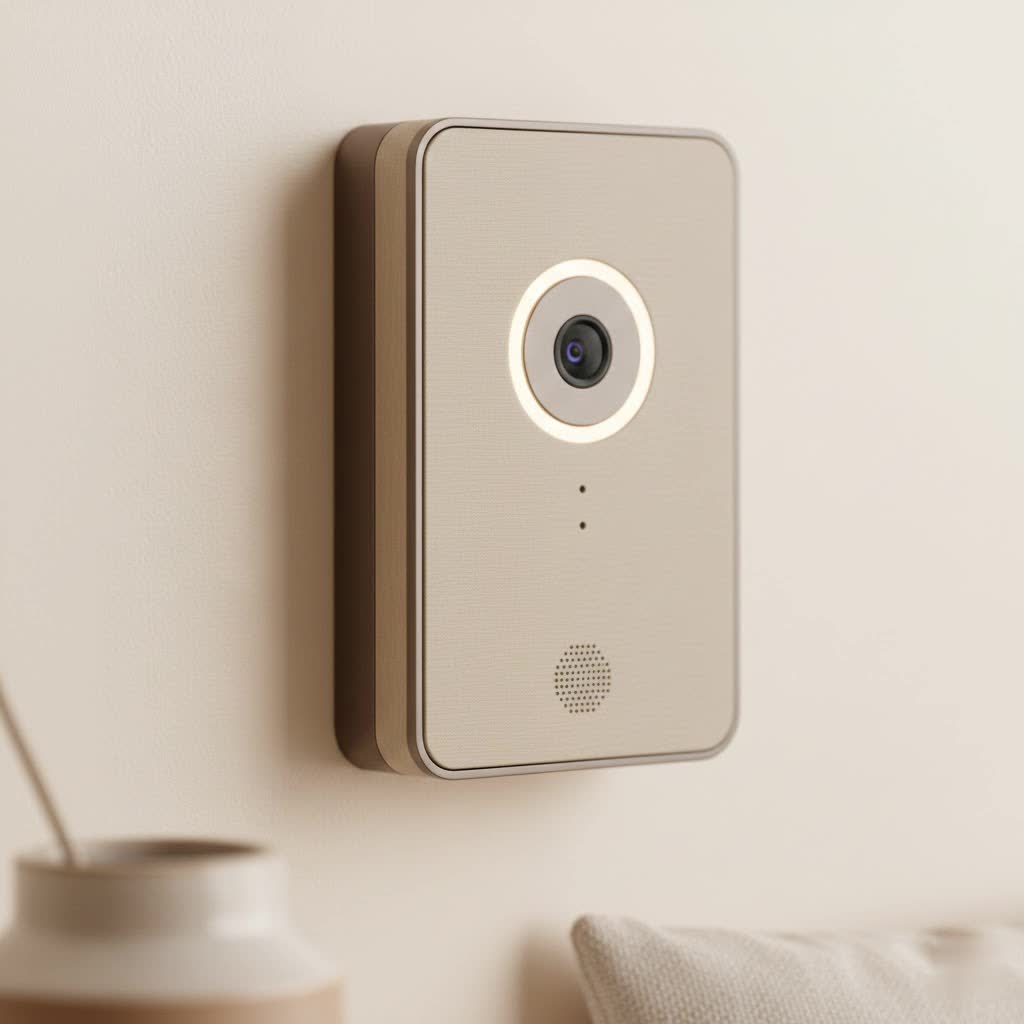
When we talk about a “smart life doorbell,” it’s important to understand that “Smart Life” isn’t a single brand like Ring or Nest. Instead, it refers to a vast ecosystem of smart home devices that all operate under the unified Tuya Smart or Smart Life mobile application. This means a “smart life doorbell” is essentially any smart doorbell manufactured by various companies that leverages this powerful, integrated app platform. These doorbells connect to your home’s 2.4GHz Wi-Fi network, allowing you to monitor your front door, speak to visitors, and receive alerts directly on your smartphone from anywhere in the world.
The magic happens through the app: when someone presses your smart life doorbell or triggers its motion sensor, an alert is instantly sent to your phone. You can then see, hear, and even speak to the person at your door through the doorbell’s built-in camera, microphone, and speaker, giving you unparalleled control and peace of mind, whether you’re at home or thousands of miles away.
Discover the Types of Smart Life Doorbells
The beauty of the Smart Life ecosystem lies in its diversity. Manufacturers offer various models, primarily categorizing smart life doorbells into two main types based on their power source:
Battery-Powered Smart Life Doorbells
These are the most common and easiest to install. They run on rechargeable batteries, often lasting several months on a single charge depending on usage.
- Pros: Wireless installation means no complicated wiring, perfect for renters or homes without existing doorbell wiring. They offer flexibility in placement.
- Cons: Batteries need recharging (though infrequent), and heavy traffic or frequent video recordings can shorten battery life. Some models may have slightly lower video quality or enter a “sleep mode” to conserve power, meaning the video feed is only available when the doorbell is pressed or motion is detected.
|
Our Picks for the Best Smart Doorbell in 2026
As an Amazon Associate I earn from qualifying purchases.
|
||
| Num | Product | Action |
|---|---|---|
| 1 | 1080P Smart Wireless Video Doorbell Camera with AI Motion Detection, Night Vision, Two-Way Talk, Cloud Storage, Indoor/Outdoor Surveillance, Battery Powered, 2.4GHz Wi-Fi |

|
| 2 | Google Nest Doorbell (Wired, 3rd Gen) - 2K Video and Gemini, Live View, Night Vision, 2-Way Audio - Works with Google Home - 2025 Model - Snow |
|
| 3 | Tapo by TP-Link Smart Video Doorbell Camera Wireless with Chime, 2K with Full Color Night Vision & Spotlights, No Monthly Fee, Ring Call, 160° Ultra-Wide View, Free AI Detection, Local Storage,D210 |
|
| 4 | Tapo TP-Link Smart Video Doorbell Camera, Chime Included, 2K 5MP, Color Night Vision, 2-Way Audio, Free AI Detection, Cloud/SD Card Storage, Works w/Alexa & Google Home, D230S1 |
|
| 5 | ecobee Smart Video Doorbell Camera (Wired) - with Industry Leading HD Camera, Smart Security, Night Vision, Person and Package Sensors, 2-Way Talk, and Video & Snapshot Recording |
|
| 6 | Tapo by TP-Link Smart Video Doorbell Camera with Chime, Battery or Wired, 2K QHD Color Night Vison, No Monthly Fee, 180° Ultra-Wide Head-to-Toe View, Ring Call, Free AI Detection, Local Storage (D225) |
|
| 7 | Google Nest Doorbell (Wired, 3rd Gen) - 2K Video and Gemini, Live View, Night Vision, 2-Way Audio - Works with Google Home - 2025 Model - Hazel |
|
| 8 | Anti-Theft Video Doorbell Mount Compatible with Arlo Video Doorbell/Blink Doorbell Camera, Anti-Blocks Motion Sensor, Adjustable Mounting Bracket Accessories for Houses/Apartments/Rentals-Silver |
|
| 9 | 1080p Smart Video Doorbell Camera with AI Motion Detection, Night Vision, Cloud Storage, 2 Way Audio, Battery Powered, 2.4GHz Wi-Fi Only |
|
| 10 | Arlo Video Doorbell 2K (2nd Gen, Latest Release), Wireless or Wired Option, 2-Way Audio, Night Vision, Head to Toe Video View, Package Detection, Person & Vehicle Recognition, 1-Month Secure Plan |
|
Wired Smart Life Doorbells
While less common within the generic Smart Life ecosystem compared to their battery-powered counterparts, some models do exist. These connect to your home’s existing doorbell wiring.
- Pros: Constant power supply means no battery recharging, continuous live viewing, and potentially more robust feature sets without power consumption concerns.
- Cons: Requires existing doorbell wiring and a bit more technical know-how for installation.
Choosing the right type often comes down to your home’s setup and your comfort level with DIY projects. For most, the simplicity of a battery-powered smart life doorbell is a major draw.
Essential Features That Make a Smart Life Doorbell Indispensable
A smart life doorbell isn’t just a fancy button; it’s a multi-functional security device packed with features designed to keep your home safe and your life simpler.
High-Definition Video & Night Vision
Most smart life doorbells offer crisp HD video quality (often 1080p, though some compact models might be 480p), providing a clear view of your doorstep. Coupled with infrared (IR) night vision, you’ll get a clear picture even in complete darkness, ensuring round-the-clock surveillance. Many also boast wide-angle lenses (e.g., 166-degree) to cover a broader area.
Two-Way Audio Communication
This feature allows you to speak directly with visitors through the doorbell’s built-in speaker and microphone, and hear their responses via your smartphone app. It’s perfect for giving delivery instructions, greeting friends, or even deterring unwanted guests when you’re not home.
Advanced Motion Detection & Alerts
Equipped with PIR (Passive Infrared) motion sensors, smart life doorbells detect movement at your door and send instant notifications to your phone. Many apps allow you to adjust sensitivity levels to minimize false alarms from pets or passing cars, giving you control over what triggers an alert.
Cloud Storage vs. Local Storage
When it comes to reviewing footage, smart life doorbells typically offer two options:
- Cloud Storage: Often a subscription-based service, this securely stores your video recordings online, accessible from anywhere.
- Local Storage: Many models include a slot for a microSD card (often up to 32GB included), allowing you to save recordings directly on the device without monthly fees. This provides a great cost-effective alternative for video playback.
Seamless Smart Home Integration
Since smart life doorbells operate on the Tuya/Smart Life platform, they seamlessly integrate with thousands of other Smart Life compatible devices, from smart lights to security cameras. This unified ecosystem also typically supports voice commands via Amazon Alexa and Google Assistant, making it incredibly convenient to manage your home security with your voice.
Customizable Zones & Privacy Settings
To further enhance your experience, many apps allow you to define specific motion detection zones, focusing on areas most critical to you and ignoring others. Privacy settings also ensure you control what footage is recorded and how it’s shared.
Step-by-Step: Installing and Configuring Your Smart Life Doorbell
One of the greatest appeals of a smart life doorbell is its straightforward installation process. You don’t need to be a tech wizard or a seasoned electrician to get it up and running.
1. Pre-installation Checklist
- Wi-Fi: Ensure you have a stable 2.4GHz Wi-Fi network available at your doorbell’s location. Smart Life devices typically only work on 2.4GHz.
- Tools: Usually a drill, screwdriver, the included mounting screws/3M tape, and potentially a USB charger for initial battery charge.
- Smartphone: Download the Tuya Smart or Smart Life app (available on iOS and Android).
- Location: Choose a spot that offers a clear view of your entry point.
2. Physical Installation
- Charge Battery: If it’s a battery-powered model, fully charge the battery first (usually via a USB cable).
- Mounting: Most smart life doorbells come with a backing plate. Use the provided screws and anchors to secure the plate to your wall. Alternatively, many lightweight models can be mounted using strong double-sided 3M tape for a drill-free installation.
- Attach Doorbell: Slide or click the doorbell unit onto the mounted backing plate.
3. App Setup and Configuration
- Create Account: Open the Smart Life or Tuya Smart app and create a new account, verifying your email.
- Add Device: In the app, tap “Add Device” (often a “+” icon). The app may auto-detect the doorbell if it’s in pairing mode. If not, select “Video Surveillance” or “Doorbell” from the device list.
- Pairing Mode: Follow the app’s instructions to put your doorbell into pairing mode (usually by pressing and holding a reset button until an LED blinks rapidly and you hear a prompt).
- Connect to Wi-Fi: Enter your 2.4GHz Wi-Fi password in the app. The app might display a QR code for the doorbell camera to scan, or it might connect automatically. Confirm when you hear a voice prompt indicating successful pairing.
- Customize Settings: Once connected, you can rename your doorbell, adjust motion sensitivity, set up notification preferences, configure night vision, and explore other features within the app.
“From my experience overseeing countless smart home installations, the key to a seamless smart life doorbell setup is definitely a strong 2.4GHz Wi-Fi signal at the door,” advises John Sterling, Head of Smart Home Integrations at boctj.com. “Many common troubleshooting issues stem from a weak connection.”
Why Choose a Smart Life Doorbell? An Ecosystem Advantage
While prominent brands offer their own robust smart doorbells, choosing a “smart life doorbell” provides distinct advantages, especially concerning affordability and ecosystem integration.
Cost-Effectiveness
Generally, smart life doorbells are more budget-friendly than their big-brand counterparts, making smart home security accessible to a wider audience without compromising essential features.
Unified App Experience
The biggest draw is the Smart Life/Tuya app. Instead of managing multiple apps for different devices (e.g., one for your doorbell, another for your smart plugs, a third for your lights), you control everything from one intuitive platform. This simplifies your smart home management significantly.
Wide Variety and Flexibility
Because numerous manufacturers produce devices compatible with the Smart Life app, you have a vast selection of doorbells with different designs, features, and price points. This allows you to pick a device that perfectly fits your needs and aesthetic preferences.
Expansive Smart Home Integration
Beyond just doorbells, the Smart Life ecosystem boasts an enormous range of compatible devices. This means your smart life doorbell can easily interact with other components of your home security and automation system, creating powerful routines and enhancing overall home intelligence. For example, your doorbell detecting motion could automatically trigger your Smart Life enabled porch lights to turn on.
Common Smart Life Doorbell Problems and How to Fix Them
Even the most advanced smart devices can encounter hiccups. Here are some common issues with smart life doorbells and practical troubleshooting tips:
Connectivity Issues (Wi-Fi, Offline)
- Check Wi-Fi: Ensure your 2.4GHz Wi-Fi is strong at the doorbell location. Move your router closer or use a Wi-Fi extender if necessary.
- Router Settings: Verify your router isn’t blocking the doorbell or that too many devices aren’t saturating the network.
- Re-pair: Try factory resetting the doorbell (check your manual for the specific method, often a long press on the reset button) and re-pairing it through the Smart Life app.
Motion Detection Glitches (False Alerts, Missed Events)
- Adjust Sensitivity: In the Smart Life app, lower the motion detection sensitivity to reduce false alarms from pets or passing traffic.
- Motion Zones: Set up specific detection zones to focus on critical areas and ignore irrelevant ones.
- Clear Obstructions: Ensure no physical obstructions (branches, large decorations) are blocking the sensor’s view.
Battery Life Concerns
- Optimize Settings: Reduce motion detection sensitivity, shorten recording durations, or schedule motion detection only for specific times in the app to conserve battery.
- Temperature: Extreme hot or cold weather can affect battery performance.
- Recharge Cycle: Ensure you are fully charging the battery each time.
Audio/Video Quality Problems
- Wi-Fi Strength: Poor video quality or choppy audio is often a symptom of a weak Wi-Fi signal.
- App Updates: Ensure your Smart Life app is updated to the latest version.
- Firmware: Check for and install any available firmware updates for your doorbell within the app.
Frequently Asked Questions About Smart Life Doorbells
Q1: Do smart life doorbells require a subscription?
A: Not necessarily. Many smart life doorbells offer local storage via a microSD card, allowing you to save and review video recordings without a monthly fee. Cloud storage, which provides off-site backup and sometimes extended recording history, is often an optional, paid subscription service.
Q2: Can I use a smart life doorbell with my existing chime?
A: Most battery-powered smart life doorbells come with their own wireless indoor chime, which pairs directly with the doorbell unit. If you have existing doorbell wiring, some wired smart life doorbells might be compatible with traditional chimes, but it’s crucial to check the product specifications. For purely wireless setups, the included chime is standard.
Q3: How secure are smart life doorbells?
A: Smart life doorbells, like most smart home devices, rely on secure connections and encryption. The Smart Life/Tuya platform is widely used and continuously updated for security. However, your home’s Wi-Fi network security and the strength of your app password play a vital role in overall security. Always use strong, unique passwords.
Q4: What’s the difference between wired and wireless smart doorbells?
A: The primary difference lies in their power source and installation. Wireless (battery-powered) doorbells are easier to install as they don’t require existing wiring, offering flexibility. Wired doorbells connect to your home’s existing doorbell wiring, providing continuous power and typically a more reliable connection without battery concerns.
Q5: How do smart doorbells integrate with smart home systems?
A: Since “smart life doorbells” operate on the Tuya/Smart Life platform, they seamlessly integrate with any other device that uses the same app. This means you can create automated routines, like having your smart lights turn on when motion is detected by the doorbell, or viewing your doorbell’s feed on a smart display compatible with Alexa or Google Assistant.
Conclusion
The smart life doorbell represents an incredibly valuable addition to any modern home, offering a compelling blend of enhanced security, practical convenience, and affordability. By leveraging the expansive Tuya/Smart Life ecosystem, these doorbells provide essential features like HD video, two-way audio, and intelligent motion detection, all controllable from a single, user-friendly app. Whether you’re opting for a simple battery-powered installation or a more robust wired solution, understanding the power of a smart life doorbell empowers you to confidently protect your home and connect with visitors, no matter where you are. Embrace the “smart life” and experience true peace of mind at your doorstep.
