Welcome to Boctj.com, your trusted resource for navigating the exciting world of smart home technology. As a seasoned expert with over a decade in the field, I’ve seen countless innovations, and the dophigo smart doorbell stands out as an intriguing option for enhancing your home’s security. This intelligent device, designed to bring peace of mind right to your doorstep, empowers you to monitor visitors, communicate remotely, and keep an eye on your property with remarkable ease. Join me as we delve into the capabilities, installation, and overall value of the Dophigo smart doorbell, ensuring you’re well-equipped to make informed decisions for your home.
Understanding the Dophigo Smart Doorbell: Core Features
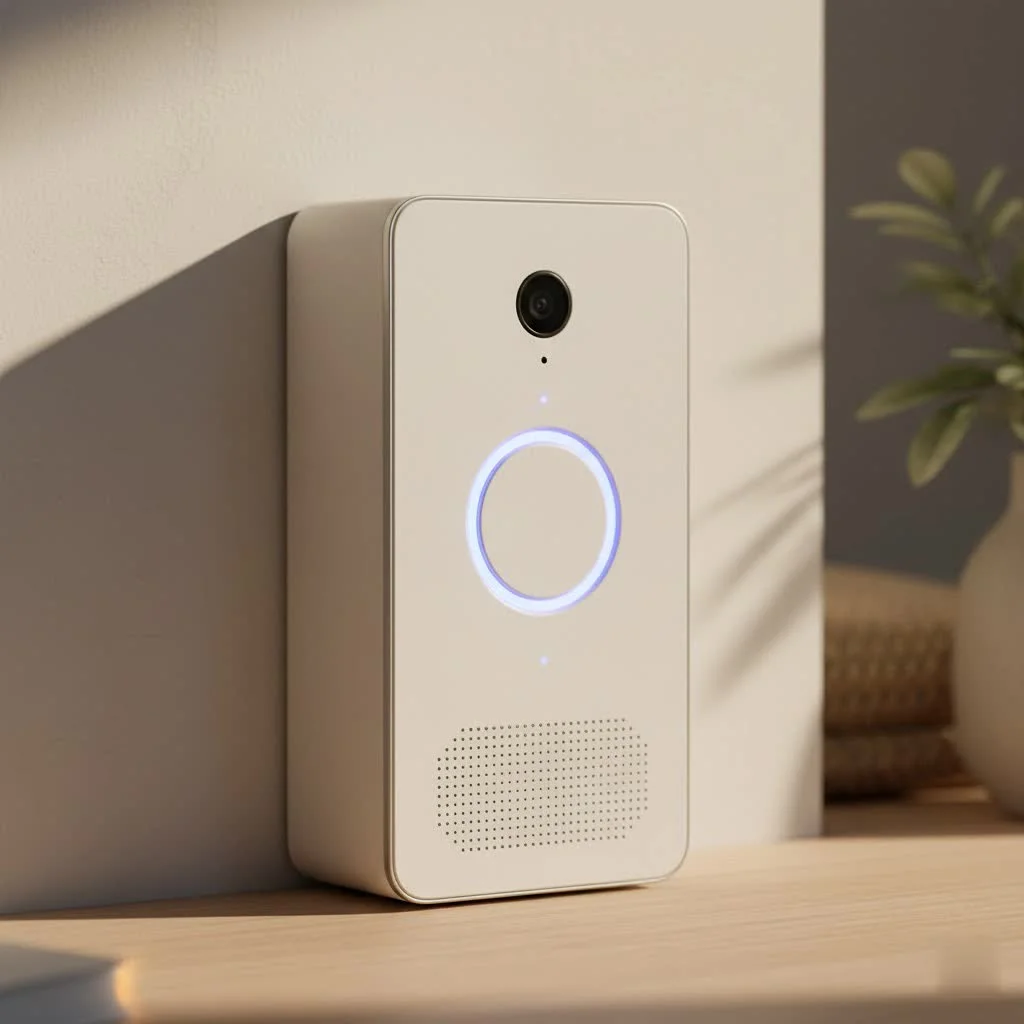
The Dophigo smart doorbell is engineered with a suite of features aimed at making your front door smarter and more secure. It’s more than just a button that rings inside your house; it’s a comprehensive communication and surveillance tool. For browse all smart home articles on this site.
High-Definition Video and Night Vision
The cornerstone of any smart doorbell is its camera, and the Dophigo smart doorbell doesn’t disappoint with its 960P HD resolution. This ensures that you get clear, detailed video footage of anyone approaching your door. What’s more, its “military level infrared night vision” feature guarantees that whether it’s bright noon or the darkest night, you’ll have a vivid view of your entryway. This means no more guessing who’s at your door when the sun goes down.
Crystal-Clear Two-Way Audio
Ever had a delivery person leave a package when you weren’t home, or a friend drop by unexpectedly? The Dophigo smart doorbell comes equipped with real-time two-way audio. This functionality allows you to speak directly with visitors through your smartphone, no matter where you are. Imagine telling the delivery driver where to leave a package or chatting with a neighbor, all from your office or while on vacation. It truly bridges the gap between you and your doorstep.
Wireless Connectivity and App Control
Connectivity is king in the smart home ecosystem. The Dophigo smart doorbell operates wirelessly, connecting to your home’s 2.4GHz WiFi network. While many modern devices also support 5GHz, the 2.4GHz band is known for its wider range, which can be beneficial for outdoor devices. Setting up is a breeze, often utilizing Bluetooth for a quick, one-step connection process. Once connected, the dedicated “DophiGo” app, available for both iOS and Android devices, becomes your command center, putting total control of your dophigo smart doorbell right at your fingertips.
The Power of Free Cloud Storage
|
Our Picks for the Best Smart Doorbell in 2026
As an Amazon Associate I earn from qualifying purchases.
|
||
| Num | Product | Action |
|---|---|---|
| 1 | Tapo TP-Link Smart Video Doorbell Camera, Chime Included, 2K 5MP, Color Night Vision, 2-Way Audio, Free AI Detection, Cloud/SD Card Storage, Works w/Alexa & Google Home, D230S1 |

|
| 2 | Tapo by TP-Link Smart Video Doorbell Camera with Chime, Battery or Wired, 2K QHD Color Night Vison, No Monthly Fee, 180° Ultra-Wide Head-to-Toe View, Ring Call, Free AI Detection, Local Storage (D225) |
|
| 3 | 1080P Smart Wireless Video Doorbell Camera with AI Motion Detection, Night Vision, Two-Way Talk, Cloud Storage, Indoor/Outdoor Surveillance, Battery Powered, 2.4GHz Wi-Fi |
|
| 4 | Anti-Theft Video Doorbell Mount Compatible with Arlo Video Doorbell/Blink Doorbell Camera, Anti-Blocks Motion Sensor, Adjustable Mounting Bracket Accessories for Houses/Apartments/Rentals-Silver |
|
| 5 | 1080p Smart Video Doorbell Camera with AI Motion Detection, Night Vision, Cloud Storage, 2 Way Audio, Battery Powered, 2.4GHz Wi-Fi Only |
|
| 6 | Arlo Video Doorbell 2K (2nd Gen, Latest Release), Wireless or Wired Option, 2-Way Audio, Night Vision, Head to Toe Video View, Package Detection, Person & Vehicle Recognition, 1-Month Secure Plan |
|
| 7 | Tapo by TP-Link Smart Video Doorbell Camera Wireless with Chime, 2K with Full Color Night Vision & Spotlights, No Monthly Fee, Ring Call, 160° Ultra-Wide View, Free AI Detection, Local Storage,D210 |
|
| 8 | Google Nest Doorbell (Wired, 3rd Gen) - 2K Video and Gemini, Live View, Night Vision, 2-Way Audio - Works with Google Home - 2025 Model - Snow |
|
| 9 | ecobee Smart Video Doorbell Camera (Wired) - with Industry Leading HD Camera, Smart Security, Night Vision, Person and Package Sensors, 2-Way Talk, and Video & Snapshot Recording |
|
| 10 | Google Nest Doorbell (Wired, 3rd Gen) - 2K Video and Gemini, Live View, Night Vision, 2-Way Audio - Works with Google Home - 2025 Model - Hazel |
|
One of the most compelling advantages of the Dophigo smart doorbell, especially when it first emerged, was its offering of “lifetime free cloud storage.” In a market where many competitors charge recurring monthly fees for video storage, this feature truly makes the Dophigo smart doorbell stand out. While some sources mention access to footage for up to 30 days, the general consensus is that this doorbell aims to eliminate the burden of ongoing subscription costs, a significant relief for budget-conscious homeowners.
Power and Durability
The Dophigo smart doorbell is designed for convenience, powered by a rechargeable 18650 3000mAh battery. This battery can be easily recharged via a standard USB cable, similar to charging your smartphone. Battery life is a crucial consideration for wireless devices; while standby times can reach up to 180 days, daily usage typically means recharging every few months. In terms of resilience, the Dophigo smart doorbell boasts an IP55 dustproof and waterproof rating, meaning it’s built to withstand various weather conditions, from scorching summers at 131°F to freezing winters at -13°F.
Smart Home Integration: Alexa & Google Assistant
In today’s interconnected homes, smart devices need to play well together. The Dophigo smart doorbell offers compatibility with popular smart home platforms like Amazon Alexa and Google Assistant. This integration means you can potentially use voice commands to, for instance, launch a real-time video feed from your doorbell onto a compatible smart display, adding another layer of convenience and control to your smart home security setup.
Indoor Chime and Group Notifications
Beyond the app on your phone, the Dophigo smart doorbell ensures you never miss a visitor with its included indoor chime. This physical chime provides a traditional audible alert inside your home. Furthermore, the “group notifications” feature within the DophiGo app is a fantastic addition for families. It allows multiple family members to receive alerts simultaneously when someone presses the doorbell, and even engage in text and voice chats within the app group, fostering better communication and shared home security management.
A Note on Motion Detection
It’s important to address a specific point regarding the Dophigo smart doorbell: the initial design reportedly featured a motion detection capability, but some versions or later iterations saw this feature removed. The reason cited was often related to “high-power cost” and “error alerts of high-frequency,” which could significantly impact battery life and user experience. While many modern smart doorbells heavily rely on sophisticated motion detection, the Dophigo smart doorbell primarily focuses on alerts when the button is pressed, ensuring essential visitor interaction remains robust. Users can typically “wake up” the doorbell via the app to view the live feed at any time.
Getting Started: Installation and Setup of Your Dophigo Smart Doorbell
Installing your Dophigo smart doorbell is a straightforward process, designed to be accessible even for those who aren’t tech experts. Let’s walk through the steps to get your new security guardian up and running.
Unboxing and Initial Charge
Before you even think about mounting, take your Dophigo smart doorbell out of its packaging and ensure all accessories are present: the doorbell unit, USB charging cable, mounting base, screws, and user manual. The first crucial step is to fully charge the included 18650 battery. Simply insert the battery into the doorbell, connect the USB cable to a 5V power adapter (like your phone charger), and let it charge until the indicator light signals it’s full. You’ll typically hear a voice prompt like “Welcome to using DophiGo Smart Doorbell. Waiting for connection” when it’s powered on.
Physical Installation
The Dophigo smart doorbell offers flexibility for mounting. It usually comes with a mounting bracket and screws (KA325mm) for a secure installation on most wall surfaces. Alternatively, for less permanent solutions or certain door types, it might include adhesive tape. A key tip: avoid mounting it on iron gates, as this can interfere with its wireless signal. Position the base, mark your drill holes if using screws, and secure it firmly. Once the base is in place, simply buckle the doorbell onto the base and secure it with a small anti-dismantle screw at the bottom (KM212mm) to prevent easy removal.
App Setup and Connection
This is where your smartphone takes over.
- Download the DophiGo App: Head to your device’s App Store (for iOS) or Google Play (for Android) and search for “DophiGo.” Download and install the application.
- Register and Log In: Follow the in-app instructions to create a new account and log in.
- Add Device: The app will guide you through adding your new Dophigo smart doorbell. This often involves a Bluetooth connection for easy WiFi configuration. Ensure your phone is connected to your 2.4GHz WiFi network during this process. The app will automatically transfer your WiFi credentials to the doorbell.
- Test Connection: After successfully adding the device, press the call button on your Dophigo smart doorbell. You should receive a notification on your phone, allowing you to answer and initiate a video call, confirming your setup is complete.
Device Sharing
For multi-person households, the Dophigo smart doorbell’s device sharing feature is incredibly useful. Through the DophiGo app, you can invite family and friends to join a group, allowing them to also receive notifications and access the doorbell’s features. This ensures that everyone who needs to monitor the front door can do so, providing comprehensive coverage for your home.
Dophigo Smart Doorbell in the Landscape: What Sets It Apart?
In a crowded market dominated by household names, the Dophigo smart doorbell carved out its niche by focusing on a compelling value proposition. It might not have always matched the bleeding-edge features of top-tier models from giants like Ring, Nest, Arlo, or Eufy, especially considering its introduction around 2018-2019. However, its strengths were significant for its segment.
Value Proposition: Free Cloud Storage & Affordability
The Dophigo smart doorbell’s most distinguishing factor was undoubtedly its “lifetime free cloud storage.” In an industry where subscription fees for video recording and advanced features are common, Dophigo offered an enticing alternative. For many homeowners, the thought of saving £30-£100 annually on subscriptions was a major draw. Combined with its accessible initial price point (around £75 at launch), it presented a highly cost-effective solution for smart home security. While some competitors boasted higher resolutions or more sophisticated AI motion detection, Dophigo focused on delivering core smart doorbell functionalities without the recurring financial commitment.
Comparing with Competitors
When we look at brands like Ring, Nest, Arlo, and Eufy, we often see advanced features such as 2K or 4K video, intricate person/package detection, customizable activity zones, and seamless integration with broader smart home ecosystems. The Dophigo smart doorbell, with its 960P HD video and simplified (or absent) motion detection, might seem less advanced by today’s standards. However, it offered reliability for essential tasks: seeing, hearing, and speaking to visitors. For users who prioritized a one-time purchase, easy installation, and crucial features like two-way audio and night vision without a subscription, the Dophigo smart doorbell was a perfectly viable and attractive option. It appealed to a demographic looking for practical security without the premium price tag or ongoing costs.
Troubleshooting Common Dophigo Smart Doorbell Issues
Even the most dependable smart devices can sometimes encounter a hiccup. My years of experience have taught me that many common smart doorbell issues have simple solutions. Here’s how to troubleshoot your Dophigo smart doorbell.
Connectivity Problems (2.4GHz WiFi)
The Dophigo smart doorbell relies on a 2.4GHz WiFi connection. If you experience dropped connections or difficulty pairing, consider these points:
- Router Compatibility: Ensure your router is broadcasting a 2.4GHz signal. Some newer routers default to 5GHz or combine both bands under one name, which can confuse devices.
- Signal Strength: The distance from your router and any physical obstructions (thick walls, metal doors) can weaken the signal. Try moving your router closer, or consider a WiFi extender to boost coverage near your doorbell.
- Interference: Other wireless devices in your home might cause interference. Try changing your router’s WiFi channel.
Battery Life Concerns
While the Dophigo smart doorbell’s rechargeable battery offers good life, actual duration depends on usage.
- Frequent Activity: More rings, live views, or two-way conversations will naturally drain the battery faster. If your doorbell is in a high-traffic area, you’ll need to recharge more often.
- Temperature Extremes: Very cold or very hot weather can impact battery performance.
- Recharge Cycle: The 18650 battery has a finite number of charge cycles. If your doorbell is very old, the battery might simply be nearing the end of its useful life and may need replacement.
- Charging Habits: Ensure you’re using the correct 5V/2.0A adapter for charging; improper chargers can affect battery health.
App Functionality
If the DophiGo app isn’t performing as expected:
- App Updates: Always ensure your DophiGo app is updated to the latest version. Developers frequently release updates to fix bugs and improve performance.
- Firmware Updates: The doorbell itself might require firmware updates. Check the app for any notifications about device firmware upgrades and perform them as recommended.
- Re-pairing: If connectivity issues persist, sometimes unpairing and re-pairing the doorbell to the app can resolve underlying communication problems.
- Check Phone Settings: Ensure the DophiGo app has the necessary permissions (notifications, camera, microphone) enabled in your phone’s settings.
Why the Dophigo Smart Doorbell Still Matters
While the smart doorbell market continues to evolve at a rapid pace, the Dophigo smart doorbell holds a significant place, especially for those who prioritize specific aspects of smart home security. Its enduring appeal lies in its commitment to providing essential features without the hidden costs that often accompany smart devices.
The Dophigo smart doorbell delivered a robust 960P HD video, clear two-way audio, and effective night vision—all critical components for monitoring your front door. Its IP55 weather resistance ensured reliability in diverse climates, and its integration with Alexa and Google Assistant provided convenient voice control. However, its most compelling characteristic, then and now, remains the “lifetime free cloud storage.” This feature was, and continues to be, a major differentiator, offering substantial long-term savings compared to subscription-based models.
For homeowners seeking a straightforward, dependable, and budget-friendly smart doorbell solution that covers the fundamental aspects of visitor management and entryway surveillance without recurring fees, the Dophigo smart doorbell remains a noteworthy option. It proves that effective home security doesn’t always have to come with a hefty price tag or ongoing commitments.
Frequently Asked Questions about the Dophigo Smart Doorbell
Is Dophigo still available?
While the Dophigo smart doorbell was a popular product around 2018-2019, its availability today may be limited, as newer models and brands have entered the market. You might find it through third-party sellers or used marketplaces, but direct retail availability may be scarce.
Does the Dophigo doorbell require a subscription?
No, one of the key selling points of the Dophigo smart doorbell is its “lifetime free cloud storage,” meaning it does not require a monthly or annual subscription for video recording and storage.
What is the battery life of the Dophigo Smart Doorbell?
The Dophigo smart doorbell uses a rechargeable 18650 3000mAh battery. Battery life varies with usage, but it can last up to 180 days on standby and approximately 3 months with daily use, requiring recharging via a USB cable a few times a year.
Can I view Dophigo video footage on my computer?
The primary method for viewing footage and interacting with the Dophigo smart doorbell is through the dedicated “DophiGo” app on iOS and Android smartphones or tablets. There is no widely advertised desktop application or web portal for direct computer access.
Is the Dophigo doorbell waterproof?
Yes, the Dophigo smart doorbell is rated IP55 dustproof and waterproof. This means it is designed to withstand various outdoor weather conditions, including dust, rain, and temperature extremes ranging from -13°F to 131°F.
Conclusion
The Dophigo smart doorbell, with its focus on practical features and a commitment to no recurring fees, offered a compelling proposition for homeowners looking to upgrade their security without breaking the bank. From its clear 960P HD video and two-way audio to its free cloud storage and robust weather resistance, it delivered essential smart doorbell functionality. As a seasoned expert, I’ve always advocated for solutions that balance innovation with accessibility, and the dophigo smart doorbell certainly embodied that philosophy. If you’re looking for a dependable, cost-effective way to enhance your front door security, the Dophigo smart doorbell is a smart choice that empowers you to stay connected and secure. Embrace the confidence that comes with knowing who’s at your door, anytime, anywhere.
Smart home that does not lock you in
Free PDF — protocol compatibility matrix for 30 hubs and devices.
