Picture this: You’re out and about, maybe at work or grabbing groceries, and your phone buzzes with an alert. It’s your front door. With a quick tap, you see a delivery person dropping off a package, or perhaps a friend stopping by unexpectedly. You can even chat with them in real-time, all from your smartphone. This isn’t science fiction; it’s the everyday reality a smart wireless video doorbell offers. These clever devices have revolutionized home security and convenience, transforming the humble doorbell into a vigilant guardian for your doorstep.
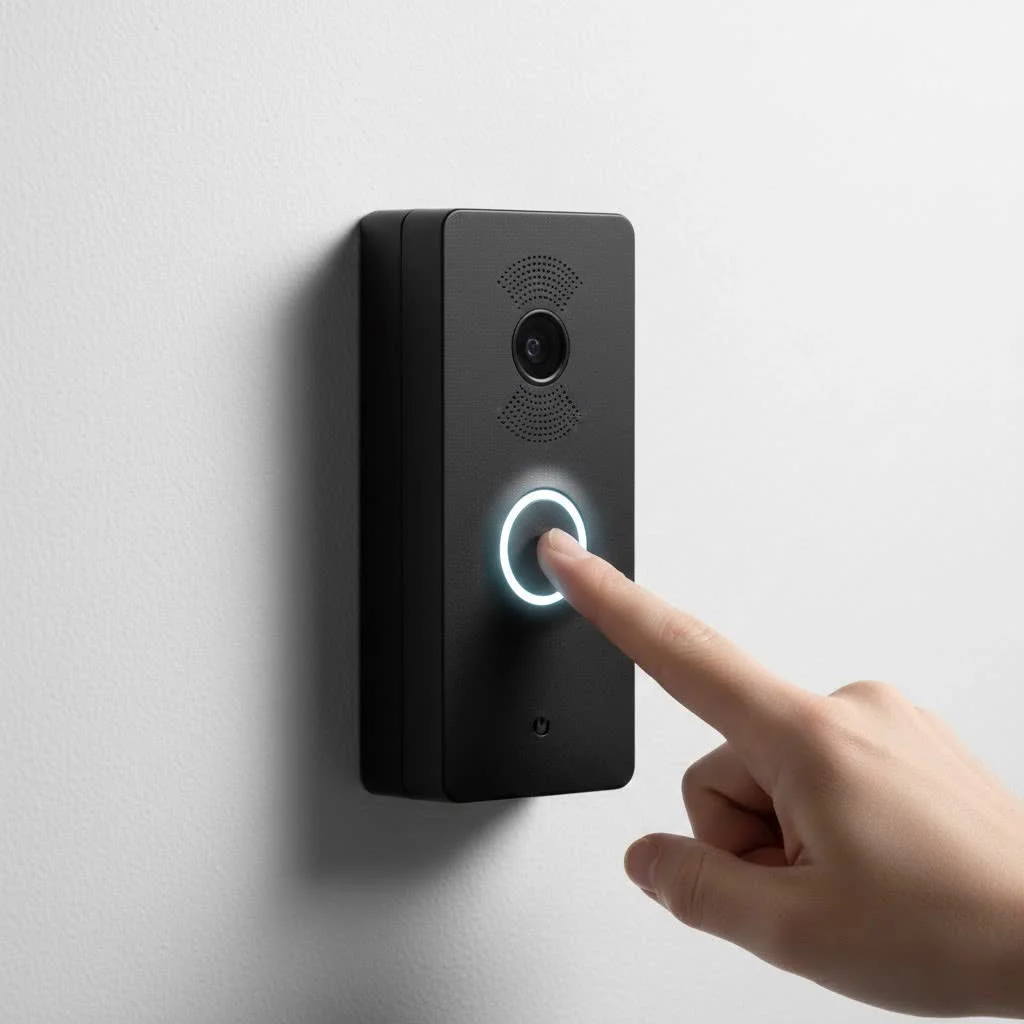
Gone are the days of simple “ding-dong” doorbells that only told you someone was there. Today’s smart wireless video doorbells integrate high-definition cameras, two-way audio, and advanced motion sensors, all connected to your home’s Wi-Fi. This means you get real-time alerts and a live view of your entryway, no matter where you are. The “wireless” aspect is a game-changer, offering incredible flexibility in placement, often running on long-lasting rechargeable batteries. If you’re looking to boost your home’s security, streamline package deliveries, and stay connected to your doorstep, diving into the world of smart wireless video doorbells is a brilliant move.
What Exactly Is a Smart Wireless Video Doorbell?
At its core, a smart wireless video doorbell is a security camera, a microphone, and a speaker, all rolled into one sleek unit that replaces your traditional doorbell button. The “smart” part comes from its ability to connect to your home’s Wi-Fi network and communicate with a dedicated app on your smartphone or other smart devices. When someone presses the doorbell or is detected by its motion sensors, you receive an instant notification on your phone. You can then see, hear, and even speak to the visitor through the doorbell’s built-in speaker and microphone, even if you’re miles away.
The “wireless” designation typically refers to how the unit is powered, usually via a rechargeable battery, which eliminates the need for complex electrical wiring. This makes installation much simpler for most homeowners, especially in older homes that might lack existing doorbell wiring. These devices are designed for modern living, providing peace of mind and unparalleled control over who comes to your door.
Key Features That Matter in a Smart Wireless Video Doorbell
When you’re choosing a smart wireless video doorbell, you’ll quickly notice a wealth of features designed to enhance your home’s security and your daily convenience. But which ones truly make a difference? Let’s break down the essentials.
Crystal-Clear Vision, Day and Night
|
Our Picks for the Best Smart Doorbell in 2026
As an Amazon Associate I earn from qualifying purchases.
|
||
| Num | Product | Action |
|---|---|---|
| 1 | Google Nest Doorbell (Wired, 3rd Gen) - 2K Video and Gemini, Live View, Night Vision, 2-Way Audio - Works with Google Home - 2025 Model - Snow |

|
| 2 | Tapo by TP-Link Smart Video Doorbell Camera with Chime, Battery or Wired, 2K QHD Color Night Vison, No Monthly Fee, 180° Ultra-Wide Head-to-Toe View, Ring Call, Free AI Detection, Local Storage (D225) |
|
| 3 | Anti-Theft Video Doorbell Mount Compatible with Arlo Video Doorbell/Blink Doorbell Camera, Anti-Blocks Motion Sensor, Adjustable Mounting Bracket Accessories for Houses/Apartments/Rentals-Silver |
|
| 4 | Tapo by TP-Link Smart Video Doorbell Camera Wireless with Chime, 2K with Full Color Night Vision & Spotlights, No Monthly Fee, Ring Call, 160° Ultra-Wide View, Free AI Detection, Local Storage,D210 |
|
| 5 | ecobee Smart Video Doorbell Camera (Wired) - with Industry Leading HD Camera, Smart Security, Night Vision, Person and Package Sensors, 2-Way Talk, and Video & Snapshot Recording |
|
| 6 | Arlo Video Doorbell 2K (2nd Gen, Latest Release), Wireless or Wired Option, 2-Way Audio, Night Vision, Head to Toe Video View, Package Detection, Person & Vehicle Recognition, 1-Month Secure Plan |
|
| 7 | Google Nest Doorbell (Wired, 3rd Gen) - 2K Video and Gemini, Live View, Night Vision, 2-Way Audio - Works with Google Home - 2025 Model - Hazel |
|
| 8 | 1080p Smart Video Doorbell Camera with AI Motion Detection, Night Vision, Cloud Storage, 2 Way Audio, Battery Powered, 2.4GHz Wi-Fi Only |
|
| 9 | 1080P Smart Wireless Video Doorbell Camera with AI Motion Detection, Night Vision, Two-Way Talk, Cloud Storage, Indoor/Outdoor Surveillance, Battery Powered, 2.4GHz Wi-Fi |
|
| 10 | Tapo TP-Link Smart Video Doorbell Camera, Chime Included, 2K 5MP, Color Night Vision, 2-Way Audio, Free AI Detection, Cloud/SD Card Storage, Works w/Alexa & Google Home, D230S1 |
|
A video doorbell is only as good as its camera. Look for high-resolution video (2K or 4K are becoming standard) to ensure you can clearly identify faces, packages, and any suspicious activity. A wide field of view, often 180 degrees diagonally, is crucial to capture as much of your porch and surrounding area as possible. Some advanced models even offer a 3:4 or 1:1 aspect ratio, giving you a head-to-toe view of visitors and a better look at packages on your doorstep. Don’t forget color night vision, a fantastic upgrade from traditional black-and-white infrared, providing much more detail in low-light conditions. Features like HDR (High Dynamic Range) also help balance bright and dark areas, ensuring a clear image even in challenging lighting.
Two-Way Audio and Quick Replies
The ability to speak with visitors is a cornerstone of any smart video doorbell. Clear two-way audio, even with background noise or wind, allows for seamless conversation with delivery drivers, family, or unexpected guests. Many doorbells also offer quick reply options—pre-recorded messages you can send with a tap, perfect for when you’re busy or simply don’t want to engage directly. Imagine telling a delivery person to leave a package at the side door without having to open your mouth!
Intelligent Motion Detection and Alerts
False alarms can be annoying, so sophisticated motion detection is key. Modern smart wireless video doorbells allow you to customize motion zones, focusing alerts only on areas that matter, like your porch, and ignoring passing cars or pedestrians on the sidewalk. Advanced AI features can differentiate between people, packages, vehicles, and even animals, ensuring you only get relevant notifications. Some doorbells go a step further with “loitering alerts” to warn you if someone is hanging around for too long. These real-time alerts are invaluable for security, giving you immediate awareness of activity at your front door.
Flexible Storage Options: Local vs. Cloud
Where does all that video footage go? Most smart doorbells offer two primary storage methods:
- Cloud Storage: This is the most common, where video clips are uploaded to secure internet servers. It often requires a monthly or annual subscription fee, but provides easy access from anywhere and protects your footage even if the doorbell is stolen. Many subscriptions unlock advanced AI features like facial recognition or extended video history.
- Local Storage: Some doorbells, like those from Eufy or Tapo, offer local storage via a microSD card slot on the doorbell itself or a connected home base unit. This can be a great way to avoid subscription fees and keep your data private, though you might need to manually offload footage periodically.
The best option depends on your budget and privacy preferences.
Seamless Smart Home Integration
Your smart wireless video doorbell isn’t just a standalone device; it’s a vital part of your connected home. Look for compatibility with major smart home ecosystems like Amazon Alexa, Google Home, and Apple HomeKit. This allows for voice control (“Alexa, show me the front door”), displaying live feeds on smart displays (like an Echo Show or Google Nest Hub), and creating automated routines with other smart devices, such as turning on porch lights when motion is detected.
Power and Battery Life Considerations
Since we’re focusing on wireless video doorbells, power is often supplied by a rechargeable battery. Battery life can vary significantly, from a few weeks to several months, depending on usage, motion detection frequency (a busy street means more triggers), video recording length, and even cold weather. Some “wireless” models also offer the option to be hardwired, providing continuous power without needing recharges. Always check the expected battery life and recharging process before you buy.
Weather Resistance for Durability
Your doorbell lives outdoors, so it needs to withstand the elements. Look for an IP (Ingress Protection) rating, such as IP65, which indicates protection against dust and water jets (like rain and hose sprays). Higher ratings like IP66 or IP67 offer even more robust protection against heavy storms or even temporary submersion, crucial for climates with extreme weather conditions. Most reputable brands ensure their smart wireless video doorbells are built to last.
Choosing the Right Smart Wireless Video Doorbell: Top Brands & Considerations
With so many options on the market, selecting the perfect smart wireless video doorbell might seem daunting. However, focusing on your specific needs and understanding the strengths of leading brands can make the process much smoother.
Top Brands to Consider
- Ring: Arguably the most well-known brand, Ring offers a wide range of battery-powered options like the Ring Battery Doorbell Plus and Wired Doorbell Pro. They boast a user-friendly app, deep integration with Amazon Alexa, and robust motion detection. Keep in mind that many advanced features and cloud storage require a Ring Protect subscription.
- Google Nest: If you’re already invested in the Google ecosystem, a Google Nest Doorbell (battery) is a natural fit. They offer excellent video quality, intelligent facial recognition (with a Nest Aware subscription), and seamless integration with Google Home and Assistant devices. Battery life on Nest models can sometimes be shorter compared to others, depending on usage.
- Arlo: The Arlo Video Doorbell 2K (2nd Gen) is highly regarded for its sharp 2K video, wide field of view, and reliable battery life. Arlo provides flexible power options (battery or wired) and precise person, vehicle, and package detection. Like Ring, some features are enhanced with an Arlo Secure subscription.
- Eufy & Tapo (TP-Link): These brands are often lauded for offering competitive features without mandatory subscription fees. Eufy, especially models like the Eufy Security Video Doorbell S330 with dual cameras, often includes local storage options via a home base or microSD card. Tapo doorbells are known for solid performance at budget-friendly prices, often with local storage capabilities. They represent great value for those looking to avoid ongoing costs.
- Wyze: The Wyze Wireless Duo Cam Doorbell stands out for its affordability and dual-camera system, allowing you to see both visitors and packages on the ground. It offers good features for its price point and can be wired or battery-powered.
- Philips: While not as common for video doorbells, Philips offers models like the 7000 Series, praised for detailed picture quality and comprehensive features available without a monthly fee, though some models may have shorter battery life.
Key Considerations Checklist
Before making your purchase, ask yourself these questions:
- What’s my budget? Prices range significantly, from under $100 to over $200 for premium models.
- Am I okay with a subscription? Many top-tier features like extended video history and advanced AI detection are often behind a paywall. If not, prioritize models with local storage.
- What smart home ecosystem do I already use? Compatibility with Alexa, Google Home, or Apple HomeKit is crucial for seamless integration.
- How important is battery life? Consider how often you’re willing to recharge, especially if you live on a busy street. Some offer hardwired options for continuous power.
- Are there specific features I can’t live without? Do you need a dual camera for package protection? Facial recognition? Ultra-wide field of view?
- What’s the weather like where I live? Ensure the doorbell has an adequate IP rating for your climate.
“Choosing a smart wireless video doorbell isn’t just about picking the flashiest model,” says our lead home security expert, Jonathan Reed. “It’s about finding the device that perfectly slots into your lifestyle, offering the right blend of security, convenience, and value for your specific home.”
Step-by-Step Installation: Getting Your Smart Wireless Video Doorbell Up and Running
One of the biggest appeals of a smart wireless video doorbell is its relatively straightforward installation, especially for battery-powered models. You don’t usually need to be an electrician to get it set up. Here’s a general guide to get you started:
Gather Your Gear
Before you begin, make sure you have these basic tools ready. Most doorbells come with some of the mounting hardware, but it’s good to have a full toolkit:
- A drill with appropriate drill bits
- A screwdriver (often included)
- A level
- A pencil for marking holes
- Wall anchors (if mounting on brick, concrete, or stucco)
- Your smartphone or tablet for app setup
Prime Location is Key
Choosing the right spot is crucial for optimal performance.
- Height: Aim to install your doorbell camera at approximately 48 to 60 inches (4 to 5 feet) from the ground. This height is generally best for capturing clear views of visitors’ faces and detecting motion accurately.
- Field of View: Ensure the camera has an unobstructed view of your front porch and the surrounding area. Avoid placing it too close to walls or objects that could block the lens.
- Wi-Fi Signal: Since it’s a wireless device, strong Wi-Fi is essential. Before mounting, check the signal strength at your chosen location using your smartphone. If the signal is weak, consider a Wi-Fi extender.
Mounting the Bracket
Most smart wireless video doorbells use a mounting bracket that attaches to your wall, and the doorbell then clips into it.
- Mark Holes: Hold the mounting bracket against the wall at your chosen height. Use a pencil to mark the drill holes through the bracket.
- Drill & Anchor: Use your drill to create the holes. If drilling into masonry or stucco, insert the provided wall anchors.
- Secure Bracket: Align the bracket with the holes and use the screws to securely fasten it to the wall. Use a level to ensure it’s straight before tightening fully. Some models may offer adhesive options for less permanent installation, especially for renters.
Powering Up
For battery-powered wireless doorbells, this step is simple:
- Charge Battery: Ensure the doorbell’s rechargeable battery is fully charged before installation. This can take several hours.
- Insert Battery: Once charged, insert the battery into the doorbell unit according to the manufacturer’s instructions.
App Configuration: The Brains of the Operation
The magic truly happens in the companion app.
- Download App: Download the doorbell’s official app from the Apple App Store or Google Play Store.
- Create Account & Add Device: Open the app, create an account, and follow the on-screen prompts to “add a new device.” This often involves scanning a QR code on the doorbell itself.
- Connect to Wi-Fi: The app will guide you through connecting your doorbell to your home’s Wi-Fi network. You’ll typically select your network and enter your password.
- Customize Settings: Once connected, configure your preferred settings for motion detection zones, notification preferences, video quality, and chime options.
Final Test
Once everything is installed and configured:
- Press the Doorbell: Test the physical button to ensure it rings (both the internal chime and your phone notification) and that you get a live video feed.
- Test Features: Verify two-way audio, motion detection, and any other smart features you’ve enabled. Walk into the motion zone to trigger an alert.
With these steps, your smart wireless video doorbell should be fully operational, providing you with enhanced security and peace of mind.
Troubleshooting Common Smart Wireless Video Doorbell Problems
Even the most advanced technology can sometimes have a hiccup. If your smart wireless video doorbell isn’t performing as expected, don’t fret! Many common issues can be resolved with a few simple troubleshooting steps. With my years of experience, I’ve seen it all, and here are the most frequent problems and how to tackle them.
“My doorbell isn’t connecting to Wi-Fi!”
This is perhaps the most common frustration. A reliable Wi-Fi connection is the lifeline of your smart doorbell.
- Weak Signal: If your doorbell is too far from your router, the signal might be weak. Try moving your router closer, or invest in a Wi-Fi extender or mesh Wi-Fi system to boost coverage to your front door.
- Incompatible Band: Many older smart doorbells only support the 2.4GHz Wi-Fi band, while newer routers often default to 5GHz. Check your doorbell’s specifications and your router settings. You might need to adjust your router to broadcast a dedicated 2.4GHz network.
- Router Issues: Sometimes, a simple reboot of your Wi-Fi router can work wonders. Unplug it for 30 seconds, then plug it back in.
- Too Many Devices: If you have many devices hogging your Wi-Fi bandwidth, your doorbell might struggle. Try temporarily disconnecting other devices to see if performance improves.
- Metal Obstructions: Large metal objects near your doorbell or router can interfere with the Wi-Fi signal. Ensure there’s a clear path.
“My battery drains too fast!”
A short battery life can be frustrating, especially for a wireless model.
- High Motion Sensitivity: If your doorbell is constantly detecting motion (e.g., on a busy street), it will record more often, leading to faster battery drain. Reduce motion sensitivity or refine your motion zones to only trigger for relevant activity.
- Busy Area: Living on a bustling street or having frequent visitors will naturally consume more battery due to increased activity and recordings.
- Cold Weather: Batteries perform less efficiently in cold temperatures, which can significantly reduce their lifespan and require more frequent charging.
- Weak Wi-Fi: A doorbell constantly struggling to maintain a Wi-Fi connection will use more power. Improve your Wi-Fi signal as suggested above.
- Old Battery: Over time, rechargeable batteries degrade. If your doorbell is several years old, the battery might simply be past its prime and need replacement.
“I’m not getting notifications, or they’re delayed!”
Prompt notifications are vital for security.
- App Settings: Check your doorbell app’s notification settings and your phone’s general notification settings. Ensure the app has permission to send alerts.
- Battery Optimization: On Android phones particularly, battery optimization settings can restrict background app activity, delaying notifications. Disable optimization for your doorbell app.
- Internet Speed: A slow internet connection can delay the transmission of alerts. Run a speed test for your home internet.
- Re-sync/Restart: Try restarting both your phone and your doorbell. Sometimes a simple refresh is all it needs.
“The chime isn’t working!”
Whether it’s the internal chime or a separate wireless chime, a silent doorbell defeats the purpose.
- Chime Batteries: If you have a separate wireless chime unit, check its batteries and replace them if needed.
- Pairing Issues: Ensure your doorbell and chime unit are properly paired. Refer to your manual for re-pairing instructions.
- Power to Chime: For plug-in chimes, ensure it’s securely plugged into a working outlet. For wired chimes, check the power supply and wiring.
- Reset: A quick reset of the chime unit can often resolve glitches.
“Video is laggy or blurry!”
Poor video quality can compromise security.
- Bandwidth & Wi-Fi: Again, a strong, stable Wi-Fi connection with sufficient bandwidth is paramount for clear video streaming. Follow the Wi-Fi troubleshooting steps.
- Power Issues: Insufficient power, even if the doorbell is “on,” can lead to degraded video performance. For wired doorbells, check your transformer. For battery models, ensure the battery is charged.
- App/Firmware: Ensure both your doorbell’s app and its firmware are up to date. Manufacturers release updates to improve performance and fix bugs. Reinstalling the app can also help clear cache issues.
- Obstructions on Lens: A dirty or smudged camera lens can cause blurry video. Gently clean it with a microfiber cloth.
By systematically addressing these common issues, you can often get your smart wireless video doorbell back to peak performance, ensuring your home security remains robust and reliable.
Expert Insight on Smart Wireless Video Doorbells
“From my decade in smart home technology, the biggest leap in doorbell cameras isn’t just the clearer video or the two-way talk, it’s the sheer intelligence,” remarks seasoned smart home expert, Clara Jenkins. “The evolution of AI to differentiate between a friendly face, a package drop, or something more concerning gives homeowners unprecedented control and peace of mind. Wireless models, especially, have democratized this technology, making sophisticated security accessible to almost any home, regardless of existing wiring.”
Conclusion
A smart wireless video doorbell is more than just a gadget; it’s an indispensable component of modern home security and convenience. From its high-definition eyes that watch over your entrance day and night, to its intelligent sensors that differentiate friend from foe, and the seamless communication it enables from anywhere in the world, these devices offer unparalleled peace of mind.
We’ve explored the essential features, from crystal-clear video and two-way audio to smart motion detection and flexible storage. We’ve guided you through the top brands like Ring, Google Nest, Arlo, Eufy, and Tapo, helping you navigate the choices based on your budget, smart home ecosystem, and desired features. And with our step-by-step installation guide and troubleshooting tips, you’re now equipped to confidently set up and maintain your own smart wireless video doorbell.
Embrace the future of home security. Upgrade your doorstep, gain instant awareness, and never miss a moment – or a package – again. Choose the right smart wireless video doorbell for your home and experience the blend of security and convenience that modern technology has to offer. Your front door will thank you!
Smart home that does not lock you in
Free PDF — protocol compatibility matrix for 30 hubs and devices.
