Stepping into the world of smart home technology, few devices offer the immediate peace of mind and practical benefits quite like a smart video doorbell. As a seasoned expert with over a decade in the field, I’ve seen these devices evolve from simple camera-equipped buttons to sophisticated security hubs. If you’re looking for the best smart video doorbell to enhance your home’s safety and convenience, you’re in the right place. It’s more than just seeing who’s at the door; it’s about staying connected to your home, protecting your packages, and even deterring unwanted visitors.
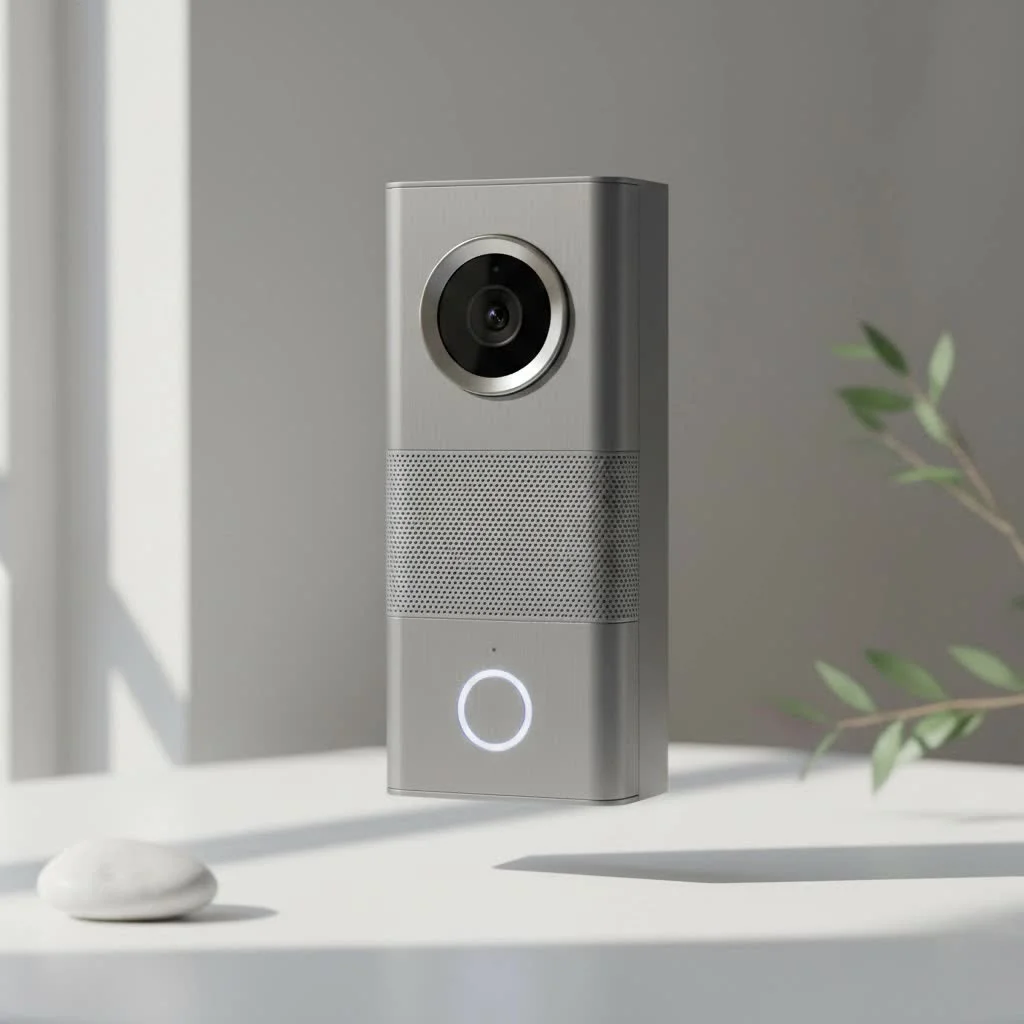
Think about it: no more rushing to the door only to find a solicitor, or missing that crucial package delivery. The right smart video doorbell puts you in control, right from your smartphone. But with so many options on the market, how do you pick the best smart video doorbell that truly fits your needs? Let’s break it down together, drawing on my hands-on experience and the latest industry insights.
Different Flavors of Front Door Security: Types of Smart Video Doorbells
Before diving into features, it’s crucial to understand the fundamental types of smart video doorbells available. Each comes with its own set of advantages and considerations, impacting everything from installation to long-term maintenance.
Wired Smart Video Doorbells: The Powerhouse Performers
These are the workhorses of the smart doorbell world, typically replacing an existing wired doorbell.
What are the advantages of wired smart video doorbells? Wired models draw continuous power from your home’s existing doorbell wiring, meaning you’ll never have to worry about charging a battery. This constant power supply often allows for advanced features like 24/7 recording (with a subscription) and more reliable, real-time notifications. Installation usually involves connecting to low-voltage wires, and while it might seem a bit daunting, it’s often a straightforward DIY task for anyone comfortable with basic electrical work, or a quick job for a professional. Models like the Google Nest Doorbell (Wired) or the Ring Video Doorbell Pro 2 are fantastic examples, offering robust performance and integration.
Wireless/Battery-Powered Smart Video Doorbells: Unmatched Flexibility
If you don’t have existing doorbell wiring, or simply prefer a simpler installation, battery-powered options are your best bet.
How easy is it to install a wireless smart video doorbell? These devices are incredibly flexible, as they don’t require any existing wiring. You simply mount them to your doorframe or wall, connect them to your Wi-Fi, and you’re good to go. The trade-off, of course, is battery life. You’ll need to periodically recharge the battery, though many models offer easily removable battery packs and some even support an optional wired connection to keep the battery topped up. Brands like the Ring Battery Doorbell Plus, Google Nest Doorbell (Battery), and Arlo Essential Video Doorbell Wire-Free are popular choices for their ease of installation and feature sets.
Smart Video Doorbell Alternatives for Renters: Security Without Commitment
|
Our Picks for the Best Smart Doorbell in 2026
As an Amazon Associate I earn from qualifying purchases.
|
||
| Num | Product | Action |
|---|---|---|
| 1 | Arlo Video Doorbell 2K (2nd Gen, Latest Release), Wireless or Wired Option, 2-Way Audio, Night Vision, Head to Toe Video View, Package Detection, Person & Vehicle Recognition, 1-Month Secure Plan |

|
| 2 | 1080P Smart Wireless Video Doorbell Camera with AI Motion Detection, Night Vision, Two-Way Talk, Cloud Storage, Indoor/Outdoor Surveillance, Battery Powered, 2.4GHz Wi-Fi |
|
| 3 | ecobee Smart Video Doorbell Camera (Wired) - with Industry Leading HD Camera, Smart Security, Night Vision, Person and Package Sensors, 2-Way Talk, and Video & Snapshot Recording |
|
| 4 | Google Nest Doorbell (Wired, 3rd Gen) - 2K Video and Gemini, Live View, Night Vision, 2-Way Audio - Works with Google Home - 2025 Model - Snow |
|
| 5 | Google Nest Doorbell (Wired, 3rd Gen) - 2K Video and Gemini, Live View, Night Vision, 2-Way Audio - Works with Google Home - 2025 Model - Hazel |
|
| 6 | Tapo by TP-Link Smart Video Doorbell Camera Wireless with Chime, 2K with Full Color Night Vision & Spotlights, No Monthly Fee, Ring Call, 160° Ultra-Wide View, Free AI Detection, Local Storage,D210 |
|
| 7 | Tapo by TP-Link Smart Video Doorbell Camera with Chime, Battery or Wired, 2K QHD Color Night Vison, No Monthly Fee, 180° Ultra-Wide Head-to-Toe View, Ring Call, Free AI Detection, Local Storage (D225) |
|
| 8 | 1080p Smart Video Doorbell Camera with AI Motion Detection, Night Vision, Cloud Storage, 2 Way Audio, Battery Powered, 2.4GHz Wi-Fi Only |
|
| 9 | Anti-Theft Video Doorbell Mount Compatible with Arlo Video Doorbell/Blink Doorbell Camera, Anti-Blocks Motion Sensor, Adjustable Mounting Bracket Accessories for Houses/Apartments/Rentals-Silver |
|
| 10 | Tapo TP-Link Smart Video Doorbell Camera, Chime Included, 2K 5MP, Color Night Vision, 2-Way Audio, Free AI Detection, Cloud/SD Card Storage, Works w/Alexa & Google Home, D230S1 |
|
For those living in apartments or rental properties where drilling or modifying wiring isn’t an option, specialized alternatives provide security without hassle.
What are some smart video doorbell options for renters? Devices like the Ring Peephole Cam replace your existing peephole, offering a camera and doorbell function without permanent alterations. Other solutions, such as the Remo+ DoorCam 2, simply hang over the top of your door. While they might not offer all the bells and whistles of a traditional installed doorbell, they provide valuable monitoring and communication capabilities, perfect for maintaining security within rental agreements.
Key Features to Look for in Your Best Smart Video Doorbell
Once you understand the power source options, the real fun begins: diving into the features. This is where your individual needs and priorities truly come into play.
Crystal-Clear Video Quality and Wide Field of View
What video resolution should I look for in a smart video doorbell? High-definition video (1080p, 2K, or even 4K on some premium models) is non-negotiable for clear identification. Look for features like HDR (High Dynamic Range) for balanced lighting, especially in challenging conditions with bright sunlight or deep shadows. Crucially, consider the field of view and aspect ratio. A “head-to-toe” 1:1 aspect ratio, like that found on the Ring Battery Doorbell Plus, is excellent for capturing packages left directly on your doorstep, ensuring you don’t miss crucial details often cut off by wider, more horizontal views.
Seamless Two-Way Audio
Why is two-way audio important for a smart video doorbell? Two-way audio allows you to speak with visitors through the doorbell’s built-in speaker and microphone, even when you’re not home. This is incredibly useful for giving delivery instructions, greeting friends, or even politely asking a salesperson to leave a flyer. Clear audio quality, free from excessive lag or static, is paramount for effective communication.
Advanced Motion Detection and Smart Alerts
Gone are the days of a simple motion sensor triggering alerts for every leaf blowing by.
How do advanced motion detection features work in smart video doorbells? The best smart video doorbell models now employ advanced AI to differentiate between people, pets, vehicles, and even packages. This significantly reduces “nuisance alerts,” ensuring you only get notified about what truly matters. Features like Ring’s radar-powered 3D motion detection offer unparalleled precision, allowing you to define specific zones and even set distance thresholds. On-device processing for motion detection is also a huge plus, offering faster alerts and enhanced privacy compared to systems that rely solely on cloud processing. You can also set “privacy zones” to intentionally block out areas you don’t want recorded, like a neighbor’s window.
Reliable Night Vision
Why is good night vision crucial for a smart video doorbell? Porch pirates often operate under the cover of darkness, making robust night vision a critical security feature. Most doorbells offer black-and-white infrared night vision, which is effective. However, some premium models boast color night vision, which can provide more detail if there’s sufficient ambient light. Ensuring clear visibility, day or night, is a core function of the best smart video doorbell.
Storage Options: Cloud vs. Local
Understanding how your video footage is stored is vital, especially concerning privacy and ongoing costs.
What are the differences between cloud and local storage for smart video doorbells? Many doorbells rely on cloud storage, often requiring a monthly or annual subscription for features like extended video history, advanced alerts, and rich notifications. Brands like Ring Protect and Nest Aware are examples of these subscription services. However, several excellent options offer local storage, typically via a microSD card slot on the doorbell itself or a connected hub. Eufy doorbells are renowned for their subscription-free local storage options, and some Tapo models also provide this flexibility. Local storage can save you money in the long run and often allows for 24/7 continuous recording, rather than just event-based clips.
Smart Home Integration
How well do smart video doorbells integrate with other smart home devices? The true power of a smart video doorbell is amplified when it integrates seamlessly with your broader smart home ecosystem. Whether you’re an Amazon Alexa enthusiast, a Google Assistant user, or dedicated to Apple HomeKit, ensure your chosen doorbell plays well with your existing devices. This allows you to view your doorbell feed on smart displays, receive announcements through smart speakers, and even trigger other smart home actions when motion is detected. While many doorbells offer cross-platform compatibility, deeper integration often comes from staying within the same brand ecosystem.
Specialized Features: Going Beyond the Basics
Some doorbells offer unique features that cater to specific needs. Facial recognition, seen in older Nest Hello models, can identify familiar faces. Package detection, available on many Ring and Nest models, specifically alerts you when a parcel is left or picked up. Some advanced doorbells even feature dual cameras, providing both a wide-angle view and a downward-facing camera for optimal package monitoring, like the Eufy Video Doorbell E340.
Installation and Configuration of Your Best Smart Video Doorbell
Getting your new smart video doorbell up and running is often simpler than you might think, whether you’re working with wires or going completely wireless.
Wired Installation: A Step-by-Step Guide
For wired doorbells, you’ll typically start by turning off the power to your existing doorbell chime at the breaker. Remove your old doorbell button and connect the new smart doorbell’s wires to the existing low-voltage wiring. It’s often just two wires. Ensure your transformer meets the doorbell’s power requirements. Once physically installed, restore power and proceed to the app setup. Most brands provide clear, in-app instructions that walk you through each step.
Wireless Installation: Simplicity and Flexibility
Wireless installation is usually a breeze. Charge the battery fully, then mount the doorbell using the provided screws and mounting plate. Many models come with angled wedges to ensure an optimal viewing angle. Once securely mounted, you’ll move to the app setup phase. The beauty here is the freedom to place it almost anywhere you need eyes on your front door, provided it’s within Wi-Fi range.
App Setup and Customization
Regardless of the power source, the initial setup primarily happens within the manufacturer’s app. You’ll connect the doorbell to your home Wi-Fi network, name your device, and then dive into customizing its settings. This is where you’ll define motion zones, adjust motion sensitivity, set up alert preferences, and link it to your smart home ecosystem. Take your time during this step; proper customization significantly enhances your daily experience and ensures you get the most out of your best smart video doorbell.
Comparing Top Brands: Finding Your Best Smart Video Doorbell
With a deep understanding of features and installation, let’s look at some of the leading contenders in the market and what makes them stand out.
Ring Doorbells: The Amazon Ecosystem Champion
Ring offers a wide array of video doorbells, from the versatile Battery Doorbell Plus to the feature-rich Wired Doorbell Pro 2. They excel in seamless integration with Amazon Alexa and the broader Ring Alarm ecosystem. Ring is often the best smart video doorbell choice for those already invested in Alexa-powered smart homes, though many advanced features and extended video history typically require a Ring Protect subscription. “Ring’s continuous innovation in motion detection, like their 3D radar on Pro models, truly sets them apart for precise alerts,” notes expert content creator, Alex Tran.
Google Nest Doorbells: Intelligent Integration with Google Home
Google Nest doorbells, including the battery and wired versions, are the natural fit for Google Assistant users. The Nest Doorbell (Battery) is praised for its on-device people and package detection, offering valuable functionality even without a subscription for basic event history. For 24/7 recording and extended cloud storage, a Nest Aware subscription is necessary. Their wired counterpart, based on the Nest Hello, has a sleek design and excellent facial recognition capabilities.
Arlo Doorbells: Robust and Wire-Free Security
Arlo’s video doorbells, particularly the Arlo Essential Video Doorbell Wire-Free, are known for their strong performance, sharp video, and flexibility in power options. They integrate well with various smart home platforms and often provide a robust security experience.
Eufy Doorbells: Subscription-Free Local Storage Champion
If avoiding monthly fees is a top priority, Eufy is often cited as the best smart video doorbell solution. Models like the Eufy Video Doorbell E340 offer substantial local storage, often coupled with impressive features like dual cameras and excellent video quality, all without a recurring subscription. Their commitment to on-device processing and local storage appeals strongly to privacy-conscious users.
Other Notable Mentions: Value and Niche Solutions
Don’t overlook other strong contenders. Blink offers highly affordable, battery-powered options, often bundled with their Sync Module for local storage. Aqara provides HomeKit Secure Video compatibility, a niche but important feature for Apple users, sometimes even using standard AA batteries. TP-Link Tapo also offers compelling budget-friendly models with local storage capabilities. Each brand brings unique strengths, so explore what resonates most with your specific needs.
Troubleshooting Common Smart Video Doorbell Issues
Even the best smart video doorbell can occasionally run into hiccups. Here’s how to address some common issues.
Connectivity Glitches: When Your Doorbell Goes Offline
What should I do if my smart video doorbell loses its Wi-Fi connection? Often, connectivity problems stem from a weak Wi-Fi signal. Try moving your Wi-Fi router closer, or consider a mesh Wi-Fi system or a Wi-Fi extender to boost the signal to your front door. Ensure your doorbell is connected to the correct Wi-Fi band (most operate on 2.4GHz, though some support 5GHz). A simple reboot of your router and the doorbell itself can also work wonders.
Battery Drain Dilemmas: Keeping the Power On
Why is my battery-powered smart video doorbell dying so quickly? Excessive motion detection, particularly in high-traffic areas, is a common culprit for rapid battery drain. Adjust motion sensitivity and fine-tune your motion zones to focus only on critical areas. Cold weather can also significantly impact battery performance, reducing its efficiency. Having a spare, charged battery on hand for quick swaps is an excellent solution for continuous protection.
False Alarms and Nuisance Notifications: Taming the Alerts
How can I reduce false alerts from my smart video doorbell? If you’re constantly getting alerts for passing cars or swaying branches, it’s time to refine your motion detection settings. Utilize motion zones to exclude public sidewalks or busy streets. Experiment with sensitivity levels – most apps allow you to adjust how easily motion triggers a recording. Some advanced doorbells allow you to filter alerts by object type, focusing only on people or packages.
Frequently Asked Questions (FAQs)
Do I need a subscription for my best smart video doorbell?
Most smart video doorbells will function for basic live viewing and real-time alerts without a subscription, but many of the best smart video doorbell features, such as extended video history, advanced AI detection (people, packages), and rich notifications, often require a paid monthly or annual subscription.
Can battery-powered doorbells be wired?
Yes, many battery-powered smart video doorbells offer the flexibility to also be hardwired to an existing doorbell power supply. This allows the battery to stay charged, eliminating the need for periodic recharges, and combines the ease of installation with the convenience of continuous power.
Are there smart video doorbells for apartments or rental properties?
Absolutely! Options like peephole cameras (e.g., Ring Peephole Cam) or over-the-door cameras (e.g., Remo+ DoorCam 2) are specifically designed for renters. They require no permanent modifications to the property, making them ideal for temporary living situations.
How important is the aspect ratio for a smart video doorbell?
The aspect ratio is very important, especially for package monitoring. A 1:1 or vertically oriented aspect ratio provides a “head-to-toe” view, ensuring you can see the ground directly in front of your door. This is critical for capturing images of packages or identifying individuals who might be obscured by a wider, horizontal view.
Which smart video doorbell offers local storage without a subscription?
Eufy doorbells are a prime example of smart video doorbells that offer robust local storage options, often via a microSD card in a home base or the doorbell itself, allowing for subscription-free video recording and event history. Some models from Tapo and Arlo also feature local storage capabilities.
Can smart video doorbells integrate with my existing smart home system?
Most smart video doorbells are designed to integrate with major smart home ecosystems like Amazon Alexa, Google Assistant, and in some cases, Apple HomeKit. This allows for features such as viewing live feeds on smart displays, receiving audible alerts through smart speakers, and creating automated routines.
The Ultimate Decision: Finding Your Best Smart Video Doorbell
Choosing the best smart video doorbell is a pivotal step in enhancing your home’s security and convenience. We’ve explored the different types, delved into essential features from crystal-clear video to smart motion detection, and even touched upon installation and troubleshooting. From the subscription-free freedom of Eufy to the deep ecosystem integration of Ring and Nest, there’s a perfect fit for every home and budget.
Ultimately, the “best” doorbell is the one that meets your specific needs, integrates seamlessly with your lifestyle, and provides you with the peace of mind you deserve. Take the time to assess your priorities – whether it’s battery life, advanced AI, local storage, or smart home compatibility – and use this guide to confidently select the best smart video doorbell to safeguard your home. Your front door is more secure than ever, and with the right choice, you’ll feel more connected to your home, no matter where you are. Share your experiences and discoveries with the Boctj community; we’re always eager to learn from your smart home journey!
Smart home that does not lock you in
Free PDF — protocol compatibility matrix for 30 hubs and devices.
