Picture this: You’re miles away from home, but a notification pops up on your phone. A package just arrived, or perhaps an unexpected visitor is at your door. Thanks to your smart visual doorbell, you can see exactly who it is, speak to them in real-time, and even guide the delivery person to a safe spot for your package – all without physically being there. A smart visual doorbell isn’t just a gadget; it’s your home’s digital guardian, offering unparalleled peace of mind and seamless control right from your fingertips. In today’s connected world, upgrading to a smart visual doorbell is more than just a convenience; it’s a smart security investment that brings your front door into the future.
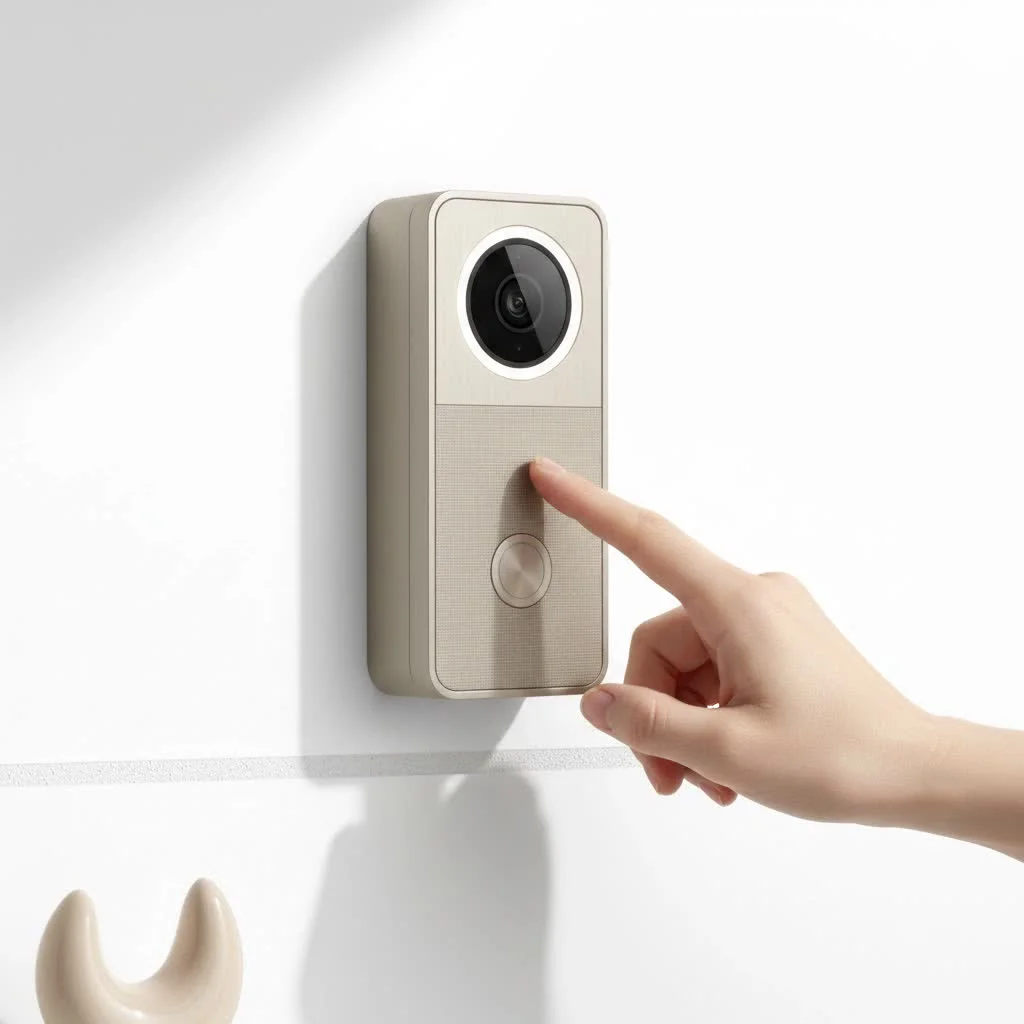
What Makes a Smart Visual Doorbell “Smart” and “Visual”?
At its core, a smart visual doorbell is an advanced video doorbell designed to give you a clear, real-time view of your doorstep, coupled with intelligent features that enhance security and convenience. It’s all about bringing sophisticated monitoring capabilities to the most important entry point of your home.
Crystal-Clear Vision: Beyond the PeepHole
The “visual” aspect truly shines with these devices. Gone are the days of blurry, grainy footage. Modern smart visual doorbells boast impressive camera capabilities that capture every detail.
- High-Resolution Cameras: Expect nothing less than HD, 2K, or even 4K resolution, ensuring every face and package is captured with stunning clarity. This isn’t just about bragging rights; it’s crucial for identifying visitors or potential threats.
- Wide Field of View: Many models offer a generous 150-180 degree viewing angle, often with a 1:1 aspect ratio. This “head-to-toe” view means you won’t miss anything happening directly in front of your door, from a child’s toy left behind to a delivery person placing a package.
- Advanced Night Vision: Security doesn’t sleep, and neither should your doorbell. Infrared night vision allows for clear black-and-white video in complete darkness, while some premium models even offer color night vision, providing more detail and context in low-light conditions.
- Dual Cameras for Package Monitoring: A groundbreaking feature in some smart visual doorbells is the inclusion of two cameras. One faces forward for visitors, and a second, downward-facing camera keeps a watchful eye on your packages, notifying you of deliveries and potential “porch pirates.”
Real-time Interaction: Two-Way Audio and Live View
Beyond just seeing, a smart visual doorbell allows for dynamic interaction.
- Seamless Communication: With built-in microphones and speakers, you can engage in crystal-clear two-way audio conversations with anyone at your door, whether it’s a delivery driver, a friendly neighbor, or a solicitor. This feature alone can deter unwanted visitors.
- Remote Monitoring from Anywhere: The beauty of a smart visual doorbell is its connectivity. Through a dedicated smartphone app, you can access a live feed of your front door from anywhere in the world, giving you constant vigilance and control.
Intelligent Detection: Motion, People, and Packages
|
Our Picks for the Best Smart Doorbell in 2026
As an Amazon Associate I earn from qualifying purchases.
|
||
| Num | Product | Action |
|---|---|---|
| 1 | Anti-Theft Video Doorbell Mount Compatible with Arlo Video Doorbell/Blink Doorbell Camera, Anti-Blocks Motion Sensor, Adjustable Mounting Bracket Accessories for Houses/Apartments/Rentals-Silver |

|
| 2 | 1080p Smart Video Doorbell Camera with AI Motion Detection, Night Vision, Cloud Storage, 2 Way Audio, Battery Powered, 2.4GHz Wi-Fi Only |
|
| 3 | 1080P Smart Wireless Video Doorbell Camera with AI Motion Detection, Night Vision, Two-Way Talk, Cloud Storage, Indoor/Outdoor Surveillance, Battery Powered, 2.4GHz Wi-Fi |
|
| 4 | Arlo Video Doorbell 2K (2nd Gen, Latest Release), Wireless or Wired Option, 2-Way Audio, Night Vision, Head to Toe Video View, Package Detection, Person & Vehicle Recognition, 1-Month Secure Plan |
|
| 5 | Tapo TP-Link Smart Video Doorbell Camera, Chime Included, 2K 5MP, Color Night Vision, 2-Way Audio, Free AI Detection, Cloud/SD Card Storage, Works w/Alexa & Google Home, D230S1 |
|
| 6 | Tapo by TP-Link Smart Video Doorbell Camera with Chime, Battery or Wired, 2K QHD Color Night Vison, No Monthly Fee, 180° Ultra-Wide Head-to-Toe View, Ring Call, Free AI Detection, Local Storage (D225) |
|
| 7 | ecobee Smart Video Doorbell Camera (Wired) - with Industry Leading HD Camera, Smart Security, Night Vision, Person and Package Sensors, 2-Way Talk, and Video & Snapshot Recording |
|
| 8 | Google Nest Doorbell (Wired, 3rd Gen) - 2K Video and Gemini, Live View, Night Vision, 2-Way Audio - Works with Google Home - 2025 Model - Hazel |
|
| 9 | Tapo by TP-Link Smart Video Doorbell Camera Wireless with Chime, 2K with Full Color Night Vision & Spotlights, No Monthly Fee, Ring Call, 160° Ultra-Wide View, Free AI Detection, Local Storage,D210 |
|
| 10 | Google Nest Doorbell (Wired, 3rd Gen) - 2K Video and Gemini, Live View, Night Vision, 2-Way Audio - Works with Google Home - 2025 Model - Snow |
|
What truly elevates these devices from simple cameras to “smart” guardians is their advanced detection capabilities, designed to keep you informed without overwhelming you with false alarms.
- PIR Motion Sensors: Passive Infrared (PIR) sensors detect changes in heat, triggering recordings and alerts when someone approaches your door. This helps to conserve battery life and storage space by only recording when necessary.
- AI-Powered Detection: Many smart visual doorbells now use artificial intelligence and machine learning to differentiate between people, animals, vehicles, and even inanimate objects like swaying trees or passing cars. This drastically reduces false alarms, ensuring you’re only notified about what truly matters.
- Specific Package Detection: Thanks to AI, some doorbells can specifically identify when a package has been dropped off or picked up, sending you tailored alerts. This is a game-changer for online shoppers worried about the security of their deliveries.
Seamless Integration: Your Smart Home Hub
A smart visual doorbell isn’t an isolated device; it’s a vital part of your broader smart home ecosystem.
- Connects with Smart Assistants: Whether you use Amazon Alexa, Google Assistant, or Apple HomeKit, your smart visual doorbell can integrate seamlessly, allowing for voice commands and cross-device functionality. Imagine telling your smart speaker, “Alexa, show me the front door!”
- App Control and Notifications: The companion app is your command center. It allows you to view live footage, review recorded events, customize motion zones, adjust notification settings, and manage all your doorbell’s features from your phone or tablet.
- Using Smart Displays/Speakers as Chimes: Many systems can route doorbell rings through your smart speakers or displays, ensuring you hear the chime no matter where you are in your home. Some even project the live video feed onto a smart display when the doorbell rings, offering an instant visual cue.
Choosing Your Perfect Smart Visual Doorbell: Wired vs. Wireless
Deciding between a wired or wireless smart visual doorbell is a key choice, primarily influenced by your home’s existing setup and your comfort with installation.
Wired Smart Visual Doorbells
These devices connect to your home’s existing doorbell wiring, typically running on low-voltage power.
- Pros:
- Continuous Power: No battery worries means constant power and often more robust features like continuous recording (for some models).
- Reliable Connection: A hardwired connection tends to be more stable, especially for video streaming.
- Always-On Performance: Generally offers quicker response times and more consistent performance compared to battery-powered alternatives.
- Cons:
- Requires Existing Wiring: If your home doesn’t have existing doorbell wiring, installation can be more complex, potentially requiring an electrician.
- More Involved Installation: While often DIY-friendly, connecting wires might seem daunting for some.
Wireless (Battery-Powered) Smart Visual Doorbells
These run on rechargeable batteries and communicate wirelessly.
- Pros:
- Easy Installation: Often involves just mounting the device, making it ideal for renters or homes without existing doorbell wiring.
- Flexible Placement: Can be installed almost anywhere within Wi-Fi range.
- Convenience: Perfect for those who want a quick and straightforward setup.
- Cons:
- Battery Recharging: Requires periodic recharging (typically every 1-6 months depending on usage), which can be inconvenient.
- Potential for Latency: Battery conservation can sometimes lead to slight delays in video feed or notifications.
- 2.4GHz Wi-Fi Dependency: Most wireless smart visual doorbells only support the 2.4GHz Wi-Fi band, which can be slower than 5GHz but offers better range.
Installation Made Easy: Setting Up Your Smart Visual Doorbell
Installing a smart visual doorbell is often a straightforward DIY project, designed to be accessible for most homeowners.
Pre-Installation Checklist: What You Need to Know
Before you grab your tools, a little preparation goes a long way.
- Compatibility Check:
- Chime Type: Verify if your existing chime is mechanical (“ding-dong”) or digital (custom melodies). Some smart doorbells require an adapter for digital chimes.
- Wiring (for wired models): Confirm your existing doorbell has 16-24VAC power.
- Wi-Fi Signal Strength: Most smart visual doorbells operate on the 2.4GHz Wi-Fi band. Use your smartphone to check the signal strength at your doorbell’s intended location. A strong signal is critical for reliable performance.
- Tools Required: Typically, you’ll need a Phillips head screwdriver, a drill (with appropriate bits for masonry or wood), and possibly needle-nose pliers.
Step-by-Step Physical Installation
While specific steps vary by brand, the general process is quite similar:
- Remove Your Old Doorbell: Carefully unscrew and detach your existing doorbell, ensuring the wires don’t slip back into the wall if you have a wired setup.
- Attach the Mounting Bracket: Use the provided template to mark and drill holes for the mounting bracket. Insert wall anchors if needed, then screw the bracket firmly into place.
- Wiring (if applicable): For wired models, connect the existing doorbell wires to the terminals on the back of your smart visual doorbell. Don’t worry about which wire goes to which screw; just ensure a secure connection.
- Secure the Doorbell: Mount the smart visual doorbell onto its bracket and secure it with the small retaining screws, usually located at the bottom.
- Charge Battery (for wireless models): If battery-powered, fully charge the device before mounting. Some wireless doorbells can also use adhesive strips for quick, drill-free installation.
App Configuration: Bringing Your Doorbell to Life
Once physically installed, the magic happens in the app.
- Download the App: Install the manufacturer’s dedicated app (e.g., Ring, Nest, Eufy, Tuya Smart) on your smartphone.
- Pair and Connect to Wi-Fi: Open the app, create an account, and follow the on-screen instructions to “add a device.” This often involves pressing a button on the doorbell and connecting it to your home’s 2.4GHz Wi-Fi network. Some devices may ask you to scan a QR code displayed on your phone with the doorbell’s camera.
- Customize Settings: Once connected, you can set up motion detection zones, adjust sensitivity, configure notification preferences, and link it with your smart home ecosystem.
“A smart visual doorbell isn’t just about convenience; it’s a foundational element of modern home security, offering proactive deterrence and invaluable peace of mind through its advanced sensory capabilities,” states Dr. Eleanor Vance, a leading expert in smart home security systems with over a decade of experience.
Top Brands and Standout Features in 2025
The market for smart visual doorbells is vibrant, with several brands leading the charge, each offering unique strengths.
Ring: The Ubiquitous Choice
Ring, a pioneer in the smart doorbell space, continues to offer a wide range of models, from the budget-friendly Ring Video Doorbell Wired to the feature-rich Ring Video Doorbell Pro 2 and Battery Doorbell Plus. They excel in integration with the Amazon ecosystem, making them a popular choice for Alexa users. However, many advanced features, including cloud video storage and person/package alerts, often require a Ring Protect subscription.
Google Nest: Smart Alerts and AI Power
Google Nest Doorbells (both wired and battery models) are renowned for their excellent image and audio quality, alongside robust AI-powered features. They offer intelligent alerts that can distinguish between people, animals, vehicles, and packages, reducing unnecessary notifications. While some basic cloud storage is often free, a Google Home Premium subscription unlocks extended video history and advanced AI capabilities.
Eufy: Local Storage and Dual Camera Innovation
Eufy stands out for its commitment to subscription-free local storage, often facilitated by a HomeBase unit. The Eufy Video Doorbell E340, with its innovative dual-camera design (one for visitors, one for package monitoring), is a favorite for those concerned about porch pirates and avoiding ongoing fees. It’s a compelling option for users prioritizing privacy and cost savings.
Arlo and TP-Link Tapo: Reliability and Value
Arlo Video Doorbells (like the 2nd Gen) are known for their versatility, offering both battery and hardwired power options, sharp video, and wide viewing angles. TP-Link Tapo doorbells, such as the D225 and D235, provide excellent value, packing many premium features into an affordable package, making smart visual security more accessible.
Troubleshooting Common Smart Visual Doorbell Issues
Even the best technology can sometimes hit a snag. Here are quick solutions to common smart visual doorbell problems:
Wi-Fi Connectivity Problems
The most frequent culprit is a weak Wi-Fi signal or incompatible network settings.
- Ensure 2.4GHz: Double-check that your doorbell is connected to your router’s 2.4GHz band, as most do not support 5GHz.
- Check Signal Strength: Use your phone’s Wi-Fi analyzer app to test the signal at your doorbell’s location. If weak, consider a Wi-Fi extender or repositioning your router.
- Avoid Interference: Metal walls or large appliances can interfere with Wi-Fi signals. Ensure your doorbell isn’t mounted directly on or behind such obstructions.
False Motion Alerts
Getting constant alerts from passing cars or leaves can be frustrating.
- Adjust Sensitivity: Lower the motion detection sensitivity in your doorbell’s app settings.
- Set Motion Zones: Most apps allow you to define specific “motion zones” to monitor. Exclude busy sidewalks or roads from these zones.
- Leverage AI Detection: If your doorbell has AI-powered person or package detection, ensure it’s enabled to filter out irrelevant movements.
Battery Life Concerns
If your battery-powered doorbell needs recharging too often.
- Optimize Settings: Reduce motion sensitivity, shorten recording clip lengths, or decrease the frequency of live view checks. Each of these actions can help extend battery life.
- Consider Wired Options or Solar Chargers: If battery life remains an issue, and you have existing wiring, switching to a wired model is the most permanent solution. Alternatively, some brands offer solar panel chargers that can trickle-charge battery doorbells.
Conclusion
A smart visual doorbell is more than just a convenient way to greet guests; it’s a powerful enhancement to your home security system, bringing unparalleled visibility, control, and peace of mind directly to you, wherever you are. From crystal-clear video and two-way audio to intelligent motion detection and seamless smart home integration, these devices offer a comprehensive solution for monitoring your front door. By understanding the different types, key features, and installation processes, you can confidently choose and set up the perfect smart visual doorbell for your home. Embrace the future of home security and step into a world where you’re always connected to what matters most. Upgrade your entryway today and experience the ultimate peace of mind with a smart visual doorbell.
Smart home that does not lock you in
Free PDF — protocol compatibility matrix for 30 hubs and devices.
