Stepping into the world of smart home security can feel overwhelming, but what if I told you there’s a straightforward path to enhancing your front door’s defenses with a reliable and feature-rich device? Enter the Tuya smart video doorbell. These innovative gadgets are revolutionizing how we interact with our homes, offering peace of mind and unparalleled convenience right at your fingertips. Whether you’re anticipating a package, greeting a guest, or simply keeping an eye on things, a Tuya-powered doorbell makes managing your entryway smarter and safer.
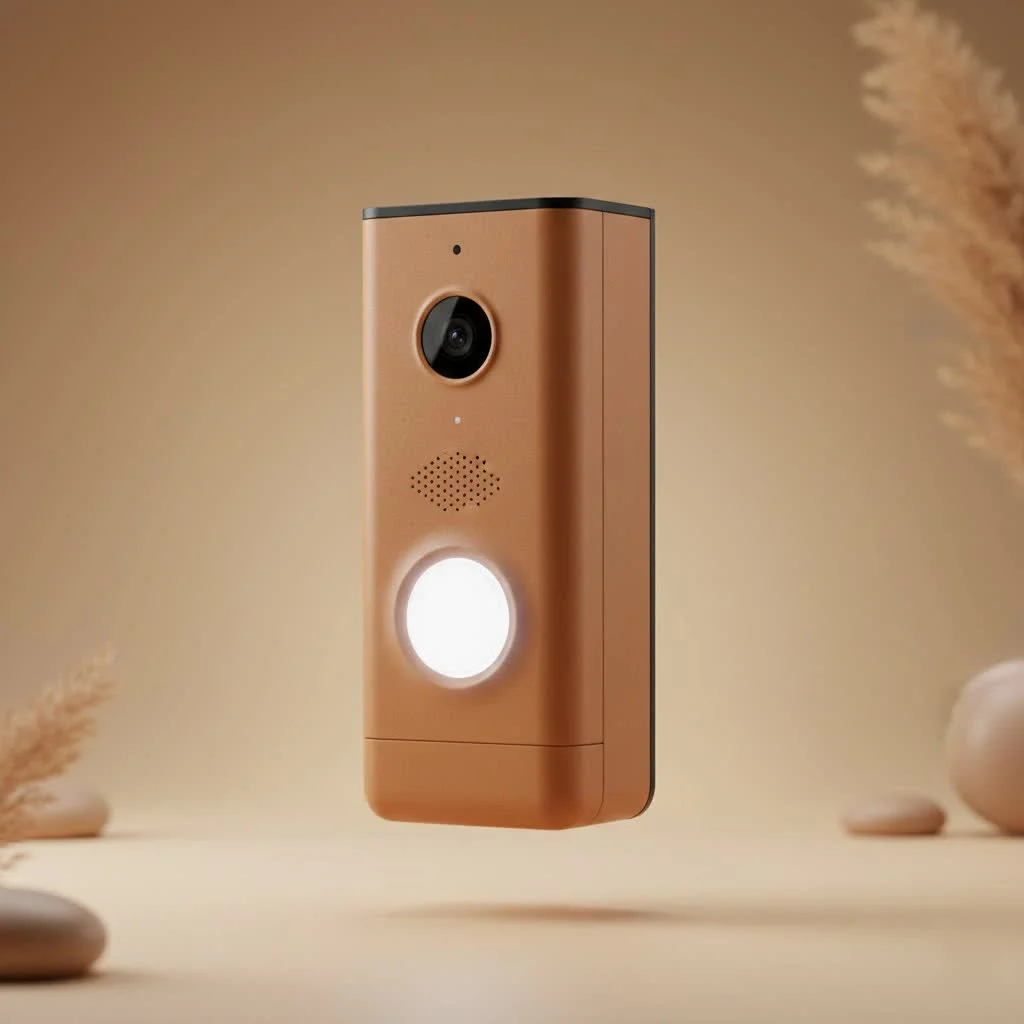
Unpacking the Tuya Ecosystem: Powering Your Smart Doorbell
Before diving into the specifics of a Tuya smart video doorbell, it’s crucial to understand the platform behind it. Tuya isn’t a single brand of doorbell; instead, it’s a global Internet of Things (IoT) solution provider. Think of Tuya as the smart brain that many different manufacturers use for their smart home devices, including doorbells. This means that a device labeled with another brand, say “XYZ Doorbell,” can still be a “Tuya smart video doorbell” at its core, powered by the popular Tuya Smart or Smart Life mobile apps. For browse all smart home articles on this site.
This broad adoption is a huge advantage. It creates an expansive ecosystem where various smart devices, from lights to security cameras, can all be managed through a single, intuitive app. This seamless integration allows you to build a comprehensive smart home that works together, rather than a collection of isolated gadgets. This interconnectedness is a cornerstone of true smart living, simplifying control and enhancing automation across your entire home.
Key Features That Make a Tuya Smart Video Doorbell Shine
When you choose a Tuya smart video doorbell, you’re investing in a suite of features designed to make your home more secure and your life easier.
Crystal Clear Vision, Day or Night
Most Tuya smart video doorbells boast high-definition video quality, often ranging from 1080p to impressive 2K resolutions. This ensures you get a sharp, clear view of anyone at your door. Equipped with infrared night vision, these doorbells don’t miss a beat even in complete darkness, providing round-the-clock surveillance. Plus, wide-angle lenses, sometimes extending up to 166 degrees, give you an expansive view of your porch, minimizing blind spots.
Smart Motion Detection for Proactive Security
One of the standout features is advanced motion detection. Utilizing Passive Infrared (PIR) sensors, your Tuya smart video doorbell can intelligently detect movement, distinguishing between a passing car and a person lingering at your door. When motion is detected, you receive instant alerts directly on your smartphone, allowing you to react promptly, whether it’s checking in on a delivery or deterring an unwanted visitor.
Two-Way Audio: Talk, Listen, Interact
|
Our Picks for the Best Smart Doorbell in 2026
As an Amazon Associate I earn from qualifying purchases.
|
||
| Num | Product | Action |
|---|---|---|
| 1 | Tapo TP-Link Smart Video Doorbell Camera, Chime Included, 2K 5MP, Color Night Vision, 2-Way Audio, Free AI Detection, Cloud/SD Card Storage, Works w/Alexa & Google Home, D230S1 |

|
| 2 | ecobee Smart Video Doorbell Camera (Wired) - with Industry Leading HD Camera, Smart Security, Night Vision, Person and Package Sensors, 2-Way Talk, and Video & Snapshot Recording |
|
| 3 | 1080P Smart Wireless Video Doorbell Camera with AI Motion Detection, Night Vision, Two-Way Talk, Cloud Storage, Indoor/Outdoor Surveillance, Battery Powered, 2.4GHz Wi-Fi |
|
| 4 | Arlo Video Doorbell 2K (2nd Gen, Latest Release), Wireless or Wired Option, 2-Way Audio, Night Vision, Head to Toe Video View, Package Detection, Person & Vehicle Recognition, 1-Month Secure Plan |
|
| 5 | Anti-Theft Video Doorbell Mount Compatible with Arlo Video Doorbell/Blink Doorbell Camera, Anti-Blocks Motion Sensor, Adjustable Mounting Bracket Accessories for Houses/Apartments/Rentals-Silver |
|
| 6 | Tapo by TP-Link Smart Video Doorbell Camera Wireless with Chime, 2K with Full Color Night Vision & Spotlights, No Monthly Fee, Ring Call, 160° Ultra-Wide View, Free AI Detection, Local Storage,D210 |
|
| 7 | Tapo by TP-Link Smart Video Doorbell Camera with Chime, Battery or Wired, 2K QHD Color Night Vison, No Monthly Fee, 180° Ultra-Wide Head-to-Toe View, Ring Call, Free AI Detection, Local Storage (D225) |
|
| 8 | Google Nest Doorbell (Wired, 3rd Gen) - 2K Video and Gemini, Live View, Night Vision, 2-Way Audio - Works with Google Home - 2025 Model - Hazel |
|
| 9 | Google Nest Doorbell (Wired, 3rd Gen) - 2K Video and Gemini, Live View, Night Vision, 2-Way Audio - Works with Google Home - 2025 Model - Snow |
|
| 10 | 1080p Smart Video Doorbell Camera with AI Motion Detection, Night Vision, Cloud Storage, 2 Way Audio, Battery Powered, 2.4GHz Wi-Fi Only |
|
Ever missed a delivery because you weren’t home? With two-way audio, that’s a thing of the past. A built-in microphone and speaker allow you to communicate with visitors in real-time through your smartphone, no matter where you are. You can instruct delivery drivers, greet friends, or even politely ask solicitors to move along, all without opening your door.
Flexible Power Options for Any Home
Tuya smart video doorbells offer versatility in how they’re powered. Many models come with options for wired installation, connecting to your existing doorbell wiring (often compatible with AC12-24V or DC12V transformers). This ensures continuous power without the need for battery changes. For those without existing wiring or seeking simpler installation, battery-powered models are a popular choice, offering portability and easy setup with rechargeable batteries. Some even support USB power for ultimate flexibility.
Secure Storage Solutions
Your video footage is important, and Tuya doorbells offer multiple ways to store it. You can opt for local storage by inserting a microSD card (up to 256GB on some models), allowing continuous recording that overwrites the oldest footage when full. For enhanced security and accessibility, Tuya also offers cloud storage services. While often a paid subscription, cloud storage ensures your video is safely stored off-site, accessible even if your doorbell is tampered with or stolen.
Wireless Chimes and Smart Home Integration
Many Tuya smart video doorbells include a wireless indoor chime, ensuring you hear a traditional “ding-dong” inside your home, even if your phone isn’t nearby. These chimes often offer adjustable volume and multiple melodies. Beyond that, the true power of Tuya lies in its integration capabilities. Most models seamlessly connect with popular smart home platforms like Amazon Alexa and Google Home, allowing for voice commands and custom automation routines. For advanced users, some Tuya-powered doorbells even offer ONVIF support, enabling integration with third-party Network Video Recorders (NVRs) and home automation hubs like Synology Surveillance Station or Home Assistant.
Types of Tuya Smart Video Doorbells: Wired vs. Wireless
Understanding the different types helps in choosing the right Tuya smart video doorbell for your needs:
- Wired Tuya Doorbells: These are typically more robust, offering continuous power and often higher resolution cameras. They are ideal for replacing an existing wired doorbell. Installation might be slightly more involved but ensures you never run out of battery. Some wired models are designed for optimal viewing with included angle mount brackets.
- Wireless (Battery-Powered) Tuya Doorbells: These offer unparalleled flexibility and ease of installation. With rechargeable batteries, they can be mounted almost anywhere, making them perfect for renters or those who prefer a DIY approach. Look for models with IP-rated weatherproofing (e.g., IP65) if placing them in an exposed outdoor location.
Installation and Setup: A Step-by-Step Guide
Setting up your Tuya smart video doorbell is generally a straightforward process. Here’s a typical workflow:
Step 1: Physical Mounting
First, choose the optimal location for your doorbell, usually at eye level near your front door. If you’re replacing an old doorbell, you might use existing wiring holes. Mark drill points, drill pilot holes, insert anchors, and securely mount the doorbell using the provided screws and bracket. Some models include an angle bracket to adjust the camera’s field of view for better coverage.
Step 2: Powering Up Your Device
For wired doorbells, connect the doorbell to your existing low-voltage transformer wires. For battery-powered models, ensure the battery is fully charged and inserted correctly. Some devices also offer USB power as an alternative.
Step 3: Download and Account Setup
Download the “Tuya Smart” or “Smart Life” app from your smartphone’s app store. Register for a new account using your email or phone number and log in.
Step 4: Device Pairing to Your Wi-Fi
- Open the app and tap “Add Device” (usually a “+” icon).
- Navigate to “Security & Sensor” or “Smart Camera” and select “Smart Doorbell (Wi-Fi).”
- Power on your doorbell. The indicator light should flash rapidly, signifying it’s ready for pairing.
- Enter your 2.4GHz Wi-Fi network password (Tuya doorbells typically do not support 5GHz Wi-Fi).
- The app will generate a QR code. Position your smartphone about 15-20 cm (6-8 inches) in front of the doorbell camera lens, allowing the doorbell to scan the code.
- Once the doorbell beeps or gives a voice prompt, confirm in the app that you heard the sound. The app will then connect to the device.
- Once connected, you can name your doorbell and begin customizing settings.
Step 5: Chime Synchronization (If Applicable)
If your doorbell came with a wireless indoor chime, plug it into a power outlet. Press the reset or pairing button on the chime until its indicator light flashes. Then, in the Tuya app settings for your doorbell, find “Bell Settings” or “Ring Setting” and tap “ADD” to synchronize the chime. You can usually select ringtones and adjust volume within the app.
Step 6: Optimizing Settings
Dive into the app settings to fine-tune motion detection sensitivity, set up activity zones, configure notification preferences, and enable cloud storage if desired. Remember to ensure push notifications are enabled for the Tuya app on your phone to receive alerts.
Troubleshooting Common Issues
Even the most seasoned smart home enthusiasts encounter hiccups. Here are some common issues with Tuya smart video doorbells and how to troubleshoot them:
- Connectivity Problems: Most Tuya doorbells only work on 2.4GHz Wi-Fi. Ensure your phone is connected to the 2.4GHz band during setup, and that your doorbell is within a strong Wi-Fi signal range. If the signal is weak, consider a Wi-Fi extender. If you’ve changed your Wi-Fi password or network, you’ll need to reset the doorbell and re-pair it.
- False Motion Alarms: Adjust the motion detection sensitivity in the app. You can also define specific activity zones to ignore areas with constant irrelevant movement, like a busy street.
- App Glitches: Ensure your Tuya Smart or Smart Life app is updated to the latest version. Sometimes simply restarting the app or your smartphone can resolve minor issues.
- Doorbell Not Responding: If your doorbell becomes unresponsive, locate the physical reset button (often a small pinhole on the device). Press and hold it for several seconds until you hear a prompt or see an indicator light change, then attempt to re-pair the device. Remember, resetting typically clears Wi-Fi settings but not local video storage.
Choosing Your Ideal Tuya Smart Video Doorbell
With a multitude of options available, selecting the perfect Tuya smart video doorbell can feel like a quest. Consider these factors:
- Power Source: Do you prefer the convenience of battery power or the reliability of a wired connection?
- Video Quality: Is 1080p sufficient, or do you need the crisp detail of 2K video?
- Features: Are specific features like advanced AI person detection, wider field of view, or specific smart home integrations (like ONVIF) crucial for you?
- Budget: Tuya-powered doorbells are known for their affordability, but features and build quality can vary.
- Environmental Needs: If exposed to the elements, opt for a doorbell with a high IP-rated weatherproof design.
As Michael Davis, a veteran smart home technician, wisely advises, “The best Tuya smart video doorbell isn’t always the one with the most features, but the one that seamlessly integrates into your daily routine and truly meets your family’s security needs, offering both advanced tech and user-friendliness.”
Frequently Asked Questions (FAQs)
Do Tuya smart video doorbells require a subscription?
Most Tuya smart video doorbells offer local storage via a microSD card without a subscription. However, cloud storage for video recordings is typically a paid subscription service offered by Tuya or the specific brand.
Can I use a Tuya smart video doorbell with 5GHz Wi-Fi?
Generally, no. Most Tuya smart video doorbells only support 2.4GHz Wi-Fi networks. Ensure your router is configured to broadcast a 2.4GHz signal, and connect your phone to it during the initial setup.
How far can the wireless chime reach?
The range for wireless chimes can vary by model. Typically, in an open space, they can reach up to 100 meters (about 330 feet), but in a real home environment with walls and obstacles, the effective range is usually around 15-20 meters (50-65 feet).
Is my Tuya smart video doorbell waterproof?
It depends on the specific model. Some wired Tuya doorbells may not be fully waterproof, while many battery-powered models are designed for outdoor use with an IP-rated weatherproof enclosure (e.g., IP65). Always check the product specifications for its ingress protection (IP) rating.
Can I integrate my Tuya doorbell with my existing smart home system?
Yes, most Tuya smart video doorbells are designed to integrate seamlessly with the broader Tuya ecosystem via the Tuya Smart or Smart Life app. They also typically support voice control and integration with popular platforms like Amazon Alexa and Google Home. Some advanced models even offer ONVIF support for integration with third-party NVRs and home automation platforms.
The Smart Choice for Your Front Door
A Tuya smart video doorbell is more than just a fancy gadget; it’s a vital component of a modern, secure home. With its robust feature set, flexible installation options, and seamless integration into the ever-expanding Tuya ecosystem, it offers a practical and affordable way to enhance your security and convenience. By choosing a Tuya-powered doorbell, you’re not just getting a device; you’re gaining a watchful guardian that keeps you connected to your home, no matter where life takes you. It’s time to upgrade your front door and experience the peace of mind that smart security brings. Go ahead, make the smart choice for your home today!
Smart home that does not lock you in
Free PDF — protocol compatibility matrix for 30 hubs and devices.
