In today’s fast-paced world, securing your home isn’t just about locking doors; it’s about staying connected and in control, no matter where you are. For Apple enthusiasts, a HomeKit smart doorbell isn’t just a convenience; it’s a seamless extension of your digital life, offering unparalleled privacy, robust security, and an intuitive user experience directly within your Apple ecosystem. Imagine seeing who’s at your door, speaking to a delivery person, or even detecting a package, all from your iPhone, iPad, Apple Watch, or Apple TV. This is the power of a HomeKit smart doorbell, transforming your front door into an intelligent gatekeeper.
What Makes a Smart Doorbell “HomeKit Compatible”?
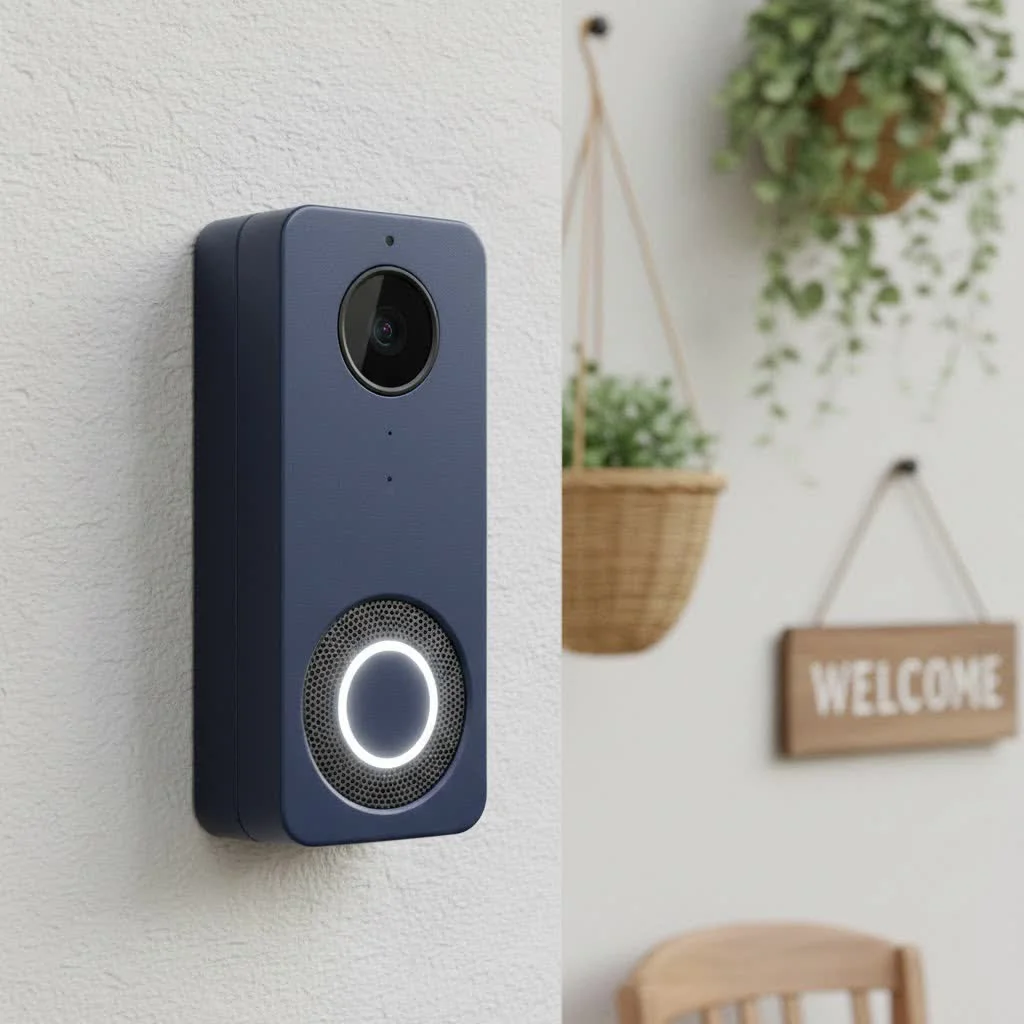
A smart doorbell becomes “HomeKit compatible” when it integrates directly with Apple’s smart home platform. This isn’t just about showing up in the Home app; it means adhering to Apple’s stringent security and privacy standards and leveraging the unique capabilities of the HomeKit ecosystem.
HomeKit Secure Video Explained
At the heart of many advanced HomeKit doorbells is HomeKit Secure Video (HSV). This feature takes your privacy seriously, encrypting video recordings end-to-end and storing them securely in your iCloud+ plan, without counting against your storage limits. With HSV, your HomePod, Apple TV, or iPad (acting as a Home Hub) performs on-device analysis to detect people, animals, and vehicles, sending rich notifications to your Apple devices. This local processing ensures your video data remains private and isn’t sent to third-party servers for analysis.
For instance, with HSV, you’ll receive a notification like, “A person has been detected at your front door,” rather than just a generic motion alert, making your security alerts far more intelligent and actionable. This level of detail and privacy is a game-changer for home security.
Types of HomeKit Smart Doorbells
HomeKit smart doorbells come in various configurations to suit different home setups and preferences. Understanding these types is crucial for choosing the right device for your needs.
Wired HomeKit Doorbells
Wired doorbells, such as the Logitech Circle View and Wemo Smart Video Doorbell, connect to your existing doorbell wiring. This provides a constant power supply, eliminating the need for battery changes and ensuring continuous operation. They often integrate with your home’s existing chime and typically offer higher video quality and more robust features due to their stable power source. Installation for wired models usually involves basic electrical work, often replacing your current doorbell.
Battery-Powered HomeKit Doorbells
For homes without existing doorbell wiring or those seeking easier installation, battery-powered options like the Aqara G4 are a fantastic solution. These doorbells operate on rechargeable batteries, offering greater flexibility in placement. While they require periodic recharging or battery replacement (some users report weekly changes, others less frequent), they provide HomeKit Secure Video capabilities without the need for complex wiring. The Aqara G4, for example, is notable for being one of the few battery-powered HomeKit Secure Video doorbells available.
Essential Features of a HomeKit Smart Doorbell
When investing in a HomeKit smart doorbell, several key features contribute to a truly secure and convenient experience.
- High-Definition Video with HDR and Night Vision: Crisp, clear video footage is non-negotiable. Look for models offering 1080p or even 2K resolution, often with High Dynamic Range (HDR) for balanced lighting in various conditions. Advanced night vision ensures you can see clearly even in complete darkness, with some models offering color night vision.
- Two-Way Audio: This feature allows you to speak directly with visitors from your Apple device, whether you’re home or away. It’s incredibly useful for instructing delivery drivers, greeting guests, or deterring unwanted visitors. Some doorbells, like the Aqara G4, even offer voice-changing dialogue to enhance privacy.
- Advanced Motion Detection: Beyond basic motion alerts, HomeKit Secure Video leverages on-device intelligence for person, animal, and vehicle detection, reducing false alarms. Some doorbells, such as the Ecobee Smart Doorbell Camera, feature smart focus technology to zoom in on visitors and packages.
- Cloud Storage and Local Storage Options: HomeKit Secure Video provides secure, end-to-end encrypted video storage in your iCloud+ plan. Devices like the Aqara G4 also offer local storage via a MicroSD card, providing an alternative or supplementary backup without subscription fees.
- Seamless Smart Home Integration: Beyond just HomeKit, many doorbells can interact with other smart home devices. For example, your HomeKit doorbell can trigger smart lights to turn on when motion is detected or stream video directly to your Apple TV. Notifications appear on your iPhone, iPad, and even your Apple Watch, keeping you informed across all your Apple devices.
Installation and Configuration: A Step-by-Step Guide
Installing a HomeKit smart doorbell can seem daunting, but with the right steps, it’s a straightforward process.
Pre-Installation Checks
|
Our Picks for the Best Smart Doorbell in 2026
As an Amazon Associate I earn from qualifying purchases.
|
||
| Num | Product | Action |
|---|---|---|
| 1 | Google Nest Doorbell (Wired, 3rd Gen) - 2K Video and Gemini, Live View, Night Vision, 2-Way Audio - Works with Google Home - 2025 Model - Snow |

|
| 2 | Tapo TP-Link Smart Video Doorbell Camera, Chime Included, 2K 5MP, Color Night Vision, 2-Way Audio, Free AI Detection, Cloud/SD Card Storage, Works w/Alexa & Google Home, D230S1 |
|
| 3 | Anti-Theft Video Doorbell Mount Compatible with Arlo Video Doorbell/Blink Doorbell Camera, Anti-Blocks Motion Sensor, Adjustable Mounting Bracket Accessories for Houses/Apartments/Rentals-Silver |
|
| 4 | Tapo by TP-Link Smart Video Doorbell Camera with Chime, Battery or Wired, 2K QHD Color Night Vison, No Monthly Fee, 180° Ultra-Wide Head-to-Toe View, Ring Call, Free AI Detection, Local Storage (D225) |
|
| 5 | 1080p Smart Video Doorbell Camera with AI Motion Detection, Night Vision, Cloud Storage, 2 Way Audio, Battery Powered, 2.4GHz Wi-Fi Only |
|
| 6 | Arlo Video Doorbell 2K (2nd Gen, Latest Release), Wireless or Wired Option, 2-Way Audio, Night Vision, Head to Toe Video View, Package Detection, Person & Vehicle Recognition, 1-Month Secure Plan |
|
| 7 | Tapo by TP-Link Smart Video Doorbell Camera Wireless with Chime, 2K with Full Color Night Vision & Spotlights, No Monthly Fee, Ring Call, 160° Ultra-Wide View, Free AI Detection, Local Storage,D210 |
|
| 8 | Google Nest Doorbell (Wired, 3rd Gen) - 2K Video and Gemini, Live View, Night Vision, 2-Way Audio - Works with Google Home - 2025 Model - Hazel |
|
| 9 | 1080P Smart Wireless Video Doorbell Camera with AI Motion Detection, Night Vision, Two-Way Talk, Cloud Storage, Indoor/Outdoor Surveillance, Battery Powered, 2.4GHz Wi-Fi |
|
| 10 | ecobee Smart Video Doorbell Camera (Wired) - with Industry Leading HD Camera, Smart Security, Night Vision, Person and Package Sensors, 2-Way Talk, and Video & Snapshot Recording |
|
- Check Existing Wiring (for wired doorbells): Ensure your current doorbell wiring provides sufficient power (typically 8-24V AC). If unsure, consult an electrician.
- Chime Compatibility: Verify if your new HomeKit doorbell is compatible with your existing mechanical or digital chime, or if it comes with its own indoor chime (like the Aqara G4).
- Wi-Fi Strength: Test the Wi-Fi signal strength at your front door. A strong 2.4GHz Wi-Fi connection is essential for reliable performance.
Physical Installation
- Turn Off Power: ALWAYS turn off the power to your doorbell circuit at the breaker box before handling any wires. Safety first!
- Remove Old Doorbell: Carefully detach your existing doorbell button.
- Mount New Doorbell: Follow the manufacturer’s instructions to mount the new HomeKit doorbell. This often involves screwing in a mounting plate and connecting wires. Many models include angled wedges for optimal viewing.
- Install Chime Kit (if required): Some wired doorbells require a small power adapter or chime kit to be installed in your existing indoor chime unit.
Home App Setup
- Open Home App: Launch the Home app on your iPhone or iPad.
- Add Accessory: Tap the “+” icon, then “Add Accessory.”
- Scan QR Code: Use your device’s camera to scan the HomeKit setup code, usually found on the doorbell itself, its packaging, or in the manual.
- Assign to Room: Assign the doorbell to a specific room in your Home app (e.g., “Front Door”).
- Configure Settings: Follow the prompts to configure basic settings, including naming the doorbell and enabling HomeKit Secure Video if supported.
Customizing Settings
Dive into the Home app or the manufacturer’s companion app (if available, like Aqara’s) to fine-tune your doorbell’s performance. You can set motion detection zones to focus on specific areas, adjust notification preferences, and even customize the chime tones.
Top HomeKit Smart Doorbell Brands Compared
The HomeKit smart doorbell market is growing, but a few brands consistently stand out for their reliability and features.
| Feature | Aqara G4 | Logitech Circle View | Wemo Smart Video Doorbell | Ecobee Smart Doorbell Camera |
|---|---|---|---|---|
| Power Source | Battery or Wired (2-in-1) | Wired only | Wired only | Wired only |
| Video Quality | 1080p HDR | HD video with HDR (3:4 aspect ratio) | HD portrait video (223° diagonal FOV) | 1080p HDR (175° vertical view) |
| HomeKit Secure Video | Yes | Yes, exclusive | Yes | Yes |
| Local Storage | Yes (MicroSD via chime repeater) | No | No | No |
| Indoor Chime | Included (chime repeater) | Uses existing chime | Uses existing chime, can chime HomePods | Uses existing chime, can chime HomePods |
| Other Ecosystems | Alexa, Google Assistant | HomeKit Exclusive | HomeKit Exclusive | Amazon Alexa, Apple HomeKit |
| Unique Features | Voice-changing dialogue, local face recognition | Premium design, strong low-light | Compact design, wide-angle lens | Smart focus technology, advanced radar verification |
Aqara G4: Often lauded as a budget-friendly and versatile option, especially for its unique battery-powered HomeKit Secure Video support and included chime repeater. It also boasts broad compatibility with other smart assistants.
Logitech Circle View Doorbell: This wired-only doorbell is a favorite for Apple loyalists, offering a premium experience with sharp HD video in a portrait aspect ratio, excellent low-light performance, and seamless, exclusive HomeKit integration.
Wemo Smart Video Doorbell: Another strong wired contender, known for its compact design and impressive wide-angle lens that offers a large field of view. It’s also exclusive to HomeKit, ensuring a focused and smooth experience for Apple users.
Ecobee Smart Doorbell Camera: A hardwired option that integrates well with HomeKit and offers smart focus technology to highlight visitors and packages. While its AI can sometimes misidentify notifications, it’s a solid choice for those invested in the Apple ecosystem.
Troubleshooting Common HomeKit Doorbell Issues
Even the most advanced smart doorbells can encounter hiccups. Here’s how to tackle some common issues:
- Connectivity Problems: If your doorbell goes offline, first check your Wi-Fi router. Restarting both your router and your Home Hub (Apple TV, HomePod, or iPad) can often resolve connection issues. Ensure your doorbell is within a good Wi-Fi range.
- Chime Issues: If your indoor chime isn’t ringing, verify the wiring and any chime kits installed. For HomePods acting as chimes, ensure they are updated and properly configured in the Home app.
- Motion Detection Inconsistencies: Adjusting motion detection zones in the Home app can help. If you’re using HomeKit Secure Video, ensure your Home Hub is online and functioning correctly, as it’s responsible for on-device analysis. Regularly check for firmware updates for your doorbell via its companion app.
Why Choose a HomeKit Smart Doorbell for Your Home?
Choosing a HomeKit smart doorbell is more than just adding a gadget to your front door; it’s an investment in a smarter, more secure, and integrated home.
- Enhanced Privacy and Security: Apple’s commitment to privacy, especially through HomeKit Secure Video, means your video feeds and personal data are protected with end-to-end encryption and local processing, giving you peace of mind that your home’s activity isn’t exposed to third parties.
- Seamless Apple Ecosystem Integration: For those deeply embedded in the Apple ecosystem, a HomeKit doorbell offers an unrivaled experience. Control your doorbell with Siri, view live feeds on your Apple Watch or Apple TV, and receive intelligent notifications across all your devices. It’s an effortless extension of the technology you already love and trust.
- User-Friendly Experience: Apple’s Home app is designed for simplicity. Adding and managing your HomeKit doorbell is intuitive, allowing you to quickly set up automations, customize alerts, and access recordings with ease.
“The beauty of a HomeKit smart doorbell lies in its seamless integration,” says David Miller, a smart home integration specialist. “It’s not just another device; it’s an intelligent guardian that understands and works effortlessly with your entire Apple ecosystem, making home security genuinely simple and secure.”
Frequently Asked Questions (FAQ)
Do all smart doorbells work with HomeKit?
No, not all smart doorbells are HomeKit compatible. While many smart doorbells exist, only those specifically designed and certified by Apple will integrate natively with the Home app and support HomeKit Secure Video. Always check for the “Works with Apple HomeKit” badge.
What is HomeKit Secure Video?
HomeKit Secure Video (HSV) is an Apple feature that provides secure, end-to-end encrypted video storage for compatible cameras and doorbells. It uses your Apple Home Hub (HomePod, Apple TV, or iPad) to locally analyze video for people, animals, and vehicles before securely uploading to iCloud+, without impacting your storage limit.
Do I need an Apple Home Hub for HomeKit doorbells?
Yes, a Home Hub (Apple TV, HomePod, or always-on iPad) is required to unlock the full potential of HomeKit, especially for features like HomeKit Secure Video, remote access to your doorbell, and running automations when you’re away from home.
Can I view my doorbell feed on my Apple Watch?
Yes, if your HomeKit smart doorbell supports it and you have a Home Hub set up, you can receive rich notifications with a live preview on your Apple Watch and view the live feed directly from your wrist.
Are HomeKit doorbells more expensive?
HomeKit doorbells can vary in price, with some models being comparable to or slightly more expensive than non-HomeKit alternatives due to the advanced security, privacy, and integration features they offer. However, options like the Aqara G4 offer excellent value at a more budget-friendly price point.
Conclusion
A HomeKit smart doorbell is an indispensable upgrade for any Apple-centric home, offering more than just a convenient way to see who’s at the door. It provides robust security, unparalleled privacy, and a beautifully integrated experience that leverages the power of your Apple ecosystem. From intelligent motion detection and two-way audio to secure video storage with HomeKit Secure Video, these devices empower you to monitor and protect your home with confidence and ease. Take the leap and transform your front door into a cornerstone of your smart home security; you’ll wonder how you ever lived without it.
Smart home that does not lock you in
Free PDF — protocol compatibility matrix for 30 hubs and devices.
