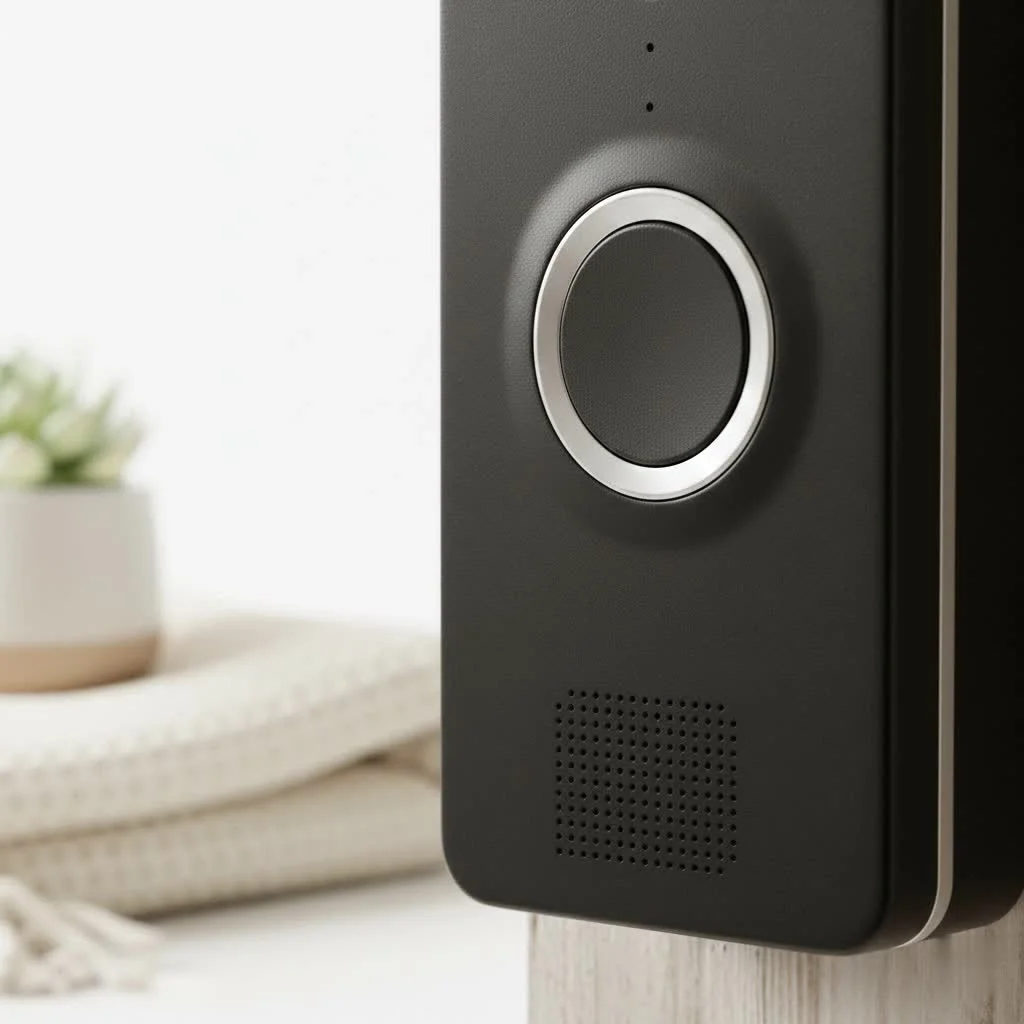
A smart WiFi camera doorbell transforms your front entrance into a vigilant guardian, offering peace of mind and unparalleled control right from your smartphone. These internet-connected devices combine a traditional doorbell with a high-definition video camera, microphone, and speaker, all powered by your home’s WiFi network. They provide real-time alerts and remote interaction, fundamentally changing how you monitor your home’s perimeter.
What is a Smart WiFi Camera Doorbell and Why Do You Need One?
Imagine getting a real-time alert on your phone the moment someone approaches your front door, even before they ring the bell. That’s the power of a smart WiFi camera doorbell. These internet-connected devices combine the functionality of a traditional doorbell with a high-definition video camera, a microphone, and a speaker, all powered by your home’s WiFi network.
Beyond the Traditional Doorbell
A smart WiFi camera doorbell does far more than simply announce a visitor. It acts as a crucial first line of defense, monitoring your entryway 24/7. When motion is detected or the doorbell button is pressed, it instantly sends notifications to your connected devices, allowing you to see, hear, and even speak to whoever is there, whether you’re relaxing on the couch or halfway across the globe. This level of remote access and real-time monitoring fundamentally changes how you interact with your home’s perimeter.
Key Benefits for Modern Homes
The advantages of integrating a smart WiFi camera doorbell into your home are numerous:
- Enhanced Security: Deter potential intruders and porch pirates by letting them know they’re on camera. Recorded footage can also serve as vital evidence if an incident occurs.
- Convenience at Your Fingertips: Answer your door from anywhere, screen solicitors without opening the door, or give instructions to delivery drivers remotely.
- Always in the Know: Receive instant alerts about visitors, package deliveries, or any suspicious activity, ensuring you never miss a moment.
- Peace of Mind: Whether you’re at work, on vacation, or simply in another room, knowing you can check on your front door anytime brings immense comfort.
- Family Monitoring: Keep an eye on children arriving home from school or ensure family members enter and exit safely.
Decoding the Different Types of Smart WiFi Camera Doorbells
When you step into the world of smart WiFi camera doorbells, you’ll quickly realize there isn’t a one-size-fits-all solution. Understanding the different power options is key to finding the perfect fit for your home and lifestyle.
Wired vs. Wireless: Powering Your Peace of Mind
The primary distinction often comes down to how the doorbell receives power.
- Wired Smart Doorbells: These devices connect to your home’s existing doorbell wiring (typically 16-24 volts AC). The major advantage here is continuous power, meaning you never have to worry about charging batteries. They often offer more advanced features, such as 24/7 continuous recording (though this usually requires a subscription) and generally have a more stable connection. If your home already has doorbell wiring, a wired model often provides the most reliable and hassle-free experience.
- Wireless (Battery-Powered) Smart Doorbells: Designed for homes without existing doorbell wiring or for those who prefer a simpler installation, battery-powered models offer incredible flexibility. They operate on rechargeable batteries, which typically last anywhere from a few weeks to several months, depending on usage and settings. While convenient for installation, remember that batteries will need occasional recharging, meaning a brief period of no coverage.
Battery-Powered Doorbells: Flexibility and Easy Install
|
Our Picks for the Best Smart Doorbell in 2026
As an Amazon Associate I earn from qualifying purchases.
|
||
| Num | Product | Action |
|---|---|---|
| 1 | Tapo by TP-Link Smart Video Doorbell Camera with Chime, Battery or Wired, 2K QHD Color Night Vison, No Monthly Fee, 180° Ultra-Wide Head-to-Toe View, Ring Call, Free AI Detection, Local Storage (D225) |

|
| 2 | ecobee Smart Video Doorbell Camera (Wired) - with Industry Leading HD Camera, Smart Security, Night Vision, Person and Package Sensors, 2-Way Talk, and Video & Snapshot Recording |
|
| 3 | Google Nest Doorbell (Wired, 3rd Gen) - 2K Video and Gemini, Live View, Night Vision, 2-Way Audio - Works with Google Home - 2025 Model - Snow |
|
| 4 | Arlo Video Doorbell 2K (2nd Gen, Latest Release), Wireless or Wired Option, 2-Way Audio, Night Vision, Head to Toe Video View, Package Detection, Person & Vehicle Recognition, 1-Month Secure Plan |
|
| 5 | Anti-Theft Video Doorbell Mount Compatible with Arlo Video Doorbell/Blink Doorbell Camera, Anti-Blocks Motion Sensor, Adjustable Mounting Bracket Accessories for Houses/Apartments/Rentals-Silver |
|
| 6 | Google Nest Doorbell (Wired, 3rd Gen) - 2K Video and Gemini, Live View, Night Vision, 2-Way Audio - Works with Google Home - 2025 Model - Hazel |
|
| 7 | 1080p Smart Video Doorbell Camera with AI Motion Detection, Night Vision, Cloud Storage, 2 Way Audio, Battery Powered, 2.4GHz Wi-Fi Only |
|
| 8 | Tapo TP-Link Smart Video Doorbell Camera, Chime Included, 2K 5MP, Color Night Vision, 2-Way Audio, Free AI Detection, Cloud/SD Card Storage, Works w/Alexa & Google Home, D230S1 |
|
| 9 | 1080P Smart Wireless Video Doorbell Camera with AI Motion Detection, Night Vision, Two-Way Talk, Cloud Storage, Indoor/Outdoor Surveillance, Battery Powered, 2.4GHz Wi-Fi |
|
| 10 | Tapo by TP-Link Smart Video Doorbell Camera Wireless with Chime, 2K with Full Color Night Vision & Spotlights, No Monthly Fee, Ring Call, 160° Ultra-Wide View, Free AI Detection, Local Storage,D210 |
|
For many homeowners, the thought of wrestling with electrical wiring is daunting. Battery-powered smart WiFi camera doorbells eliminate this concern, making installation a breeze. They usually mount with just a few screws or strong adhesive, and you’re good to go. This makes them ideal for renters, apartments, or anyone looking for a quick and easy security upgrade without permanent modifications. Just be mindful of the battery life and factor in regular charging.
Solar-Powered Options: Eco-Friendly Security
A newer, increasingly popular option, some smart doorbells can be paired with small solar panels. These panels continuously trickle-charge the doorbell’s battery, significantly extending the time between manual recharges. This eco-friendly approach is perfect for those who want the flexibility of a wireless setup but prefer to minimize maintenance and ensure near-constant power, especially in sunny climates.
Essential Features to Look for in Your Smart WiFi Camera Doorbell
Choosing a smart WiFi camera doorbell means diving into a world of impressive features. To make an informed decision, let’s break down the capabilities that truly make a difference in your home’s security and convenience.
Crystal-Clear Video and Two-Way Audio
At its core, a smart doorbell is a video camera for your front door. You’ll want to look for:
- High Resolution: HD (1080p) is standard, but many premium models offer 2K or even 4K resolution for incredibly sharp, detailed images, allowing you to clearly identify faces and packages.
- Wide Viewing Angle: A wider field of view (150-180 degrees) ensures you capture more of your porch and surrounding area. Some advanced doorbells even offer a “head-to-toe” view, specifically designed to let you see packages left directly below the doorbell.
- Two-Way Audio: This feature allows you to speak directly with visitors through the doorbell’s built-in speaker and microphone, and hear their replies. Look for models with noise cancellation and echo reduction for clear, natural conversations. It’s incredibly useful for talking to delivery personnel, instructing a service provider, or even politely asking a salesperson to leave.
Motion Detection and Customizable Zones
Effective motion detection is crucial, but nobody wants constant false alarms from passing cars or swaying trees.
- PIR Motion Detection: Passive Infrared (PIR) sensors detect heat signatures, making them generally more accurate for human detection than simple pixel-based motion detection.
- Customizable Motion Zones: This allows you to define specific areas within the camera’s field of view that will trigger alerts, helping to eliminate unnecessary notifications from high-traffic public areas.
- AI-Powered Detection: Many newer models use artificial intelligence to differentiate between people, packages, animals, and vehicles, further reducing false alarms and providing more relevant alerts. Some even include “radar detection” for enhanced accuracy.
Cloud Storage vs. Local Storage: Where Do Your Recordings Live?
What happens to all that captured video footage? Storage options vary:
- Cloud Storage: Most brands offer subscription plans that store your video recordings securely in the cloud for a specified period (e.g., 30 or 60 days). This offers convenient access from anywhere and protection against device theft, but it comes with a recurring monthly fee.
- Local Storage: Some doorbells, particularly those from brands like Eufy, offer local storage options via a microSD card slot on the device itself or through a separate “home base” unit. This allows you to store recordings without a subscription, making it a great option for budget-conscious users or those with privacy concerns. However, if the doorbell is stolen, local footage stored only on the device would be lost.
Smart Home Integration: Connecting Your Ecosystem
A true smart WiFi camera doorbell seamlessly integrates with your existing smart home setup.
- Voice Assistant Compatibility: Look for compatibility with popular voice assistants like Amazon Alexa and Google Assistant, allowing you to view live feeds on smart displays or interact using voice commands. Some also support Apple HomeKit for those in the Apple ecosystem.
- Scene Automation: Integrate your doorbell with other smart devices, such as smart lights that turn on when motion is detected at night, or smart locks that you can unlock remotely after identifying a visitor.
Night Vision and HDR: Seeing Clearly, Day or Night
Your front door security shouldn’t stop when the sun goes down.
- Infrared (IR) Night Vision: This is a standard feature that provides clear black-and-white video in low-light conditions.
- Color Night Vision: Some advanced doorbells utilize ambient light or built-in spotlights to deliver full-color video even at night, offering a more detailed and natural view.
- HDR (High Dynamic Range): HDR technology helps balance areas of extreme light and shadow, ensuring that faces aren’t washed out by bright sunlight or hidden in deep shadows.
Installation and Configuration: Getting Your Smart Doorbell Up and Running
Installing a smart WiFi camera doorbell might seem intimidating, but with the right guidance, it’s a perfectly manageable DIY project for many homeowners. Let’s walk through the general process.
DIY or Professional? Assessing Your Skill Level
Before you grab your tools, consider your comfort level with basic home improvement tasks and, if applicable, electrical wiring.
- Battery-Powered Doorbells: These are generally the easiest to install, requiring minimal tools and no electrical work. If you can mount a picture frame, you can likely install a battery-powered doorbell.
- Wired Doorbells: While still DIY-friendly for many, wired installations involve connecting to your home’s existing electrical system and require turning off power at the circuit breaker. If you’re uncomfortable with electrical work, a professional installation is a safer and recommended option.
Step-by-Step Installation Guide (General)
While specific steps vary by model, here’s a general overview:
- Gather Your Tools: You’ll typically need a drill with appropriate bits, a screwdriver (often included), a level, a pencil, and potentially wall anchors for brick or stucco surfaces.
- Choose the Optimal Location: Aim for a height of about 48 inches (4 feet) from the ground for the best facial recognition. Ensure the camera has an unobstructed view of your porch and that the location has a strong WiFi signal. If the signal is weak, consider a WiFi extender.
- Turn Off Power (Wired Models Only): Locate the circuit breaker controlling your existing doorbell and turn off the power. Double-check by pressing the doorbell button—there should be no chime.
- Remove Old Doorbell and Install Mounting Bracket: Carefully remove your old doorbell. Hold the new doorbell’s mounting bracket against the wall, mark the drill holes, drill, and secure the bracket. Use a level to ensure it’s straight.
- Connect Wiring (Wired Models Only): Connect your home’s existing doorbell wires to the terminals on the back of the new smart doorbell. Many wired doorbells also come with a “chime adapter” that needs to be installed in your indoor chime box to regulate power. Follow the manufacturer’s specific wiring diagrams.
- Attach the Doorbell: Secure the smart doorbell unit to the mounting bracket. Many models include a small security screw at the bottom to prevent easy theft.
- Restore Power (Wired Models Only): Turn the power back on at your circuit breaker.
Connecting to Your WiFi Network and App Setup
Once physically installed, the digital setup begins:
- Download the Companion App: Install the manufacturer’s dedicated app on your smartphone or tablet.
- Create an Account: Follow the on-screen prompts to create a new user account if you don’t already have one.
- Add Your Doorbell: The app will guide you through connecting your doorbell to your home’s 2.4GHz WiFi network (most smart doorbells use 2.4GHz, not 5GHz). This often involves scanning a QR code on the doorbell or pressing a pairing button.
- Configure Settings: Customize motion detection zones, notification preferences, video quality, and integrate with other smart home devices or voice assistants.
- Test Everything: Press the doorbell, trigger motion, and check the live view and recorded footage to ensure everything is working as expected.
Top Smart WiFi Camera Doorbell Brands: A Comparative Look
The smart doorbell market is vibrant, with several major players offering compelling products. Here’s a brief comparison of some of the leading brands:
Ring Doorbells: The Market Leader?
Ring, an Amazon company, is arguably the most recognizable name in video doorbells. They offer a wide range of models, from affordable wired options to advanced battery-powered units with head-to-toe viewing.
- Pros: Excellent Alexa integration, user-friendly app, wide range of products, good community features (Neighbors app).
- Cons: Many advanced features and video history require a Ring Protect subscription.
Google Nest Doorbells: Seamless Integration with Google Ecosystem
Google Nest doorbells are a natural choice for homes already invested in the Google ecosystem. They are known for their sleek designs and deep integration with Google Assistant and Nest Hub displays.
- Pros: Strong Google Home integration, often offers some advanced features like package detection and limited cloud storage without a subscription, good picture quality.
- Cons: Subscription (Nest Aware) needed for extended video history and advanced facial recognition.
Arlo Doorbells: Focus on Battery Life and Wire-Free
Arlo has a strong reputation in the wireless security camera market, and their doorbells reflect that expertise, often emphasizing battery life and robust wire-free options.
- Pros: High-quality video (2K often available), excellent smart detection (people, packages, animals), good integration with various smart home platforms.
- Cons: Many features, including cloud storage and advanced object detection, typically require an Arlo Secure subscription.
Eufy Doorbells: Local Storage and No Monthly Fees
Eufy stands out for its commitment to subscription-free operation, often providing local storage options to avoid recurring costs.
- Pros: No mandatory monthly fees for most features, local video storage (often on a HomeBase or SD card), high-resolution video, some models feature dual cameras for superior package detection.
- Cons: Battery is often non-removable on some models, requiring the entire unit to be taken down for charging.
Troubleshooting Common Smart WiFi Camera Doorbell Issues
Even the most advanced technology can encounter a hiccup now and then. Here are some common issues you might face with your smart WiFi camera doorbell and how to address them.
Connectivity Problems: When Your Doorbell Goes Offline
A smart doorbell relies heavily on a stable WiFi connection.
- Weak WiFi Signal: If your doorbell is too far from your router, the signal might be weak. Try moving your router closer, using a WiFi extender, or ensuring there are no major obstructions.
- 2.4GHz vs. 5GHz: Most smart doorbells connect only to the 2.4GHz band of your WiFi network. Ensure your router is broadcasting a 2.4GHz signal and that your doorbell is connected to it.
- Network Congestion: Too many devices on your WiFi network can slow things down. Consider optimizing your network or upgrading your router.
- Firmware Updates: Always ensure your doorbell’s firmware is up to date, as updates often include stability improvements.
Battery Drain and Power Management
For battery-powered doorbells, excessive battery drain is a common complaint.
- Frequent Motion Alerts: If your doorbell is constantly detecting motion (e.g., from a busy street), it will consume more battery. Adjust motion sensitivity and customize motion zones to focus only on essential areas.
- Live View Usage: Regularly checking the live view also drains the battery faster.
- Extreme Temperatures: Very hot or cold weather can negatively impact battery performance.
- Battery Age: Over time, rechargeable batteries naturally degrade. If your doorbell is old, a replacement battery might be needed.
Motion Detection False Alarms
False alarms can be annoying and reduce the effectiveness of your security system.
- Sensitivity Settings: Lower the motion sensitivity in your doorbell’s app.
- Motion Zones: Refine your custom motion zones to exclude areas with irrelevant movement (e.g., sidewalks, trees swaying in the wind).
- AI Detection: Enable person or package detection features if available, as these can significantly reduce false alarms.
Video Quality and Latency
If your video feed is blurry, choppy, or has a noticeable delay:
- WiFi Strength: A weak WiFi signal is the most common culprit. Improve your signal as described above.
- Internet Speed: Ensure your home internet speed is sufficient for streaming high-definition video.
- App Settings: Some apps allow you to adjust video quality settings. Lowering the resolution slightly can improve performance if your network is struggling.
- Obstructions: Check if anything is physically blocking the camera lens.
FAQs about Smart WiFi Camera Doorbells
Here are some of the most frequently asked questions about smart WiFi camera doorbells.
Q1: How much does a smart WiFi camera doorbell cost?
A1: The cost of a smart WiFi camera doorbell can vary widely, typically ranging from $60 for basic models to over $250 for premium options with advanced features and higher resolutions. Factors like brand, features (e.g., 2K/4K video, dual cameras), and whether it’s wired or battery-powered all influence the price.
Q2: Do I need a subscription for a smart WiFi camera doorbell?
A2: Not always, but it depends on the brand and features you desire. Many smart doorbells offer basic functionalities like live view and instant alerts without a subscription. However, most brands require a monthly or annual subscription for advanced features like cloud video storage, extended video history, AI-powered person/package detection, and shared access. Brands like Eufy often provide local storage to minimize or eliminate subscription needs.
Q3: Can smart WiFi camera doorbells work without existing doorbell wiring?
A3: Yes, absolutely! Many smart WiFi camera doorbells are battery-powered and designed specifically for homes without existing doorbell wiring. These wireless models offer flexible installation options, typically only requiring screws or adhesive to mount, making them ideal for renters or easy DIY installation.
Q4: Are smart WiFi camera doorbells secure against hacking?
A4: Reputable smart doorbell brands invest heavily in cybersecurity, but no system is 100% impervious. It’s crucial to use strong, unique passwords, enable two-factor authentication, and keep your device’s firmware updated to mitigate risks. While some historical vulnerabilities have been reported, manufacturers continuously work to patch security flaws.
Q5: What’s the difference between a smart doorbell and a video doorbell?
A5: The terms “smart doorbell” and “video doorbell” are often used interchangeably, as nearly all modern video doorbells offer “smart” features. Essentially, a video doorbell is any doorbell with a built-in camera, while a smart doorbell takes this a step further by connecting to your home’s WiFi, offering remote access via an app, motion detection, and often integration with other smart home devices. So, a smart doorbell is a type of video doorbell with enhanced connectivity and features.
Conclusion
Embracing a smart WiFi camera doorbell is more than just upgrading your entryway; it’s about investing in a smarter, safer, and more connected home. From the moment a visitor approaches, you’re empowered with real-time awareness and the ability to interact, no matter where you are. With a plethora of options offering various power sources, cutting-edge features, and seamless smart home integration, there’s a perfect smart WiFi camera doorbell out there for every household. Take the leap, choose wisely, and experience the unparalleled peace of mind that comes with knowing your front door is always under your watchful eye. Welcome to a new era of home security and convenience!
Install a Smart WiFi Camera Doorbell
This guide provides general steps for installing a smart WiFi camera doorbell, covering both wired and battery-powered models.
Gather necessary tools such as a drill, screwdriver, level, and pencil. Choose an optimal location for the doorbell, approximately 48 inches (4 feet) from the ground, ensuring an unobstructed view and strong WiFi signal. For wired models, turn off power at the circuit breaker before proceeding.
Carefully remove your old doorbell if applicable. Hold the new doorbell's mounting bracket against the wall, mark the drill holes, then drill and secure the bracket. Use a level to ensure it is straight on the wall.
For wired doorbells, connect your home's existing doorbell wires to the terminals on the new smart doorbell. Many wired models also require a 'chime adapter' to be installed in your indoor chime box to regulate power. Always follow the manufacturer's specific wiring diagrams.
Secure the smart doorbell unit to the mounting bracket. Many models include a small security screw at the bottom to prevent easy theft. For wired models, restore power at your circuit breaker after attachment.
Download the manufacturer's companion app and create an account. Follow the app's instructions to connect your doorbell to your home's 2.4GHz WiFi network, often by scanning a QR code. Configure settings like motion detection zones and notification preferences, then test all functionalities.
Smart home that does not lock you in
Free PDF — protocol compatibility matrix for 30 hubs and devices.
I got a smart WiFi camera doorbell primarily for the peace of mind it offers, especially with the remote interaction feature. While it generally works, I’ve had some issues with the WiFi connectivity dropping out occasionally, even though my router is pretty close. It’s a bit frustrating when I miss an alert because of it. The camera quality is decent when it’s working, though.
This post helped me narrow down my choices for a new smart doorbell. I ended up going with one of the mid-range options that had good reviews for its motion detection. It works really well, and I appreciate the two-way audio feature for talking to delivery drivers. My only minor gripe is that the app can sometimes be a little slow to load the live feed, but it’s not a dealbreaker.
I finally upgraded to a smart WiFi camera doorbell after a package went missing, and it’s been a game-changer. The real-time alerts are fantastic, and I love being able to see who’s at the door even when I’m not home. Installation was surprisingly straightforward, and the video quality is super clear, even at night. Definitely recommend for anyone looking to boost their home security.
I was hesitant to get one of these, but my husband convinced me. Now I can’t imagine not having it! Knowing I’ll get an alert on my phone the moment someone approaches our front door is incredibly reassuring. It’s made me feel much safer, especially when I’m home alone. The integration with our other smart home devices was also a huge plus.