In the bustling world of smart home technology, where every gadget promises to enhance security with a watchful eye, you might find yourself yearning for something different: a smart doorbell that respects your privacy without sacrificing convenience. You’re not alone. The concept of a “smart doorbell no camera” might seem counter-intuitive to some, but for many homeowners, it represents the perfect blend of modern functionality and essential personal space. Imagine getting instant alerts on your phone, chatting with visitors from anywhere, and even integrating with your smart home setup – all without a video feed perpetually recording your doorstep. This comprehensive guide will dive deep into the world of smart doorbells designed for audio-only interactions, exploring their benefits, available options, and how to choose the ideal solution for your home.
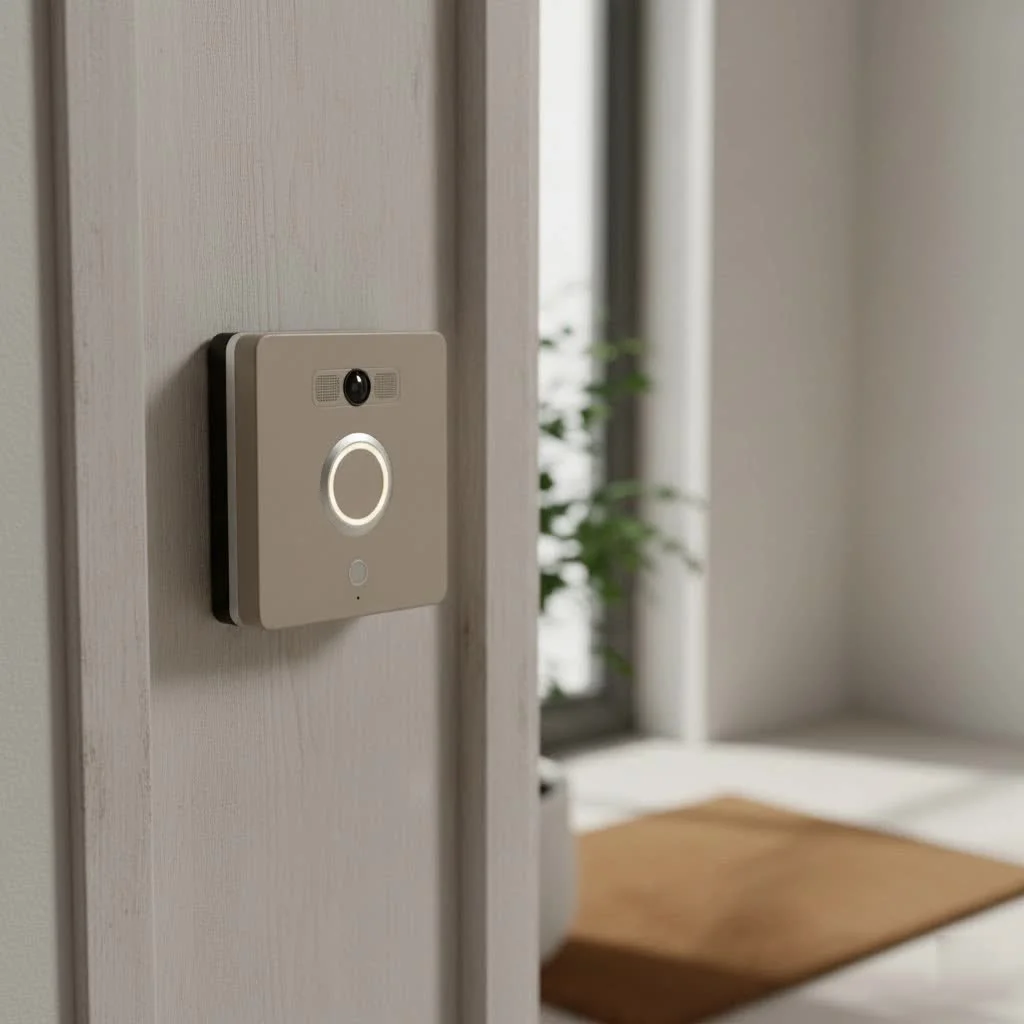
Why Choose a Smart Doorbell Without a Camera?
The decision to opt for a smart doorbell no camera often stems from a desire for simplicity and, most importantly, enhanced privacy. While video doorbells offer robust visual surveillance, they also introduce a layer of complexity and potential privacy concerns that many prefer to avoid.
Privacy First
For many, the biggest draw of an audio-only smart doorbell is the peace of mind it offers regarding privacy. The thought of a camera constantly recording your front porch, potentially capturing neighbors, children playing, or even just daily comings and goings, can be unsettling. With a smart doorbell without camera, you eliminate these concerns. There’s no video data to store, no cloud servers to worry about potentially being compromised, and no accidental recordings of private moments. This respects the privacy of both your household and your visitors, fostering a more comfortable and less surveilled environment.
Simplicity and Focus
Beyond privacy, a smart doorbell no camera offers a streamlined experience. Without the complexities of video processing, storage, and streaming, these devices often feature simpler installation and setup. They focus on their core functions: alerting you to visitors and enabling two-way communication. This means less troubleshooting, fewer features to manage, and a more straightforward user interface, making smart home technology accessible without overwhelming you. It’s about getting the essential smart features without the visual “noise.”
Cost-Effectiveness
Generally speaking, smart doorbells without cameras tend to be more affordable than their video-equipped counterparts. Eliminating the high-resolution camera, advanced image processing, and extensive data storage requirements reduces manufacturing costs, passing those savings on to you. If your primary goal is convenient door answering and remote communication, an audio-only model can provide significant value without breaking the bank.
What Does a “Smart Doorbell No Camera” Actually Offer?
Don’t let the lack of a camera fool you; a smart doorbell no camera is still packed with intelligent features designed to enhance your front door experience. These devices leverage your home’s Wi-Fi network to bring traditional doorbell functionality into the 21st century.
Instant Notifications
|
Our Picks for the Best Smart Doorbell in 2026
As an Amazon Associate I earn from qualifying purchases.
|
||
| Num | Product | Action |
|---|---|---|
| 1 | 1080P Smart Wireless Video Doorbell Camera with AI Motion Detection, Night Vision, Two-Way Talk, Cloud Storage, Indoor/Outdoor Surveillance, Battery Powered, 2.4GHz Wi-Fi |

|
| 2 | Google Nest Doorbell (Wired, 3rd Gen) - 2K Video and Gemini, Live View, Night Vision, 2-Way Audio - Works with Google Home - 2025 Model - Snow |
|
| 3 | ecobee Smart Video Doorbell Camera (Wired) - with Industry Leading HD Camera, Smart Security, Night Vision, Person and Package Sensors, 2-Way Talk, and Video & Snapshot Recording |
|
| 4 | Arlo Video Doorbell 2K (2nd Gen, Latest Release), Wireless or Wired Option, 2-Way Audio, Night Vision, Head to Toe Video View, Package Detection, Person & Vehicle Recognition, 1-Month Secure Plan |
|
| 5 | Anti-Theft Video Doorbell Mount Compatible with Arlo Video Doorbell/Blink Doorbell Camera, Anti-Blocks Motion Sensor, Adjustable Mounting Bracket Accessories for Houses/Apartments/Rentals-Silver |
|
| 6 | Tapo by TP-Link Smart Video Doorbell Camera Wireless with Chime, 2K with Full Color Night Vision & Spotlights, No Monthly Fee, Ring Call, 160° Ultra-Wide View, Free AI Detection, Local Storage,D210 |
|
| 7 | Tapo TP-Link Smart Video Doorbell Camera, Chime Included, 2K 5MP, Color Night Vision, 2-Way Audio, Free AI Detection, Cloud/SD Card Storage, Works w/Alexa & Google Home, D230S1 |
|
| 8 | 1080p Smart Video Doorbell Camera with AI Motion Detection, Night Vision, Cloud Storage, 2 Way Audio, Battery Powered, 2.4GHz Wi-Fi Only |
|
| 9 | Google Nest Doorbell (Wired, 3rd Gen) - 2K Video and Gemini, Live View, Night Vision, 2-Way Audio - Works with Google Home - 2025 Model - Hazel |
|
| 10 | Tapo by TP-Link Smart Video Doorbell Camera with Chime, Battery or Wired, 2K QHD Color Night Vison, No Monthly Fee, 180° Ultra-Wide Head-to-Toe View, Ring Call, Free AI Detection, Local Storage (D225) |
|
The cornerstone of any smart doorbell is its ability to notify you promptly when someone is at your door. A smart doorbell without camera sends real-time alerts directly to your smartphone, tablet, or smart home hub the moment the doorbell button is pressed. Whether you’re in the backyard, at work, or on vacation, you’ll always know a visitor has arrived, allowing you to respond promptly. This immediate notification system ensures you never miss a delivery or a friendly call.
Two-Way Audio Communication
This is where the “smart” aspect truly shines. With built-in microphones and speakers, these devices enable seamless two-way audio communication with your visitors through your smartphone app. You can answer the door from anywhere, talk to the delivery driver, or greet a friend as if you were standing right there. Some advanced audio-only smart doorbells even offer visitor messaging, allowing guests to leave a voice message if you’re unavailable, which you can listen to at your convenience.
Smart Home Integration
A key benefit of a smart doorbell without camera is its potential to integrate with your existing smart home ecosystem. Many models can connect with popular platforms like Amazon Alexa or Google Assistant. This allows you to receive doorbell alerts on your smart speakers, use voice commands, or even trigger other smart devices. Imagine your smart lights turning on when the doorbell rings, or your smart speaker announcing “Someone’s at the front door!” This level of connectivity transforms your doorbell into an integral part of your automated home.
Wireless and Weather-Resistant Design
Flexibility is a major advantage. Most smart doorbells no camera are designed to be wireless, often battery-powered, which simplifies installation significantly. No complicated wiring means you can usually set them up yourself in minutes. Furthermore, they are built to withstand the elements, featuring durable, weather-resistant casings that ensure reliable performance year-round, come rain or shine.
Popular Options for a Camera-Free Smart Doorbell Experience
While the market is saturated with video doorbells, finding a dedicated smart doorbell without camera requires a more focused search. However, there are excellent options and creative solutions available.
Dedicated Audio-Only Smart Doorbells
One of the most well-known examples in this niche is the Arlo Audio Doorbell. This device was designed specifically to provide smart doorbell functionality without a camera. It connects to your home’s Wi-Fi, offers remote two-way communication, and sends notifications to your smartphone. It’s completely wire-free and weather-resistant, making installation straightforward. While it’s an older model, and its availability might vary, it perfectly encapsulates the idea of an audio-only smart doorbell. For those who prioritize a simple, dedicated device, the Arlo Audio Doorbell has historically been a strong contender, though newer dedicated alternatives remain scarce.
Making Your “Dumb” Doorbell Smart: DIY Solutions
For ultimate privacy and customization, many tech-savvy homeowners are turning to DIY smart solutions. This approach involves integrating smart sensors with your existing traditional doorbell.
- Doorbell Sensors: Devices like Z-Wave or Zigbee contact sensors can be wired to your existing doorbell chime or even placed near the chime to detect its vibrations. When the doorbell rings, the sensor triggers an event in your smart home hub (like Home Assistant, SmartThings, or Hubitat).
- Smart Home Hub Integration: By using a local smart home hub, you can then create automations: send a notification to your phone, play a custom sound on your smart speakers, or even flash your smart lights. This method gives you complete control over your data, as everything remains local to your home network, satisfying the “smart doorbell no camera” requirement with maximum privacy. It might involve a bit more initial setup, but the long-term benefits of local control and privacy are invaluable.
Smart Intercom Systems
Another avenue to explore is smart intercom systems. While many modern intercoms include video, there are still systems designed primarily for audio communication that can be integrated with smart home features. These can be particularly useful in multi-unit dwellings or larger homes where a robust audio communication system is desired without the visual component. They offer clear two-way audio and often allow for door unlocking, all managed via a dedicated app or integrated with your broader smart home setup.
Key Considerations When Choosing Your Smart Doorbell (No Camera)
Selecting the right smart doorbell without camera involves weighing several factors to ensure it meets your specific needs and integrates seamlessly into your lifestyle.
Connectivity and Compatibility
Ensure the audio-only smart doorbell has strong Wi-Fi connectivity. A stable connection is crucial for timely notifications and clear two-way communication. Furthermore, check its compatibility with your existing smart home ecosystem, whether it’s Google Home, Amazon Alexa, Apple HomeKit, or a local hub like Home Assistant. Seamless integration enhances convenience and maximizes the “smart” aspect of your doorbell.
Power Source
Consider how the doorbell is powered.
- Battery-powered wireless doorbells offer the easiest installation, as they don’t require existing wiring. However, you’ll need to monitor and periodically recharge or replace batteries. Look for models with long battery life or easily accessible rechargeable options.
- Hardwired doorbells connect to your home’s existing doorbell wiring, providing continuous power without the need for battery changes. While installation might be slightly more involved, it offers a set-it-and-forget-it convenience.
Installation Complexity
Evaluate your comfort level with DIY projects. Dedicated audio-only doorbells are often designed for simple, tool-free installation. If you opt for a DIY smart solution using sensors, it will require a basic understanding of your existing doorbell wiring and smart home hub configuration. While more complex, this path offers unparalleled flexibility and privacy.
Subscription Fees
One of the advantages of a smart doorbell no camera is that many models offer basic functionality without requiring a monthly or annual subscription fee. Essential features like notifications and two-way audio are typically free. However, check if advanced features, such as extended audio recording storage (if available) or deeper smart home integrations, come with additional costs. Always read the fine print to avoid unexpected expenses.
Durability and Weather Resistance
Since your doorbell will be exposed to the elements, its durability and weather resistance are paramount. Look for models with an IP (Ingress Protection) rating, indicating their resistance to dust and water. A robust build ensures your doorbell will function reliably in various weather conditions, from scorching summers to freezing winters.
Installation and Setup: Getting Your Privacy-Focused Doorbell Up and Running
Setting up your smart doorbell no camera doesn’t have to be a daunting task. The process varies slightly depending on whether you choose a dedicated device or a DIY solution.
For Dedicated Audio Doorbells
Most dedicated smart doorbells without cameras are designed for straightforward installation. Typically, you’ll:
- Mount the device: Use the provided screws or adhesive to attach the doorbell to your doorframe or wall.
- Pair with your app: Download the manufacturer’s app and follow the on-screen instructions to connect the doorbell to your home’s Wi-Fi network.
- Configure settings: Customize notification preferences, adjust audio volume, and set up any visitor messaging features.
It’s often a process that takes less than 30 minutes, allowing you to quickly enjoy the benefits of your new smart device.
For DIY Smart Solutions
If you’re taking the DIY route, the setup involves a few more steps, but it offers unparalleled control:
- Identify doorbell wiring: Locate your existing doorbell chime and identify the low-voltage wires.
- Install the sensor: Attach a smart contact sensor or relay to your doorbell’s chime mechanism. This sensor detects when the chime sounds, translating it into a digital signal for your smart home hub.
- Integrate with your hub: Pair the sensor with your smart home hub (e.g., Home Assistant, SmartThings).
- Create automations: Use your hub’s automation features to trigger desired actions when the doorbell rings – send phone notifications, activate smart speakers for announcements, or even integrate with a separate two-way audio intercom if you desire voice communication. This approach requires a bit more technical know-how but delivers a highly customized and privacy-respecting solution.
Expert Insights on Prioritizing Privacy with Smart Doorbells
As an expert who has spent over a decade navigating the smart home landscape, I’ve seen the evolution of doorbell technology firsthand. While the allure of advanced features is strong, the fundamental right to privacy remains paramount.
“When considering a smart doorbell, especially one without a camera, your focus should shift from visual surveillance to secure, efficient communication,” says Ethan Blackwood, Lead Smart Home Architect at Boctj.com. “The true innovation in privacy-focused smart doorbells lies in their ability to keep you connected and informed, empowering you to manage your front door interactions on your terms, without compromising sensitive visual data. It’s about smart convenience, not intrusive monitoring.”
Even if you eventually consider a video doorbell, understanding the privacy implications of any connected device is crucial. Always choose brands that offer local storage options, transparent data policies, and strong encryption. But for those who want to sidestep the camera entirely, the solutions discussed here provide robust alternatives.
Troubleshooting Common Issues
Even the most reliable smart doorbells can encounter hiccups. Here are some common issues and their troubleshooting steps for your smart doorbell no camera:
- Connectivity Problems: If your doorbell isn’t sending notifications or enabling two-way audio, check your Wi-Fi signal strength at the doorbell’s location. A weak signal is a common culprit. Try repositioning your Wi-Fi router or adding a Wi-Fi extender. Also, ensure the doorbell’s app is up to date.
- Battery Life Management: For battery-powered models, inconsistent performance or missed notifications might indicate low battery. Regularly check the battery status in the app and recharge/replace batteries as needed. Enabling power-saving modes, if available, can also help.
- Notification Delays: Delays can be frustrating. This might be due to network congestion, app settings, or device firmware. Ensure your app has background refresh enabled and that there are no “do not disturb” settings preventing notifications. Sometimes a simple device reboot can resolve transient delays.
Frequently Asked Questions (FAQ)
Q: Are “smart doorbells no camera” truly private?
A: Yes, generally, a smart doorbell no camera significantly enhances privacy because it eliminates visual recording. Your interactions are limited to audio, and there’s no video data to store or potentially expose. This can provide peace of mind for both homeowners and visitors.
Q: Do I need a subscription for a smart doorbell without camera?
A: Most smart doorbells without cameras offer their core features, such as app notifications and two-way audio, without requiring a subscription. However, always check the product details, as some manufacturers might offer optional paid services for extended audio history storage or advanced integrations.
Q: Can a smart doorbell no camera integrate with my existing smart home system?
A: Many models are designed for smart home compatibility. They often work with popular ecosystems like Amazon Alexa, Google Assistant, or can be integrated into local hubs like Home Assistant. This allows for voice control, automated actions, and streamlined management.
Q: How do smart doorbells without cameras get power?
A: They typically use one of two methods:
- Battery-powered: These are wireless and run on rechargeable or replaceable batteries, offering easy installation.
- Hardwired: These connect to your home’s existing low-voltage doorbell wiring, providing continuous power without the need for battery changes.
Q: Are smart doorbells without cameras difficult to install?
A: Dedicated audio-only smart doorbells are generally easy to install, often involving simple mounting and app pairing. DIY solutions that involve integrating sensors with traditional doorbells might require a bit more technical effort and an understanding of smart home hubs, but they offer greater customization and local privacy.
Conclusion
Choosing a smart doorbell no camera is a deliberate step towards a more private, yet still connected, smart home. Whether you opt for a dedicated audio-only device or craft your own DIY solution, you can enjoy the convenience of instant notifications, remote two-way communication, and smart home integration without the constant presence of a video camera. It’s about tailoring technology to your values, ensuring that your home security solutions truly serve your peace of mind. As the digital landscape evolves, prioritizing privacy in our smart homes becomes increasingly important, and the smart doorbell without camera stands as a testament to that choice. For more insights and expert guidance on optimizing your home security and smart living, be sure to visit Boctj.com.
Smart home that does not lock you in
Free PDF — protocol compatibility matrix for 30 hubs and devices.
