In an increasingly connected world, protecting your home goes beyond traditional locks and alarms. The modern homeowner seeks intelligent solutions that offer convenience, peace of mind, and robust security. This is where the Ring smart video doorbell steps in, transforming how we interact with our front doors. As a pioneer in smart home security, Ring has cemented its position as a go-to brand, offering an array of video doorbells designed to fit every home and lifestyle. Imagine knowing who’s at your door, whether you’re at work, on vacation, or simply in another room, all from your smartphone. That’s the power and promise of a Ring smart video doorbell.
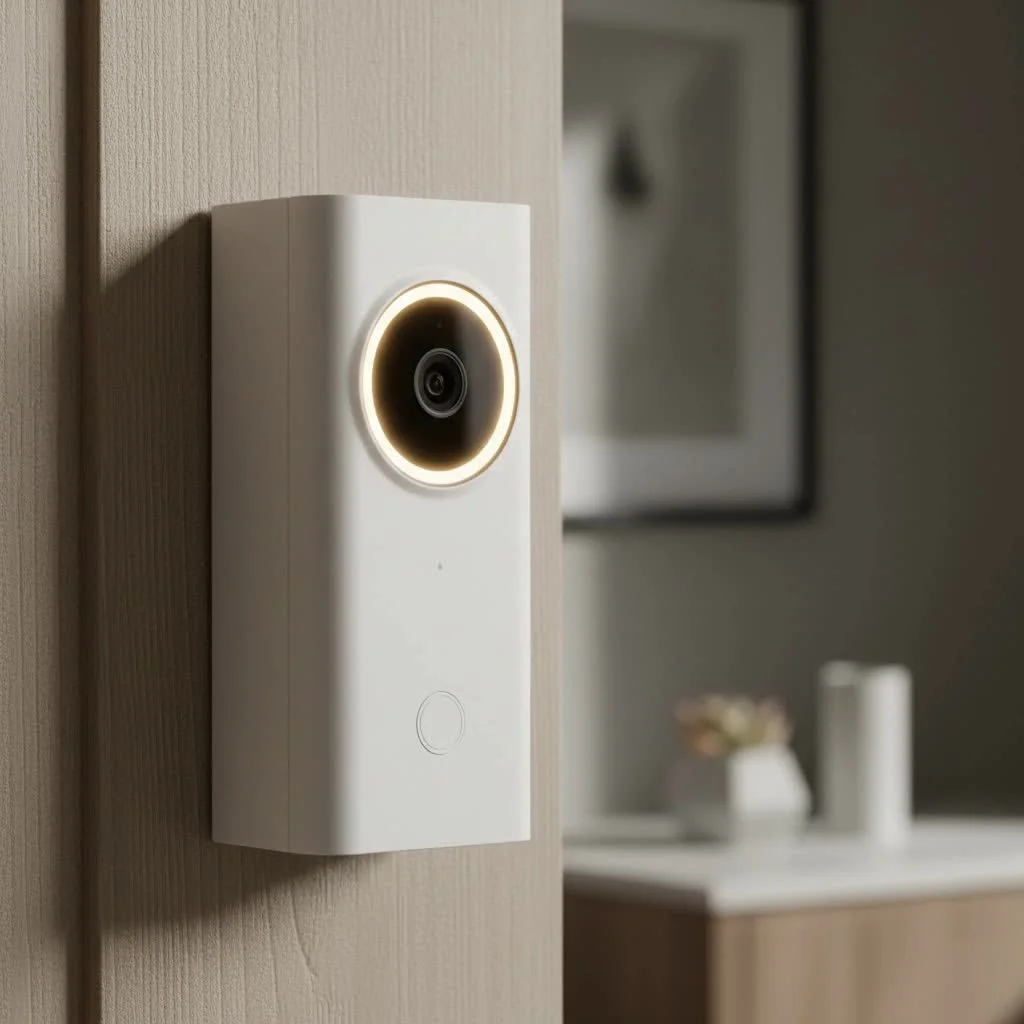
What Makes a Ring Smart Video Doorbell a Must-Have?
A Ring smart video doorbell isn’t just a fancy button; it’s a comprehensive security device that integrates advanced technology to keep you connected and aware. From deterring potential intruders to simply receiving a package, these devices offer features that make daily life smoother and safer.
Core Features That Impress
At the heart of every Ring smart video doorbell are capabilities that stand out in the smart home arena:
- Crystal-Clear HD Video & Night Vision: Most Ring doorbells provide sharp 1080p HD video, ensuring you get a clear view of visitors. Newer, premium models elevate this with even higher resolutions, such as 1440p, 1536p, or even 4K, offering incredible detail. Features like head-to-toe video mean you won’t miss a package left on your doorstep, while both infrared and color night vision ensure visibility even in the darkest hours.
- Two-Way Talk with Noise Cancellation: Ever wished you could talk to someone at your door when you’re not home? Ring’s two-way talk feature makes it possible. Speak directly to visitors, delivery drivers, or even unwelcome guests through the doorbell’s built-in speaker and microphone. Advanced noise cancellation ensures your conversations are clear and free from distracting background sounds.
- Advanced Motion Detection & Customizable Zones: Ring doorbells are equipped with sophisticated motion sensors that alert you to activity outside your door. You can customize motion zones to focus on specific areas, like your pathway or porch, ignoring street traffic. Some advanced models even feature 3D motion detection and “Bird’s Eye Zones,” which provide more precise alerts by tracking movement paths. This helps differentiate between a delivery driver and a passing car, reducing unnecessary notifications.
- Real-Time Alerts & Live View: When motion is detected or the doorbell is pressed, you receive instant alerts on your smartphone, tablet, or PC. The Live View feature allows you to tap into your camera’s feed at any time for a real-time look at what’s happening outside your home.
- Quick Replies & Pre-Roll Video: Can’t answer the door immediately? Quick Replies allow you to choose from pre-set responses to greet visitors. Additionally, the Pre-Roll feature, available on many models, captures a few seconds of video before a motion event is even triggered, giving you a fuller context of what occurred.
The Ring Ecosystem and Smart Home Integration
|
Our Picks for the Best Smart Doorbell in 2026
As an Amazon Associate I earn from qualifying purchases.
|
||
| Num | Product | Action |
|---|---|---|
| 1 | Arlo Video Doorbell 2K (2nd Gen, Latest Release), Wireless or Wired Option, 2-Way Audio, Night Vision, Head to Toe Video View, Package Detection, Person & Vehicle Recognition, 1-Month Secure Plan |

|
| 2 | Tapo TP-Link Smart Video Doorbell Camera, Chime Included, 2K 5MP, Color Night Vision, 2-Way Audio, Free AI Detection, Cloud/SD Card Storage, Works w/Alexa & Google Home, D230S1 |
|
| 3 | Google Nest Doorbell (Wired, 3rd Gen) - 2K Video and Gemini, Live View, Night Vision, 2-Way Audio - Works with Google Home - 2025 Model - Snow |
|
| 4 | 1080p Smart Video Doorbell Camera with AI Motion Detection, Night Vision, Cloud Storage, 2 Way Audio, Battery Powered, 2.4GHz Wi-Fi Only |
|
| 5 | Anti-Theft Video Doorbell Mount Compatible with Arlo Video Doorbell/Blink Doorbell Camera, Anti-Blocks Motion Sensor, Adjustable Mounting Bracket Accessories for Houses/Apartments/Rentals-Silver |
|
| 6 | 1080P Smart Wireless Video Doorbell Camera with AI Motion Detection, Night Vision, Two-Way Talk, Cloud Storage, Indoor/Outdoor Surveillance, Battery Powered, 2.4GHz Wi-Fi |
|
| 7 | ecobee Smart Video Doorbell Camera (Wired) - with Industry Leading HD Camera, Smart Security, Night Vision, Person and Package Sensors, 2-Way Talk, and Video & Snapshot Recording |
|
| 8 | Tapo by TP-Link Smart Video Doorbell Camera Wireless with Chime, 2K with Full Color Night Vision & Spotlights, No Monthly Fee, Ring Call, 160° Ultra-Wide View, Free AI Detection, Local Storage,D210 |
|
| 9 | Tapo by TP-Link Smart Video Doorbell Camera with Chime, Battery or Wired, 2K QHD Color Night Vison, No Monthly Fee, 180° Ultra-Wide Head-to-Toe View, Ring Call, Free AI Detection, Local Storage (D225) |
|
| 10 | Google Nest Doorbell (Wired, 3rd Gen) - 2K Video and Gemini, Live View, Night Vision, 2-Way Audio - Works with Google Home - 2025 Model - Hazel |
|
A significant advantage of choosing a Ring smart video doorbell is its seamless integration into the broader Ring ecosystem and other smart home platforms.
- Works with Alexa: Ring devices are fully compatible with Amazon Alexa. This means you can view your doorbell’s live feed on an Echo Show device, receive announcements when someone rings the doorbell, and even speak to visitors through your Echo device, all with simple voice commands.
- Ring App & Privacy Settings: The intuitive Ring app is your command center. It allows you to manage all your Ring devices, customize settings, review event history, and adjust privacy zones to exclude sensitive areas from recording, ensuring your privacy is respected.
Choosing the Perfect Ring Smart Video Doorbell for Your Home
With several models on the market, selecting the right Ring smart video doorbell might seem daunting. However, understanding your home’s setup and your personal needs can simplify the choice.
Wired vs. Battery-Powered: What’s Your Best Fit?
Ring offers both wired and battery-powered options, each with distinct advantages:
- Battery-Powered Doorbells: These are incredibly easy to install, making them perfect for renters or homes without existing doorbell wiring. They run on a rechargeable battery, offering flexibility in placement. The downside is remembering to recharge them, though battery life can range from six to twelve months depending on usage and model. Some even offer removable battery packs for quick swapping, minimizing downtime.
- Wired Doorbells: For consistent power and often a slimmer design, wired models connect to your home’s existing doorbell wiring. This means no battery charging, ever. Installation might be slightly more involved, requiring you to work with your home’s electrical system, but Ring provides clear instructions and tools to make it a DIY-friendly task. High-end wired models can even support Power over Ethernet (PoE) for ultra-reliable connection and power.
A Look at Popular Ring Models and Their Standout Features
Ring’s product line caters to various needs and budgets:
- Ring Video Doorbell Wired: This is an excellent entry-level option, offering essential features like HD video, two-way talk, and advanced motion detection at a very affordable price. It’s ideal for those with existing doorbell wiring looking for a reliable, no-fuss security upgrade.
- Ring Battery Doorbell (2nd Gen / 2024 Release): A fantastic value proposition, this battery-powered model offers 1440p resolution and a 1×1 aspect ratio for head-to-toe viewing. It’s easy to install and a great choice for homeowners seeking convenience and solid performance under $100.
- Ring Battery Doorbell Pro: A step up, this premium battery-powered doorbell includes features like 1536p HD+ video, 3D motion detection, Bird’s Eye Zones, and color night vision. It often features a removable battery, providing greater flexibility.
- Ring Video Doorbell Pro 2 / Ring Wired Doorbell Pro (3rd Gen): These are Ring’s top-tier wired models, boasting features like 4K video resolution (on the 3rd Gen), radar-powered Bird’s Eye Zones, and enhanced Audio+. They offer the most advanced detection and video clarity for unparalleled home security.
| Model Category | Power Source | Key Features | Price Range (approx.) | Ideal For |
|---|---|---|---|---|
| Entry-Level/Value | Wired | 1080p HD Video, Basic Motion, Two-Way Talk | $65 – $100 | Budget-conscious, existing wiring |
| Battery Standard | Battery (non-removable) | 1440p HD Video, 1×1 Aspect Ratio, Easy Install | $100 – $150 | Renters, no existing wiring, strong value |
| Battery Premium | Battery (removable) | 1536p HD+ Video, 3D Motion, Bird’s Eye, Color Night Vision | $150 – $230 | Flexibility, advanced detection, ease of charging |
| Wired Premium | Hardwired / PoE | 1536p/4K Video, Radar Detection, Advanced Audio, Slim Design, Continuous Power | $200 – $250+ | Permanent installation, top-tier features, reliability |
Installing Your Ring Smart Video Doorbell: A Step-by-Step Guide
One of the most appealing aspects of a Ring smart video doorbell is its user-friendly installation, often a successful DIY project.
Pre-Installation Checklist
Before you begin, gather these essentials:
- Your new Ring smart video doorbell package (including mounting bracket, screws, screwdriver, charging cable)
- A fully charged battery (for battery models)
- Your smartphone
- Home Wi-Fi network name and password
- A drill (if mounting on brick/stucco)
- For wired installations: ensure your existing doorbell transformer meets Ring’s specifications (typically 8-24 VAC, 50/60Hz, 40VA max). Turn off power at your breaker box for safety.
Connecting to the Ring App & Wi-Fi
- Download the Ring App: Get the Ring app from your smartphone’s app store and create an account or sign in.
- Scan the QR Code: The app will prompt you to scan the QR code located on your Ring doorbell to initiate setup.
- Connect to Ring’s Temporary Network: Your phone will temporarily connect to the doorbell’s Wi-Fi network (usually starting with “Ring-“).
- Connect to Your Home Wi-Fi: Select your home Wi-Fi network from the app and enter your password. Ensure you have a strong 2.4 GHz Wi-Fi signal at your doorbell’s location.
Physical Installation (Battery & Wired)
- For Battery Models: Simply attach the mounting bracket to your desired location (usually 4 feet off the ground for optimal motion detection), then secure your charged doorbell onto the bracket. Use the included security screws to prevent theft.
- For Wired Models: After turning off power, remove your old doorbell. Connect your home’s existing doorbell wires to the terminals on the back of the Ring mounting bracket. It doesn’t matter which wire goes to which screw. Secure the bracket, then attach the doorbell. Re-enable power at the breaker.
Maximizing Your Ring Smart Video Doorbell Experience with Ring Protect
While your Ring smart video doorbell offers impressive features right out of the box, subscribing to a Ring Protect plan unlocks its full potential, transforming it into an even more powerful security tool.
Why a Subscription Matters
Without a Ring Protect subscription, you can still view live video, receive real-time alerts, and use two-way talk. However, to truly benefit from your device, especially for forensic purposes, a subscription is almost essential.
Plan Tiers and Key Benefits
Ring Protect plans offer tiered benefits, typically including:
- Video Recording and History: The most critical feature. A subscription allows your doorbell to record and store video clips of all motion events and doorbell presses in the cloud, which you can review, download, and share for up to 180 days.
- Person and Package Alerts: On select devices, these advanced alerts can intelligently distinguish between people and packages, giving you more specific notifications.
- Rich Notifications: See a snapshot of who’s at your door directly from your notification, without even opening the app.
- Extended Live View & Continuous Recording: Depending on the plan, you might get longer live view sessions and, with wired models, even continuous video recording.
- Professional Monitoring: For a comprehensive security system, higher-tier plans can include professional monitoring for Ring Alarm systems, offering an added layer of protection.
Troubleshooting Common Ring Smart Video Doorbell Issues
Even the most advanced technology can encounter a hiccup now and then. Here are common issues and practical solutions for your Ring smart video doorbell:
Wi-Fi Connectivity Problems
A stable Wi-Fi connection is paramount.
- Symptom: Doorbell offline, delayed alerts, poor video quality.
- Fix: Check your Wi-Fi password in the Ring app (a flashing top-half light often indicates an incorrect password). Ensure your router is working and other devices can connect. If your doorbell is far from the router, consider a Wi-Fi extender or a Ring Chime Pro, which doubles as a Wi-Fi booster. The Ring app’s “Device Health” section provides an RSSI (Received Signal Strength Indicator) score; aim for a number closer to 0 for optimal performance.
Power and Battery Concerns
Power issues can manifest as intermittent functionality or a completely unresponsive device.
- Symptom: Doorbell not ringing, device suddenly offline, weak audio/video.
- Fix: For battery-powered models, check the battery level in the Ring app’s Device Health. A full charge can take 5-10 hours. For wired doorbells, verify power at the breaker box, and inspect wiring for any loose or damaged connections. Ensure your transformer meets the required voltage (e.g., 16-24 VAC). If necessary, consider Ring’s Plug-In Adapter or consult an electrician for transformer issues.
Video and Audio Quality Fixes
Clear video and audio are essential for effective monitoring.
- Symptom: Overexposed video, washed-out night vision, distorted audio, no two-way talk.
- Fix: Adjust the camera angle to avoid direct sunlight or reflections from nearby surfaces. Check night vision settings in the app. For audio, ensure microphone permissions are enabled for the Ring app on your mobile device. If live view isn’t working, restart the Ring app or your phone.
Understanding Device Health & Light Patterns
The Ring app’s “Device Health” section is your first stop for diagnostics, offering insights into power, network strength, and more. Specific light patterns on your doorbell can also indicate problems:
- Top half flashing: Incorrect Wi-Fi password.
- Left half flashing: Cannot connect to the internet.
- No lights: Power issue (battery dead or wired connection problem).
“Many Ring doorbell issues can be resolved with a quick check of your Wi-Fi or power, but understanding the light patterns on your device can often pinpoint the exact problem faster than anything else,” advises Eleanor Vance, a seasoned smart home integration specialist.
Expert Insights: Why Ring Continues to Lead the Pack
Ring has consistently innovated, making smart home security accessible and reliable. Their commitment to continuous improvement, evidenced by features like 4K video, advanced motion detection, and seamless Alexa integration, keeps them at the forefront. The user-friendly Ring app and a variety of models ensure there’s a Ring smart video doorbell for virtually every home and budget, making smart security a practical reality for millions.
Frequently Asked Questions About Ring Smart Video Doorbells
What is a Ring smart video doorbell?
A Ring smart video doorbell is a security device that replaces your traditional doorbell, featuring a camera, microphone, and speaker. It allows you to see, hear, and speak to visitors at your door from anywhere via your smartphone, and receive motion-activated alerts.
Do I need a subscription for my Ring smart video doorbell?
No, a subscription is not strictly required to use basic features like Live View and real-time alerts. However, a Ring Protect plan is necessary to record, save, and review video footage, as well as access advanced features like person and package detection.
How long does the battery last on a battery-powered Ring doorbell?
Battery life varies depending on usage, settings, and environmental factors, but it typically ranges from six to twelve months between charges. Models with removable battery packs offer greater convenience for recharging.
Can I install a Ring smart video doorbell myself?
Yes, Ring doorbells are designed for DIY installation. Battery-powered models are particularly straightforward. Wired installations require a bit more attention to your home’s existing doorbell wiring and transformer but can still be completed by a handy homeowner following Ring’s detailed instructions.
Does the Ring smart video doorbell work with other smart home devices?
Yes, Ring doorbells integrate seamlessly with Amazon Alexa-enabled devices, allowing for voice control, live view on smart displays, and announcements. While Ring primarily focuses on its own ecosystem and Alexa, some limited integrations might be available through third-party platforms.
Conclusion: Embrace a Smarter, Safer Home with Ring
Investing in a Ring smart video doorbell is more than just upgrading your entryway; it’s about enhancing your entire home security posture and gaining unparalleled peace of mind. From seeing who’s knocking before you open the door to monitoring deliveries and deterring unwanted visitors, a Ring smart video doorbell offers a robust, convenient, and intelligent solution. With a range of models, user-friendly features, and strong smart home integration, Ring makes it easy for anyone to transform their home into a safer, smarter sanctuary. Take the leap and discover how a Ring smart video doorbell can empower you to stay connected and protected, no matter where life takes you.
Smart home that does not lock you in
Free PDF — protocol compatibility matrix for 30 hubs and devices.
