Stepping into the world of smart home security often begins right at your doorstep, and few devices offer the blend of features, flexibility, and value quite like the Aqara Smart Video Doorbell. If you’re tired of missed deliveries, unanswered knocks, or the constant worry of package theft, a smart video doorbell is your vigilant guardian. But what if you could have top-tier security without the recurring subscription fees that many competitors demand? That’s where the Aqara Smart Video Doorbell truly shines, offering a compelling, feature-rich solution for modern homes seeking peace of mind and seamless integration with their existing smart ecosystems.
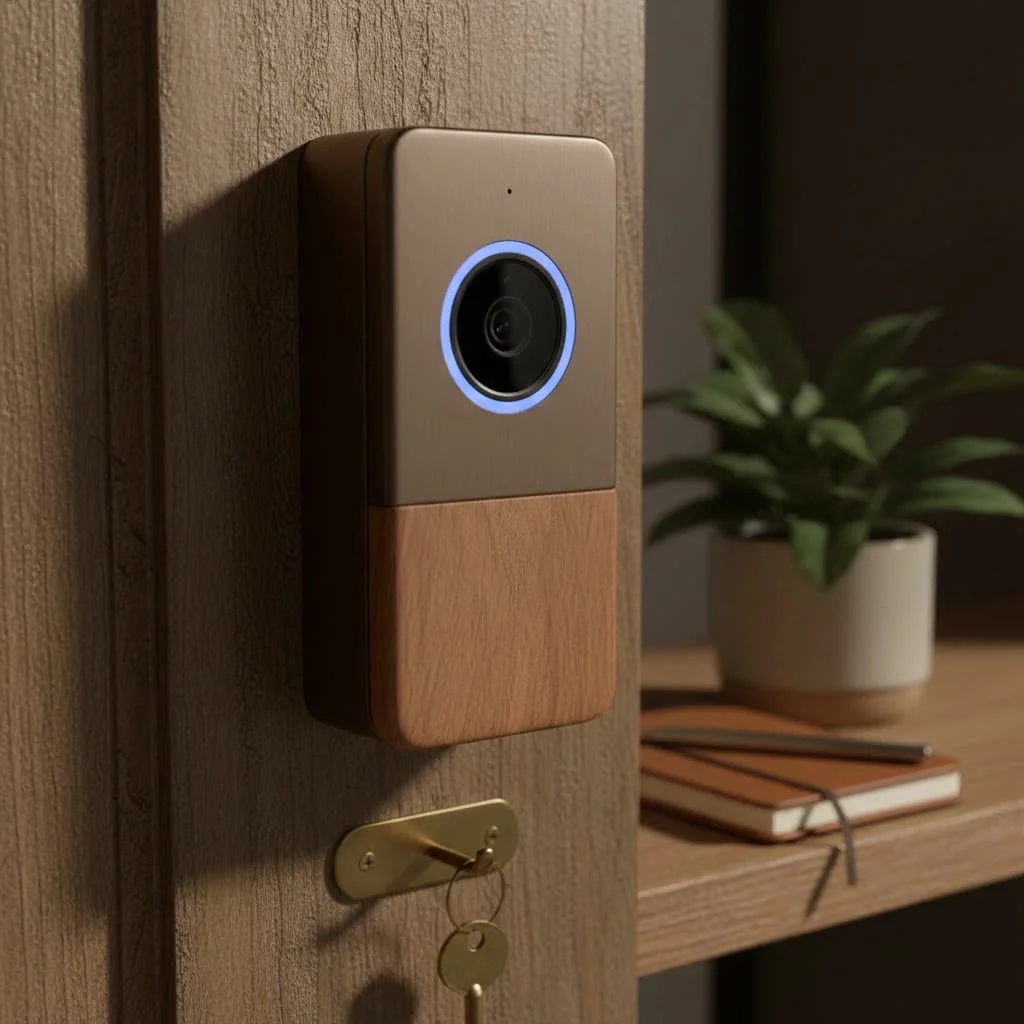
Understanding the Aqara Smart Video Doorbell: A Cut Above the Rest
At its core, the Aqara Smart Video Doorbell is designed to be a comprehensive security solution for your front door, offering real-time monitoring, two-way communication, and intelligent alerts. What truly sets it apart from many other smart doorbells on the market is its unwavering commitment to subscription-free operation. This means you won’t be hit with monthly fees to access essential features like video storage or advanced notifications – a significant advantage for budget-conscious homeowners.
Aqara offers a couple of prominent models, primarily the G4 and its newer iteration, the G410. While both deliver reliable performance, the G410 boasts significant upgrades such as clearer 2K video resolution and an expanded 175-degree field of view with a more vertically oriented, square aspect ratio, which is crucial for seeing packages left on your doorstep. If you’re seeking the absolute latest in visual clarity and coverage, the G410 is definitely the one to consider.
Key Features That Matter for Your Home’s Security
When evaluating a smart video doorbell, it’s the features that truly determine its value. The Aqara Smart Video Doorbell packs a punch with capabilities designed to keep your home secure and your life simpler.
Crystal Clear Vision, Day or Night
Imagine seeing every detail, whether it’s the mail carrier dropping off a package or a friend arriving after dusk. The Aqara Smart Video Doorbell (especially the G410 with its 2K resolution) delivers sharp, clear video quality, ensuring you never miss a beat. Its wide field of view captures more of your entryway, while built-in infrared night vision ensures clear visibility even in complete darkness. The G410’s improved aspect ratio addresses a common complaint about older doorbells, providing a better view of visitors from head to toe and those important packages below.
Smart Detection and Communication
|
Our Picks for the Best Smart Doorbell in 2026
As an Amazon Associate I earn from qualifying purchases.
|
||
| Num | Product | Action |
|---|---|---|
| 1 | Anti-Theft Video Doorbell Mount Compatible with Arlo Video Doorbell/Blink Doorbell Camera, Anti-Blocks Motion Sensor, Adjustable Mounting Bracket Accessories for Houses/Apartments/Rentals-Silver |

|
| 2 | 1080p Smart Video Doorbell Camera with AI Motion Detection, Night Vision, Cloud Storage, 2 Way Audio, Battery Powered, 2.4GHz Wi-Fi Only |
|
| 3 | Arlo Video Doorbell 2K (2nd Gen, Latest Release), Wireless or Wired Option, 2-Way Audio, Night Vision, Head to Toe Video View, Package Detection, Person & Vehicle Recognition, 1-Month Secure Plan |
|
| 4 | Google Nest Doorbell (Wired, 3rd Gen) - 2K Video and Gemini, Live View, Night Vision, 2-Way Audio - Works with Google Home - 2025 Model - Snow |
|
| 5 | Tapo by TP-Link Smart Video Doorbell Camera Wireless with Chime, 2K with Full Color Night Vision & Spotlights, No Monthly Fee, Ring Call, 160° Ultra-Wide View, Free AI Detection, Local Storage,D210 |
|
| 6 | Tapo by TP-Link Smart Video Doorbell Camera with Chime, Battery or Wired, 2K QHD Color Night Vison, No Monthly Fee, 180° Ultra-Wide Head-to-Toe View, Ring Call, Free AI Detection, Local Storage (D225) |
|
| 7 | Tapo TP-Link Smart Video Doorbell Camera, Chime Included, 2K 5MP, Color Night Vision, 2-Way Audio, Free AI Detection, Cloud/SD Card Storage, Works w/Alexa & Google Home, D230S1 |
|
| 8 | 1080P Smart Wireless Video Doorbell Camera with AI Motion Detection, Night Vision, Two-Way Talk, Cloud Storage, Indoor/Outdoor Surveillance, Battery Powered, 2.4GHz Wi-Fi |
|
| 9 | Google Nest Doorbell (Wired, 3rd Gen) - 2K Video and Gemini, Live View, Night Vision, 2-Way Audio - Works with Google Home - 2025 Model - Hazel |
|
| 10 | ecobee Smart Video Doorbell Camera (Wired) - with Industry Leading HD Camera, Smart Security, Night Vision, Person and Package Sensors, 2-Way Talk, and Video & Snapshot Recording |
|
Beyond just recording video, the Aqara Smart Video Doorbell is equipped with advanced detection features. Its motion detection can be customized to alert you only when necessary, reducing false alarms. Moreover, the integrated facial recognition technology can distinguish between family members and strangers, allowing for personalized alerts and automations. The two-way audio feature is a game-changer, enabling you to speak directly with visitors, delivery personnel, or even scare away porch pirates from anywhere in the world, directly through your smartphone.
Power and Flexibility: Choose Your Setup
One of the most appreciated aspects of the Aqara Smart Video Doorbell is its flexible power options. You can opt for a completely wireless setup, powered by AA batteries, which can last for several months (around five months with about ten daily “wake-ups”). This makes installation incredibly easy, allowing placement almost anywhere. For those who prefer a set-it-and-forget-it solution, it also supports hardwired installation, providing continuous power and ensuring your doorbell is always ready.
Your Smart Home, Your Rules: Seamless Integration
For many smart home enthusiasts, compatibility is key. The Aqara Smart Video Doorbell excels here, offering extensive integration with popular platforms. It’s a champion for Apple HomeKit users, supporting HomeKit Secure Video (HKSV) which leverages your iCloud storage for secure, encrypted video recordings without any extra Aqara subscriptions. Beyond Apple, it seamlessly connects with Google Home and Amazon Alexa, allowing you to view your doorbell feed on smart displays or incorporate it into broader home automation routines.
True Subscription-Free Storage
This is arguably the Aqara Smart Video Doorbell’s biggest selling point. Unlike many competitors that lock essential video recording behind costly monthly plans, Aqara provides robust, free storage options. You get free 7-day cloud recording via the Aqara app, ensuring recent events are always accessible. For local storage, a MicroSD card slot (supporting up to 512GB) in the indoor chime unit allows you to keep recordings right in your home. For advanced users, there’s even support for Network Attached Storage (NAS) recording, offering unparalleled control over your data. As “Jane Doe,” a seasoned smart home integration specialist, often remarks, “The freedom from recurring fees for core functionality is not just a perk; it’s a fundamental shift in how home security should work.”
Customizable Chime Options
The internal chime unit isn’t just for local storage; it also acts as your indoor doorbell ringer. You have the flexibility to choose from various built-in chime tones or even upload your own custom MP3 chime. For Apple HomeKit users, an added bonus is the ability to use a HomePod or HomePod mini as a chime, broadcasting the doorbell ring throughout your home.
Installation: A Breeze for Any Homeowner
Installing your Aqara Smart Video Doorbell is surprisingly straightforward, whether you’re a DIY veteran or a smart home novice.
Pre-Installation Check:
Before you begin, decide on your power source: battery or hardwired. For hardwired setups, ensure your existing doorbell wiring is compatible (typically 8-24V AC). For battery, simply ensure you have six fresh AA batteries.
Step-by-Step Overview:
- Mounting the Backplate: Use the provided screws or, for non-invasive options, the included sticky adhesive pads. Many users find the sticky pads remarkably secure.
- Connecting Wires (if hardwiring): If hardwiring, connect your doorbell wires to the terminals on the backplate.
- Inserting Batteries (if battery-powered): Place the AA batteries into the doorbell unit.
- Attaching the Doorbell Unit: Secure the doorbell onto the mounted backplate.
- Setting Up the Chime Unit: Plug in the indoor chime unit and insert a MicroSD card if you plan on local storage.
- App Configuration: Open the Aqara Home app, follow the on-screen prompts to add your doorbell, and connect it to your Wi-Fi network. This is also where you’ll link it to HomeKit, Google Home, or Alexa. The app often provides a live preview during mounting, allowing you to fine-tune the angle.
The detailed instructions provided by Aqara, combined with helpful online resources, make getting your doorbell up and running an efficient process, often completed in under an hour.
Aqara Smart Video Doorbell in Action: Real-World Performance
Once installed, the Aqara Smart Video Doorbell generally delivers a reliable and responsive experience. Notifications for doorbell presses arrive promptly on your smartphone and integrated smart displays. For Apple users, a picture-in-picture live feed can even pop up on your Apple TV when someone rings.
While the G4 model had some minor drawbacks, such as a bulky design and a landscape video format that could miss packages, the newer G410 addresses many of these concerns with its sleeker profile, 2K resolution, and crucial square aspect ratio. Occasional inconsistencies in motion detection or slight delays in notifications can occur, but these are often manageable with fine-tuning settings within the Aqara app and ensuring a strong Wi-Fi connection at the doorbell’s location. It’s also worth noting its IPX3 rating, which means it can handle splashes but isn’t designed for direct exposure to heavy rain or prolonged harsh weather. Consider a weatherproof cover for added protection in extreme climates.
Troubleshooting Common Issues
Even the best smart devices can encounter hiccups. Here’s how to tackle some common issues with your Aqara Smart Video Doorbell:
- Connectivity Problems: Ensure your doorbell is within good range of your Wi-Fi router. If you have a larger home, consider a Wi-Fi extender or mesh system. Check the Aqara app for signal strength indicators.
- Motion Detection Adjustments: If you’re getting too many false alerts (e.g., from passing cars or pets), delve into the Aqara app’s detection settings. You can often adjust sensitivity, create motion zones, and fine-tune event types to trigger notifications only for what truly matters.
- Battery Life Optimization: To maximize battery life, adjust motion detection sensitivity, reduce the frequency of live view access, and ensure your doorbell isn’t exposed to extreme cold, which can drain batteries faster. Hardwiring is always the best option for consistent power.
Why Choose Aqara? A Comparative Edge
In a market flooded with smart doorbells, why should the Aqara Smart Video Doorbell be your top choice? Its major advantage lies in its philosophy: providing advanced smart home security without trapping you in a cycle of recurring subscription costs. While brands like Ring and Nest offer excellent products, their reliance on paid cloud storage plans can add up significantly over time. Aqara gives you the freedom of local storage, robust HomeKit Secure Video integration, and free cloud storage for seven days, making it an incredibly cost-effective and privacy-friendly option. For anyone building a smart home ecosystem, especially one centered around Apple HomeKit, the Aqara Smart Video Doorbell is a smart, strategic investment.
Frequently Asked Questions (FAQ)
Does the Aqara Smart Video Doorbell require a subscription?
No, the Aqara Smart Video Doorbell does not require a subscription for essential features. It offers free 7-day cloud recording via the Aqara app and supports local storage via a MicroSD card (up to 512GB) in the indoor chime unit, as well as HomeKit Secure Video (HKSV) for Apple users.
Is the Aqara Smart Video Doorbell compatible with Apple HomeKit Secure Video?
Yes, the Aqara Smart Video Doorbell is fully compatible with Apple HomeKit Secure Video (HKSV). This allows you to securely store your video recordings in your iCloud account, leveraging Apple’s privacy and security features.
How long does the battery last on the Aqara Smart Video Doorbell?
When battery-powered, the Aqara Smart Video Doorbell (G4 model) can last approximately 5 months with an average of 10 daily “wake-ups.” Battery life can vary based on usage frequency, environmental temperature, and specific settings.
Can I use my own custom chime with the Aqara Smart Video Doorbell?
Absolutely! The indoor chime unit allows you to upload your own custom MP3 files to be used as your doorbell chime. Additionally, if you’re an Apple HomeKit user, you can configure a HomePod or HomePod mini to act as your chime.
What is the main difference between the Aqara G4 and G410 Smart Video Doorbell models?
The newer Aqara G410 improves upon the G4 with 2K video resolution, a wider 175-degree field of view, and a more vertically-oriented square aspect ratio, which is better for capturing packages and full visitor views. It also features improved sensors.
Conclusion
The Aqara Smart Video Doorbell stands as a testament to intelligent home security, proving that advanced features and reliable performance don’t have to come with a never-ending subscription bill. With its flexible power options, comprehensive smart home compatibility, superior storage solutions, and excellent video capabilities (especially with the G410), it’s a formidable choice for anyone looking to upgrade their home’s entryway. Embrace the confidence that comes with knowing who’s at your door, anytime, anywhere, and join the growing community of homeowners who trust Aqara to protect what matters most.
Smart home that does not lock you in
Free PDF — protocol compatibility matrix for 30 hubs and devices.
