Ever found yourself missing a delivery because your doorbell was too quiet, or worse, completely out of earshot? Or perhaps you’re tired of the same old “ding-dong” and yearn for something with a bit more… personality? If these scenarios hit home, then diving into the world of the smart doorbell chime is your next logical step. As a seasoned expert from Boctj.com, with over a decade of hands-on experience in smart home security, I can tell you that a smart doorbell chime isn’t just an accessory; it’s a vital component that bridges the gap between your smart doorbell and your everyday life, ensuring you never miss a visitor while adding a touch of modern convenience to your home.
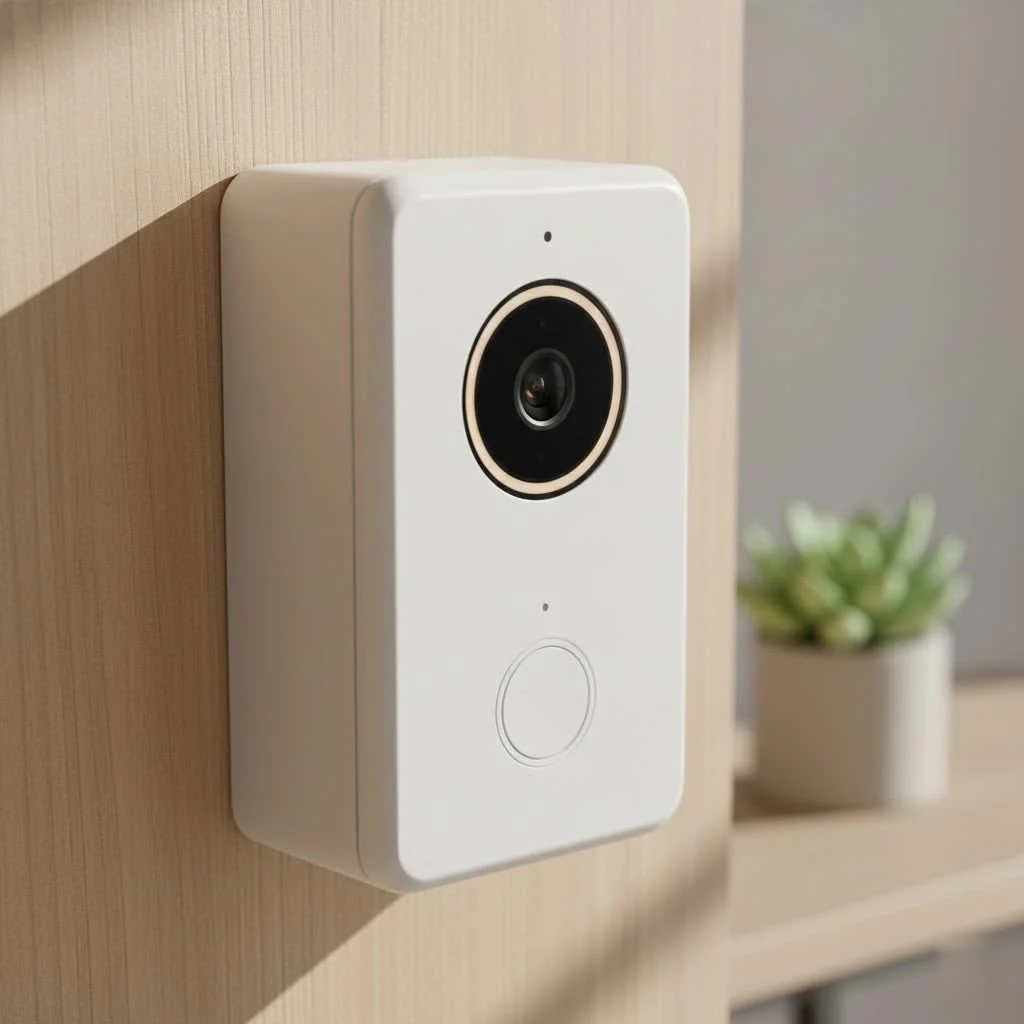
This isn’t about replacing your entire doorbell system; it’s about upgrading its auditory heartbeat. We’re going to break down everything you need to know, from understanding what makes a chime “smart” to picking the perfect one for your abode, installing it like a pro, and troubleshooting any bumps along the way. Get ready to transform how you hear your front door!
What Exactly is a Smart Doorbell Chime?
At its core, a smart doorbell chime is a device designed to audibly alert you when someone presses your smart doorbell, much like a traditional chime. However, the “smart” part changes the game entirely. Unlike old-school chimes that rely solely on hardwiring, smart doorbell chimes often connect wirelessly to your smart doorbell, typically via Wi-Fi. This wireless freedom means you can place the chime anywhere in your home, ensuring you hear that all-important alert whether you’re in the basement, the attic, or even the garden.
Beyond just making a sound, these intelligent units often integrate seamlessly with your existing smart home ecosystem, sending real-time notifications to your smartphone, allowing for volume adjustments, and even offering a selection of custom tones or melodies. It’s a proactive notification system that enhances your awareness of visitors and deliveries, turning a simple ring into a comprehensive alert.
Decoding the Different Types of Smart Doorbell Chimes
When you’re looking to integrate a smart doorbell chime into your home, it’s helpful to understand the various types available and how they interact with the broader smart doorbell landscape. While the smart doorbell itself handles the video and two-way talk, the chime is all about the sound.
Wired Smart Doorbell Chimes
These chimes are the modern evolution of the classic hardwired doorbell. They utilize your home’s existing low-voltage wiring to connect to your smart doorbell and transformer. The main advantages here are consistent power and unwavering reliability. You’ll never worry about batteries dying or signal drops. The downside? Installation can be a bit more involved, often requiring you to work with your home’s electrical system, which might include locating and potentially upgrading your doorbell transformer.
Wireless Smart Doorbell Chimes
|
Our Picks for the Best Smart Doorbell in 2026
As an Amazon Associate I earn from qualifying purchases.
|
||
| Num | Product | Action |
|---|---|---|
| 1 | 1080p Smart Video Doorbell Camera with AI Motion Detection, Night Vision, Cloud Storage, 2 Way Audio, Battery Powered, 2.4GHz Wi-Fi Only |

|
| 2 | Tapo TP-Link Smart Video Doorbell Camera, Chime Included, 2K 5MP, Color Night Vision, 2-Way Audio, Free AI Detection, Cloud/SD Card Storage, Works w/Alexa & Google Home, D230S1 |
|
| 3 | Google Nest Doorbell (Wired, 3rd Gen) - 2K Video and Gemini, Live View, Night Vision, 2-Way Audio - Works with Google Home - 2025 Model - Snow |
|
| 4 | Google Nest Doorbell (Wired, 3rd Gen) - 2K Video and Gemini, Live View, Night Vision, 2-Way Audio - Works with Google Home - 2025 Model - Hazel |
|
| 5 | Tapo by TP-Link Smart Video Doorbell Camera with Chime, Battery or Wired, 2K QHD Color Night Vison, No Monthly Fee, 180° Ultra-Wide Head-to-Toe View, Ring Call, Free AI Detection, Local Storage (D225) |
|
| 6 | Arlo Video Doorbell 2K (2nd Gen, Latest Release), Wireless or Wired Option, 2-Way Audio, Night Vision, Head to Toe Video View, Package Detection, Person & Vehicle Recognition, 1-Month Secure Plan |
|
| 7 | ecobee Smart Video Doorbell Camera (Wired) - with Industry Leading HD Camera, Smart Security, Night Vision, Person and Package Sensors, 2-Way Talk, and Video & Snapshot Recording |
|
| 8 | Tapo by TP-Link Smart Video Doorbell Camera Wireless with Chime, 2K with Full Color Night Vision & Spotlights, No Monthly Fee, Ring Call, 160° Ultra-Wide View, Free AI Detection, Local Storage,D210 |
|
| 9 | Anti-Theft Video Doorbell Mount Compatible with Arlo Video Doorbell/Blink Doorbell Camera, Anti-Blocks Motion Sensor, Adjustable Mounting Bracket Accessories for Houses/Apartments/Rentals-Silver |
|
| 10 | 1080P Smart Wireless Video Doorbell Camera with AI Motion Detection, Night Vision, Two-Way Talk, Cloud Storage, Indoor/Outdoor Surveillance, Battery Powered, 2.4GHz Wi-Fi |
|
For those who cringe at the thought of electrical work, wireless smart doorbell chimes are a breath of fresh air. They communicate with your smart doorbell using radio frequencies or Wi-Fi, eliminating the need for new wiring. Many come as plug-in units, simply requiring a standard wall outlet, while others are battery-powered, offering ultimate portability. Installation is typically much simpler, often involving just pairing the chime with your doorbell through an app. However, be mindful of signal strength, especially in larger homes or those with thick walls, as this can affect performance.
Mechanical vs. Electronic Chimes in the Smart Era
Before smart chimes came along, doorbells primarily fell into two categories:
- Mechanical Chimes: These are the traditional “ding-dong” units that create sound by physically striking metal bars or plates with a plunger. They’re robust and have that nostalgic sound. Many wired smart doorbells are designed to work with existing mechanical chimes, often with a small “chime kit” adapter.
- Electronic Chimes: These use a speaker to play various tones or melodies. They offer more flexibility in sound options. Like mechanical chimes, many electronic chimes can be integrated with smart doorbells, though compatibility can vary.
The good news is that most modern smart doorbells are built to be compatible with both existing mechanical and wired electronic chimes, provided your home’s wiring and transformer meet the necessary specifications. However, pure wireless (non-smart) chimes are generally not compatible with wired smart doorbell systems. [cite: 1, 3 in fourth search block]
Essential Features Your Smart Doorbell Chime Should Have
When choosing a smart doorbell chime, it’s not just about hearing a sound. It’s about a symphony of features that enhance your home security and daily convenience. Here’s what to look for:
- Customizable Tones and Melodies: Why stick with a basic ring when you can have a festive tune for holidays, a specific sound for family members, or even your favorite song snippet? Many smart chimes offer a wide selection of sounds, allowing you to personalize your alerts.
- Adjustable Volume Control: This is a game-changer. Whether you need a gentle nudge or a house-rattling announcement, adjustable volume ensures you hear it without startling the dog or waking a sleeping baby. “Fine-tuning the volume on your smart doorbell chime can drastically improve its utility, making sure notifications are just right for your home’s unique acoustics and your family’s daily rhythm,” notes Dr. Anya Sharma, a leading smart home integration specialist.
- Seamless Smart Home Integration: For a truly smart experience, your chime should play nice with others. Look for compatibility with platforms like Amazon Alexa or Google Assistant. This allows for voice control (“Alexa, mute the doorbell chime”) and automated routines (e.g., lights turn on when the doorbell rings). [cite: 3 in first search block]
- Wi-Fi Extension Capabilities: Some advanced smart doorbell chimes, like the Ring Chime Pro, double as Wi-Fi extenders specifically for your smart doorbell and other compatible devices. This is incredibly useful if your doorbell struggles with a weak Wi-Fi signal at your front door. [cite: 1, 5 in second search block]
- Real-time Mobile Notifications: While the chime itself provides an auditory alert, the “smart” aspect means you also get instant alerts on your smartphone via the associated app, even when you’re away from home. This is crucial for security and knowing about deliveries. [cite: 3 in first search block]
- Power Source Flexibility: Consider whether a plug-in unit (easy, no battery worries) or a battery-powered one (portable, but requires charging/replacement) best suits your lifestyle. Wired options, as discussed, offer consistent power for permanent setups. [cite: 3 in first search block, 5 in second search block]
A Step-by-Step Guide to Installing Your Smart Doorbell Chime
Installing a smart doorbell chime might seem daunting, but with a clear roadmap, it’s often a manageable DIY project. The process varies slightly depending on whether you’re working with a wired or wireless setup.
Preparing for Installation: Safety First!
Regardless of your chime type, safety is paramount. Always start by turning off the power to your existing doorbell circuit at your home’s main electrical breaker. A simple voltage tester can confirm the power is off. It’s also wise to label any existing wires if you’re replacing an old chime.
Wired Chime Installation: Connecting to Your Existing Setup
If you have an existing wired doorbell system, your smart doorbell chime or a special chime kit will integrate with it.
- Locate Your Chime Box: This is typically found in a hallway, living room, or utility area. Gently remove its cover.
- Identify Wiring: You’ll usually see terminals labeled “Front” (F), “Rear” (R), and “Trans” (T – for transformer). [cite: 2, 3 in fourth search block] Take a picture for reference.
- Install the Chime Kit (if applicable): Many smart doorbells, especially those designed for wired connections, come with a small chime kit. Follow the manufacturer’s specific instructions to connect this kit to your existing chime box wiring, usually across the “Front” and “Trans” terminals. [cite: 1 in third search block]
- Connect Smart Doorbell: At your front door, connect your smart doorbell’s wires to your home’s existing doorbell wires.
- Secure and Restore Power: Neatly tuck wires back into the chime box, replace the cover, and turn the power back on at the breaker.
- Test: Press your smart doorbell button. The internal chime should ring, and you should receive app notifications. If not, recheck connections and compatibility (especially your transformer’s voltage). [cite: 1, 2 in third search block]
Wireless Chime Installation: Simplicity at Its Best
Wireless chimes are often much simpler, bypassing the need to interact with existing doorbell wiring.
- Charge the Doorbell Battery (if applicable): If your smart doorbell or chime is battery-powered, ensure it’s fully charged before installation.
- Mount Your Smart Doorbell: Install the smart doorbell itself following its specific instructions, typically using a mounting bracket and screws.
- Download the App and Connect to Wi-Fi: Install the doorbell’s companion app on your smartphone. Follow the in-app instructions to connect your smart doorbell to your home’s 2.4 GHz Wi-Fi network. Bluetooth may also be required for initial setup. [cite: 2, 5 in third search block]
- Plug In and Pair the Chime: Plug your wireless smart doorbell chime into a standard wall outlet in a central location within signal range.
- Pair Devices: Use the app to pair your smart doorbell with its wireless chime. This usually involves putting the chime into a “pairing mode” (often indicated by a flashing light) and then activating the doorbell button. [cite: 2, 5 in third search block]
- Test Thoroughly: Press the doorbell button. Verify the chime rings, and you receive instant notifications on your phone. Adjust placement if the signal seems weak. [cite: 5 in third search block]
Navigating Compatibility: What Works with What?
Compatibility is often the trickiest part of setting up a smart doorbell chime. It’s not always a one-size-fits-all situation, especially when mixing new tech with older home infrastructure.
Understanding Wired vs. Wireless Doorbell Chime Compatibility
The biggest differentiator is whether your smart doorbell itself is wired or wireless (battery-powered).
- Wired Smart Doorbells: These typically require a compatible wired chime (mechanical or electronic) to function as a traditional internal bell. Some wired smart doorbells can use a separate wireless chime accessory, but it’s crucial to verify this with the specific doorbell’s manufacturer. Many smart doorbells are designed to work with most existing mechanical chimes. [cite: 1, 3 in fourth search block]
- Wireless Smart Doorbells: These almost always rely on a dedicated wireless chime accessory or solely on smartphone notifications. They generally do not integrate with existing wired chimes.
The Role of Your Doorbell Transformer
For any wired smart doorbell chime setup, the doorbell transformer is a critical component. Smart doorbells require specific low-voltage power, typically between 16V and 24V AC, with a minimum power rating (VA) often around 10VA (for a single doorbell) or higher (20-30VA for two doorbells). [cite: 1, 5 in fourth search block] An outdated or underpowered transformer can lead to your chime not ringing, intermittent power, or even damage to your smart doorbell. Always check your transformer’s label for voltage and VA ratings.
Checking Chime Box Wiring
If you plan to use an existing wired chime box, open it up and look at the wiring terminals. The presence of “Front” (F), “Trans” (T), and/or “Rear” (R) labels usually indicates compatibility with many wired smart doorbell cameras. [cite: 3, 5 in fourth search block] If your digital chime is battery-powered and has no wired connection, it won’t be compatible with wired smart doorbells. [cite: 3, 5 in fourth search block]
Top Smart Doorbell Chime Brands to Consider
The market is buzzing with innovative smart doorbell chime solutions. Here’s a look at some of the leaders:
- Ring Chime and Chime Pro: Ring, a pioneer in the smart doorbell space, offers dedicated chime accessories. The standard Ring Chime plugs into an outlet and provides customizable tones. The Ring Chime Pro takes it a step further by acting as a Wi-Fi extender for your Ring devices, boosting connectivity, and even includes a built-in nightlight. [cite: 1, 5 in second search block]
- Google Nest Chime Solutions: Google Nest doorbells typically use your existing wired chime if compatible, but they also integrate seamlessly with Google Assistant-enabled smart speakers and displays (like a Nest Hub), which can act as your chime. This means you can hear alerts on multiple devices around your home. [cite: 3 in first search block, 4 in second search block]
- Eufy Chime Offerings: Eufy’s video doorbells often come with their own plug-in wireless chime or have a built-in electronic chime in wired models. These chimes typically offer adjustable volume and multiple ringtones, ensuring you’re alerted promptly. [cite: 1 in second search block]
- Arlo and Other Smart Chime Options: While not explicitly branded “chime” as a standalone product, Arlo doorbells integrate with their base stations, which can emit chime sounds, and also leverage smart speakers. Many other brands, like Xiaomi, offer dedicated wireless chimes designed to work specifically with their doorbell ecosystems. [cite: 1 in first search block]
When choosing, always verify the specific chime accessory’s compatibility with your chosen smart doorbell brand and model.
Troubleshooting Common Smart Doorbell Chime Issues
Even the smartest tech can have a hiccup or two. Don’t worry, many common smart doorbell chime issues have straightforward fixes.
- Chime Not Ringing or Intermittent Sound:
- Power Check: For wired chimes, ensure the power is on at the breaker and your transformer meets the voltage/VA requirements. [cite: 1 in fourth search block] For wireless, check if the chime is plugged in securely or if its batteries are charged.
- Wiring (Wired Chime): Double-check all wire connections at both the doorbell and the chime box. Loose wires are a common culprit.
- Compatibility: Re-verify that your smart doorbell is compatible with your specific type of existing chime (mechanical/electronic).
- Connectivity Problems (Wi-Fi, Pairing):
- Wi-Fi Strength: A weak Wi-Fi signal between your smart doorbell and your router (or the chime itself) can cause issues. Consider moving the chime closer to the doorbell or router, or using a Wi-Fi extender (like a Ring Chime Pro). [cite: 5 in second search block]
- Re-pairing: If a wireless chime stops responding, try re-pairing it with your smart doorbell through the app, following the manufacturer’s instructions.
- Router Band: Ensure both your doorbell and chime are connected to a 2.4 GHz Wi-Fi network, as most smart home devices prefer this band. [cite: 5 in second search block]
- Volume or Custom Tone Issues:
- App Settings: Most smart doorbell chimes allow volume and tone adjustments directly through their companion app.
- Physical Buttons: Some chimes have physical buttons for volume and tone selection. Refer to your user manual. [cite: 5 in third search block]
When in doubt, a quick restart of both your smart doorbell and its chime, or consulting the manufacturer’s support resources, can often resolve minor glitches.
Elevate Your Home with a Smart Doorbell Chime
There you have it – a comprehensive journey through the world of the smart doorbell chime. From understanding its fundamental role in enhancing your smart home’s auditory alerts to navigating the nuances of types, features, installation, and compatibility, you’re now equipped with the knowledge to make informed decisions. A smart doorbell chime isn’t just about hearing a notification; it’s about seamlessly integrating convenience, security, and personalization into your daily life.
By choosing the right smart doorbell chime, you’re investing in peace of mind, knowing you’ll always be aware of who’s at your door, whether you’re home or away. So, go ahead, explore the options, and find the perfect smart doorbell chime to complement your home’s unique rhythm. Your front door is waiting to sing its new, smarter song!
Smart home that does not lock you in
Free PDF — protocol compatibility matrix for 30 hubs and devices.
