A smart video doorbell is an internet-connected device that integrates a high-definition camera, microphone, and speaker into a traditional doorbell, allowing users to see, hear, and speak to visitors remotely via a smartphone app. These devices enhance home security by providing real-time alerts, recorded footage, and advanced features like motion detection and two-way audio, transforming a traditional entryway into an intelligent command center.
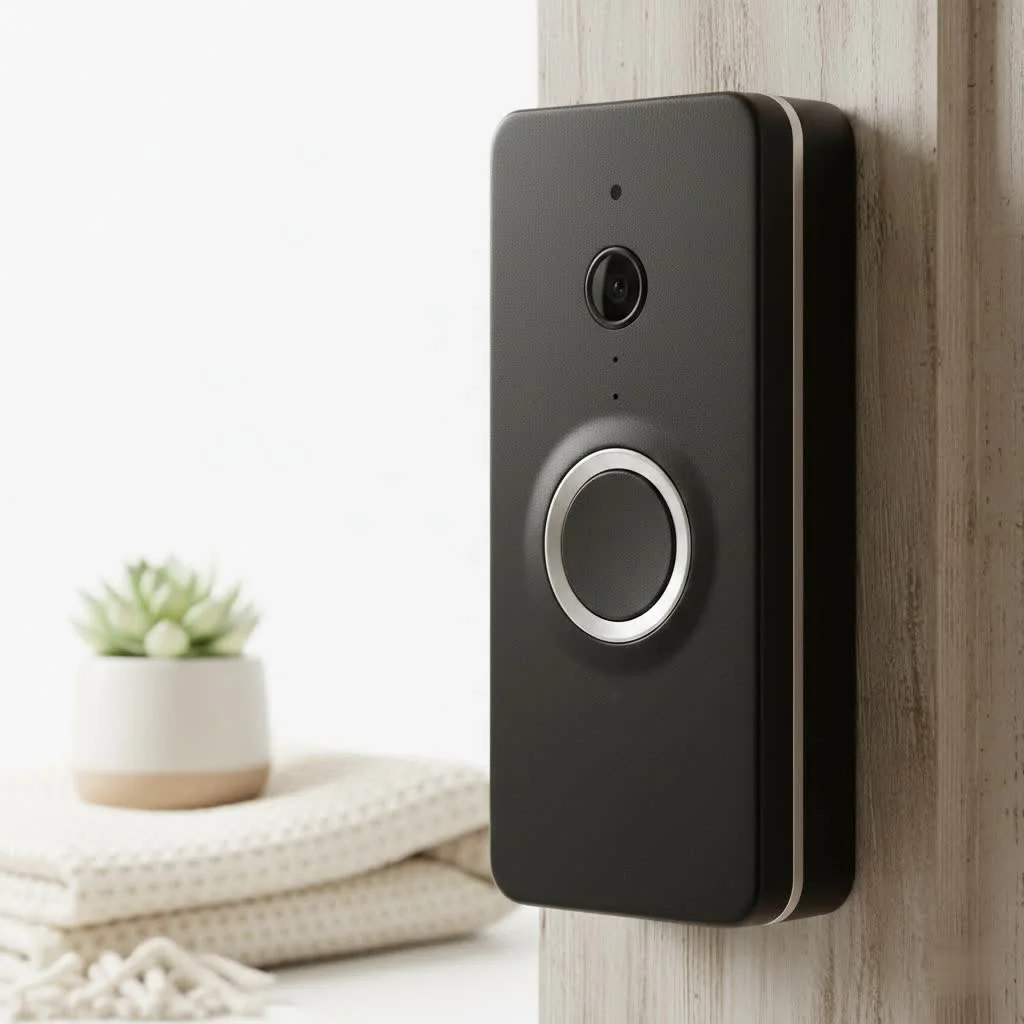
Smart video doorbells offer far more than just an announcement of a visitor. They provide convenience, peace of mind, and an unparalleled level of control, making them an essential component of a modern, secure home.
What Can a Smart Video Doorbell Do for You? Exploring Key Features
Smart video doorbells are packed with features designed to enhance your home’s security and daily convenience, acting as vigilant guardians for your entryway.
Core Capabilities: The Essentials
Every good smart video doorbell offers a foundation of critical features:
- HD Video Quality: Most smart video doorbells record in high definition, often 1080p, ensuring clear and detailed footage. Some advanced models offer 2K or 4K resolution for even crisper images, allowing zooming without losing crucial details.
- Wide-Angle Lens: A wide-angle lens typically provides a 160-degree or wider field of view, giving you a comprehensive look at your doorstep and surrounding area. This is vital for seeing packages or someone lingering to the side of your door.
- Night Vision: Night vision, often infrared, ensures that your doorbell captures clear footage even in complete darkness, offering round-the-clock monitoring. Some premium models boast color night vision.
- Two-Way Audio: With a built-in microphone and speaker, you can have a direct conversation with visitors through your smartphone app, no matter where you are. It’s perfect for giving instructions to delivery drivers or greeting friends.
- Motion Detection and Alerts: Smart doorbells detect movement near your door and send instant notifications to your phone, even if the doorbell button isn’t pressed. This acts as a proactive security measure, alerting you to potential intruders. You can often customize motion zones to reduce false alarms.
Advanced Features: Taking Security to the Next Level
Beyond the basics, many smart video doorbells integrate modern technology for enhanced protection and smarter interactions:
- Person, Package, and Vehicle Detection: Many advanced models can differentiate between people, packages, and vehicles, sending more relevant notifications. This means you’ll know if a package has been dropped off or if an unfamiliar vehicle is loitering.
- Facial Recognition: Some high-end doorbells, like certain Nest models, can learn familiar faces and notify you by name when a known individual arrives. This adds a personal touch and helps filter out less important alerts.
- AI-Powered Smart Video Search: Ring’s new Smart Video Search uses Visual Language Modeling (VLM) to let you search your video history using natural language queries for specific activities, objects, animals, or even times. This feature significantly reduces the time spent scrolling through footage.
- Alexa+ Greetings: This innovative feature, offered by Ring, transforms your doorbell into an intelligent assistant. Alexa+ Greetings can determine who’s at your door, understand their needs, and respond conversationally based on your personalized instructions.
- Smart Home Integration: Video doorbells often seamlessly integrate with other smart home devices like smart locks, lighting, and voice assistants (Amazon Alexa, Google Assistant, Apple HomeKit). For example, you could set up a routine where smart lights turn on when motion is detected at the doorbell.
Wired or Wireless: Choosing the Right Power Source
When diving into the world of smart video doorbells, one of the first decisions you’ll face is whether to go with a wired or wireless (battery-powered) option. Both have their perks!
Wired Smart Doorbells
|
Our Picks for the Best Smart Doorbell in 2026
As an Amazon Associate I earn from qualifying purchases.
|
||
| Num | Product | Action |
|---|---|---|
| 1 | ecobee Smart Video Doorbell Camera (Wired) - with Industry Leading HD Camera, Smart Security, Night Vision, Person and Package Sensors, 2-Way Talk, and Video & Snapshot Recording |

|
| 2 | Tapo TP-Link Smart Video Doorbell Camera, Chime Included, 2K 5MP, Color Night Vision, 2-Way Audio, Free AI Detection, Cloud/SD Card Storage, Works w/Alexa & Google Home, D230S1 |
|
| 3 | Google Nest Doorbell (Wired, 3rd Gen) - 2K Video and Gemini, Live View, Night Vision, 2-Way Audio - Works with Google Home - 2025 Model - Hazel |
|
| 4 | Anti-Theft Video Doorbell Mount Compatible with Arlo Video Doorbell/Blink Doorbell Camera, Anti-Blocks Motion Sensor, Adjustable Mounting Bracket Accessories for Houses/Apartments/Rentals-Silver |
|
| 5 | Tapo by TP-Link Smart Video Doorbell Camera with Chime, Battery or Wired, 2K QHD Color Night Vison, No Monthly Fee, 180° Ultra-Wide Head-to-Toe View, Ring Call, Free AI Detection, Local Storage (D225) |
|
| 6 | Arlo Video Doorbell 2K (2nd Gen, Latest Release), Wireless or Wired Option, 2-Way Audio, Night Vision, Head to Toe Video View, Package Detection, Person & Vehicle Recognition, 1-Month Secure Plan |
|
| 7 | 1080P Smart Wireless Video Doorbell Camera with AI Motion Detection, Night Vision, Two-Way Talk, Cloud Storage, Indoor/Outdoor Surveillance, Battery Powered, 2.4GHz Wi-Fi |
|
| 8 | Tapo by TP-Link Smart Video Doorbell Camera Wireless with Chime, 2K with Full Color Night Vision & Spotlights, No Monthly Fee, Ring Call, 160° Ultra-Wide View, Free AI Detection, Local Storage,D210 |
|
| 9 | 1080p Smart Video Doorbell Camera with AI Motion Detection, Night Vision, Cloud Storage, 2 Way Audio, Battery Powered, 2.4GHz Wi-Fi Only |
|
| 10 | Google Nest Doorbell (Wired, 3rd Gen) - 2K Video and Gemini, Live View, Night Vision, 2-Way Audio - Works with Google Home - 2025 Model - Snow |
|
Wired doorbells connect to your home’s existing doorbell wiring. This means they draw continuous power, so you never have to worry about charging batteries. They typically connect to your existing indoor chime, providing that familiar “ding-dong” sound in addition to smartphone notifications.
- Pros: Continuous power, no battery charging, often more advanced features, potentially more reliable connectivity if wiring is good.
- Cons: Installation can be more complex, sometimes requiring an electrician if you don’t have existing wiring or if your chime isn’t compatible. They won’t work if your home loses power unless you have a backup power option.
Wireless (Battery-Powered) Smart Doorbells
Battery-powered doorbells offer incredible flexibility and ease of installation. You simply mount them where you need them, and they connect to your home Wi-Fi.
- Pros: Easy DIY installation, no existing wiring required, flexible placement.
- Cons: Batteries need regular recharging (which could be every few weeks to several months, depending on usage). Some models require you to remove the entire unit to charge, which can be inconvenient. They often don’t connect to your traditional indoor chime by default, relying solely on phone notifications or requiring a separate plug-in chime.
“Choosing between wired and wireless often comes down to your comfort level with DIY, existing home infrastructure, and how much you value battery-free operation,” notes Olivia Chen, a senior smart home architect at Boctj Labs. “Always check your Wi-Fi signal strength at the installation spot; a weak signal can cause delays or poor video quality for any smart doorbell.”
Installation and Configuration: Getting Your Smart Doorbell Up and Running
Installing a smart video doorbell might seem daunting, but many models are designed for straightforward DIY setup. Here’s a general overview of the steps involved:
Pre-Installation Checklist:
- Check Compatibility: If you’re going wired, ensure your existing doorbell wiring (typically 10-24 VAC) and mechanical chime are compatible. Digital chimes might require a special adapter.
- Wi-Fi Strength: Test your Wi-Fi signal at your doorbell location. A minimum upload speed of 2Mbps is usually recommended for smooth video streaming. If your signal is weak, consider a Wi-Fi extender or mesh network.
- Gather Tools: You’ll typically need a drill, drill bits, a screwdriver, a level, and the mounting hardware provided with your doorbell.
- Charge Battery (if applicable): For wireless models, fully charge the battery before installation.
Step-by-Step Installation (General Guide):
- Turn off Power: For wired installations, always turn off the power to your existing doorbell at your circuit breaker. Safety first!
- Remove Old Doorbell: Carefully unscrew and detach your existing doorbell, making sure the wires don’t slip back into the wall.
- Mount the Bracket: Use the provided mounting bracket as a template to mark drill holes. Drill pilot holes and insert wall anchors if needed. Feed the existing doorbell wires through the bracket’s hole (for wired models), then securely fasten the bracket to the wall.
- Connect Wiring (Wired Models): Attach one existing doorbell wire to each of the two terminal screws on the mounting bracket. It usually doesn’t matter which wire goes to which screw, just ensure a good, secure connection.
- Attach the Doorbell: Gently push your smart video doorbell onto the mounting bracket until it clicks into place. Secure it with any provided security screws at the bottom.
- Restore Power & Configure: Turn the power back on. The doorbell’s LED light should flash as it powers up. Download the manufacturer’s app (e.g., Ring app, Google Home app) and follow the on-screen instructions to connect your doorbell to your Wi-Fi network and complete the setup.
- Test: Test the camera feed, two-way audio, and motion detection. Adjust sensitivity and motion zones as needed to avoid unnecessary alerts.
When to Call a Pro: If you don’t have existing doorbell wiring, are unsure about working with electrical components, or want a perfectly integrated smart home system, it’s always wise to call a professional electrician or smart home installer. They can ensure a safe and optimal setup.
Comparing Top Smart Video Doorbell Brands
The market is brimming with fantastic smart video doorbells, each with its strengths. Here’s a look at some of the leading brands and what sets them apart:
- Ring: A pioneer in the smart doorbell space, Ring offers a wide array of wired and battery-powered options. They are known for their user-friendly app, robust motion detection, and seamless integration with the Amazon Alexa ecosystem. Recent innovations like Smart Video Search and Alexa+ Greetings demonstrate their commitment to AI-powered features. However, many advanced features and cloud storage require a Ring Protect subscription.
- Google Nest: Nest doorbells, like the Nest Hello (wired) and Nest Doorbell (battery), are praised for their sleek design, excellent HDR video quality, and strong integration with Google Assistant and the Google Home ecosystem. They often include advanced features like facial recognition (with a Nest Aware subscription) and can announce familiar faces on Google smart speakers. The battery model even offers some subscription-free features like three hours of event history.
- Eufy: Eufy stands out by offering many features without a mandatory subscription for cloud storage. Many of their doorbells, like the Eufy Video Doorbell Dual, come with a HomeBase that provides local storage (often 16GB). The Dual model even boasts two cameras for a head-to-toe view and package monitoring. Eufy provides great value for those looking to avoid recurring fees.
- Arlo: Arlo’s doorbells, such as the Arlo Essential Video Doorbell Wire-Free, are known for their excellent video quality and seamless integration with the wider Arlo security camera system. They offer easy setup and good battery life, though a subscription to Arlo Secure is needed to unlock full features like cloud storage.
- Blink: An Amazon-owned brand, Blink offers budget-friendly, battery-powered video doorbells that are easy to install. While video quality might be average, the option to record locally to a Blink Sync Module 2 makes it an appealing choice for cost-conscious users who want to avoid subscriptions.
- Netatmo: The Netatmo Smart Video Doorbell is another excellent subscription-free option, recording video to a built-in microSD card. It requires a wired power supply and supports Apple HomeKit.
Troubleshooting Common Smart Video Doorbell Issues
Even the smartest technology can have a hiccup now and then. Here are some common issues and quick tips to get your video doorbell back on track:
- No Notifications or Delayed Alerts: This is often a Wi-Fi or app setting issue.
- Check Wi-Fi: Ensure your doorbell is within range of your router and has a strong signal. Weak Wi-Fi can cause delays. Consider a range extender.
- App Settings: Verify that notifications are enabled in your doorbell’s app and your phone’s system settings.
- Power: For battery models, check the battery level. For wired models, ensure power is on at the breaker and connections are secure.
- Poor Video Quality (Pixelated, Choppy):
- Wi-Fi Speed: Again, check your internet upload speed. If it’s too low, the video stream will suffer.
- Network Congestion: If many devices are using your Wi-Fi, it might impact doorbell performance.
- Lens Cleanliness: A simple smudge on the lens can significantly degrade video quality. Give it a gentle wipe!
- False Motion Alerts:
- Adjust Motion Zones: Most apps allow you to define specific areas for motion detection, excluding busy streets or swaying trees.
- Sensitivity Settings: Lower the motion sensitivity in the app.
- AI Detection: If your doorbell has person/package detection, ensure it’s enabled to filter out irrelevant motion.
- Doorbell Not Ringing/Chime Issues:
- Wired Setup: Ensure correct wiring to your existing chime and check if a digital chime adapter is needed and installed correctly.
- Wireless Setup: If battery-powered, it might not work with your existing chime. Check if you need a separate plug-in chime or if your smart speakers are configured to announce visitors.
- App Chime: Verify that the in-app chime sound is enabled on your phone.
“Always start with the simplest solutions, like checking your Wi-Fi and app settings,” advises Sarah Davis, a senior field engineer at Boctj.com. “Nine times out of ten, a small tweak can resolve a seemingly complex problem.”
Frequently Asked Questions About Smart Video Doorbells
Q1: Do I need a subscription for a smart video doorbell?
A1: While many smart video doorbells offer basic live viewing and notifications without a subscription, most manufacturers require a monthly or yearly fee (e.g., Ring Protect, Nest Aware) to access advanced features like video recording history, person/package detection, and cloud storage. Brands like Eufy, Netatmo, and Ezviz often provide local storage options, reducing or eliminating the need for a subscription.
Q2: How long do battery-powered video doorbells last on a single charge?
A2: Battery life varies significantly depending on the model, usage (how often it detects motion or rings), and settings (e.g., video quality, night vision). Most battery-powered doorbells can last anywhere from a few weeks to several months (e.g., Ezviz DB2 promises four months) before needing a recharge. Some models offer solar panel accessories to extend battery life.
Q3: Can a smart video doorbell replace my existing security cameras?
A3: A smart video doorbell is an excellent addition to your security setup, providing a focused view of your entryway. However, it typically has a limited field of view compared to dedicated security cameras placed strategically around your property. While it monitors your front door effectively, for comprehensive home surveillance, dedicated security cameras in other vulnerable areas are often recommended.
Q4: Are smart video doorbells compatible with all smart home systems?
A4: Most smart video doorbells integrate with popular smart home ecosystems like Amazon Alexa and Google Assistant, allowing you to view feeds on smart displays or receive announcements on smart speakers. Compatibility with Apple HomeKit is less common but available on some models (e.g., Netatmo, Aqara). It’s crucial to check the specific compatibility of a doorbell with your existing smart home system before purchasing.
Q5: What kind of Wi-Fi speed do I need for a video doorbell?
A5: A reliable internet connection is vital for optimal performance. You generally need at least 2 Mbps of upload speed at the doorbell’s location to ensure smooth, high-quality video streaming and timely notifications. If your Wi-Fi signal is weak or speeds are low, you might experience delays, choppy video, or connectivity issues.
Conclusion: Securing Your Home with Smart Video Doorbells
In an changing world, a smart video doorbell is more than just a gadget—it’s a critical tool for modern home security and convenience. From seeing who’s at your door when you’re away to deterring potential intruders and never missing a package delivery, the benefits are undeniable. By understanding the different types, features, installation nuances, and top brands, you can confidently choose a smart video doorbell that perfectly fits your home and lifestyle.
The rapid advancements in AI, like Ring’s Smart Video Search and Alexa+ Greetings, are continually pushing the boundaries of what these devices can do, making them smarter and more intuitive than ever before. So, take the leap, upgrade your home security, and experience the peace of mind that comes with a smart video doorbell. Your front door will thank you, and you’ll wonder how you ever lived without it!
Frequently Asked Questions
Do I need a subscription for a smart video doorbell?
While many smart video doorbells offer basic live viewing and notifications without a subscription, most manufacturers require a monthly or yearly fee (e.g., Ring Protect, Nest Aware) to access advanced features like video recording history and cloud storage. Brands like Eufy and Netatmo often provide local storage options, reducing or eliminating the need for a subscription.
How long do battery-powered video doorbells last on a single charge?
Battery life varies significantly based on the model, usage, and settings. Most battery-powered doorbells can last anywhere from a few weeks to several months (e.g., Ezviz DB2 promises four months) before needing a recharge. Some models offer solar panel accessories to extend battery life.
Can a smart video doorbell replace my existing security cameras?
A smart video doorbell is an excellent addition to your security setup, providing a focused view of your entryway. However, it typically has a limited field of view compared to dedicated security cameras placed strategically around your property. For comprehensive home surveillance, dedicated security cameras in other vulnerable areas are often recommended.
Are smart video doorbells compatible with all smart home systems?
Most smart video doorbells integrate with popular smart home ecosystems like Amazon Alexa and Google Assistant, allowing you to view feeds on smart displays or receive announcements on smart speakers. Compatibility with Apple HomeKit is less common but available on some models (e.g., Netatmo, Aqara). It's crucial to check the specific compatibility of a doorbell with your existing smart home system before purchasing.
What kind of Wi-Fi speed do I need for a video doorbell?
A reliable internet connection is vital for optimal performance. You generally need at least 2 Mbps of upload speed at the doorbell's location to ensure smooth, high-quality video streaming and timely notifications. If your Wi-Fi signal is weak or speeds are low, you might experience delays, choppy video, or connectivity issues.
Install a Smart Video Doorbell
This guide provides general steps for installing a smart video doorbell, covering both wired and wireless models. Always refer to your specific doorbell's manual for detailed instructions.
For wired installations, ensure your existing doorbell wiring (typically 10-24 VAC) and mechanical chime are compatible. Test your Wi-Fi signal at the doorbell location, aiming for at least 2Mbps upload speed. Gather tools like a drill, screwdriver, and mounting hardware, and fully charge the battery for wireless models.
For wired setups, turn off power at the circuit breaker. Carefully remove your existing doorbell, ensuring wires don't slip into the wall. Use the new doorbell's mounting bracket as a template to mark and drill pilot holes, then securely fasten the bracket to the wall, feeding wires through if applicable.
For wired models, attach one existing doorbell wire to each of the two terminal screws on the mounting bracket, ensuring a secure connection. Gently push your smart video doorbell onto the mounting bracket until it clicks into place, securing it with any provided security screws.
Turn the power back on. The doorbell's LED light should flash as it powers up. Download the manufacturer's app (e.g., Ring app, Google Home app) and follow the on-screen instructions to connect your doorbell to your Wi-Fi network and complete the setup process.
Test the camera feed, two-way audio, and motion detection features. Adjust sensitivity and motion zones as needed within the app to avoid unnecessary alerts from passing cars or swaying trees, optimizing your doorbell's performance.
Smart home that does not lock you in
Free PDF — protocol compatibility matrix for 30 hubs and devices.
I finally upgraded to a smart video doorbell after a package was stolen from my porch last month. The real-time alerts and recorded footage have given me so much peace of mind. I can see exactly who’s at my door even when I’m not home, and the two-way audio is great for telling delivery drivers where to leave things. It’s been a game-changer for my home security.
I’ve been using one of the top brands mentioned for about three months now, and it’s mostly fantastic. The motion detection is super sensitive, which is good, but sometimes it picks up cars driving by on the street, sending me a lot of unnecessary notifications. I wish there was a better way to fine-tune the detection zones to avoid that. Otherwise, being able to speak to visitors remotely is incredibly convenient.
This device has truly transformed my entryway into an intelligent command center, just like it said! I love being able to see and hear who’s at the door from my phone, no matter where I am. It’s especially useful when I’m at work and my kids get home from school. The peace of mind it provides is invaluable, and installation was surprisingly straightforward.
I got a smart video doorbell hoping to integrate it seamlessly with my existing smart home setup, but the app can be a bit clunky. It takes a few seconds longer than I’d like to load the live feed, and sometimes the connection drops. The high-definition camera is great when it works, but the software side could use some improvement for a smoother user experience.