Picture this: You’re miles away from home, perhaps on vacation or just at work, and your smartphone buzzes. It’s an alert from your front door. With a quick tap, you see a delivery driver leaving a package, or perhaps a friend stopping by unexpectedly. This isn’t science fiction; it’s the everyday reality enabled by a smart home video doorbell. These ingenious devices are revolutionizing how we interact with our doorsteps, blending convenience, security, and peace of mind into one sleek package. At Boctj.com, we believe a truly smart home starts at the entrance, and understanding your smart home video doorbell is the first step towards a truly secure and connected living space.
What Exactly is a Smart Home Video Doorbell?
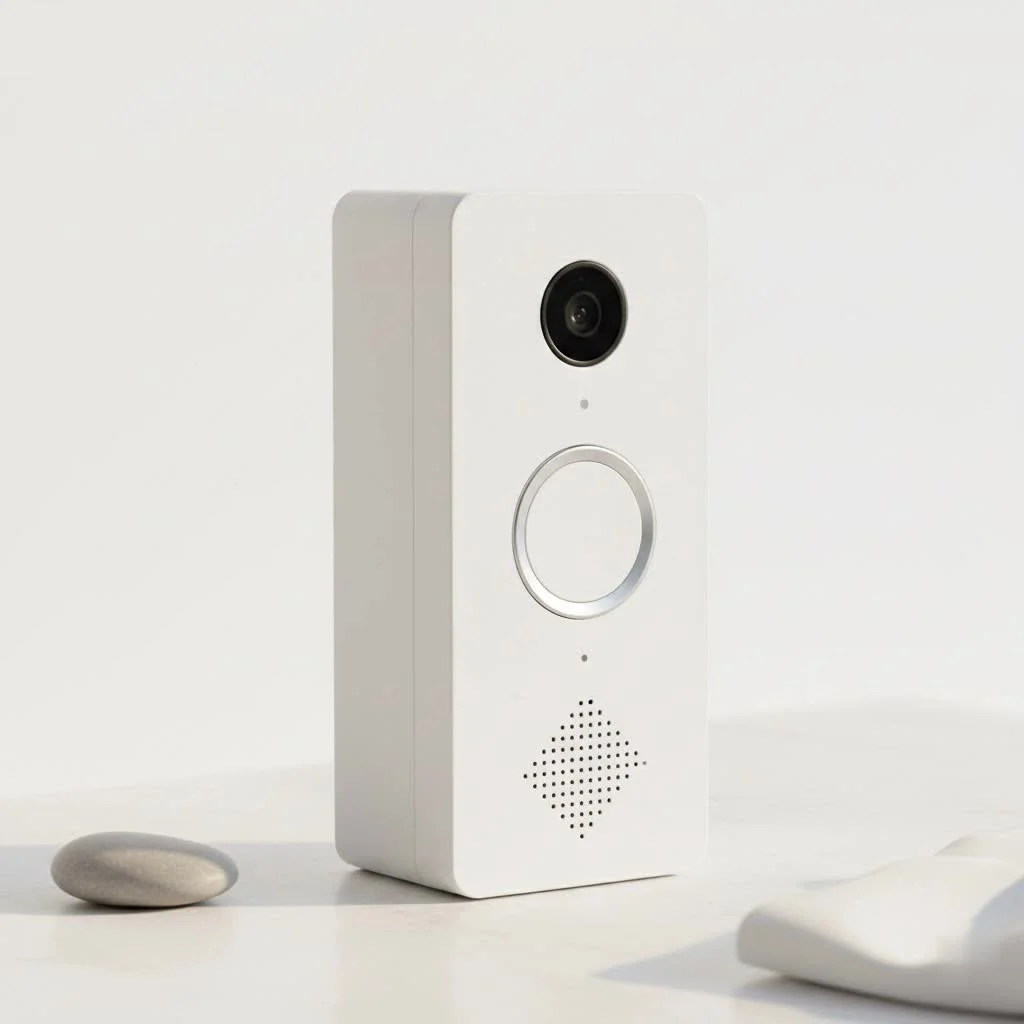
At its core, a smart home video doorbell is an internet-connected doorbell equipped with a camera, microphone, and speaker, allowing you to see, hear, and speak to visitors from anywhere using a smartphone app. Think of it as an upgraded version of your traditional doorbell, but with superpowers. When someone rings the doorbell or triggers its motion sensors, you receive an instant notification on your device, along with a live video feed. It’s like having eyes and ears permanently stationed at your front door, offering unparalleled control and awareness.
Why are they essential for modern homes? Beyond the obvious convenience, they provide a crucial layer of security, acting as a deterrent to potential intruders and a watchful guardian for your deliveries. “A smart home video doorbell isn’t just a gadget; it’s your virtual presence, ensuring you never miss a beat at your front door, whether you’re home or away,” says Maya Sharma, a smart home technology expert with over a decade of experience in developing integrated security solutions.
Unpacking the Power: Key Features of Smart Home Video Doorbells
The magic of a smart home video doorbell lies in its robust feature set. These aren’t just simple cameras; they’re sophisticated security hubs.
Crystal Clear Vision: Video Quality and Night Vision
A top-tier smart home video doorbell boasts high-definition (HD) video quality, often ranging from 1080p to stunning 2K or even 4K resolution. This ensures you can clearly identify faces, read package labels, and discern details day or night. Many models also include High Dynamic Range (HDR) for balanced exposure in varied lighting conditions and advanced color night vision, transforming murky monochrome into vibrant clarity even in low light. Some cutting-edge designs even offer a 1:1 aspect ratio, giving you a head-to-toe view of visitors and packages right on your doorstep.
Hear and Be Heard: Two-Way Audio
|
Our Picks for the Best Smart Doorbell in 2026
As an Amazon Associate I earn from qualifying purchases.
|
||
| Num | Product | Action |
|---|---|---|
| 1 | Google Nest Doorbell (Wired, 3rd Gen) - 2K Video and Gemini, Live View, Night Vision, 2-Way Audio - Works with Google Home - 2025 Model - Snow |

|
| 2 | Google Nest Doorbell (Wired, 3rd Gen) - 2K Video and Gemini, Live View, Night Vision, 2-Way Audio - Works with Google Home - 2025 Model - Hazel |
|
| 3 | ecobee Smart Video Doorbell Camera (Wired) - with Industry Leading HD Camera, Smart Security, Night Vision, Person and Package Sensors, 2-Way Talk, and Video & Snapshot Recording |
|
| 4 | Arlo Video Doorbell 2K (2nd Gen, Latest Release), Wireless or Wired Option, 2-Way Audio, Night Vision, Head to Toe Video View, Package Detection, Person & Vehicle Recognition, 1-Month Secure Plan |
|
| 5 | 1080p Smart Video Doorbell Camera with AI Motion Detection, Night Vision, Cloud Storage, 2 Way Audio, Battery Powered, 2.4GHz Wi-Fi Only |
|
| 6 | Tapo by TP-Link Smart Video Doorbell Camera Wireless with Chime, 2K with Full Color Night Vision & Spotlights, No Monthly Fee, Ring Call, 160° Ultra-Wide View, Free AI Detection, Local Storage,D210 |
|
| 7 | Tapo by TP-Link Smart Video Doorbell Camera with Chime, Battery or Wired, 2K QHD Color Night Vison, No Monthly Fee, 180° Ultra-Wide Head-to-Toe View, Ring Call, Free AI Detection, Local Storage (D225) |
|
| 8 | Anti-Theft Video Doorbell Mount Compatible with Arlo Video Doorbell/Blink Doorbell Camera, Anti-Blocks Motion Sensor, Adjustable Mounting Bracket Accessories for Houses/Apartments/Rentals-Silver |
|
| 9 | 1080P Smart Wireless Video Doorbell Camera with AI Motion Detection, Night Vision, Two-Way Talk, Cloud Storage, Indoor/Outdoor Surveillance, Battery Powered, 2.4GHz Wi-Fi |
|
| 10 | Tapo TP-Link Smart Video Doorbell Camera, Chime Included, 2K 5MP, Color Night Vision, 2-Way Audio, Free AI Detection, Cloud/SD Card Storage, Works w/Alexa & Google Home, D230S1 |
|
Beyond just seeing, the ability to communicate directly with whoever is at your door is a game-changer. Two-way audio allows for natural, real-time conversations. You can instruct a delivery driver to leave a package in a specific spot, chat with a neighbor, or even politely tell a solicitor you’re not interested, all without opening the door or even being physically present. It’s about maintaining control and giving you the flexibility to manage interactions on your terms.
Beyond the Ring: Advanced Motion Detection
Modern smart home video doorbells do more than just notify you when the button is pressed. Their advanced motion detection capabilities are truly remarkable. Basic motion sensors detect movement, but smarter systems use AI to differentiate between people, vehicles, pets, and even packages. Some premium models even feature 3D radar motion detection, offering incredibly precise tracking of movement and “bird’s-eye view” mapping of visitor paths. This intelligent detection significantly reduces false alarms, meaning you only get alerts for what truly matters. Many also allow you to customize motion zones, focusing the detection area on your porch and avoiding triggers from passing traffic or pedestrians.
Your Digital Watchdog: Cloud vs. Local Storage Options
What happens to all that captured footage? Smart doorbells offer various storage solutions. Cloud storage, often requiring a monthly subscription, provides secure off-site storage and easy access to your video history from anywhere. Many brands, such as Ring and Nest, offer tiered subscription plans with different durations of video history and additional features like advanced object detection or familiar face recognition. However, if you prefer to avoid recurring fees, some smart home video doorbells, notably from brands like Eufy and Wyze, provide local storage via an SD card or a dedicated home base, giving you greater control over your data without ongoing costs.
Seamless Connectivity: Smart Home Integration
A truly “smart home” device plays well with others. Your smart home video doorbell should integrate effortlessly with your existing smart home ecosystem. Most are compatible with major platforms like Amazon Alexa and Google Home, allowing you to view live feeds on smart displays (like an Echo Show or Google Nest Hub) or receive voice announcements when someone is at the door. Some high-end models also support Apple HomeKit for those deeply invested in the Apple ecosystem, offering centralized control through the Home app. This integration transforms your doorbell into a vital component of a larger, interconnected home security and automation system.
Powering Your Peace of Mind: Wired, Wireless, and Battery Options
When choosing a smart home video doorbell, considering its power source is crucial.
- Wired Doorbells: These connect to your home’s existing doorbell wiring (typically low voltage), providing continuous power. This means no battery charging and often enables advanced features like 24/7 continuous recording (with a subscription, like some Nest models). Installation can be slightly more involved but provides a consistent power supply.
- Battery-Powered Doorbells: Offering ultimate flexibility, these are ideal for homes without existing doorbell wiring or for renters. They can be installed almost anywhere and are powered by rechargeable batteries. While incredibly convenient, you’ll need to periodically recharge the battery, and battery life can vary significantly based on usage, temperature, and settings.
- Wireless Doorbells (Battery/Solar): While often battery-powered, some models are explicitly marketed as wireless to emphasize their ease of installation without traditional wiring. A few innovative solutions even incorporate small solar panels for trickle charging, extending the time between manual recharges.
Getting Started: A Step-by-Step Guide to Installation and Configuration
Installing a smart home video doorbell might seem daunting, but for most DIY enthusiasts, it’s a straightforward process. Having helped countless Boctj.com readers through this, I can tell you that a little preparation goes a long way.
Pre-Installation Checklist
Before you even touch a screwdriver, gather your tools and check compatibility:
- Check Existing Wiring (for wired models): Ensure your current doorbell system is wired, not wireless, and that your transformer meets the voltage requirements (typically 16-24VAC).
- Wi-Fi Strength: Test your Wi-Fi signal at the doorbell’s proposed location. A strong, stable 2.4 GHz network connection is essential for reliable performance. You might need a Wi-Fi extender if the signal is weak.
- Download the App: Install the manufacturer’s companion app on your smartphone and create an account. This app will guide you through setup and allow you to control your doorbell.
- Charge Battery (for battery models): If you have a battery-powered unit, fully charge the battery before beginning installation.
Mounting Your Smart Doorbell
Most smart home video doorbells come with a mounting bracket and all necessary hardware.
- Choose Location: The ideal spot is usually where your old doorbell was. Aim for about 5 feet off the ground for the best view and motion detection angle.
- Remove Old Doorbell: Carefully unscrew and detach your existing doorbell button. If it’s wired, gently pull the wires out and ensure they don’t slip back into the wall.
- Mark and Drill: Use the mounting bracket as a template to mark screw holes on your wall. Drill pilot holes if needed, especially for brick or concrete, and insert wall anchors.
- Attach Bracket: Secure the mounting bracket firmly to the wall with the provided screws.
Wiring (if applicable)
If you’re installing a wired smart home video doorbell:
- Connect Wires: Loosen the terminal screws on the back of your new doorbell or mounting bracket. Connect your existing doorbell wires to these terminals according to the manufacturer’s instructions.
- Install Chime Kit (if required): Some wired doorbells require a “chime kit” or “power kit” to be installed in your indoor chime box. Follow the specific instructions for your model carefully to ensure proper power delivery and chime functionality.
- Attach Doorbell: Gently push any excess wiring back into the wall and attach the doorbell unit to its mounting bracket. Secure it with the small security screw usually located at the bottom.
Connecting to Your Smart Home Ecosystem
Once physically installed and powered up:
- Pair with App: Open the doorbell’s app on your smartphone. It will typically guide you through connecting the device to your home Wi-Fi network.
- Configure Settings: Follow the on-screen prompts to name your doorbell, set up motion detection sensitivity, define activity zones, and configure alert preferences.
- Integrate Smart Assistants: If you plan to connect with Alexa or Google Home, open their respective apps and follow the instructions to link your doorbell. This often involves enabling a “skill” or “service” for your doorbell brand.
The Big Players: Comparing Top Smart Home Video Doorbell Brands
The market for smart home video doorbells is thriving, with several brands vying for your attention. Each brings its unique strengths, catering to different needs and preferences.
Ring: The Established Giant
Owned by Amazon, Ring is arguably the most recognizable brand. They offer a wide range of smart home video doorbells, from budget-friendly battery models to advanced wired options like the Ring Video Doorbell Pro 2, which boasts 3D radar motion detection and a “bird’s-eye view.” Ring doorbells excel in integration with the Alexa ecosystem, making them a natural choice for Amazon smart home users. Many features, especially video recording history, require a Ring Protect subscription.
Google Nest: Smart Alerts and Ecosystem Synergy
Google’s Nest doorbells are renowned for their intelligent alerts and seamless integration with the Google Home ecosystem. The Nest Doorbell (battery) and Nest Doorbell (wired) offer features like familiar face recognition and package detection, often enhanced with a Nest Aware subscription. Their notifications are often praised for their speed and animated previews, giving you a quick glance at what triggered the alert.
Arlo: Versatility and High-Quality Video
Arlo, known for its security cameras, extends its expertise to smart home video doorbells. The Arlo Video Doorbell (available in wired and battery versions) provides sharp HD or 2K video with a wide field of view, including a useful 1:1 aspect ratio for a full head-to-toe view. Arlo offers flexible power options and plays well with multiple smart home platforms. Like Ring, advanced features and cloud storage typically require an Arlo Secure subscription.
Eufy: Subscription-Free Security
Eufy stands out for its commitment to subscription-free security, often offering local storage via an SD card or home base. Their smart home video doorbells, such as the Eufy Video Doorbell Dual (E340), feature impressive 2K video, dual cameras for package monitoring, and advanced AI detection without monthly fees for basic functionality. This makes Eufy a strong contender for those looking to avoid ongoing costs.
Other Notable Mentions (Wyze, Tapo)
Brands like Wyze and Tapo offer compelling, budget-friendly smart home video doorbell options. Wyze is known for its affordable 2K HD doorbells with local recording capabilities, while Tapo also provides robust features at a competitive price, often appealing to users building a smart home on a budget.
| Brand | Key Strengths | Power Options | Subscription Model | Smart Home Integration |
|---|---|---|---|---|
| Ring | Wide range, Alexa integration, radar detection | Wired, Battery | Required for full features | Alexa (strong) |
| Google Nest | Intelligent alerts, face recognition, 24/7 recording | Wired, Battery | Required for advanced/24/7 | Google Home (strong) |
| Arlo | High-res video, versatile power, multi-platform | Wired, Battery | Required for advanced/cloud | Alexa, Google, HomeKit |
| Eufy | Subscription-free for local storage/AI, dual-cam | Wired, Battery | Optional for extended cloud | Alexa, Google |
| Wyze | Budget-friendly, 2K video, local storage | Wired, Battery | Optional for extended cloud | Alexa, Google |
When Things Go Bump: Troubleshooting Common Smart Home Video Doorbell Issues
Even the most advanced smart home video doorbell can encounter a hiccup or two. Don’t worry, many common problems have simple DIY fixes. As a seasoned veteran in smart home technology, I’ve seen it all, and most issues stem from a few predictable sources.
“My Doorbell Isn’t Ringing!” (Power/Chime Issues)
If your smart doorbell isn’t making a sound, it’s often a power issue for wired units or a battery problem for wireless ones.
- Check Power: For wired doorbells, ensure your circuit breaker hasn’t tripped. Test the voltage at the doorbell’s wires with a multimeter if you’re comfortable. For battery models, check the app for battery health and recharge if low.
- Chime Compatibility: Some smart doorbells require specific chime types (mechanical vs. digital) or a chime adapter. Ensure it’s correctly installed and configured in the app.
- Reset: A simple reset of the doorbell or the chime unit (unplugging for 30 seconds) can often resolve minor glitches.
“Wi-Fi Woes: Connection Dropouts and Delays”
A smart home video doorbell lives and dies by its Wi-Fi connection. Poor connectivity leads to delayed notifications, pixelated video, or complete disconnections.
- Signal Strength: Use your phone to check Wi-Fi signal strength at the doorbell’s location. If weak, consider a Wi-Fi extender or repositioning your router.
- Router Reboot: A quick reboot of your home router can often clear up network congestion and refresh connections.
- Network Band: Most doorbells operate on the 2.4 GHz Wi-Fi band. Ensure your router is configured correctly and prioritize the doorbell on that band if possible.
- Interference: Other electronic devices, thick walls, or even large metal objects can interfere with Wi-Fi signals. Try to minimize these barriers.
“Battery Draining Too Fast”
If your battery-powered smart home video doorbell needs frequent recharging, several factors could be at play.
- Motion Sensitivity: High motion detection sensitivity or a busy area (like a street) can lead to constant recording and alerts, rapidly draining the battery. Reduce sensitivity or refine activity zones.
- Cold Weather: Batteries perform poorly in extreme cold, significantly reducing their lifespan between charges.
- Weak Wi-Fi: When the doorbell struggles to maintain a Wi-Fi connection, it expends more energy, leading to faster drain. Improve your signal as discussed above.
“False Alarms: Taming Motion Detection”
Getting constant notifications from passing cars or neighborhood cats can be annoying.
- Activity Zones: Most smart doorbells allow you to draw specific “activity zones” in the app, focusing motion detection only on your property and excluding public sidewalks or roads.
- Sensitivity Settings: Adjust the motion sensitivity level in your doorbell’s app. Start low and gradually increase until you find the sweet spot that captures relevant events without constant false alarms.
- Object Detection: Ensure intelligent object detection (person, package, vehicle) is enabled if your doorbell offers it, so you’re only alerted to specific types of movement.
Expert Tip: “Regularly updating your smart doorbell’s firmware and its companion app is crucial. Manufacturers often release updates that improve performance, enhance security, and fix bugs, directly impacting your device’s reliability and battery life.”
Beyond the Basic Ring: Advanced Tips for Maximizing Your Smart Doorbell
Once you’ve mastered the basics, here’s how to truly optimize your smart home video doorbell experience and integrate it deeper into your digital fortress:
- Fine-tune Motion Zones for Precision: Don’t just set wide motion zones. Spend time drawing precise shapes in your app to cover only your porch and immediate walkway, excluding areas like sidewalks or busy streets. This drastically cuts down on irrelevant notifications.
- Master Privacy Settings: Be mindful of privacy. Utilize privacy zones (if available) to black out parts of the camera’s view that might intrude on a neighbor’s property. Understand your device’s data retention policies and who has access to your footage.
- Integrate with Smart Locks and Lighting: This is where the “smart home” aspect truly shines. Link your smart doorbell to your smart lock to remotely unlock the door for trusted visitors. Integrate with smart lights so they illuminate automatically when motion is detected at night, not only enhancing visibility for your doorbell’s camera but also acting as an effective deterrent.
- Automate Responses: Some advanced doorbells allow you to set pre-recorded messages for when you’re busy or unavailable. This can be handy for telling delivery drivers where to leave a package or informing visitors you’ll be right there.
- Use Smart Displays: If you have an Amazon Echo Show or Google Nest Hub, leverage them to view your doorbell feed hands-free. A simple voice command can bring up the live view, allowing you to see who’s there while you’re cooking or relaxing.
FAQs About Smart Home Video Doorbells
Q: Do all smart doorbells require a monthly subscription?
A: No, not all smart doorbells require a monthly subscription. While many popular brands like Ring and Nest offer optional subscriptions for features like cloud video storage, advanced AI detection, and longer video history, brands like Eufy and Wyze often provide local storage options and core smart features without recurring fees, making them great choices for budget-conscious users.
Q: Can a smart doorbell really deter package theft?
A: Absolutely! A smart home video doorbell can significantly deter package theft. Its visible camera acts as a deterrent, and motion-activated recording captures evidence. Features like two-way audio allow you to verbally confront a potential thief, and some advanced models even have specific “package detection” alerts and pre-recorded messages to warn off porch pirates.
Q: How long do smart doorbell batteries last?
A: The battery life of a smart home video doorbell varies widely, typically ranging from a few weeks to several months on a single charge. Factors influencing this include usage frequency, the number of motion events, recording quality settings, and ambient temperature (cold weather can significantly reduce battery performance). Regular monitoring through the app helps manage expectations.
Q: Are smart doorbells difficult to install for a DIYer?
A: Most smart home video doorbells are designed for relatively easy DIY installation. Battery-powered models are particularly simple, requiring minimal tools. Wired models might involve a bit more work with existing doorbell wiring, but clear instructions and in-app guides make it manageable for anyone with basic home improvement skills. If in doubt, professional installation is always an option.
Q: What’s the best resolution for a smart doorbell camera?
A: While 1080p (Full HD) is a good standard for a smart home video doorbell, 2K resolution offers noticeably sharper details, especially when zooming in on faces or license plates. Some high-end models even offer 4K, providing the absolute best clarity. Consider 2K as an excellent balance between image quality, file size, and network bandwidth requirements for most users.
Conclusion
The smart home video doorbell has undeniably transformed our concept of home security and convenience. From remotely greeting visitors and monitoring deliveries to deterring unwanted guests, these devices offer a powerful combination of technology and peace of mind. As a creator for Boctj.com, I’ve seen firsthand how integrating a smart home video doorbell can empower homeowners, giving them unprecedented control over their front door. Whether you’re a tech-savvy early adopter or just beginning your smart home journey, understanding these devices is key to building a safer, more connected home. It’s time to upgrade your entry and experience the future of home security today – your front door will thank you!
Smart home that does not lock you in
Free PDF — protocol compatibility matrix for 30 hubs and devices.
