In today’s fast-paced world, keeping your home secure and connected has become more crucial than ever. The TP-Link Kasa Smart Doorbell, specifically the KD110 model, emerges as a compelling solution for homeowners looking to upgrade their entryway with intelligent features and reliable performance. This isn’t just a doorbell; it’s your virtual doorman, offering peace of mind and seamless integration into your smart home ecosystem. As a seasoned expert in smart home technology, I’ve seen countless devices, and the Kasa Smart Doorbell stands out for its impressive blend of advanced capabilities and user-friendly design, making sophisticated security accessible to everyone.
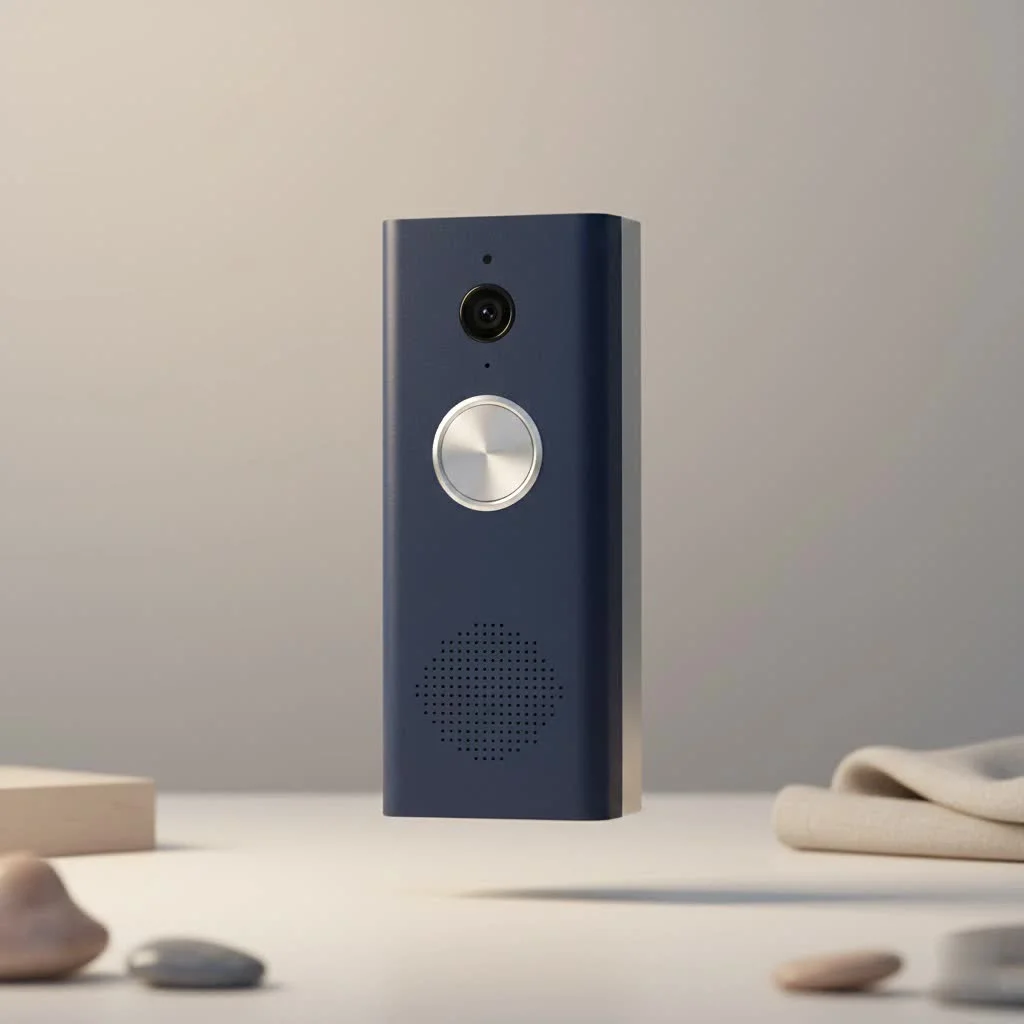
Understanding the TP-Link Kasa Smart Doorbell (KD110): A Closer Look
The TP-Link Kasa Smart Doorbell is a robust, wired video doorbell designed to replace your existing setup, bringing a new level of surveillance and communication to your front door. It’s built to be a permanent fixture, drawing power from your current doorbell wiring, which ensures consistent operation without the hassle of battery changes.
Key Specifications and Design
At its core, the KD110 boasts a high-resolution 3MP/2K camera, delivering crisp, clear video footage that captures intricate details. Its wide 160-degree diagonal field of view means you get an expansive look at your porch and beyond, minimizing blind spots. The compact design ensures it blends seamlessly with most home exteriors, offering both aesthetics and functionality. Unlike some battery-powered alternatives, its wired nature guarantees a stable connection and 24/7 reliability.
Why Choose Kasa? The Kasa Ecosystem Advantage
If you’re already part of the Kasa smart home family, integrating the TP-Link Kasa Smart Doorbell is a no-brainer. It works harmoniously with other Kasa devices like smart plugs and cameras, all managed through the intuitive Kasa app. This unified platform simplifies control and automation, allowing you to create comprehensive routines that enhance your home’s security and convenience. Beyond Kasa, it plays well with popular voice assistants such as Amazon Alexa, Google Assistant, and even Samsung SmartThings, offering flexible control options to suit your preferences.
Unpacking the Features That Matter Most
The TP-Link Kasa Smart Doorbell is packed with intelligent features designed to keep you informed and secure, whether you’re home or away. It’s more than just a device that tells you someone’s at the door; it’s a proactive security guardian.
Crystal-Clear Vision, Day and Night
With its 3MP/2K resolution, the Kasa Smart Doorbell captures stunningly clear video, allowing you to easily identify faces and objects. Whether it’s a bright sunny afternoon or the dead of night, the advanced night vision ensures that visibility remains excellent. The 160-degree wide-angle lens provides a panoramic view, so you won’t miss any crucial activity happening around your doorway. Even when zooming in, the video quality remains impressive, capturing every detail.
Smart Detection for Smarter Security
|
Our Picks for the Best Smart Doorbell in 2026
As an Amazon Associate I earn from qualifying purchases.
|
||
| Num | Product | Action |
|---|---|---|
| 1 | Arlo Video Doorbell 2K (2nd Gen, Latest Release), Wireless or Wired Option, 2-Way Audio, Night Vision, Head to Toe Video View, Package Detection, Person & Vehicle Recognition, 1-Month Secure Plan |

|
| 2 | 1080P Smart Wireless Video Doorbell Camera with AI Motion Detection, Night Vision, Two-Way Talk, Cloud Storage, Indoor/Outdoor Surveillance, Battery Powered, 2.4GHz Wi-Fi |
|
| 3 | ecobee Smart Video Doorbell Camera (Wired) - with Industry Leading HD Camera, Smart Security, Night Vision, Person and Package Sensors, 2-Way Talk, and Video & Snapshot Recording |
|
| 4 | Google Nest Doorbell (Wired, 3rd Gen) - 2K Video and Gemini, Live View, Night Vision, 2-Way Audio - Works with Google Home - 2025 Model - Snow |
|
| 5 | 1080p Smart Video Doorbell Camera with AI Motion Detection, Night Vision, Cloud Storage, 2 Way Audio, Battery Powered, 2.4GHz Wi-Fi Only |
|
| 6 | Google Nest Doorbell (Wired, 3rd Gen) - 2K Video and Gemini, Live View, Night Vision, 2-Way Audio - Works with Google Home - 2025 Model - Hazel |
|
| 7 | Tapo by TP-Link Smart Video Doorbell Camera with Chime, Battery or Wired, 2K QHD Color Night Vison, No Monthly Fee, 180° Ultra-Wide Head-to-Toe View, Ring Call, Free AI Detection, Local Storage (D225) |
|
| 8 | Anti-Theft Video Doorbell Mount Compatible with Arlo Video Doorbell/Blink Doorbell Camera, Anti-Blocks Motion Sensor, Adjustable Mounting Bracket Accessories for Houses/Apartments/Rentals-Silver |
|
| 9 | Tapo TP-Link Smart Video Doorbell Camera, Chime Included, 2K 5MP, Color Night Vision, 2-Way Audio, Free AI Detection, Cloud/SD Card Storage, Works w/Alexa & Google Home, D230S1 |
|
| 10 | Tapo by TP-Link Smart Video Doorbell Camera Wireless with Chime, 2K with Full Color Night Vision & Spotlights, No Monthly Fee, Ring Call, 160° Ultra-Wide View, Free AI Detection, Local Storage,D210 |
|
One of the standout features of the TP-Link Kasa Smart Doorbell is its intelligent detection capabilities. It goes beyond simple motion sensing with dedicated person detection, meaning you’ll get more relevant alerts and fewer false alarms triggered by pets or passing cars. You can also customize activity zones within the Kasa app, allowing you to specify areas where you want motion detected, further refining your notifications. Additionally, it offers both motion and sound detection, providing a comprehensive surveillance package for your entryway. The system is designed to capture 3-5 seconds of footage before an event, giving you a complete picture of what triggered the alert.
Two-Way Audio: Connect and Communicate
Imagine being able to speak directly to a delivery person or a visitor, even when you’re not home. The Kasa Smart Doorbell’s two-way audio feature makes this a reality. With a built-in microphone and speaker, you can have real-time conversations, offering instructions or simply letting someone know you’ll be right there. It’s a powerful tool for convenience and peace of mind.
Flexible Storage Options: Local and Cloud
TP-Link understands that storage is key for security footage. The Kasa Smart Doorbell offers 24/7 local storage via a microSD card (up to 128GB, sold separately), allowing for continuous recording without a subscription. This is a significant advantage, providing ongoing surveillance and historical footage right on the device. For those who wish to easily share recorded clips or access extended cloud-based features, a cloud subscription (Kasa Care) is available. While local storage is fantastic for constant recording, the cloud option adds flexibility for sharing and advanced analytics.
The Included Wireless Chime: Never Miss a Ring
The TP-Link Kasa Smart Doorbell comes with a convenient wireless chime extender that simply plugs into any wall outlet. This means you’re not restricted to your home’s existing chime, which can often be out of earshot. You can place the wireless chime in any room you choose, ensuring you hear the doorbell ring no matter where you are in your home. Setting it up is effortless; just plug it in and sync it with the doorbell.
Seamless Installation: Your Step-by-Step Guide
Installing the TP-Link Kasa Smart Doorbell might seem daunting, but it’s a remarkably DIY-friendly process. As someone who’s walked through countless installations, I can assure you that Kasa has made it as straightforward as possible.
Pre-Installation Checklist
Before you begin, gather your tools: a screwdriver, pliers, and potentially wire cutters. It’s also vital to:
- Test your current doorbell’s function: Ensure your existing doorbell works correctly before beginning the installation.
- Check Wi-Fi signal strength: Use your mobile device to verify a strong Wi-Fi signal at your doorbell’s location to ensure optimal performance.
- Locate your existing chime: You’ll need to access it to bypass it if you have a mechanical chime.
Wiring It Up: A DIY-Friendly Process
The Kasa Smart Doorbell relies on your existing doorbell wiring for power. This means no batteries to charge, ever!
- Turn off power: The absolute first step is to locate your home’s breaker panel and shut off the breaker that powers your doorbell to prevent electric shock. Safety first!
- Remove your old doorbell: Carefully disconnect the wires from your old doorbell button.
- Connect the Kasa Doorbell: The KD110 is designed to be user-friendly; its posts are non-polarized, so you don’t need to worry about positive or negative connections for your house wires. Attach your home’s doorbell wires to the terminals on the back of the Kasa Smart Doorbell.
- Bypass the existing chime (if mechanical): For mechanical chimes, you’ll typically need to install a jumper wire (provided) across the “Trans” and “Front” terminals inside your existing chime box. The Kasa app will guide you through this process. If you have an integrated or intercom-style doorbell, the KD110 cannot be installed.
Mounting and Angle Adjustment
The installation kit includes a mounting plate and an optional 15-degree angle wedge.
- Install the mounting plate: Use the provided drilling template and screws to secure the mounting plate to your doorframe, ensuring the arrows on the mount face upwards.
- Attach the doorbell: Once the wires are connected, align the Kasa Smart Doorbell with the mounting plate and push it until you hear a secure click. If your doorbell is positioned in a way that limits the camera’s view, the angle wedge is a brilliant addition to give you a better perspective.
Connecting to the Kasa App and Syncing the Chime
Once physically installed and powered on, the setup moves to the digital realm.
- Add to Kasa app: Open the Kasa app on your smartphone, tap the ‘+’ icon to add a new device, and follow the on-screen instructions to connect your TP-Link Kasa Smart Doorbell to your home Wi-Fi network.
- Sync the chime: Plug in the wireless chime extender into a wall outlet and press its sync button for a few seconds. It will automatically pair with your doorbell, giving you an audible alert inside your home.
Maximizing Your Kasa Smart Doorbell Experience
Once your TP-Link Kasa Smart Doorbell is up and running, there are several ways to fine-tune its performance and integrate it even deeper into your smart home.
Customizing Settings for Optimal Performance
The Kasa app provides a plethora of customization options. Dive into the settings to adjust video quality (from 720p to 3MP), tweak notification preferences, and set “Do Not Disturb” modes to prevent unwanted alerts during specific times. You can also adjust motion and sound detection sensitivity, creating activity zones that focus on specific areas of your porch. This level of control ensures your doorbell operates exactly how you need it to.
Troubleshooting Common Issues
While the TP-Link Kasa Smart Doorbell is generally reliable, like any smart device, you might encounter occasional hiccups. Some users have reported momentary connection glitches, which often resolve themselves. If you experience inconsistent smart notifications or issues with video dynamic range (where bright backlighting can silhouette a person), check your Wi-Fi signal strength and adjust camera placement if possible. Ensure your Kasa app is up to date, as software updates often address these kinds of issues.
Integration with Your Smart Home
The TP-Link Kasa Smart Doorbell thrives in a connected environment. It works seamlessly with:
- Amazon Alexa: Ask Alexa to show you the front door on your Echo Show or Fire TV.
- Google Assistant: Get notifications on your Google Home devices or view the live feed on compatible smart displays.
- Samsung SmartThings: Integrate it into broader home automation routines through the “Works with Kasa” program.
This interoperability allows you to create powerful automations, such as turning on porch lights when motion is detected or locking smart doors when you leave the house.
Comparing Kasa: How It Stacks Up
When looking at the crowded smart doorbell market, the TP-Link Kasa Smart Doorbell (KD110) holds its own, especially given its competitive price point. While premium brands like Ring and Nest offer extensive ecosystems, the Kasa KD110 provides many of the essential features – 2K video, person detection, and local storage – at a significantly more accessible price, typically around $60. It delivers exceptional value, often including features that are considered premium on other devices, such as the bundled wireless chime and continuous local recording capabilities. For those seeking advanced security features without breaking the bank, the Kasa doorbell is a formidable contender.
Expert Insight: A Professional’s Take
“Having personally tested dozens of smart doorbells over the years, I’m consistently impressed by the TP-Link Kasa Smart Doorbell’s robust performance and feature set for its price,” says Michael Chen, a smart home technology consultant with over a decade of experience. “Its reliable 2K video, local storage, and intelligent person detection make it a standout choice for anyone looking to enhance their home security without overcomplicating things. It truly embodies the idea that advanced home security can be both effective and affordable.”
Frequently Asked Questions (FAQs)
Q: Is the TP-Link Kasa Smart Doorbell battery-powered?
A: No, the TP-Link Kasa Smart Doorbell (KD110) is a wired doorbell designed to replace your existing wired doorbell, drawing continuous power from your home’s wiring. This ensures consistent operation and eliminates the need for battery recharging.
Q: Does the Kasa Smart Doorbell require a subscription?
A: While the Kasa Smart Doorbell supports 24/7 local storage with a microSD card (up to 128GB) for continuous recording without a subscription, a Kasa Care cloud subscription is required to share recorded video clips and access some advanced cloud-based features.
Q: What is the video resolution of the Kasa Smart Doorbell?
A: The TP-Link Kasa Smart Doorbell features a 3MP/2K camera, which provides exceptionally clear and detailed video footage of your entryway. You can adjust the video quality settings within the Kasa app.
Q: Can the Kasa Smart Doorbell detect people?
A: Yes, one of the key features of the TP-Link Kasa Smart Doorbell is its intelligent person detection, which helps to reduce false alarms by specifically identifying human presence at your door. It also supports general motion and sound detection.
Q: Is a chime included with the TP-Link Kasa Smart Doorbell?
A: Yes, the TP-Link Kasa Smart Doorbell comes with a convenient wireless chime extender that plugs into any standard wall outlet, allowing you to hear the doorbell ring anywhere in your home, independent of your existing indoor chime.
Q: How wide is the viewing angle of the Kasa Smart Doorbell?
A: The Kasa Smart Doorbell offers a generous 160-degree diagonal field of view, providing a broad perspective of your front porch and surrounding area, effectively minimizing blind spots.
Your Entryway to Enhanced Security with TP-Link Kasa
Upgrading to the TP-Link Kasa Smart Doorbell is more than just installing a new gadget; it’s about investing in a smarter, more secure, and more connected home. With its high-resolution 2K video, intelligent person detection, versatile storage options, and seamless integration into the Kasa ecosystem and other smart home platforms, this doorbell offers exceptional value and peace of mind. As a trusted expert in smart home security, I wholeheartedly recommend the TP-Link Kasa Smart Doorbell for anyone looking to bolster their home’s defenses with a reliable and feature-rich device. Take the step towards a safer, smarter home today with the TP-Link Kasa Smart Doorbell – your gateway to a truly intelligent entryway.
Smart home that does not lock you in
Free PDF — protocol compatibility matrix for 30 hubs and devices.
