The Kasa Smart Video Doorbell Camera is an excellent solution for enhancing home security, offering 2K resolution video, advanced person detection, and flexible local storage options without a mandatory subscription. It provides peace of mind and connectivity directly from your smartphone, making it a reliable and affordable choice for securing your front door. This device consistently stands out as a feature-rich option for homeowners.
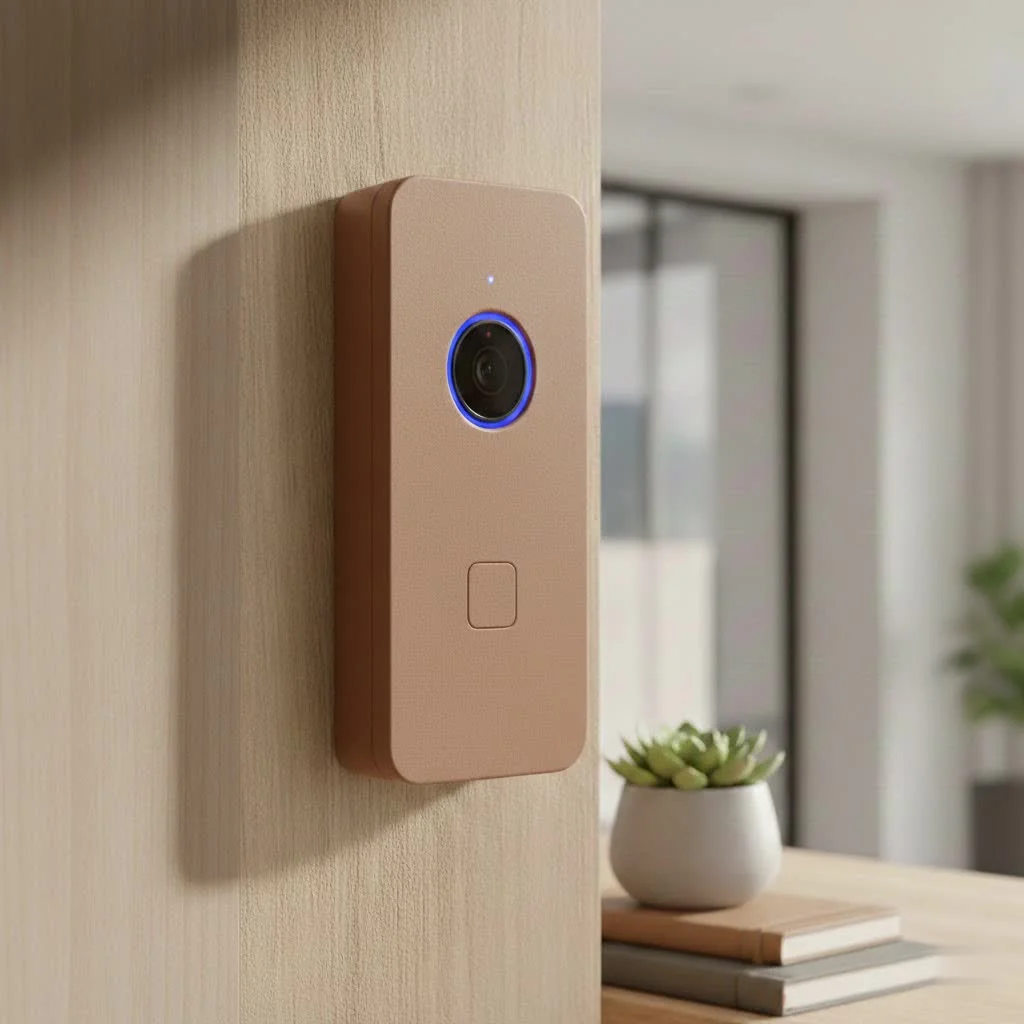
What Makes the Kasa Smart Video Doorbell Camera Stand Out?
The Kasa Smart Video Doorbell Camera isn’t just about answering your door remotely; it’s about comprehensive security with thoughtful features designed for real-world use.
Crystal Clear Vision, Day or Night
The Kasa Smart Video Doorbell Camera delivers stunning clarity with its impressive 2K resolution (3MP, or 2304 x 1296 pixels). This significant leap captures crisp, vibrant images. Coupled with a wide 160-degree diagonal field of view, you get an expansive look at your porch and beyond, minimizing blind spots.
For nighttime, the Kasa doorbell comes equipped with infrared (IR) night vision that provides clear black-and-white footage up to 30 feet away. The clarity ensures you can still identify what’s happening even in pitch darkness, making it a reliable guardian around the clock.
Smart Detection and Instant Alerts
The Kasa Smart Video Doorbell Camera intelligently tackles irrelevant notifications with advanced detection features. It offers both general motion detection and sophisticated person detection, ensuring you’re alerted to what truly matters.
You can customize up to four activity zones within the Kasa app, allowing you to focus on specific areas like your pathway or porch and ignore things like trees swaying in the wind. When an event is detected, you receive instant notifications on your phone, so you’re always in the know, no matter where you are.
Two-Way Talk and Pre-recorded Replies
The Kasa Smart Video Doorbell Camera makes communication effortless with its two-way audio feature. You can speak directly to visitors through the doorbell’s speaker and listen to their responses, all from your Kasa app.
For those times when you’re busy or simply prefer not to engage, the doorbell also offers convenient pre-recorded quick replies. You can choose from a selection of messages like “Please leave the package” or “Can I help you?” to respond efficiently and effectively.
Flexible Storage Options: Local and Cloud
The Kasa Smart Video Doorbell Camera includes a secure, hidden microSD card slot, allowing for free local storage and even 24/7 continuous recording. This is a huge advantage, providing peace of mind that your footage is always accessible without a subscription.
For those who want extra features like a longer video history and easier clip sharing, Kasa also offers the Kasa Care cloud subscription. While it adds a small recurring cost, it unlocks benefits that enhance your doorbell’s utility, such as extended video history and streamlined sharing capabilities. It’s a choice that puts you in control of your data and budget.
Seamless Smart Home Integration
|
Our Picks for the Best Smart Doorbell in 2026
As an Amazon Associate I earn from qualifying purchases.
|
||
| Num | Product | Action |
|---|---|---|
| 1 | 1080p Smart Video Doorbell Camera with AI Motion Detection, Night Vision, Cloud Storage, 2 Way Audio, Battery Powered, 2.4GHz Wi-Fi Only |

|
| 2 | Arlo Video Doorbell 2K (2nd Gen, Latest Release), Wireless or Wired Option, 2-Way Audio, Night Vision, Head to Toe Video View, Package Detection, Person & Vehicle Recognition, 1-Month Secure Plan |
|
| 3 | Anti-Theft Video Doorbell Mount Compatible with Arlo Video Doorbell/Blink Doorbell Camera, Anti-Blocks Motion Sensor, Adjustable Mounting Bracket Accessories for Houses/Apartments/Rentals-Silver |
|
| 4 | Google Nest Doorbell (Wired, 3rd Gen) - 2K Video and Gemini, Live View, Night Vision, 2-Way Audio - Works with Google Home - 2025 Model - Snow |
|
| 5 | ecobee Smart Video Doorbell Camera (Wired) - with Industry Leading HD Camera, Smart Security, Night Vision, Person and Package Sensors, 2-Way Talk, and Video & Snapshot Recording |
|
| 6 | Google Nest Doorbell (Wired, 3rd Gen) - 2K Video and Gemini, Live View, Night Vision, 2-Way Audio - Works with Google Home - 2025 Model - Hazel |
|
| 7 | 1080P Smart Wireless Video Doorbell Camera with AI Motion Detection, Night Vision, Two-Way Talk, Cloud Storage, Indoor/Outdoor Surveillance, Battery Powered, 2.4GHz Wi-Fi |
|
| 8 | Tapo by TP-Link Smart Video Doorbell Camera with Chime, Battery or Wired, 2K QHD Color Night Vison, No Monthly Fee, 180° Ultra-Wide Head-to-Toe View, Ring Call, Free AI Detection, Local Storage (D225) |
|
| 9 | Tapo by TP-Link Smart Video Doorbell Camera Wireless with Chime, 2K with Full Color Night Vision & Spotlights, No Monthly Fee, Ring Call, 160° Ultra-Wide View, Free AI Detection, Local Storage,D210 |
|
| 10 | Tapo TP-Link Smart Video Doorbell Camera, Chime Included, 2K 5MP, Color Night Vision, 2-Way Audio, Free AI Detection, Cloud/SD Card Storage, Works w/Alexa & Google Home, D230S1 |
|
The Kasa Smart Video Doorbell Camera plays nicely with leading smart home ecosystems. It’s compatible with Amazon Alexa and Google Assistant, meaning you can ask your smart displays to show you the front door feed with a simple voice command. It also integrates with Samsung SmartThings through the “Works with Kasa” program, expanding its reach within your connected home.
Built to Withstand the Elements (IP64 Weatherproofing)
The Kasa Smart Video Doorbell Camera boasts an IP64 weatherproof rating, ensuring it can handle dust, splashes, and general outdoor conditions without missing a beat. Rain or shine, sleet or snow, your Kasa doorbell is designed to perform reliably, offering consistent security coverage.
A Step-by-Step Guide to Kasa Smart Video Doorbell Installation and Setup
One of the things I always appreciate about Kasa products is their user-friendliness, and the Kasa Smart Video Doorbell Camera is no exception. While it is a hardwired doorbell, meaning it connects to your existing doorbell wiring, the installation process is surprisingly straightforward.
Pre-Installation Checklist
Before you begin, gather these essentials:
- Your Kasa Smart Video Doorbell Camera package (including the chime module).
- Basic tools: screwdriver, drill (if needed for mounting).
- A stable 2.4GHz Wi-Fi network.
- Your existing doorbell wiring (ensure power is off at the breaker!).
Wiring Your Kasa Doorbell (Hardwired Requirement)
- Safety First: Absolutely crucial – turn off the power to your existing doorbell at the breaker. Test it to confirm it’s off.
- Remove Old Doorbell: Carefully disconnect and remove your old doorbell button.
- Install Mounting Bracket: Attach the Kasa doorbell’s mounting bracket to your wall using the screws provided.
- Connect Wires: Connect your existing doorbell wires to the terminals on the back of the Kasa doorbell. The Kasa app will guide you clearly.
- Mount Doorbell: Secure the Kasa doorbell camera onto its mounting bracket.
- Install Chime Module: Connect the included chime module to your existing indoor chime unit. This ensures your indoor chime still works and provides the correct power to the doorbell.
- Restore Power: Once everything is wired and mounted, turn the power back on at the breaker.
Connecting to the Kasa App
- Download the Kasa Smart App: If you haven’t already, download the Kasa Smart app from your app store.
- Create Account/Log In: Set up a new account or log in to your existing Kasa account.
- Add Device: Tap the “+” icon in the app to add a new device, then select your Kasa Smart Video Doorbell.
- Follow On-Screen Prompts: The app will guide you through connecting the doorbell to your home Wi-Fi network and completing the setup process. It’s designed to be intuitive, even for smart home newbies.
Optimizing Settings for Best Performance
Once installed, tweak your settings in the Kasa app:
- Video Quality: For the best picture, set the resolution to 2K (3MP). If your Wi-Fi struggles, you can lower it.
- Detection Sensitivity: Adjust motion and person detection sensitivity to minimize false alarms.
- Activity Zones: Define specific areas to monitor, reducing unwanted notifications.
- Night Vision: Ensure it’s set to “Auto” for seamless day-to-night transitions.
- Notification Preferences: Customize when and how you receive alerts.
Kasa Smart Video Doorbell Camera vs. The Competition
When you look at the landscape of smart video doorbells, big names like Ring, Nest, Arlo, and Eufy often come to mind. While these brands offer robust solutions, the Kasa Smart Video Doorbell Camera carved out its niche by providing an exceptional blend of features and value that often rivals its more expensive counterparts.
For example, many premium doorbells charge a monthly fee for basic features like video history. Kasa, however, offers free local storage via a microSD card, allowing for 24/7 continuous recording without a subscription. This is a significant cost-saving benefit over the long term. While its activity zone customization might be slightly less extensive than some high-end models, its 2K video quality, reliable person detection, and robust smart home integration make it a formidable competitor, especially when considering its budget-friendly price point. It truly delivers high-end features without the high-end price tag.
Troubleshooting Common Kasa Smart Doorbell Issues
Even the best technology can sometimes have a hiccup. Here are a few common issues you might encounter with your Kasa Smart Video Doorbell Camera and how to resolve them:
High Motion Sensitivity/False Alarms
Problem: You’re getting too many notifications from swaying trees, shadows, or passing cars.
Solution:
- Adjust Sensitivity: In the Kasa app, navigate to “Detection & Sensitivity” settings. Lower the motion detection sensitivity.
- Set Activity Zones: Utilize the activity zones feature to draw specific areas you want to monitor, excluding irrelevant spaces. Kasa allows for up to four zones.
- Enable Person Detection: Make sure “Person Detection” is enabled, and try to rely more on it for critical alerts.
Wi-Fi Connectivity Challenges
Problem: Your doorbell frequently disconnects or has poor live view quality.
Solution:
- Check Signal Strength: Ensure your doorbell is within a good range of your 2.4GHz Wi-Fi router. Obstacles like thick walls can interfere.
- Router Placement: Consider moving your Wi-Fi router closer or using a Wi-Fi extender if the signal is weak at your front door.
- Network Congestion: If you have many devices on your 2.4GHz network, try to reduce traffic or prioritize your doorbell if your router allows.
Video Quality Adjustments
Problem: The live view or recorded footage isn’t as clear as expected.
Solution:
- Check App Settings: In the Kasa app, confirm that your video quality is set to 2K (3MP). Lower settings (e.g., 720p) are available for slower internet connections.
- Internet Speed: Ensure your home internet upload speed is adequate for streaming 2K video. Slower speeds can force the doorbell to downscale quality.
- Lens Cleanliness: Periodically clean the doorbell camera lens with a soft, dry cloth to remove any dust or smudges.
Expert Insight: Why the Kasa Smart Doorbell is a Smart Choice
“The Kasa Smart Video Doorbell Camera consistently punches above its weight class,” states Dr. Anya Sharma, a renowned Smart Home Security Analyst. “Its blend of high-resolution video, robust person detection, and critical local storage options at an incredibly competitive price point makes it an outstanding choice for anyone looking to enhance their home security without compromising on essential features. It truly embodies smart value in the smart home market.”
Frequently Asked Questions about the Kasa Smart Video Doorbell Camera
Q1: Is the Kasa Smart Video Doorbell Camera battery-powered?
No, the Kasa Smart Video Doorbell Camera is designed to be hardwired, utilizing your existing doorbell wiring for continuous power. This ensures reliable, always-on operation without the need for battery recharging.
Q2: Does the Kasa doorbell require a monthly subscription?
A monthly subscription to Kasa Care is optional. While it offers benefits like extended cloud video history and easier clip sharing, the doorbell functions fully with free local storage via a microSD card for 24/7 recording.
Q3: How good is the night vision on the Kasa doorbell?
The Kasa doorbell features infrared (IR) night vision, providing clear black-and-white footage up to 30 feet in low-light conditions. It ensures good visibility of your front door area even in complete darkness.
Q4: Can I view my Kasa doorbell on a smart display?
Yes, the Kasa Smart Video Doorbell Camera is compatible with Amazon Alexa and Google Assistant. You can easily connect it to devices like an Amazon Echo Show or Google Nest Hub and view your live front door feed with a voice command.
Q5: How many activity zones can I set?
You can customize up to four distinct activity zones within the Kasa app. This allows you to define specific areas on your property that you want the doorbell to monitor for motion and person detection, reducing irrelevant alerts.
Conclusion
The Kasa Smart Video Doorbell Camera offers an exceptional blend of advanced features, reliable performance, and incredible value, making it a compelling choice for enhancing your home security. From its crystal-clear 2K video and intelligent person detection to flexible local storage and seamless smart home integration, it provides peace of mind and convenience at your fingertips. By choosing Kasa, you’re not just getting a smart doorbell; you’re investing in a smarter, more secure home. Take the leap, install your Kasa Smart Video Doorbell Camera today, and experience the confidence of always knowing who’s at your door. We’d love to hear about your experience and how the Kasa doorbell has transformed your home security!
Frequently Asked Questions
Is the Kasa Smart Video Doorbell Camera battery-powered?
No, the Kasa Smart Video Doorbell Camera is hardwired, using your existing doorbell wiring for continuous power. This design ensures reliable, always-on operation without the need for battery recharging.
Does the Kasa doorbell require a monthly subscription for features?
A monthly subscription to Kasa Care is optional. While it offers benefits like extended cloud video history, the doorbell functions fully with free local storage via a microSD card for 24/7 recording without a subscription.
What is the range and clarity of the Kasa doorbell's night vision?
The Kasa doorbell features infrared (IR) night vision, providing clear black-and-white footage up to 30 feet in low-light conditions. This ensures good visibility of your front door area even in complete darkness.
Can I view my Kasa doorbell feed on a smart display device?
Yes, the Kasa Smart Video Doorbell Camera is compatible with Amazon Alexa and Google Assistant. You can easily connect it to devices like an Amazon Echo Show or Google Nest Hub and view your live front door feed with a voice command.
How many customizable activity zones can be set up in the Kasa app?
You can customize up to four distinct activity zones within the Kasa app. This allows you to define specific areas on your property for motion and person detection, reducing irrelevant alerts.
Install and Set Up Your Kasa Smart Video Doorbell
This guide provides a step-by-step process for installing and setting up your Kasa Smart Video Doorbell Camera, including wiring and app configuration.
Before starting, ensure you have your Kasa Smart Video Doorbell Camera package, basic tools like a screwdriver, a stable 2.4GHz Wi-Fi network, and confirm the power to your existing doorbell is off at the breaker for safety.
Turn off power at the breaker, remove your old doorbell, and attach the Kasa mounting bracket. Connect your existing doorbell wires to the Kasa doorbell terminals, then secure the doorbell to its bracket. Install the chime module to your indoor chime unit and restore power.
Download the Kasa Smart app, create an account or log in, and tap the '+' icon to add your Kasa Smart Video Doorbell. Follow the on-screen prompts to connect the doorbell to your home Wi-Fi network and complete the setup process.
Once installed, adjust settings in the Kasa app for best performance. Set video quality to 2K (3MP), fine-tune motion and person detection sensitivity, define up to four activity zones, ensure night vision is on 'Auto', and customize notification preferences.
Smart home that does not lock you in
Free PDF — protocol compatibility matrix for 30 hubs and devices.
I’ve been looking for a reliable doorbell camera for ages, and the Kasa Smart Video Doorbell Camera really delivers. The 2K resolution is no joke; I can clearly see packages and faces, even at night. The person detection feature is also super accurate, which cuts down on a lot of unnecessary alerts from passing cars. Definitely a solid upgrade for my front door security.
I got the Kasa Smart Video Doorbell Camera hoping for a simple security solution. While the video quality is good, I’ve had some trouble with the installation process. It wasn’t as straightforward as I expected, and I needed to get some extra tools. Once it was up, it works fine, but that initial setup was a bit frustrating.
The Kasa Smart Video Doorbell Camera is fantastic for peace of mind. Knowing I can monitor my front porch with such clear video, even when I’m not home, is invaluable. The advanced features like person detection really make a difference in filtering out false alarms. It’s an affordable choice that doesn’t skimp on quality.
This Kasa doorbell camera has been a great addition to my smart home setup. I love that it offers local storage options because I really didn’t want another monthly subscription fee. The smartphone connectivity is seamless, and I can check in on things from anywhere. My only minor complaint is that the app can sometimes be a little slow to load the live feed, but it’s not a dealbreaker.