Welcome, smart home enthusiasts! As someone who’s spent over a decade navigating the intricate world of smart doorbells and creating content for Boctj.com, I’ve seen firsthand how these devices transform home security. Today, we’re diving deep into the Tuya smart doorbell ecosystem – a popular choice for many homeowners looking to enhance their entryway security and convenience. If you’ve ever wondered how to unlock its full potential, troubleshoot common glitches, or simply understand what makes these devices tick, you’ve come to the right place.
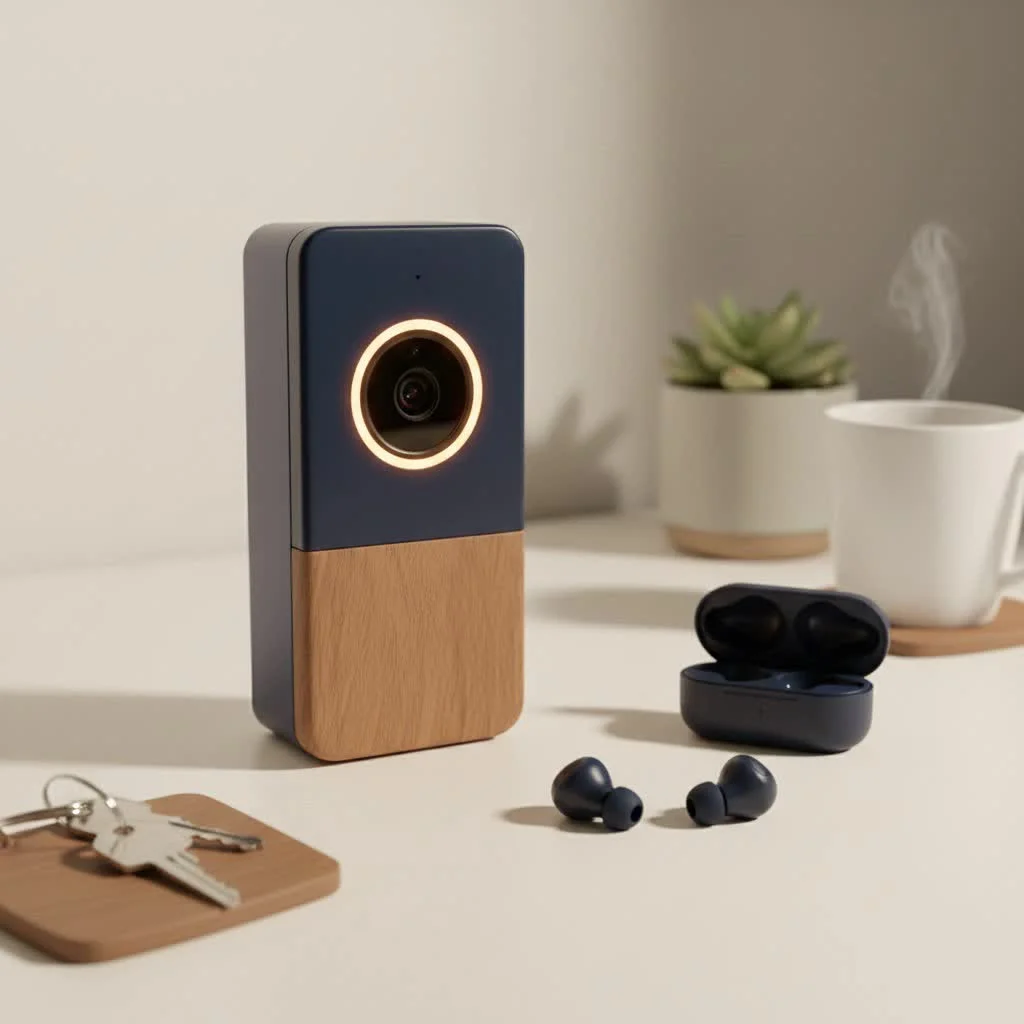
Tuya-powered smart doorbells offer a fantastic blend of features, often at an accessible price point, making them a gateway to a smarter, more secure home. Whether you’re a seasoned tech wizard or just starting your smart home journey, understanding your Tuya doorbell is key to peace of mind. Let’s get started and turn you into a Tuya doorbell pro!
Understanding Tuya Smart Doorbells: Key Features
What exactly makes a Tuya smart doorbell a compelling choice for your home? It’s all about the powerful features packed into these compact devices, leveraging the robust Tuya IoT platform. Here’s a breakdown of what you can typically expect:
Crystal-Clear Vision: Video Quality
Most Tuya smart doorbells boast high-definition video, often 1080P Full HD, with some advanced models even offering 2K (3MP) resolution. This means you get a clear, detailed view of who’s at your door. Coupled with a wide-angle lens, typically around 166 degrees, these doorbells ensure you capture a broad perspective of your doorstep, minimizing blind spots.
Talk and Listen: Two-Way Audio
Imagine being able to speak to a delivery person or greet a visitor even when you’re not home. That’s the magic of two-way audio. Tuya doorbells come equipped with a built-in microphone and speaker, allowing real-time communication directly through your smartphone via the Tuya Smart or Smart Life app.
Always Alert: Motion Detection
A cornerstone of any good security device, motion detection in Tuya smart doorbells uses Passive Infrared (PIR) sensors to detect human movement. When someone approaches your door, you receive instant push notifications on your smartphone, enabling you to respond quickly. Some advanced models may even feature “Humanoid Detection” to specifically identify people and reduce false alarms caused by animals or passing cars.
See in the Dark: Night Vision
Security doesn’t take a break after sunset. Tuya doorbells integrate infrared (IR) night vision, automatically switching to this mode in low-light conditions. This ensures clear video recording and live views even in complete darkness, typically with an effective range of 6-8 meters.
Keeping Your Footage Safe: Storage Options
|
Our Picks for the Best Smart Doorbell in 2026
As an Amazon Associate I earn from qualifying purchases.
|
||
| Num | Product | Action |
|---|---|---|
| 1 | 1080P Smart Wireless Video Doorbell Camera with AI Motion Detection, Night Vision, Two-Way Talk, Cloud Storage, Indoor/Outdoor Surveillance, Battery Powered, 2.4GHz Wi-Fi |

|
| 2 | Google Nest Doorbell (Wired, 3rd Gen) - 2K Video and Gemini, Live View, Night Vision, 2-Way Audio - Works with Google Home - 2025 Model - Hazel |
|
| 3 | Tapo TP-Link Smart Video Doorbell Camera, Chime Included, 2K 5MP, Color Night Vision, 2-Way Audio, Free AI Detection, Cloud/SD Card Storage, Works w/Alexa & Google Home, D230S1 |
|
| 4 | 1080p Smart Video Doorbell Camera with AI Motion Detection, Night Vision, Cloud Storage, 2 Way Audio, Battery Powered, 2.4GHz Wi-Fi Only |
|
| 5 | Tapo by TP-Link Smart Video Doorbell Camera Wireless with Chime, 2K with Full Color Night Vision & Spotlights, No Monthly Fee, Ring Call, 160° Ultra-Wide View, Free AI Detection, Local Storage,D210 |
|
| 6 | Google Nest Doorbell (Wired, 3rd Gen) - 2K Video and Gemini, Live View, Night Vision, 2-Way Audio - Works with Google Home - 2025 Model - Snow |
|
| 7 | Tapo by TP-Link Smart Video Doorbell Camera with Chime, Battery or Wired, 2K QHD Color Night Vison, No Monthly Fee, 180° Ultra-Wide Head-to-Toe View, Ring Call, Free AI Detection, Local Storage (D225) |
|
| 8 | Arlo Video Doorbell 2K (2nd Gen, Latest Release), Wireless or Wired Option, 2-Way Audio, Night Vision, Head to Toe Video View, Package Detection, Person & Vehicle Recognition, 1-Month Secure Plan |
|
| 9 | Anti-Theft Video Doorbell Mount Compatible with Arlo Video Doorbell/Blink Doorbell Camera, Anti-Blocks Motion Sensor, Adjustable Mounting Bracket Accessories for Houses/Apartments/Rentals-Silver |
|
| 10 | ecobee Smart Video Doorbell Camera (Wired) - with Industry Leading HD Camera, Smart Security, Night Vision, Person and Package Sensors, 2-Way Talk, and Video & Snapshot Recording |
|
You have options when it comes to storing your video recordings. Many Tuya smart doorbells support local storage via a Micro SD (TF) card, often up to 64GB or even 128GB, allowing you to keep recordings directly on the device. Additionally, Tuya offers optional cloud storage plans, which store your video in a remote server, providing an extra layer of security in case your doorbell is stolen.
Staying Connected: Connectivity
Most Tuya smart doorbells primarily support 2.4GHz Wi-Fi networks for easy setup and remote access. While some newer or higher-end models might offer 5GHz compatibility, the 2.4GHz band is the standard. This ensures broad compatibility with home networks.
Powering Your Protection: Power Options
Flexibility in power is another advantage. Many Tuya doorbells are battery-powered, typically using two rechargeable 18650 batteries (often 2*2600mAh), offering wireless installation freedom and long standby times. Some models also support wired connections (DC/AC power input), ensuring continuous power without needing to recharge batteries.
Built for the Outdoors: Weather Resistance
Designed for outdoor use, Tuya smart doorbells generally carry an IP65 waterproof rating. This means they are protected against dust and water splashes, ensuring reliable performance in various weather conditions.
Your Smart Home Hub: Smart Home Integration
Tuya is a massive IoT platform, meaning these doorbells often integrate seamlessly with other Tuya-powered devices. Furthermore, many models offer compatibility with popular voice assistants like Google Assistant and Amazon Alexa, allowing for voice control and notifications through your smart displays.
Hear the “Ding-Dong”: Wireless Chime
Many Tuya smart doorbells come bundled with a wireless indoor chime receiver. This handy accessory plugs into a standard power outlet or USB port and produces a traditional “Ding-Dong” sound when the doorbell button is pressed, so you don’t miss a visitor even if your phone isn’t nearby.
Types of Tuya Smart Doorbells
The beauty of the Tuya smart doorbell ecosystem lies in its diversity. While all share core functionalities, they often vary in how they’re powered and their specific design, catering to different installation needs and preferences.
Battery-Powered Tuya Doorbells
These are incredibly popular for their ease of installation. With no wiring required, you can mount them almost anywhere. They typically run on rechargeable 18650 batteries, offering months of standby time depending on usage and motion detection events. This type is perfect for renters or those who prefer a quick, drill-free setup. The Tuya M8 Mini Smart Video Doorbell, for instance, is a compact battery-powered option highlighted for its user convenience and easy setup.
Wired Tuya Doorbells
For those who prefer a continuous power supply and never want to worry about battery life, wired Tuya smart doorbells are the way to go. These typically connect to your existing doorbell wiring. Models like the Tuya J5 2K Smart Doorbell often come with an AC/DC power adapter and longer cables for flexible installation. They ensure constant operation and can be a great upgrade for homes with existing doorbell infrastructure.
Diving into Specific Tuya Models
While Tuya is a platform, various manufacturers produce doorbells leveraging its technology. Some commonly referenced models include:
- Tuya J5 2K Smart Doorbell: Noted for its 2K (3MP) resolution, included wireless chime, and flexible power options (DC12V 1A adapter or USB). It also features an angle mount bracket for optimal viewing.
- Tuya M8 Mini Smart Video Doorbell: Praised for its compact design, 1080p HD camera, intuitive app integration, and rechargeable battery option, making it a solid investment for home security.
- Other generic “Tuya WiFi Video Doorbell” models frequently appear, offering a range of features from 1080p resolution to 5G Wi-Fi support and robust 5000mAh batteries for extended standby.
When choosing, consider your existing setup: do you have doorbell wiring, or do you need a completely wireless solution? This will largely determine the type of Tuya smart doorbell that’s right for you.
Installation and Configuration: Getting Started with Your Tuya Smart Doorbell
Setting up your Tuya smart doorbell doesn’t have to be a daunting task. With a bit of guidance, you’ll have your new security guardian up and running in no time. Think of me as your personal installation guru!
Step 1: Charging the Batteries (If Applicable)
If you have a battery-powered Tuya doorbell, this is your first stop.
- Remove the back cover: Typically, you’ll use a small screwdriver (often provided) to open the battery compartment.
- Insert batteries: Place the two 18650 rechargeable batteries, ensuring correct polarity (match the +/- symbols!).
- Charge fully: Connect the doorbell to a USB power adapter using the provided USB charging cable. Allow the batteries to charge completely before the first use; an indicator light will usually show the charging status.
Step 2: Downloading and Registering the App
The Tuya smart doorbell ecosystem revolves around its companion app.
- Download: Head to the Google Play Store (for Android) or Apple App Store (for iOS) and download either the “Tuya Smart” or “Smart Life” app. These apps are functionally very similar, just different branding.
- Register/Log In: Open the app and either register for a new account (if you’re a first-time user) or log in with your existing credentials.
Step 3: Connecting to Wi-Fi
This is where your doorbell gets smart!
- 2.4GHz Network is Key: Ensure your smartphone is connected to a 2.4GHz Wi-Fi network. Most Tuya doorbells do not support 5GHz Wi-Fi, and trying to connect to a 5GHz network is a common reason for connection failure.
- Add Device in App: Open the Tuya Smart/Smart Life app, tap the “+” icon to add a new device.
- Select Doorbell: Navigate to “Video Surveillance” and select “Smart Doorbell (Wi-Fi),” or simply search for “Doorbell.”
- Pairing Mode: Follow the on-screen instructions to put your doorbell into pairing mode. This usually involves pressing and holding the reset button until an indicator light flashes or you hear a voice prompt.
- Enter Wi-Fi Password: Input your 2.4GHz Wi-Fi network password when prompted by the app.
- Scan QR Code: The app will generate a QR code. Position your smartphone with the QR code about 15-20 cm (6-8 inches) in front of the doorbell camera lens. The doorbell will scan the code and connect. You should hear a confirmation sound or voice prompt.
- Confirm Pairing: Once connected, the app will confirm successful pairing, and you can give your doorbell a name.
Step 4: Physical Installation
Now, let’s get that doorbell on your wall!
- Choose Location: Select a suitable spot near your front door. Crucially, ensure good Wi-Fi signal strength here. If the signal is weak, you might experience poor video quality or disconnections.
- Mark and Drill: Use the mounting bracket as a template to mark your drilling spots. If mounting on masonry or stucco, drill pilot holes and insert wall anchors (usually included).
- Secure Bracket: Attach the mounting bracket to the wall using the provided screws.
- Attach Doorbell: Securely attach the Tuya smart doorbell unit to the mounting bracket, ensuring it clicks firmly into place.
Step 5: Pairing the Wireless Chime (If Applicable)
If your Tuya doorbell came with a wireless chime:
- Plug in Chime: Plug the chime into a power outlet inside your home.
- Enter Pairing Mode: Press the reset/pairing button on the chime; blue lights will usually flash, indicating it’s ready to pair.
- Pair via App: In the Tuya app, go to your doorbell’s settings, find “Bell Settings” or “Ring Setting,” and tap the “ADD” icon. The chime’s indicator light should turn solid blue, confirming successful pairing. You can then customize ringtones and adjust the volume.
Unlocking Advanced Features
Once your Tuya smart doorbell is installed and configured, it’s time to dive into the smart capabilities that truly enhance your home security and convenience.
Live View and Two-Way Audio
The heart of your Tuya smart doorbell experience is the ability to see and speak to visitors in real time.
- Live View: Simply open the Tuya Smart or Smart Life app and tap on your doorbell device to access the live video feed from anywhere with an internet connection.
- Two-Way Talk: To initiate a conversation, tap the microphone icon within the app to speak, and ensure the speaker icon is enabled to hear your visitor. It’s like a video call for your front door!
Customizing Motion Detection & Activity Zones
To optimize your alerts and reduce unnecessary notifications, personalize your motion detection settings:
- Sensitivity Adjustment: Within the app settings, you can adjust the sensitivity of the PIR motion sensor. If you’re getting too many alerts from passing cars or pets, lower the sensitivity. If you’re missing events, increase it.
- Activity Zones: Define specific areas within the camera’s view where you want motion to be detected. This is particularly useful for busy streets or areas outside your immediate property line, ensuring you only get alerts for what truly matters to you.
Accessing Stored Footage
Your Tuya smart doorbell is constantly recording events, and accessing this footage is straightforward.
- Local Storage (TF Card): If you’ve installed a Micro SD card, all detected events are recorded directly to it. You can view these recorded clips directly through the Tuya Smart/Smart Life app by navigating to the doorbell’s playback section.
- Cloud Storage: If you’ve opted for a Tuya cloud storage plan, your video footage is securely stored on remote servers. This provides peace of mind, as footage can be retrieved even if your physical doorbell is compromised. Access these recordings via the app’s cloud storage interface.
Integrating with Smart Home Ecosystems
Leverage the broader smart home capabilities of the Tuya platform.
- Voice Assistants: Link your Tuya smart doorbell to Google Assistant or Amazon Alexa through the Tuya Smart/Smart Life app. This allows for voice commands (e.g., “Alexa, show me the front door”) and notifications on compatible smart displays, giving you a hands-free way to monitor your entryway.
- Automations: Create smart home routines! For example, you could set up an automation where your porch light turns on automatically when your doorbell detects motion at night.
By exploring and customizing these advanced features, you’ll transform your Tuya smart doorbell from a simple notification device into a fully integrated part of your home security and automation system.
Troubleshooting Common Tuya Smart Doorbell Issues
Even the smartest devices can have their quirks. Don’t worry, many common Tuya smart doorbell issues have straightforward solutions. As an expert, I’ve seen it all, and I’m here to guide you through fixing those pesky problems.
“My Tuya Smart Doorbell isn’t connecting to Wi-Fi.”
This is perhaps the most frequent issue users encounter.
- 2.4GHz Check: Crucially, ensure your doorbell is connecting to a 2.4GHz Wi-Fi network. Tuya doorbells primarily use this band, and attempting to connect to a 5GHz network will fail. If your router broadcasts both, consider separating their SSIDs or temporarily disabling the 5GHz band during setup.
- Password Accuracy: Double-check your Wi-Fi password. A single typo can prevent connection.
- Router Proximity: Move the doorbell closer to your Wi-Fi router, or consider a Wi-Fi extender if the signal at your door is consistently weak. Thick walls or other electronic devices can interfere with the signal.
- Reset and Retry: If all else fails, perform a factory reset on your doorbell (see “How do I reset my Tuya smart doorbell?” below) and attempt the pairing process again.
“Why am I not receiving motion detection alerts?”
Missing important alerts defeats the purpose of a smart doorbell.
- App Settings: Dive into the Tuya Smart/Smart Life app settings for your doorbell. Ensure motion detection is enabled and that notification preferences are turned on for your smartphone.
- Obstructions: Verify that the doorbell’s camera view isn’t obstructed by anything (e.g., a new plant, a decoration, or even dirt on the lens).
- Battery Level: For battery-powered models, ensure the doorbell has sufficient battery power. Low battery can sometimes disable certain functions like continuous motion detection.
- Sensitivity: Adjust the motion detection sensitivity. It might be set too low to detect certain movements.
“My video quality is poor.”
Grainy or pixelated video can be frustrating.
- Wi-Fi Signal Strength: A weak Wi-Fi signal is the most common culprit. Check your signal strength in the app. If it’s consistently low, consider repositioning your router or using a Wi-Fi extender.
- Clean the Lens: It sounds simple, but a dirty or smudged camera lens can drastically reduce video clarity. Gently wipe it with a soft, damp cloth.
- Adequate Lighting: While night vision helps, optimal daytime performance still benefits from good lighting.
“Why is my Tuya doorbell battery draining fast?”
If you find yourself constantly recharging, consider these points.
- Frequent Events/Live View: High traffic areas, frequent motion detection events, or extensive use of the live view feature will naturally increase battery consumption.
- Reduce Sensitivity: Lowering motion detection sensitivity or shrinking activity zones can reduce the number of recordings and alerts, thus saving battery.
- Genuine Batteries: Ensure you are using genuine, high-capacity 18650 rechargeable batteries. Off-brand or older batteries may not hold a charge as effectively.
- Firmware: Keep your doorbell’s firmware updated, as updates can sometimes include power optimization improvements.
“Notifications are not working on my Samsung phone.”
Samsung phones, in particular, can be aggressive with battery optimization.
- Special Access Permissions: This is the crucial fix for Samsung users. Go to your phone’s Settings > Special access. Look for options like “Show on top,” “Notification access,” and “Full-screen alerts.” Enable your doorbell app (Tuya Smart/Smart Life) for each of these settings.
- Disable Battery Optimization: For your doorbell app, go to Settings > Apps > [Your Doorbell App] > Battery (or Energy usage) and select “Unrestricted” or “Not restricted.”
- Allow Background Data: Ensure that “Allow background data usage” is enabled for the app under Settings > Apps > [Your Doorbell App] > Mobile data.
- Lock App in Recent Screens: After opening your doorbell app, open your recent apps screen and “lock” the app to prevent the system from automatically closing it.
“How do I reset my Tuya smart doorbell?”
A reset can fix many configuration issues.
- Locate Reset Button: The reset button is usually a small pinhole or a discreet button on the back or side of the doorbell unit (often near the Micro USB port or battery compartment).
- Press and Hold: Using a paperclip or a thin tool, press and hold the reset button for about 6 seconds until you hear a voice prompt or see an indicator light flash, signaling that the device has reinitialized to factory default settings. This is useful for troubleshooting network issues or when moving the doorbell to a new Wi-Fi network.
By systematically going through these troubleshooting steps, you’ll be well-equipped to handle most issues that come your way, ensuring your Tuya smart doorbell remains a reliable part of your home security.
Choosing the Right Tuya Smart Doorbell for Your Home
Selecting the perfect Tuya smart doorbell is about matching its capabilities with your specific needs and home setup. Here’s how to make an informed decision:
Wired vs. Wireless: What’s Your Installation Preference?
- Wireless (Battery-Powered): If you prefer a quick, easy installation with no existing wiring, or if you live in a rental property, a battery-powered Tuya smart doorbell is an excellent choice. Look for models with long battery life (e.g., 5000mAh for up to 30 days standby) and easy recharging options.
- Wired (DC/AC Powered): For continuous power and no need for battery changes, a wired model is ideal if you have existing doorbell wiring. These often provide more stable operation and might offer additional features like integration with existing chime systems.
Resolution and Field of View: How Much Detail Do You Need?
- 1080P Full HD: This is a standard and offers good clarity for most purposes. You’ll clearly identify visitors and monitor your entryway.
- 2K (3MP): For even finer detail, especially if you want to zoom in on faces or packages, a 2K resolution Tuya smart doorbell is a step up.
- Wide-Angle Lens: Aim for a doorbell with a 160-166 degree wide-angle lens to ensure comprehensive coverage of your doorstep and immediate surroundings.
Storage Solutions: Local vs. Cloud
- Local SD Card: If privacy and no ongoing subscription fees are a priority, choose a model that supports a large-capacity Micro SD (TF) card (up to 64GB or 128GB).
- Cloud Storage: For enhanced security (footage accessible even if the doorbell is stolen) and convenient remote access to video history, consider models that offer Tuya cloud storage plans. Many doorbells provide both options, giving you flexibility.
Connectivity: 2.4GHz vs. 5GHz Wi-Fi
- Most Tuya smart doorbells operate on 2.4GHz Wi-Fi, which offers a longer range and better penetration through walls. Ensure your home network supports this.
- Some newer models might also support 5GHz Wi-Fi, which provides faster speeds over shorter distances and less interference in crowded Wi-Fi environments.
Additional Features to Consider:
- PIR Motion Detection: Essential for accurate alerts and reducing false alarms. Some advanced models include “Humanoid Detection.”
- Infrared Night Vision: Critical for 24/7 surveillance.
- Two-Way Audio: A must-have for communicating with visitors.
- Smart Home Integration: If you use Google Assistant or Amazon Alexa, confirm compatibility for seamless integration.
- Wireless Chime: Often included, this provides an audible alert inside your home.
- IP65 Weather Resistance: Ensures durability against outdoor elements.
By evaluating these factors against your lifestyle and security needs, you can confidently select a Tuya smart doorbell that will serve you well for years to come.
Maintenance Tips for Longevity
Just like any other smart device, your Tuya smart doorbell will benefit from a little tender loving care to ensure it performs optimally and lasts for years. Good maintenance isn’t just about fixing problems; it’s about preventing them.
Keeping It Clean: The Camera Lens and Body
- Gentle Wipe: Over time, dust, dirt, and even spiderwebs can accumulate on the camera lens and body, affecting video clarity. Periodically wipe the camera lens and the main body of your doorbell with a soft, damp cloth.
- Avoid Harsh Chemicals: Never use abrasive cleaners or harsh chemicals, as these can damage the lens coating or the device’s exterior.
Powering Up: Battery Management (for wireless models)
- Monitor Levels: Regularly check the battery levels of your battery-powered Tuya smart doorbell through the Tuya Smart or Smart Life app.
- Prompt Recharging: Recharge batteries promptly when they indicate low power. Don’t wait until they are completely depleted.
- Optimal Usage: Remember that frequent motion detection events or extensive live view sessions will drain the battery faster. Adjusting settings to reduce unnecessary activity can extend battery life.
Staying Updated: Firmware Updates
- Check Regularly: Tuya and its manufacturing partners frequently release firmware updates to improve performance, enhance security, and add new features. Regularly check for these updates within the Tuya Smart/Smart Life app.
- Install Promptly: Install available firmware updates to ensure your doorbell benefits from the latest improvements and security patches.
Battling the Elements: Weather Protection
- IP65 Rating: While your Tuya smart doorbell typically boasts an IP65 waterproof rating, meaning it’s resistant to dust and water splashes, it’s not designed to withstand direct, high-pressure water jets. Avoid spraying it directly with a garden hose.
- Charging Port Cover: If your doorbell has an exposed charging port (like a Micro USB port), always ensure its cover is securely closed when not charging to prevent water ingress.
- Consider Placement: Even with weather resistance, placing your doorbell under a slight overhang or in a somewhat sheltered spot can offer additional protection from extreme weather, prolonging its lifespan.
By incorporating these simple maintenance habits into your routine, you’ll ensure your Tuya smart doorbell remains a vigilant and reliable guardian of your home for the long haul.
Frequently Asked Questions (FAQ)
What is a Tuya smart doorbell?
A Tuya smart doorbell is a video doorbell that operates on the Tuya IoT (Internet of Things) platform, integrating smart features like HD video, two-way audio, and motion detection, all controllable via the Tuya Smart or Smart Life mobile app. It’s designed to enhance home security by allowing you to see, hear, and speak to visitors from anywhere.
Is the Tuya Smart app the same as the Smart Life app?
Yes, the Tuya Smart app and the Smart Life app are essentially the same application, utilizing the underlying Tuya home appliances cloud platform. They often differ only in branding, so you can generally use either app interchangeably to manage your Tuya smart doorbell and other Tuya-compatible devices.
Do Tuya smart doorbells require a subscription?
While Tuya smart doorbells offer basic functionalities like live view, two-way audio, and motion alerts without a subscription, many models provide optional cloud storage plans. These plans typically offer extended video history and additional security benefits, which come with a recurring fee. Local storage via an SD card usually does not require a subscription.
Can Tuya smart doorbells connect to 5GHz Wi-Fi?
Most Tuya smart doorbells primarily support connection to 2.4GHz Wi-Fi networks. This band offers a wider range and better penetration through walls compared to 5GHz. While some newer or more advanced models might support 5GHz, it’s crucial to confirm this in the product specifications. If not, ensure your phone is connected to a 2.4GHz network during setup.
How long do Tuya smart doorbell batteries last?
The battery life of a Tuya smart doorbell varies significantly based on usage, environmental factors, and the specific model. Factors like frequent motion detection events, extensive live view access, and extreme temperatures can accelerate battery drain. Many battery-powered models, equipped with high-capacity 18650 batteries (e.g., 5000mAh), can offer several weeks to a few months of standby time under typical usage.
Is Tuya compatible with Alexa or Google Home?
Yes, many Tuya smart doorbells are designed to integrate with popular smart home ecosystems like Amazon Alexa and Google Assistant. This compatibility allows you to receive notifications, stream live video to compatible smart displays, and use voice commands to interact with your doorbell. You can typically link your Tuya account within the Alexa or Google Home apps.
What does the IP65 rating mean for my doorbell?
An IP65 rating signifies that your Tuya smart doorbell is protected against dust ingress and can withstand low-pressure water jets from any direction. This makes it suitable for outdoor installation and resistant to typical weather conditions like rain and splashes, ensuring its durability and reliable operation.
Conclusion
Embarking on the journey with a Tuya smart doorbell is an excellent step towards a more secure and connected home. From understanding its powerful features like HD video, two-way audio, and intelligent motion detection to mastering the installation process and troubleshooting common issues, you’re now equipped with the expertise to make the most of your device.
Remember, a smart home is an evolving one, and your Tuya smart doorbell is a dynamic piece of that puzzle. By keeping it clean, updated, and understanding its functionalities, you ensure its longevity and your peace of mind. So go ahead, confidently choose, install, and utilize your Tuya smart doorbell to safeguard your home and streamline your daily interactions. It’s truly a game-changer for modern home security!
Smart home that does not lock you in
Free PDF — protocol compatibility matrix for 30 hubs and devices.
